
Key takeaways
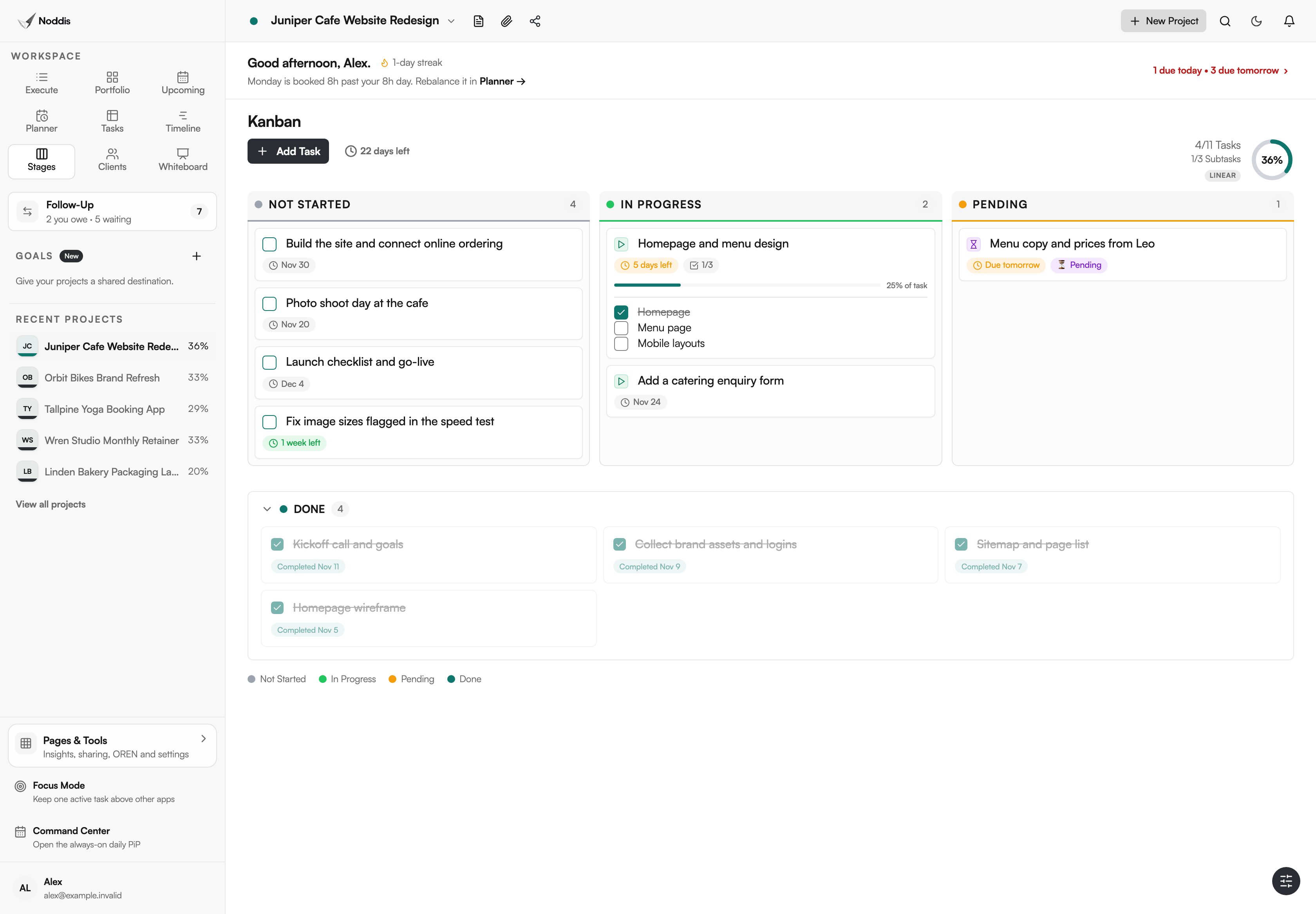
- Stages shows one project's tasks as a board with three fixed columns: Not Started, In Progress and Pending.
- Pending gathers everything that is waiting, paused or blocked, and finished work sits in a Done section below.
- Dragging a card to another column changes the task's status everywhere.
- Stages is on Pro, which is $15 a month.
Why does Noddis have Stages?
Noddis has Stages because a kanban board for projects usually starts with a design job: naming columns, agreeing what each one means, then keeping them tidy. Stages skips that. The columns are fixed as Not Started, In Progress and Pending, and a project's tasks sort into them by status.
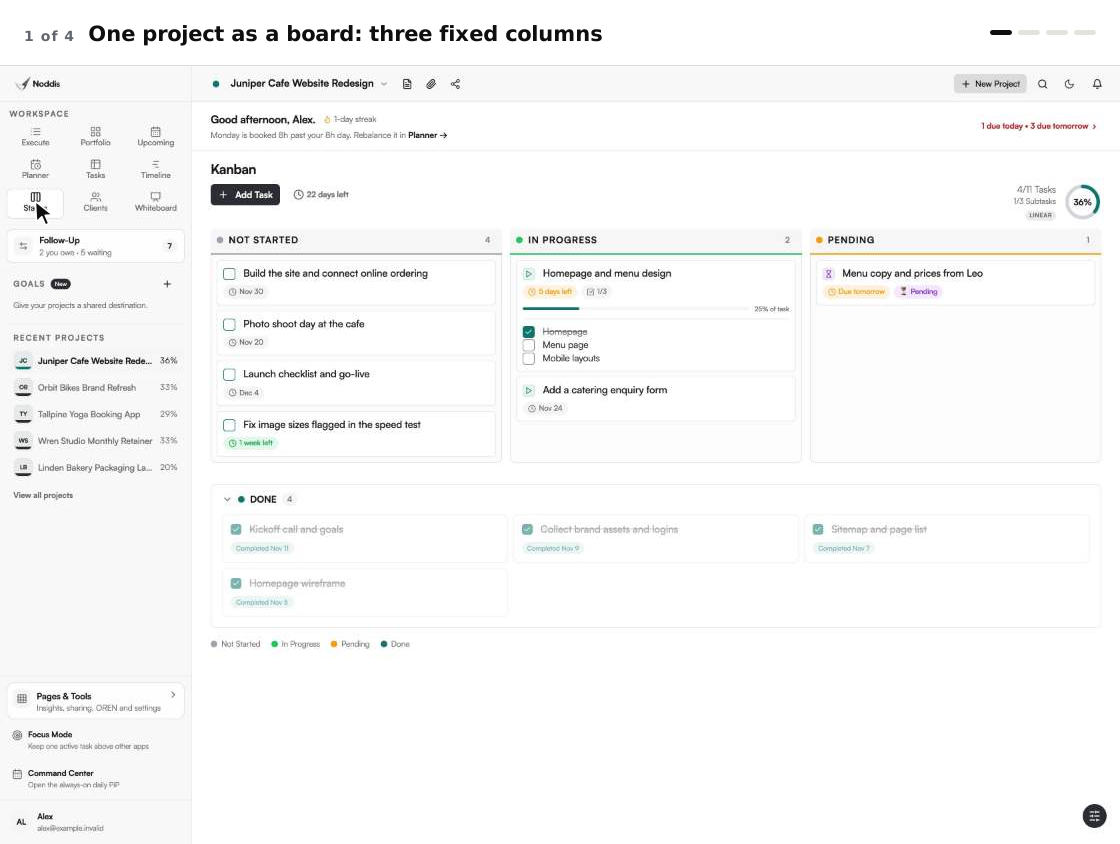
When we built Stages in Noddis, we fixed the columns as Not Started, In Progress and Pending, so a board works the moment a project has tasks.
The Kanban Guide (May 2025), published by Orderly Disruption Limited and Daniel S. Vacanti, Inc., says: "Kanban is a strategy for optimizing the flow of value through a process." A board makes that flow visible. Stages gives you the board, not the whole method, and the limits below say where it stops.
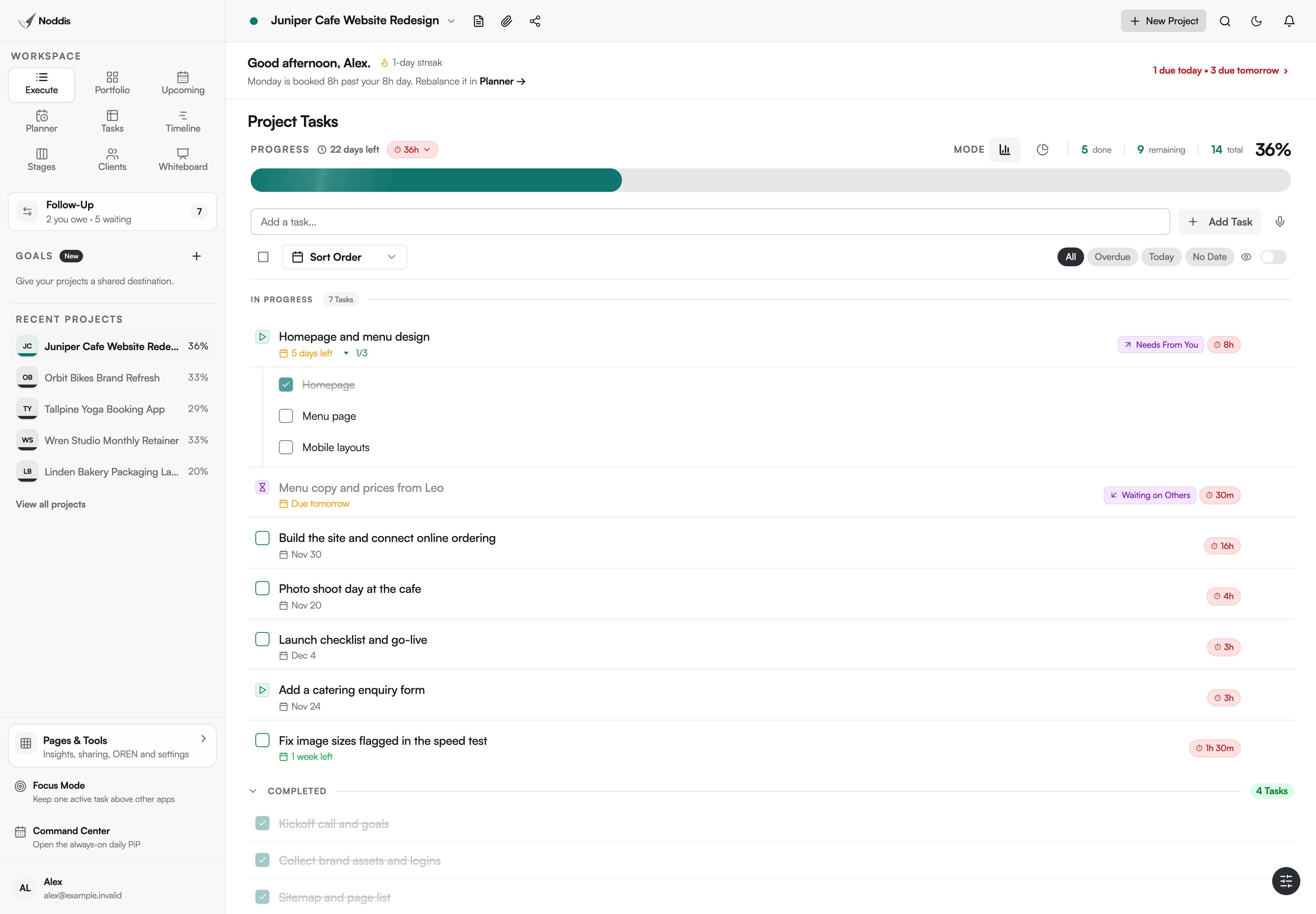
Noddis is a project management app that keeps tasks, follow-ups, and related project details connected. Stages is one of its ready-made workspaces, and it reads the same tasks as the list in Execute.
How Stages works, step by step
- Add tasks to a project in Execute, or import them from a spreadsheet or another tool.
- Open Stages in the sidebar. The selected project's tasks are already cards under "Not Started", "In Progress" or "Pending", by their status.
- Drag a card to another column to change its status.
- Tick a card's checkbox when the task is finished. It drops into the "Done" section below. Click a done card to reopen it.
- Read the card. It shows a due-date badge, a subtask count, and markers such as "Blocked", "Pending", "Paused" or "Ready to start".
- Add work without leaving the board: "Add Task" is in the toolbar, beside the task counts and the progress ring.
What you stop doing
Stages removes the board design and the upkeep that follows it. That is the idea behind project management without the management.
| The chore | The usual way | In Stages |
|---|---|---|
| Designing the board | Name the columns, agree what each means, rebuild when it changes | Three fixed columns and a Done section |
| Tracking what is waiting | A waiting column, a label, or memory | Pending gathers every task that cannot move |
| Keeping board and list in step | Update the card, then update the list | One task, shown both ways |
| Telling the client where things stand | Screenshot the board, or write a status email | The client portal can show the same stages, read-only |
What is on the Stages board?
Four things on the Stages board carry the benefit: the fixed columns, what Pending gathers, the Done section and a read-only copy of the stages for the client.
Three fixed columns
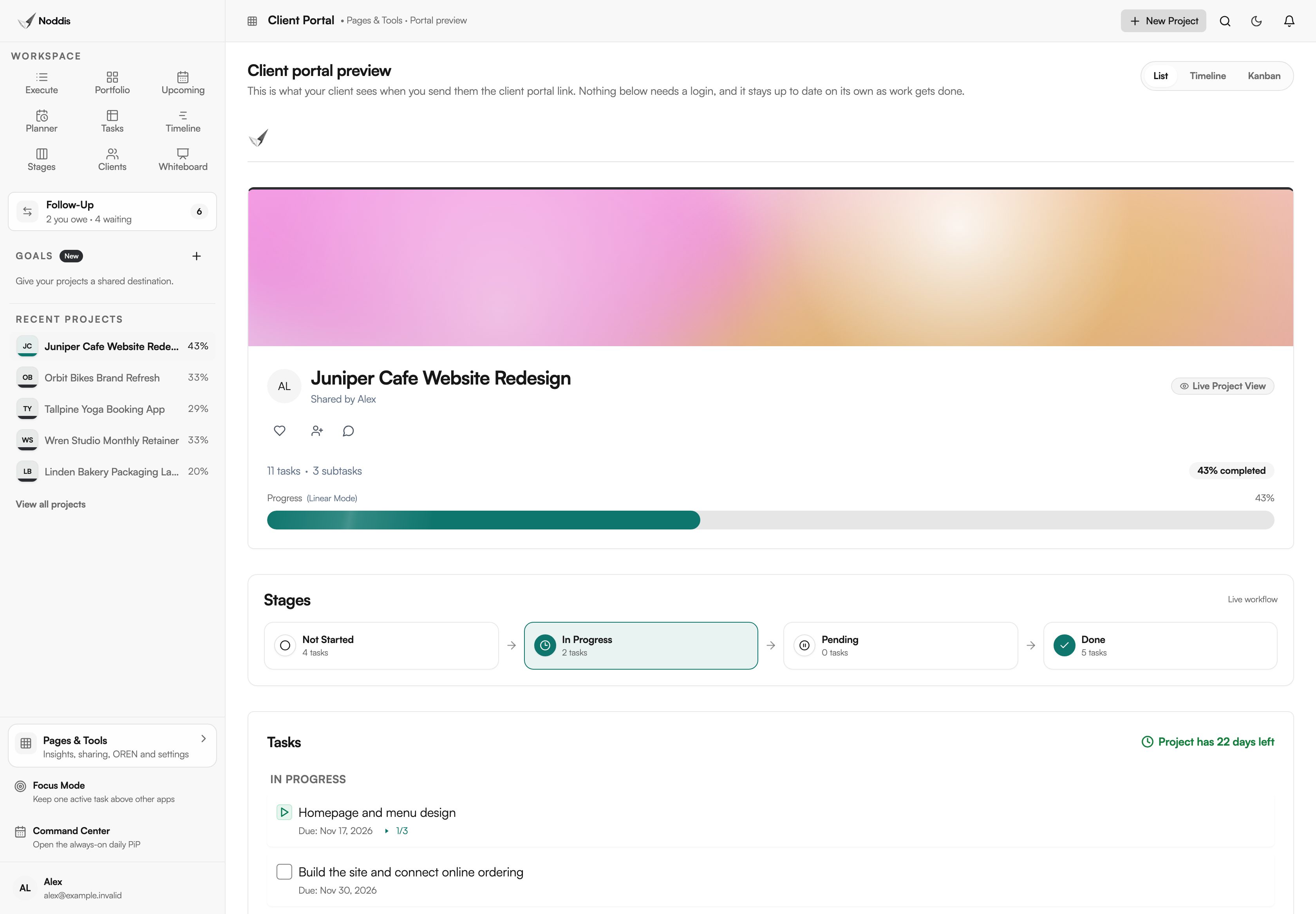
The columns are Not Started, In Progress and Pending, always in that order. A task lands in a column by its status, and dragging a card changes the status. For the cafe website at the top of this page, that is four tasks not started, two in progress and one pending. Cards cannot be reordered inside a column, so the board shows status and nothing else.
Pending: everything that is waiting
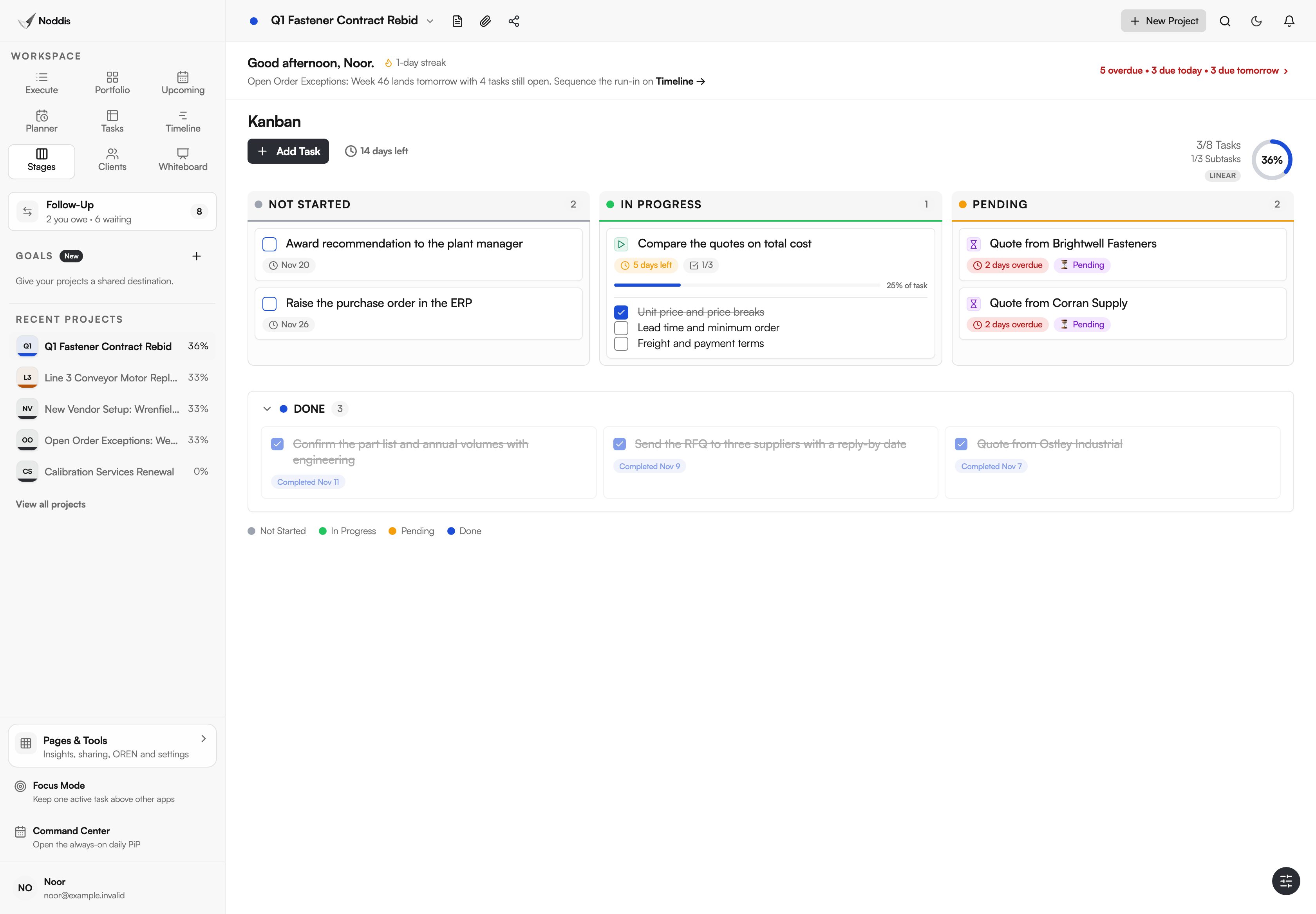
Pending holds every task that cannot move right now: tasks marked pending, paused or blocked, and tasks waiting on a dependency. A marker on each card says which. One column shows what the project is waiting for, whatever the reason.
Done, below the board
Finished work drops into a Done section under the columns, so the three columns show open work only. Click a done card to reopen it.
The client's copy of the stages
A client portal can show "Live Workflow Stages": a count of the tasks in each stage, built from the same grouping. The client reads it and cannot move anything. Client portals are on Pro, and what is a client portal covers what to share.
Which kinds of work suit a kanban board for projects?
Stages suits work where the useful question is what is waiting, and on whom.
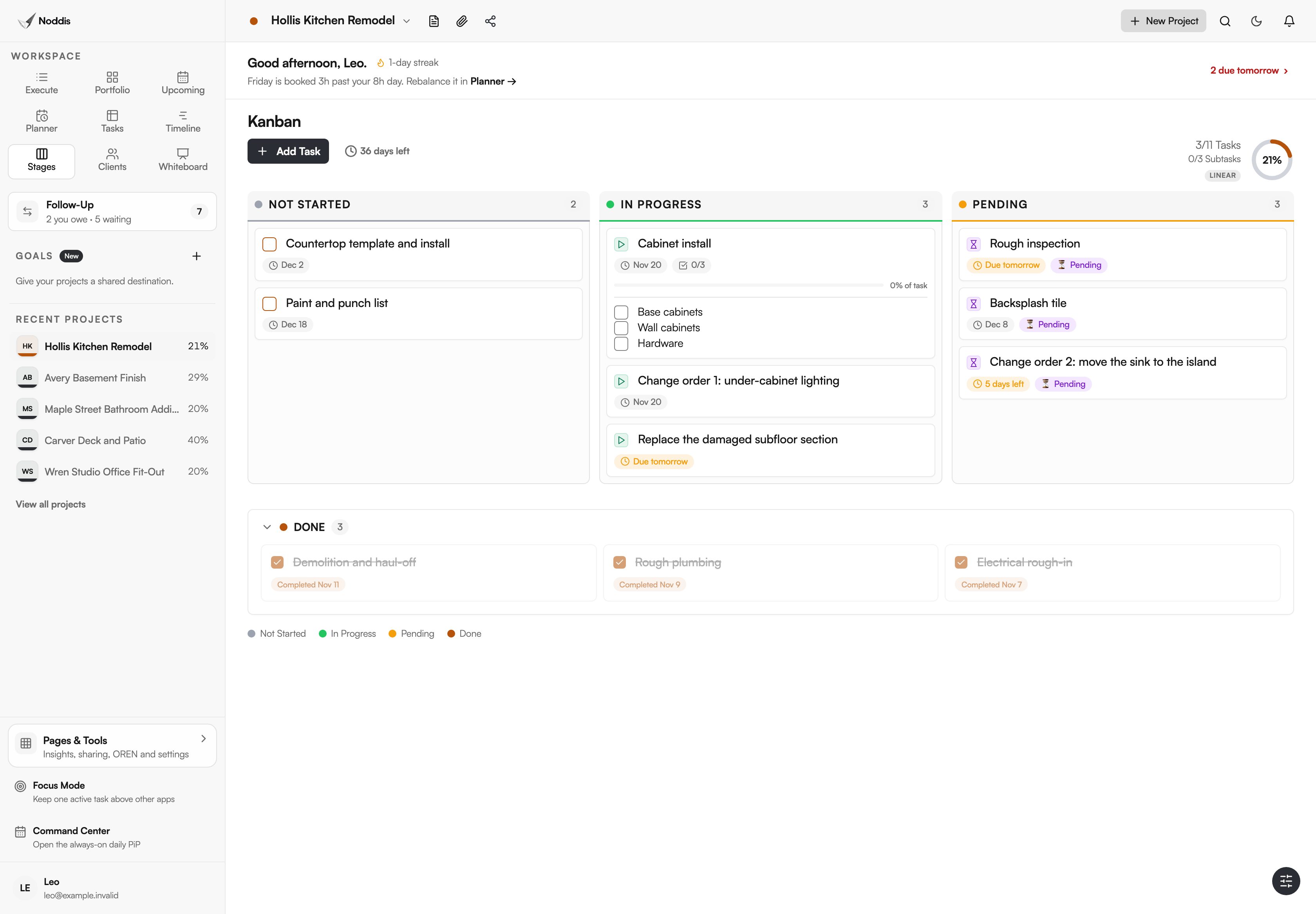
Remodeling contractors
Picture a remodeler partway through a kitchen. Most delays on a job are waits: an inspection date, a tile choice, a signed change order. Stages puts those in Pending, apart from the work the crew can do today.
AEC proposal teams
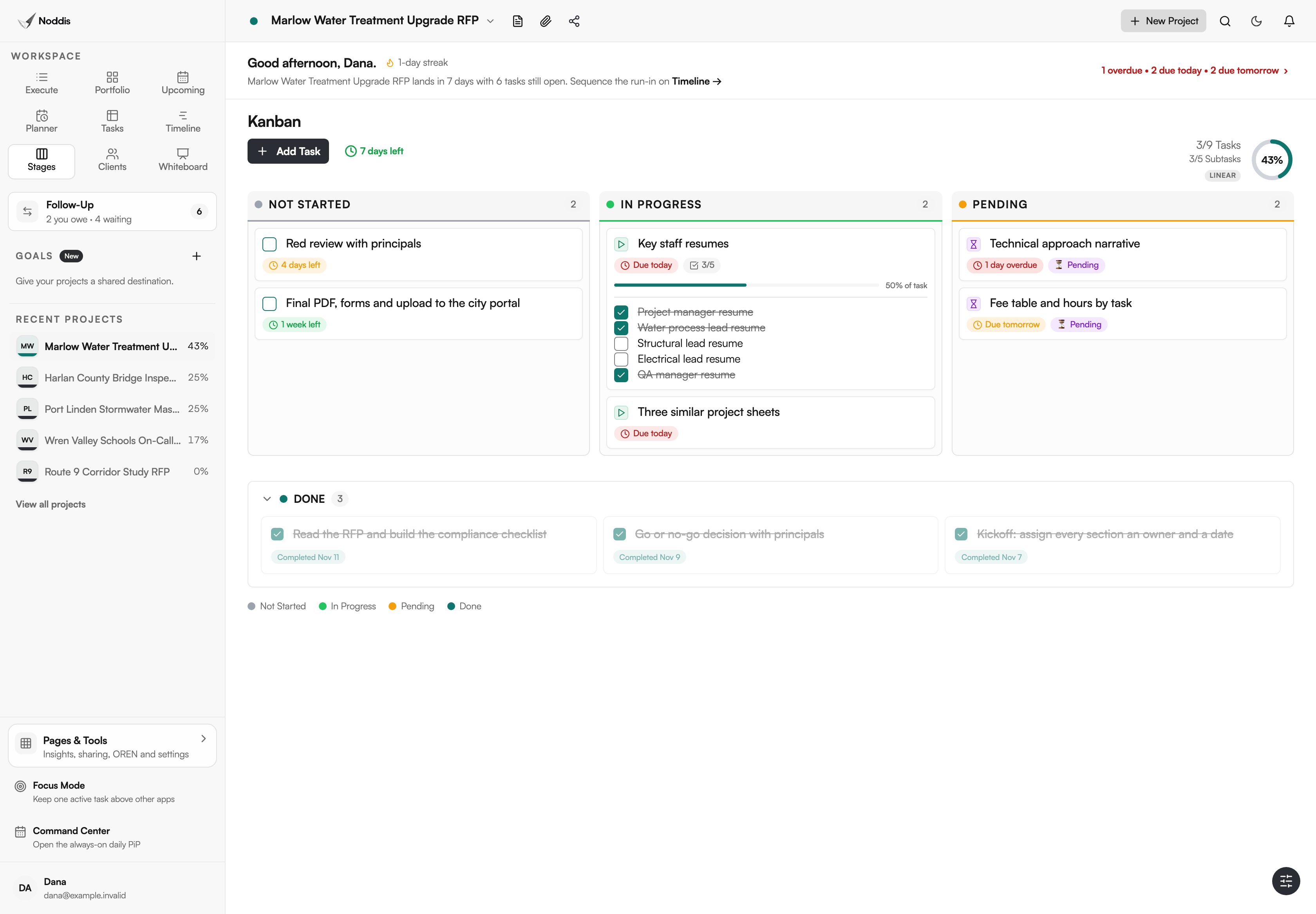
Take a proposal team a week from a deadline. Sections move from assigned to drafted to waiting on a reviewer, and the fixed columns already match that. Each pending card is someone to chase.
In-house marketing
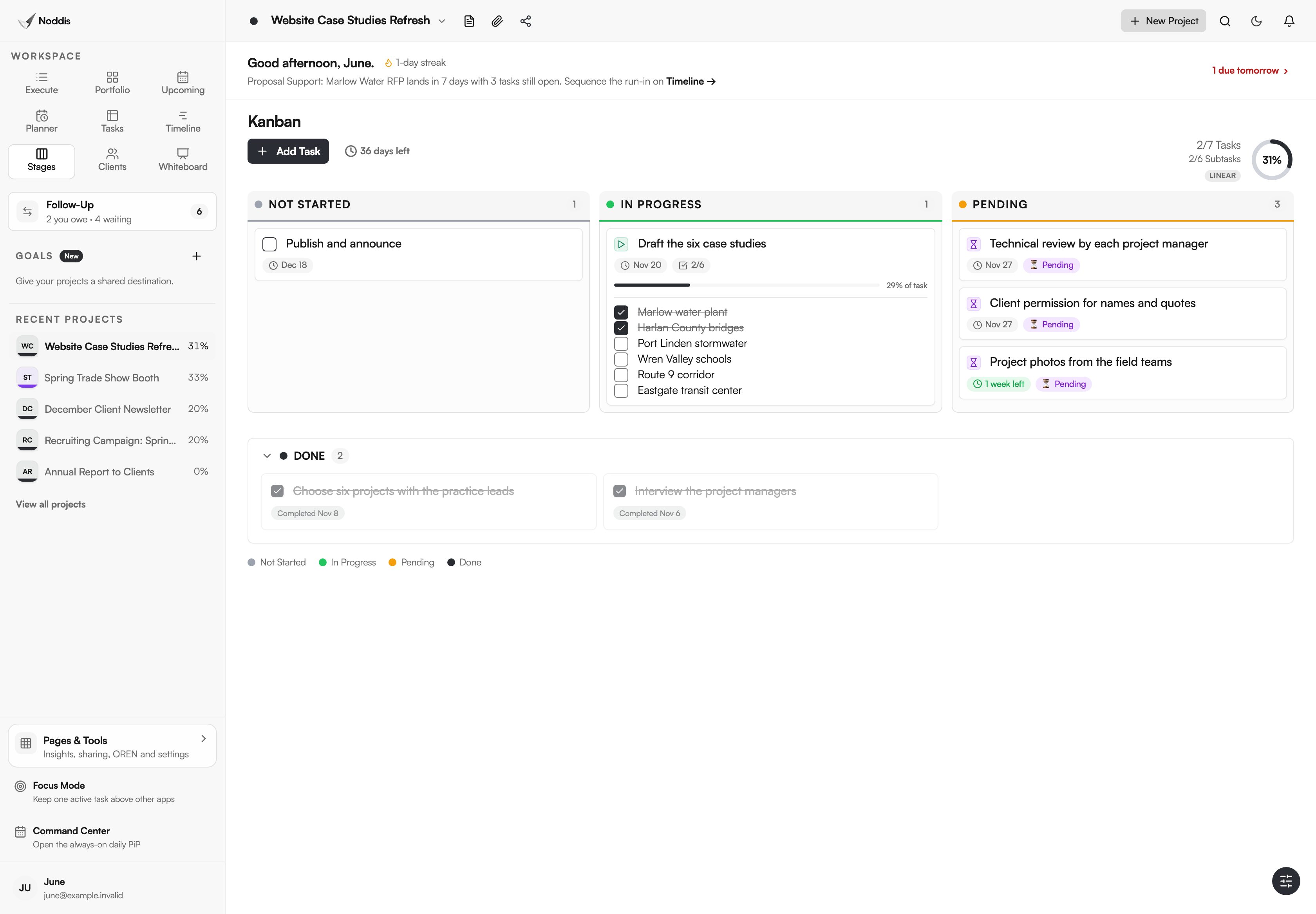
Take a marketing team refreshing six case studies. Its own writing is one card in progress. Three more cards wait on project managers, clients and field teams, and Stages makes that plain when someone asks why the project looks slow.
What Stages does not do
Stages is a fixed board, on purpose.
- No custom columns. You cannot add, rename or reorder them.
- No column limits. The Kanban Guide also says: "Kanban system members must explicitly control the number of work items in a workflow from started to finished." Stages does not enforce that. Nothing stops one more card entering In Progress, so a limit stays a team habit. See work-in-progress limits for freelancers and small teams.
- No swimlanes.
- No ordering inside a column. A column is not a priority list.
- One project at a time.
- No custom fields on cards.
If your team runs a formal Kanban system, or your process needs its own column names, a configurable board will fit better. If you need dates more than stages, Timeline, also on Pro, shows the same tasks as bars.
What it costs
Stages is a Pro workspace. Pro is $15 a month, and clients who view a portal never pay. The Free plan includes three active projects with Portfolio, Execute, Upcoming, Planner and Tasks. Check the current plans before you decide.
To try it with your own project, open the live demo. No account is needed.
Frequently asked questions
What is a kanban board for projects?
A kanban board for projects shows a project's tasks as cards in columns, one column per stage of work, so anyone can see what has not started, what is under way and what is stuck. In Noddis, Stages is that board, with three fixed columns and a Done section below.
Can I add or rename columns in Stages?
No. The columns are fixed as Not Started, In Progress and Pending, with Done below, and they are the same in every project. That is the trade: no board to design, and no way to redesign it. If your process needs its own stages, choose a configurable board.
Does Stages have work-in-progress limits?
No. Stages has no column limits, so the board will not stop a card entering In Progress. You can keep a limit as a team habit, and a crowded column is easy to see. A team that needs limits enforced should use a board built for that.
Can I see every project on one board?
Not in Stages, which shows one project's tasks at a time. For every project at once, Portfolio has a Board layout on the Free plan: each project is a card under Not Started, In Progress, Pending or Done. That board sorts projects. Stages sorts the tasks inside one.
Can my client see the board?
Your client can see the stages as counts, read-only. A client portal can show Live Workflow Stages, drawn from the same grouping as the board, and the client needs no account to view it. They cannot move or tick anything, and you choose what the portal shows.
The board is already built.
Add a project's tasks and Stages has a board for them, with no columns to name. Use it for the question it answers: what has not started, what is moving and what is waiting.