
Key takeaways
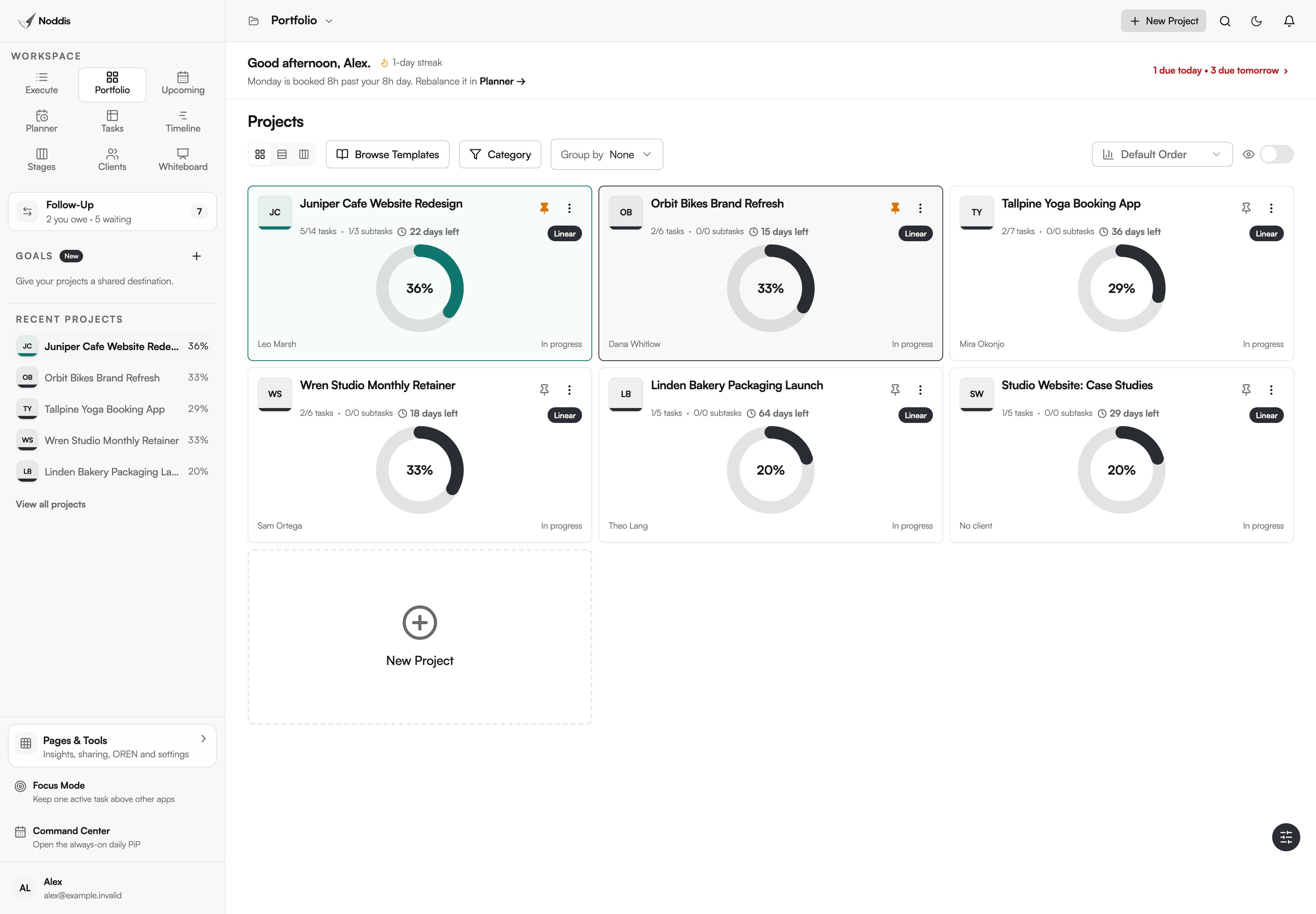
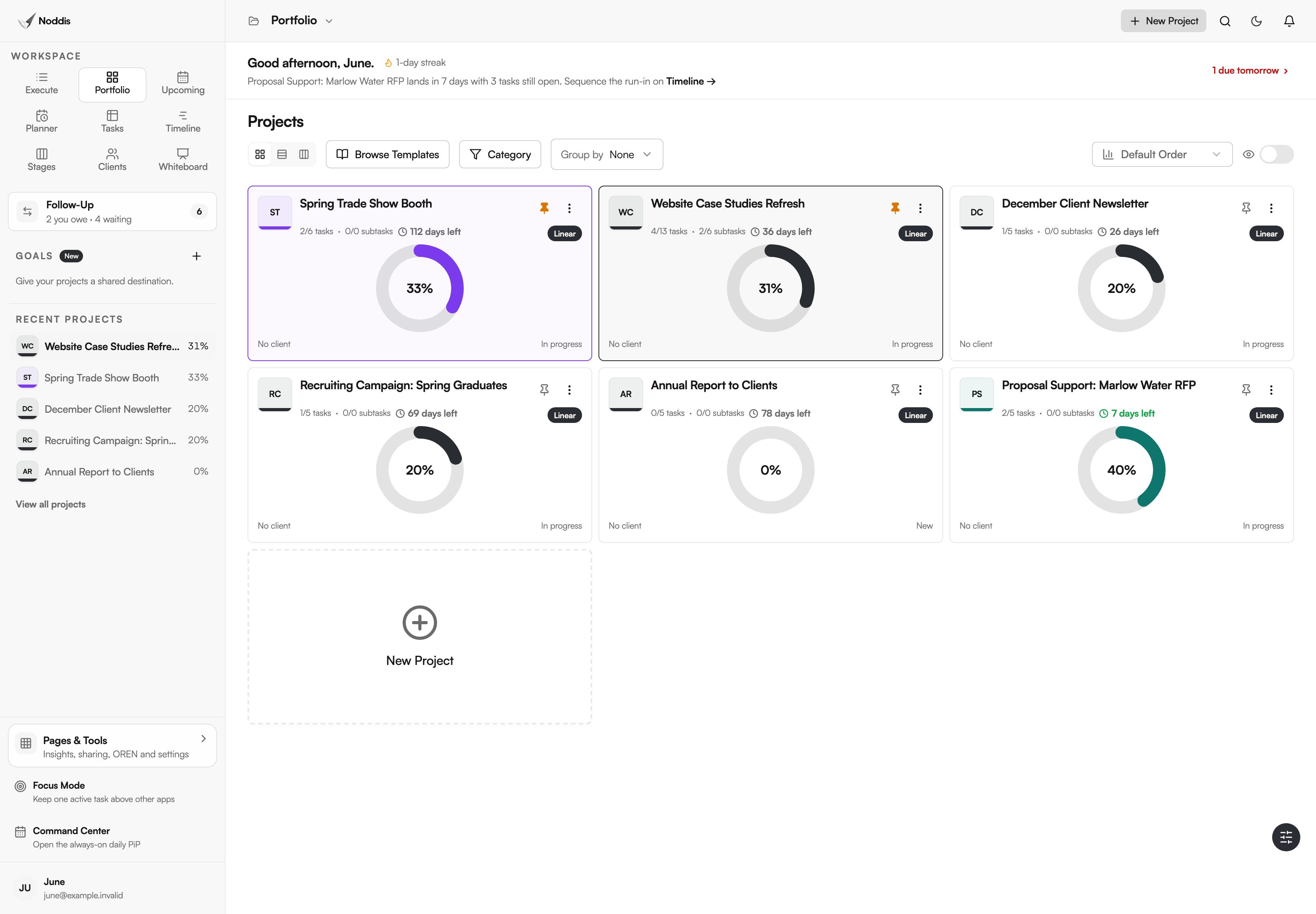
- Portfolio shows every project you own or collaborate on, with its progress, days left and status, on one screen.
- Portfolio has three layouts, Cards, Snapshot and Board, and none of them has to be set up.
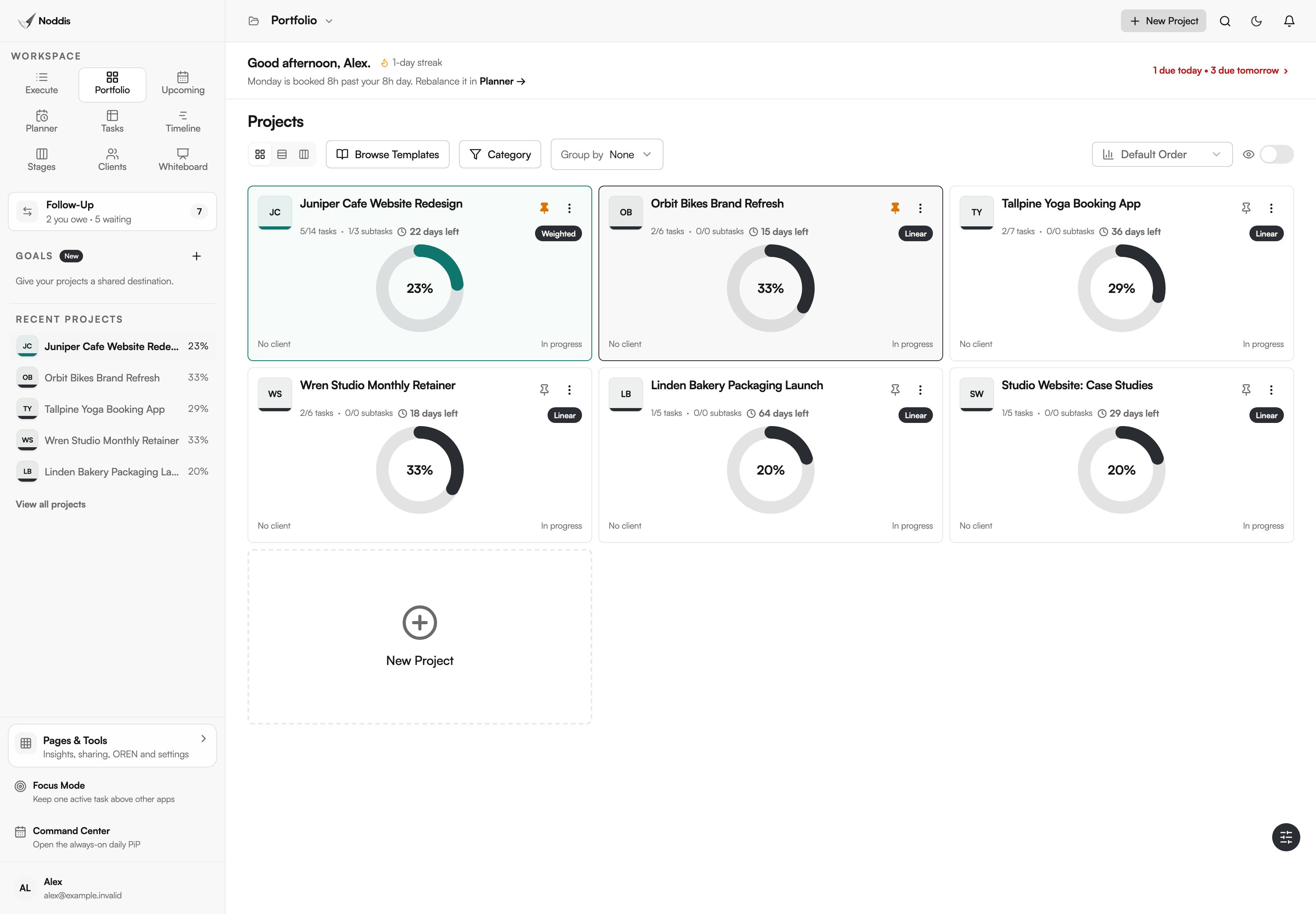
- Progress on each card is worked out from finished tasks, in Linear or Weighted mode.
- Portfolio is on the Free plan, which includes three active projects.
Why does Noddis have Portfolio?
Noddis has Portfolio because checking on several projects usually means opening each one, or keeping a status sheet current by hand. Portfolio is a project portfolio dashboard with nothing to build: every project you own or collaborate on appears with its progress, days left, client and next task as soon as it has tasks.
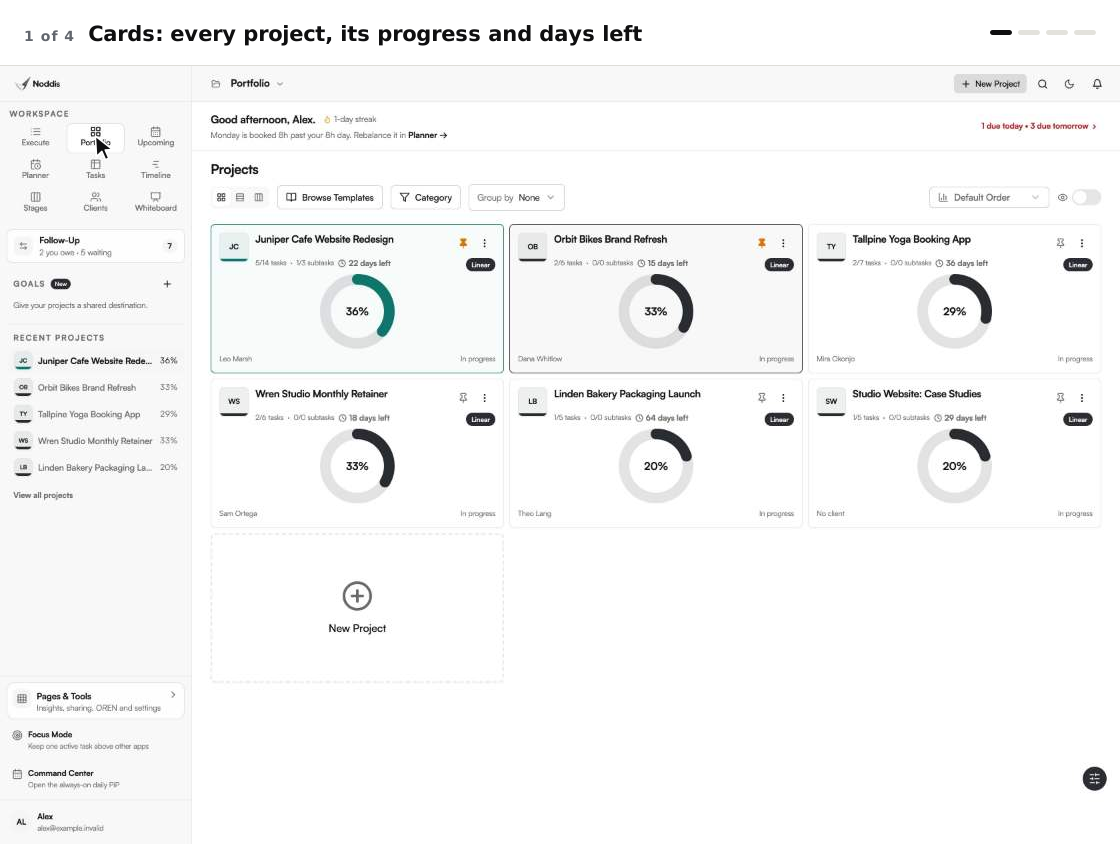
Noddis is a project management app that keeps tasks, follow-ups, and related project details connected. When we built Portfolio in Noddis, we put every active project and its progress in one view, so a weekly review can start from one screen instead of one tab per client.
Stephen Few, writing on his Perceptual Edge blog, says: "A dashboard is a visual display of the most important information needed to achieve one or more objectives that has been consolidated on a single computer screen so it can be monitored at a glance." Some people would call Portfolio a multi project dashboard. It is one of the ready-made Noddis workspaces, and nobody has to assemble it.
How Portfolio works, step by step
Portfolio fills itself in from your projects, so the steps are short.
- Add a project and its tasks, or import them from a spreadsheet or another tool.
- Open Portfolio in the sidebar. The page is titled "Projects", and every project is already on it.
- Read a card: tasks finished, a progress ring, the days left and the client's name.
- Switch layout with the three icon buttons: Cards, Snapshot or Board.
- Pin the projects you watch most. They sort first and get a coloured border.
- Click a project to open it in Execute, where its tasks are.
What you stop doing
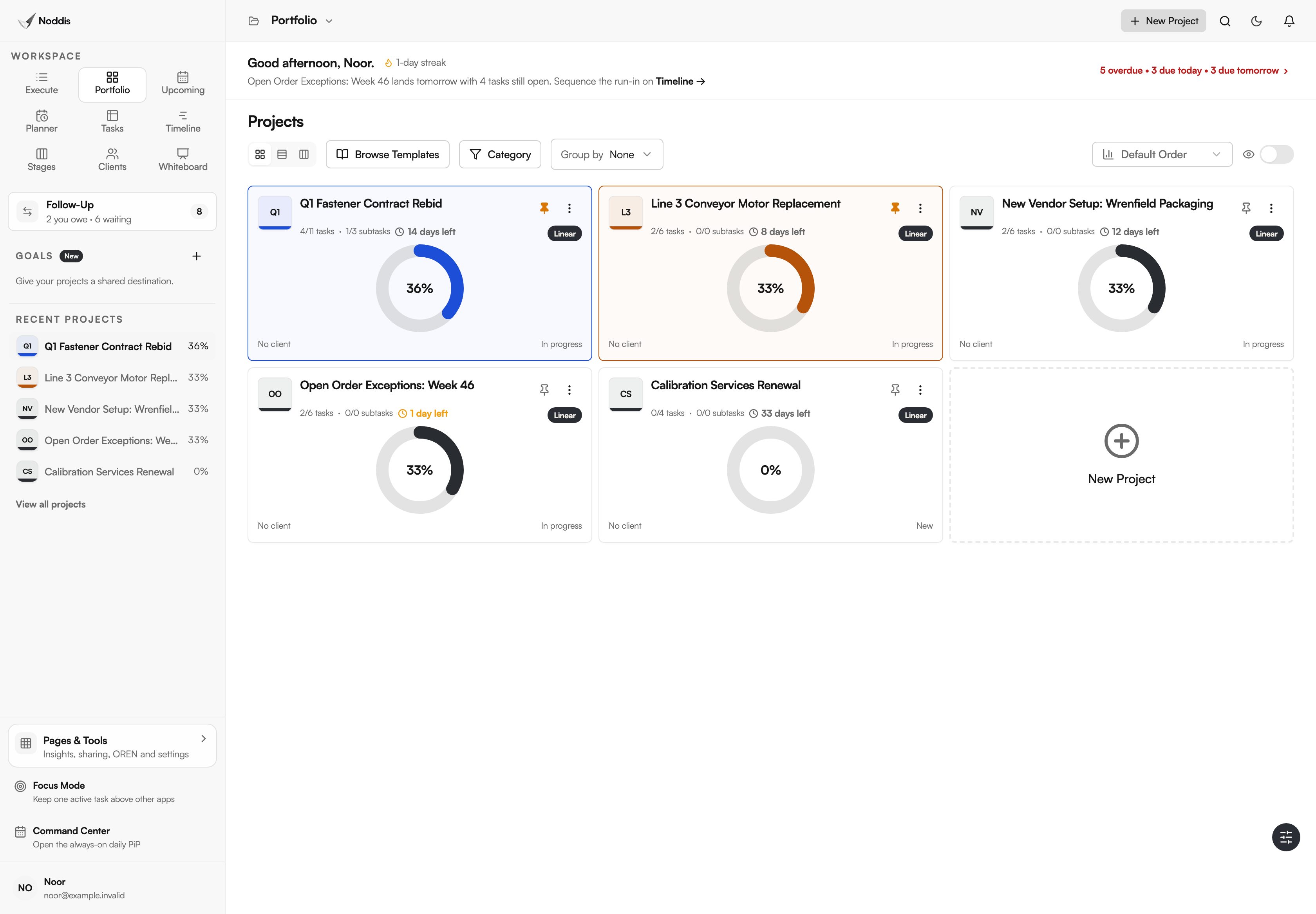
Portfolio removes the checking and the counting, not the deciding. Take a studio with six projects: here is what its owner no longer does by hand.
| The chore | The usual way | In Portfolio |
|---|---|---|
| Checking on every project | Open six projects, one tab each | Six projects, one screen, none opened |
| Working out percent complete | Count tasks, or keep a formula alive | Worked out on every card from finished tasks |
| Finding each next deadline | Read six task lists | Snapshot names the next task and its due date in each row |
| Spotting what has not started | Ask around, or scan a status column | Board puts those projects in one column |
You still add the work and make the calls. That is the idea behind project management without the management.
Cards, Snapshot and Board: which layout when?
Portfolio has three layouts of the same projects, all on the Free plan: Cards for the weekly review, Snapshot for a fast scan, and Board for what has not started or is waiting.
Cards, for the weekly review
A card shows tasks and subtasks finished, a progress ring, a countdown such as "Due today", and the client's name. Its badge says how the percent is counted: "Linear" or "Weighted". The guide to linear vs weighted project progress explains the choice, and the weekly portfolio review template gives the meeting a shape.
Snapshot, for a fast scan
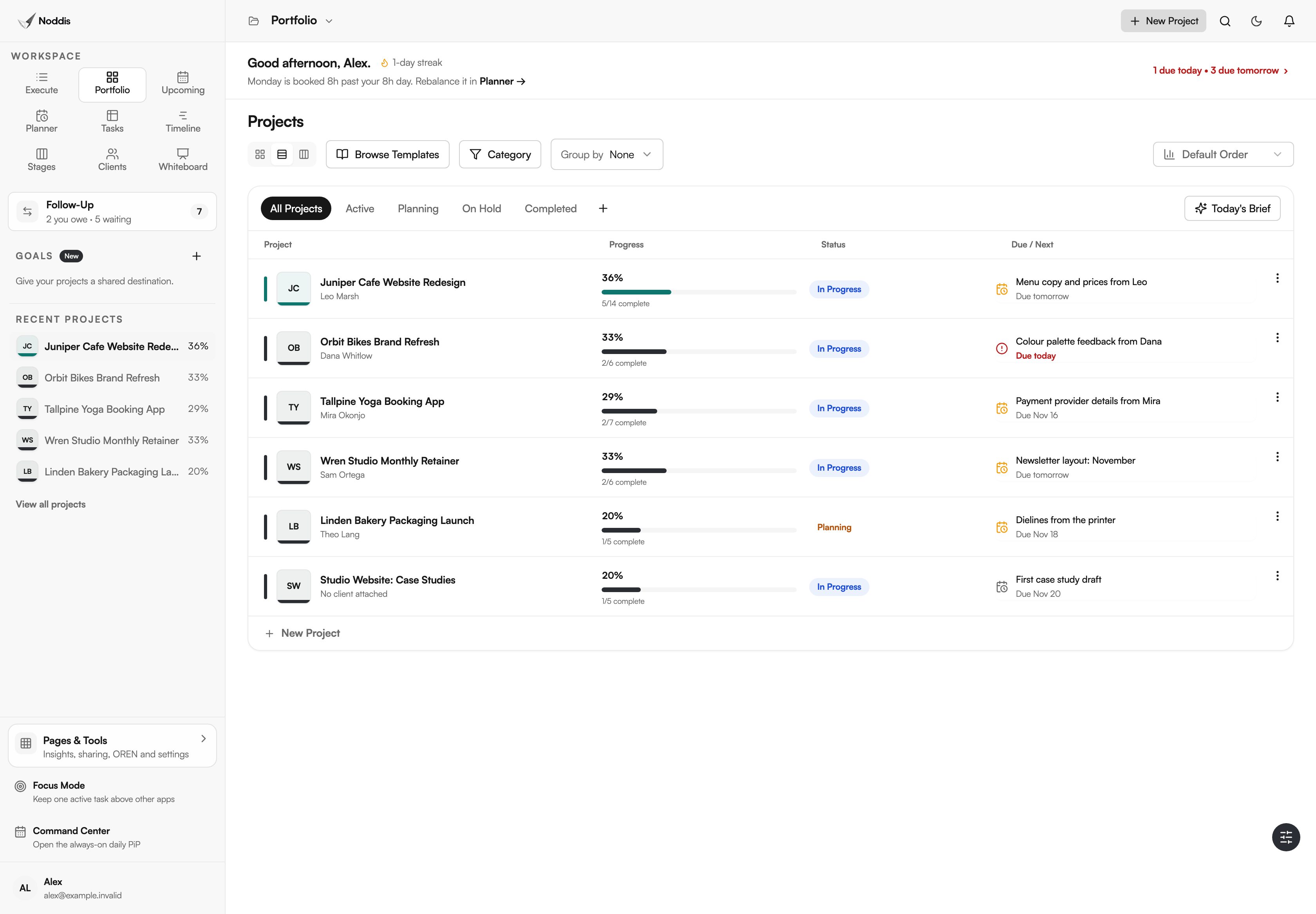
Snapshot is a compact table: "Project", "Progress", "Status" and "Due / Next". The last column names the next unfinished task in each project and when it is due. In the studio's table, the cafe website's next task is "Menu copy and prices from Leo", due tomorrow.
Board, for what is stuck or not started
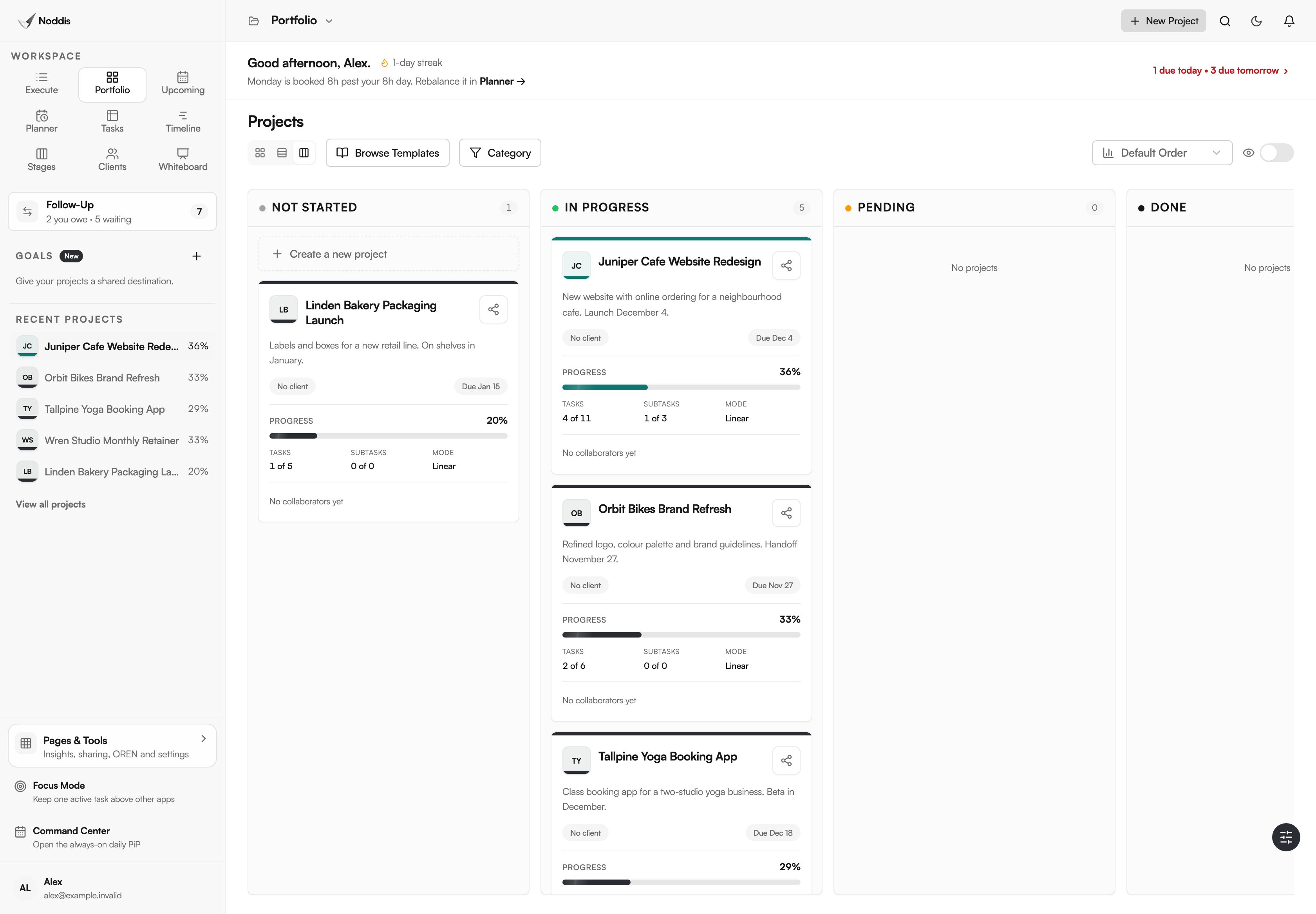
Board sorts the same projects into four columns: "Not Started", "In Progress", "Pending" and "Done". Noddis places a project from the state of its tasks, and the owner can drag a card to another column to set the status by hand.
Which kinds of work suit a project portfolio dashboard?
Portfolio suits any small team that runs several dated projects at once and reviews them together.
AEC proposal teams
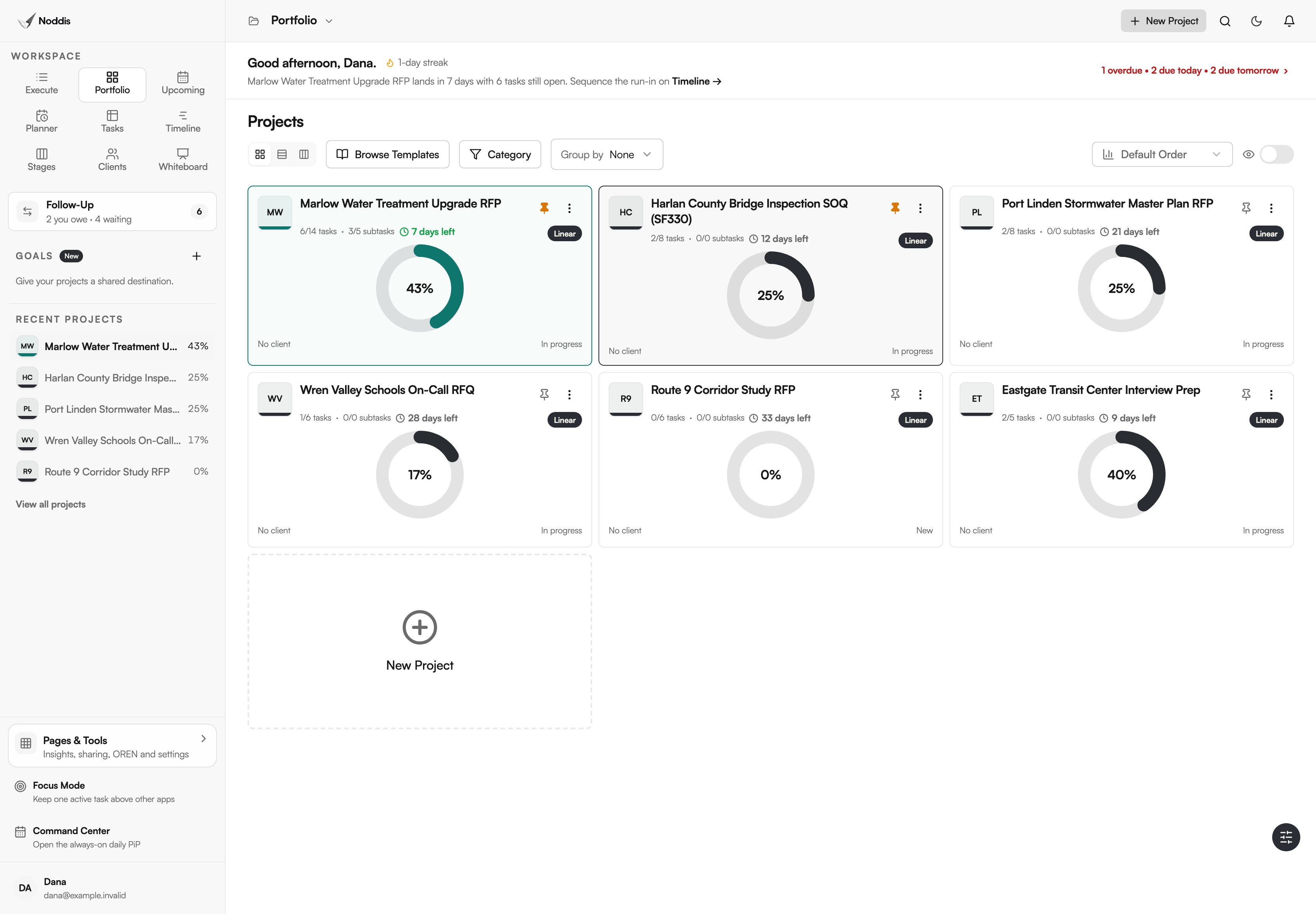
A proposal team lives by submission dates that do not move. Portfolio shows every pursuit with its days left and its progress, so the one close to its date and far from finished stands out.
Remodeling contractors
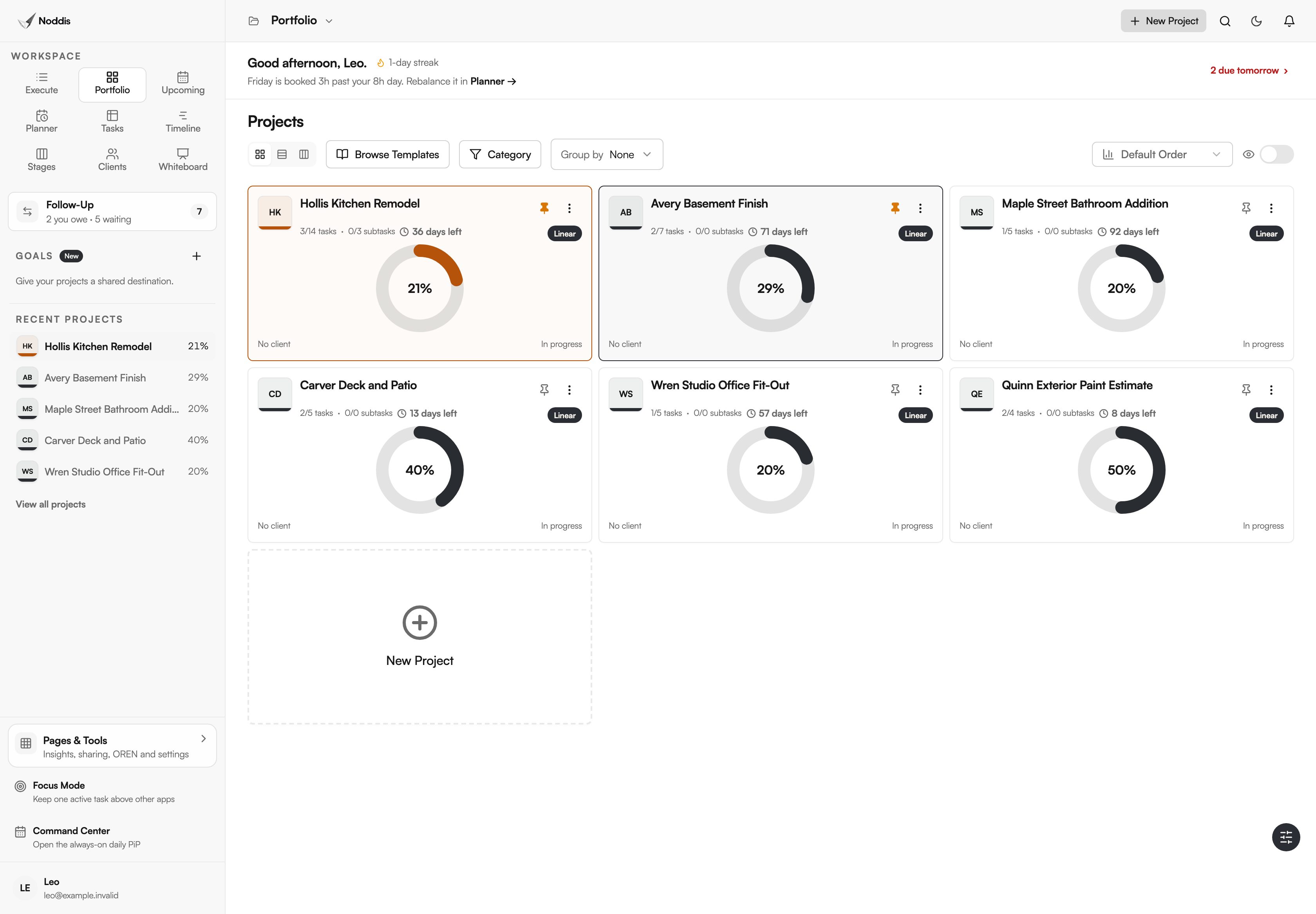
Picture a remodeler with six jobs open. Each job is a card, so one look covers the kitchen, the basement and the deck.
In-house marketing
A marketing department runs long campaigns and short deadlines side by side. Portfolio keeps the far-off trade show in view while this month's newsletter gets finished.
What Portfolio does not do
Portfolio shows progress, dates and status for the projects you run. It does not handle money or staffing, and its layouts cannot be redesigned.
- No budget or value columns. It does not total fees or hours.
- No custom fields and no dashboard builder. The three layouts are fixed.
- Not enterprise portfolio management. The Association for Project Management, in its guide to portfolio management, says: "A portfolio is a collection of projects and/or programmes used to structure and manage investments at an organisational or functional level to optimise strategic benefits or operational efficiency." Noddis covers the collection of projects. It does not manage investments, plan staff across a department or run approval gates.
If your process depends on those, look at enterprise portfolio software.
What it costs
Portfolio is on the Free plan, with all three layouts. The Free plan includes three active projects. Pro is $15 a month and adds unlimited projects and the Timeline, Stages, Clients and Whiteboard workspaces. To try it with your own project, open the live demo. No account is needed. Check the current plans before you decide.
Frequently asked questions
Do I have to build the project portfolio dashboard myself?
No. Portfolio exists as soon as you have a project with tasks. Each project appears as a card with its progress, countdown and client, and Snapshot and Board are one click away. You cannot add columns or widgets, so there is nothing to maintain.
How does Portfolio work out each project's progress?
Noddis calculates it from finished work. In Linear mode every task and subtask counts the same. In Weighted mode you give each top-level task a share, and only finished work counts. Nobody types a percentage, and the same number shows in every workspace.
Can I see projects I collaborate on, not only my own?
Yes. Portfolio shows every project you own or collaborate on, and Board cards show each project's collaborators. Only the owner can drag a project between Board columns to set its status by hand. Everyone else reads the status but cannot change it there.
Can I sort, filter or group the projects?
Yes, within fixed options. Sort by "Default Order", "Earliest Due", "Latest Due", "Most Complete" or "Least Complete". Filter with "Category", switch on "Hide completed projects", or use "Group by" to gather projects under a Goal. Snapshot adds chips for "Active", "Planning", "On Hold" and "Completed".
How is Portfolio different from Upcoming and Tasks?
Portfolio shows one entry per project. Upcoming lists every dated task from every project in date order, and Tasks puts every task in one table you can group by project. All three read the same saved work, so switching between them never makes a copy.
One screen for every project.
Add your projects and their tasks, and Portfolio is already there. Next week's review can start from one screen.