
Key takeaways
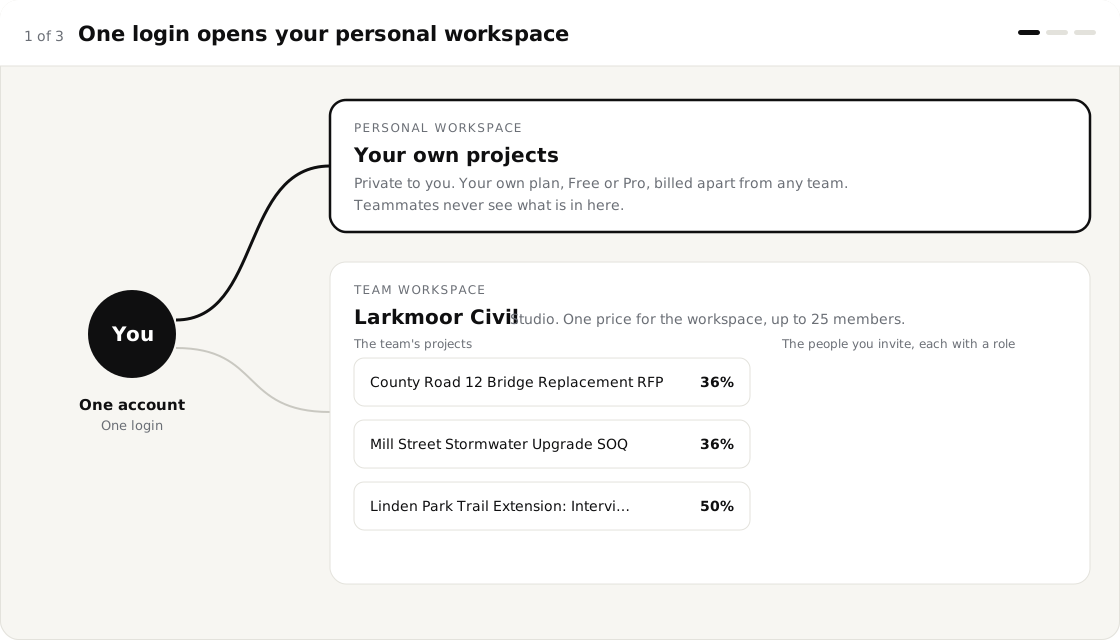
- A team workspace holds the team's projects. Your personal projects stay private, under the same login.
- Studio is $55 a month for up to 25 people. Organization is $200 a month for unlimited people.
- Four roles and three switches decide who can edit, assign, create and delete.
- The progress bar and Team Analytics show who is working on what, with no report to write.
Why does team project management software need a flat price?
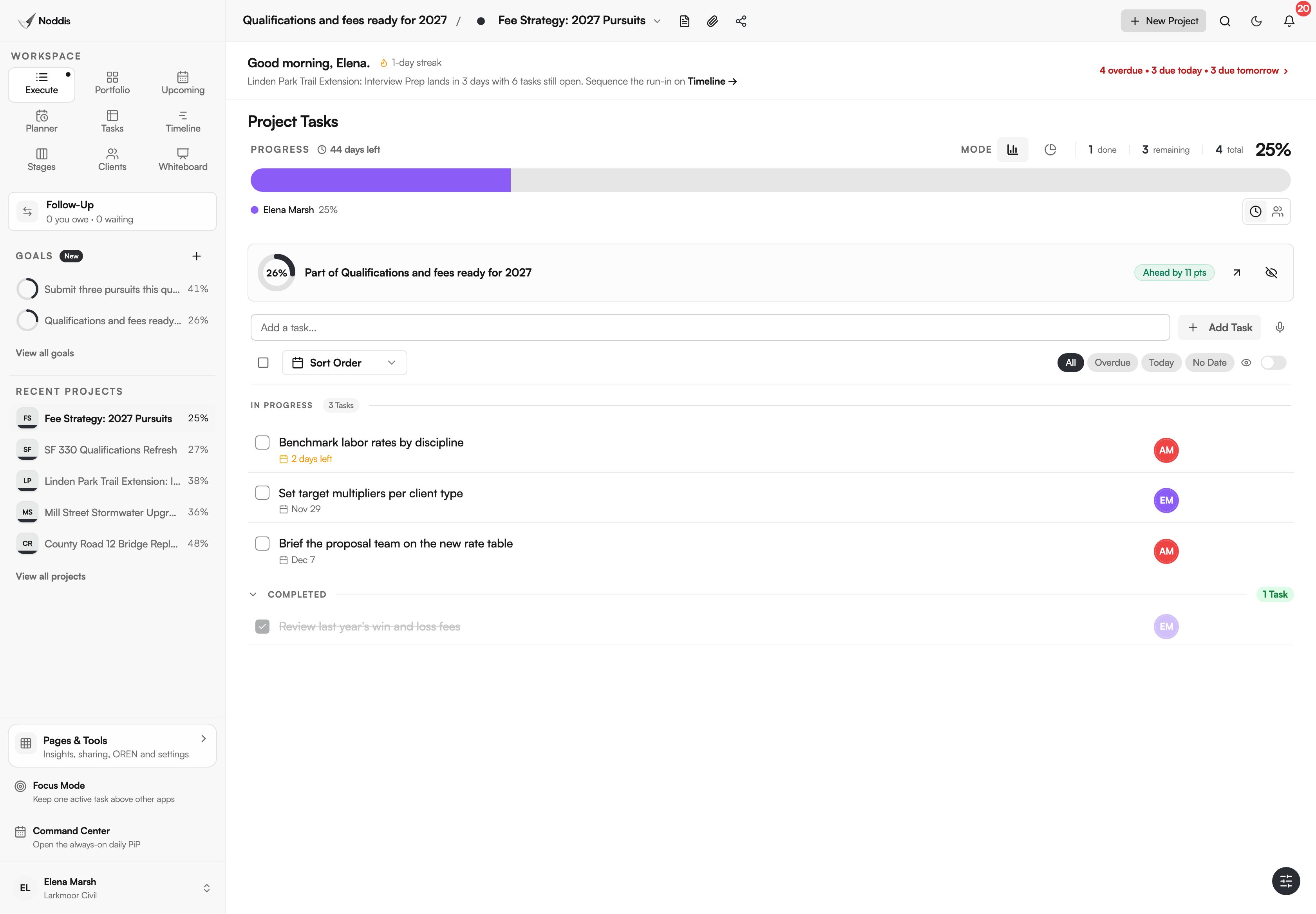
Team project management software needs a flat price because the people on a project change from week to week. Noddis has Teams so a group can share projects without a bill that grows with every invitation: one monthly price, a role for each person, tasks with a named owner, and a progress bar that shows who moved the work.
When we built Teams in Noddis, we priced the workspace instead of the seat, so adding a teammate is a decision about the work and not about the bill. Noddis is a project management app that keeps tasks, follow-ups, and related project details connected. Teams shares those details with the people you work with, across the nine workspaces.
How Teams works, step-by-step
Setting up a team takes one dialog and one page. The page is called "People & Access", and it is where the team lives.
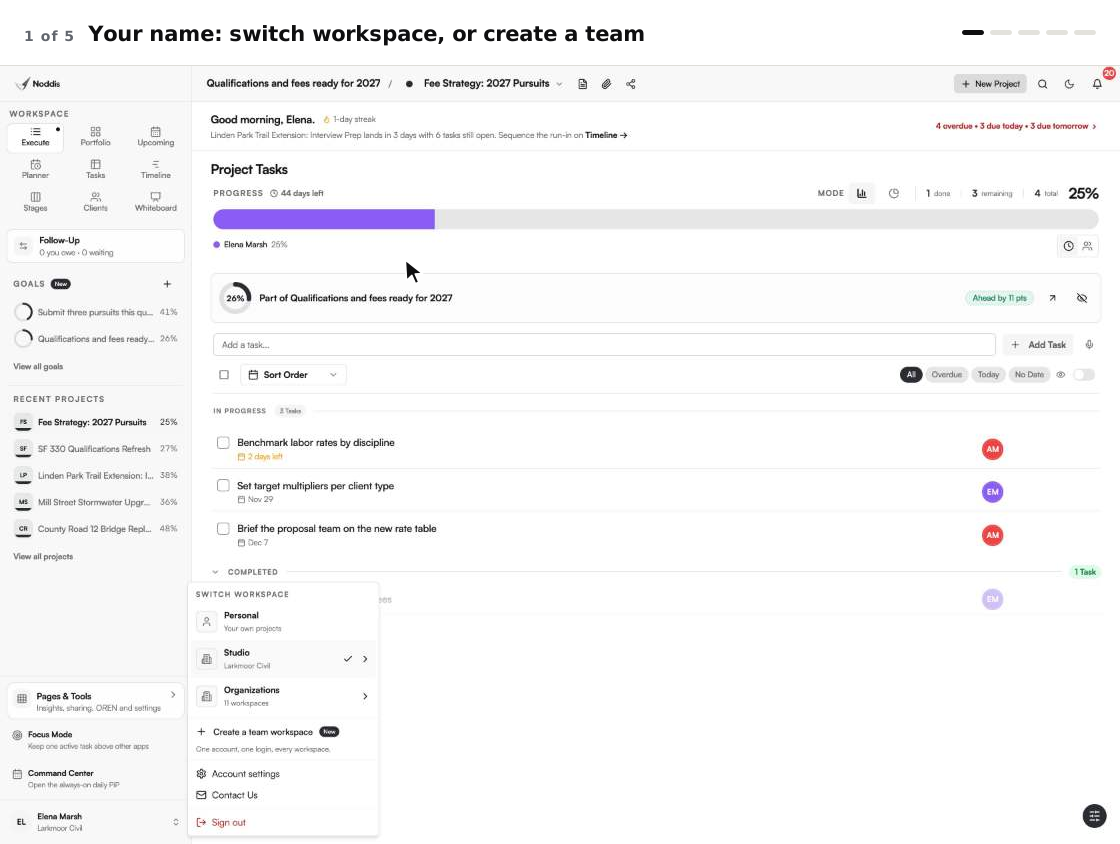
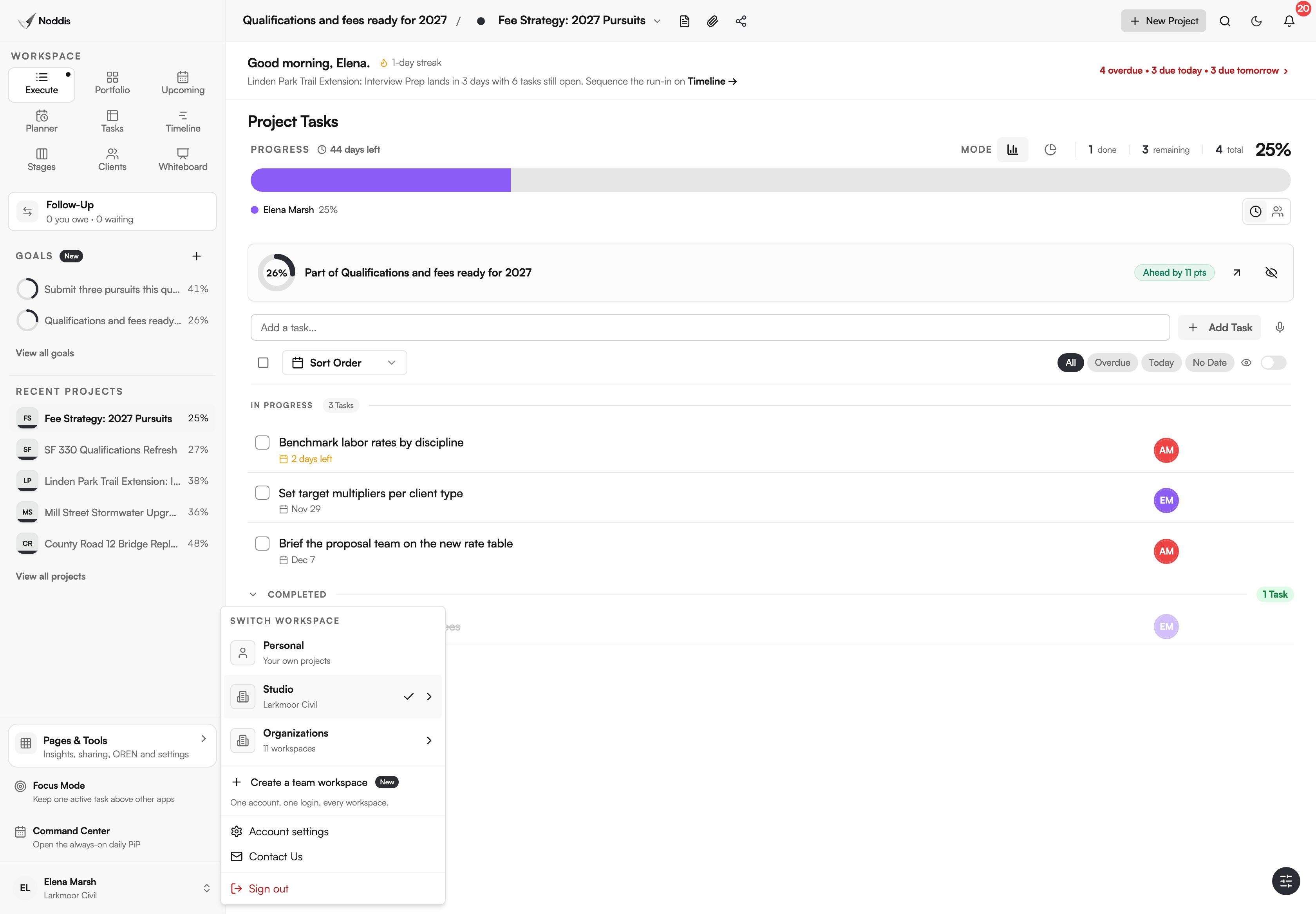
- Click your name at the bottom of the sidebar and choose "Create a team workspace".
- Name the team and pick Studio or Organization.
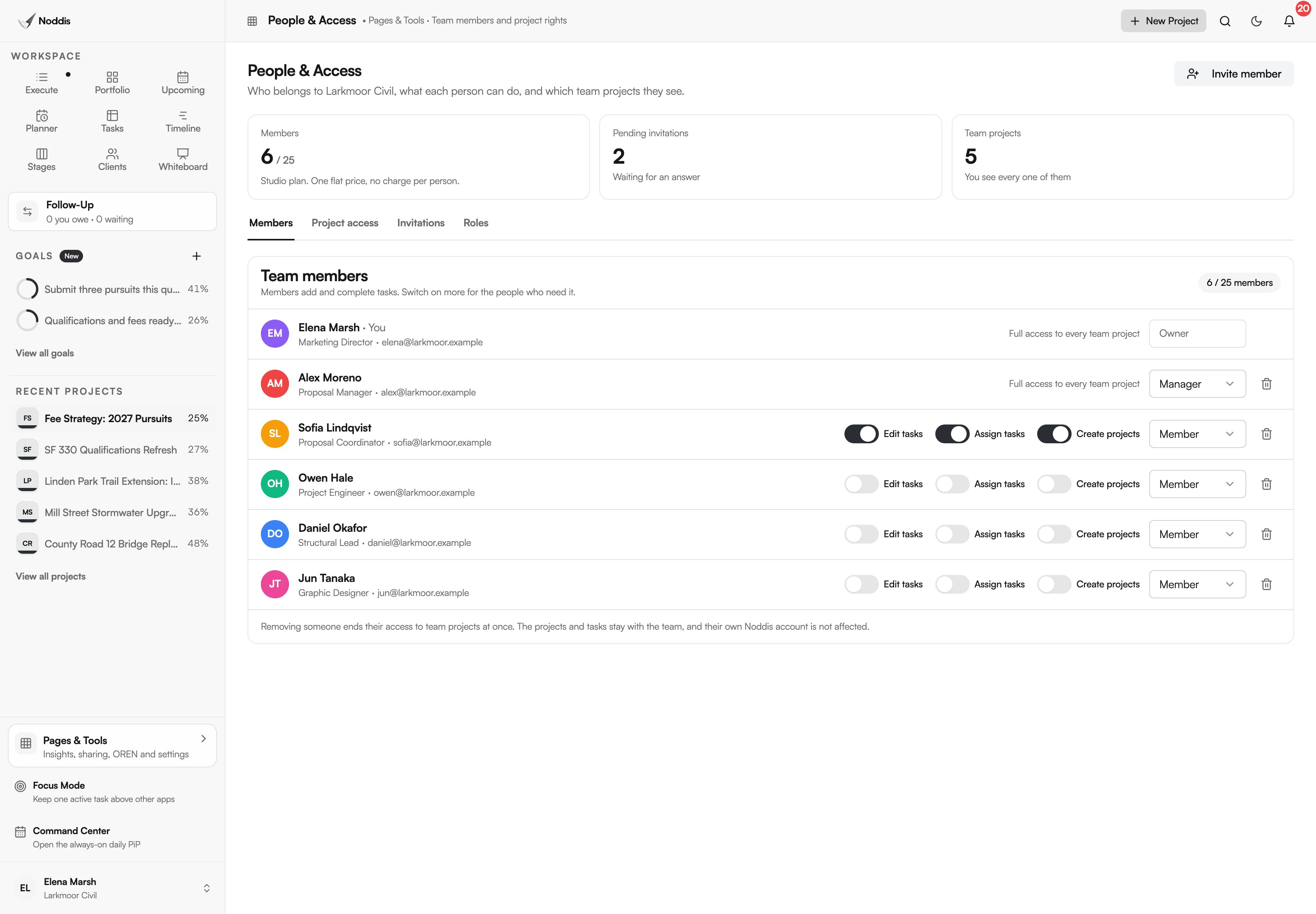
- Press "Invite member", enter the work email, add an optional position and choose the person’s permissions. The invitation works once and lasts 14 days.
- Add each person's title, such as Structural Lead or Graphic Designer.
- Create a project in the team workspace, or let the people you allow create their own.
- Open a task's menu, choose "Assign task" and pick the teammate.
- Watch the progress bar fill in each person's colour as tasks are ticked.
What you stop doing
Teams removes the work around the work: the seat count, the status round and the "who has this?" message.
| The chore | The usual way | With Teams |
|---|---|---|
| Deciding who gets a login | Count seats and ask for budget each time | Invite the person. The price does not change |
| Finding out who has a task | Ask in chat, then wait | The task shows its owner's initials |
| Reporting who did what | Collect updates and build a report | The progress bar is coloured by person |
| Keeping your own projects apart | A second account or a second tool | Switch workspace from your name |
Studio or Organization: which plan fits?
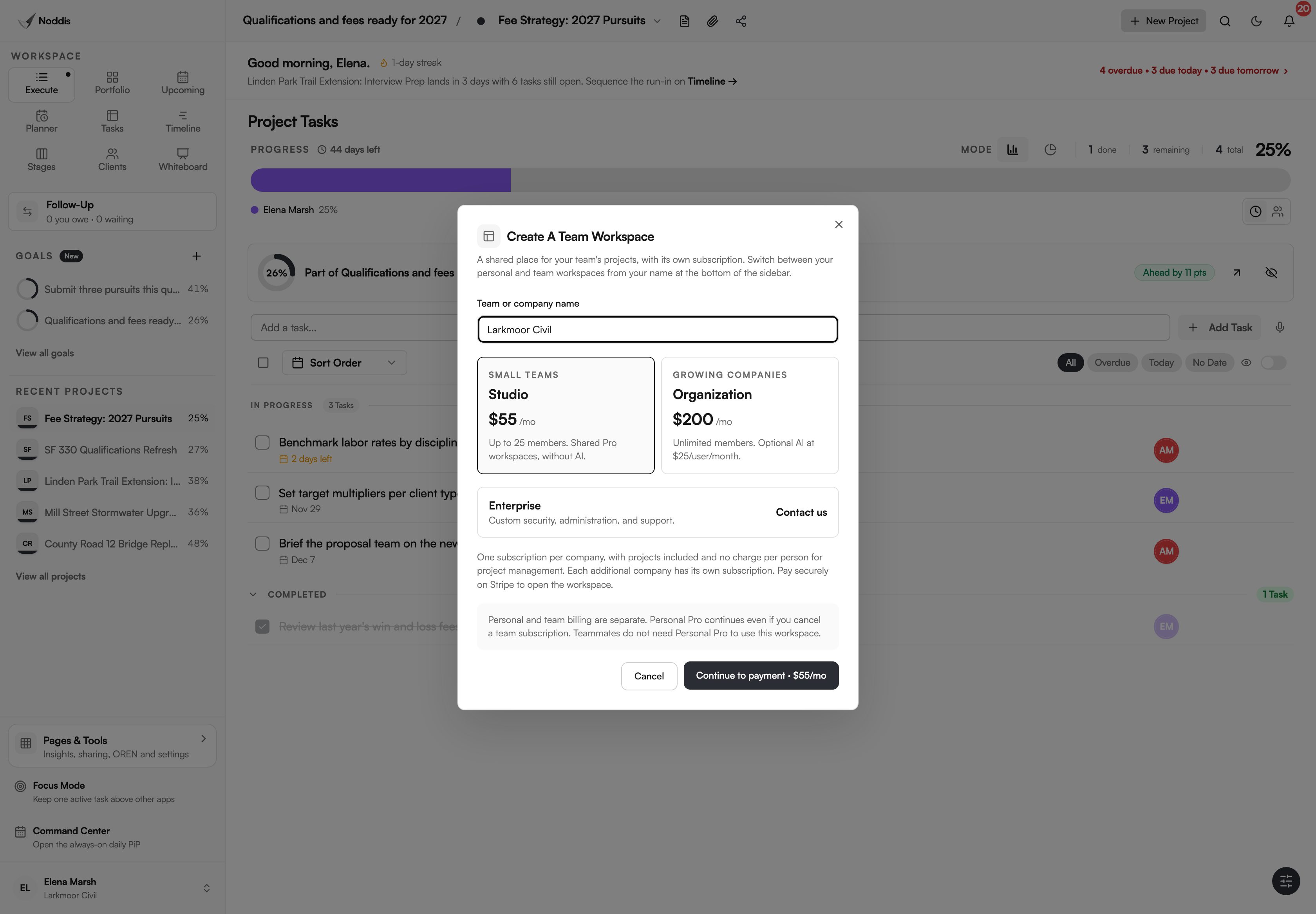
Studio fits a team of up to 25 that does not need AI. Organization fits a larger firm, or a team that wants AI for some of its people. Both give the team every Pro workspace: Timeline, Stages, Clients, Whiteboard and the rest.
| Studio | Organization | |
|---|---|---|
| Price | $55 a month for the workspace | $200 a month for the workspace |
| People | Up to 25 | Unlimited |
| AI (OREN and Meeting Record) | Not included | Optional, $25 a month for each person you switch it on for |
| Who chooses | The owner | The owner, person by person |
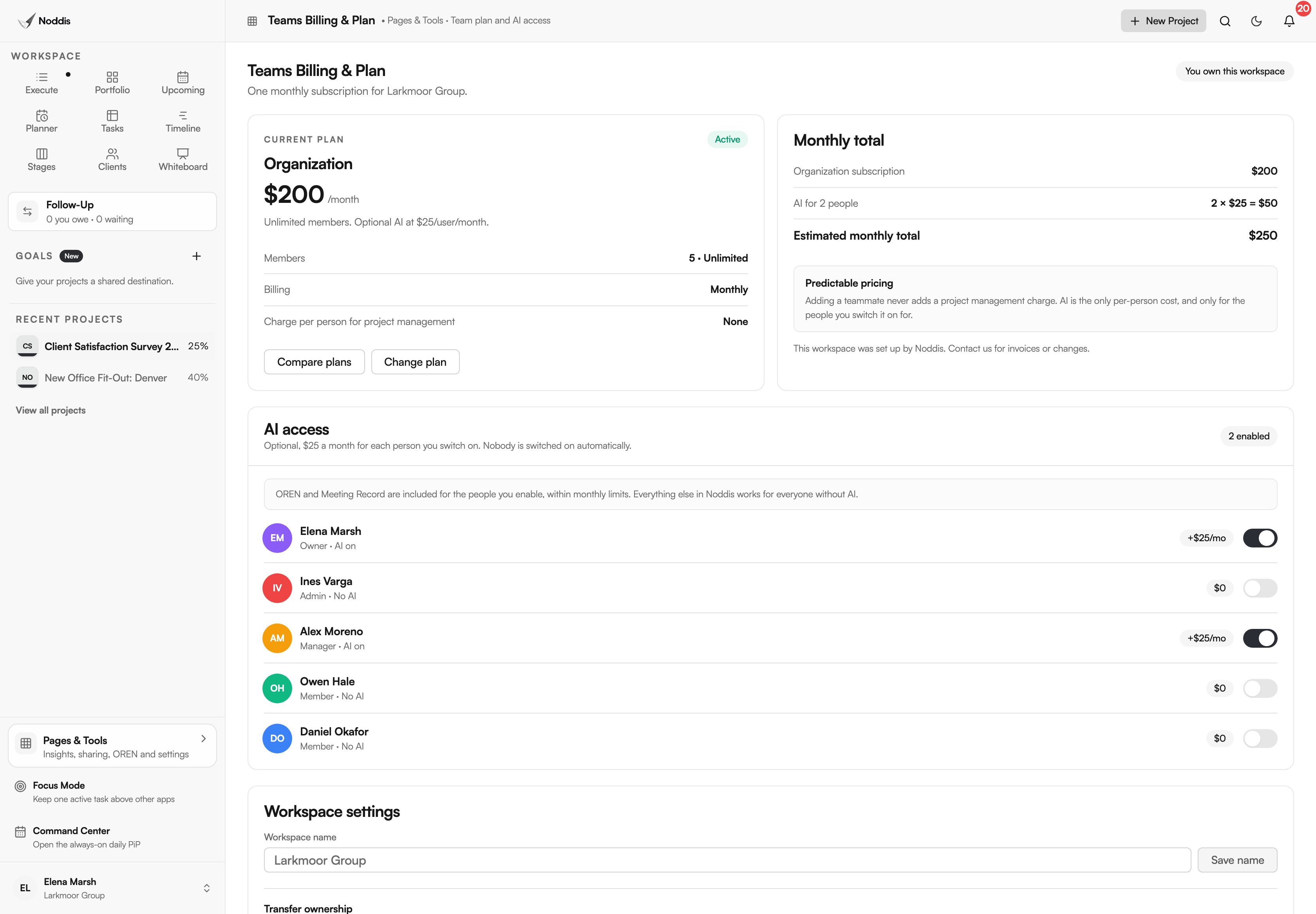
The owner can move between the plans later in "Teams Billing & Plan". Moving to Studio needs 25 people or fewer and turns AI off.
Who can do what?
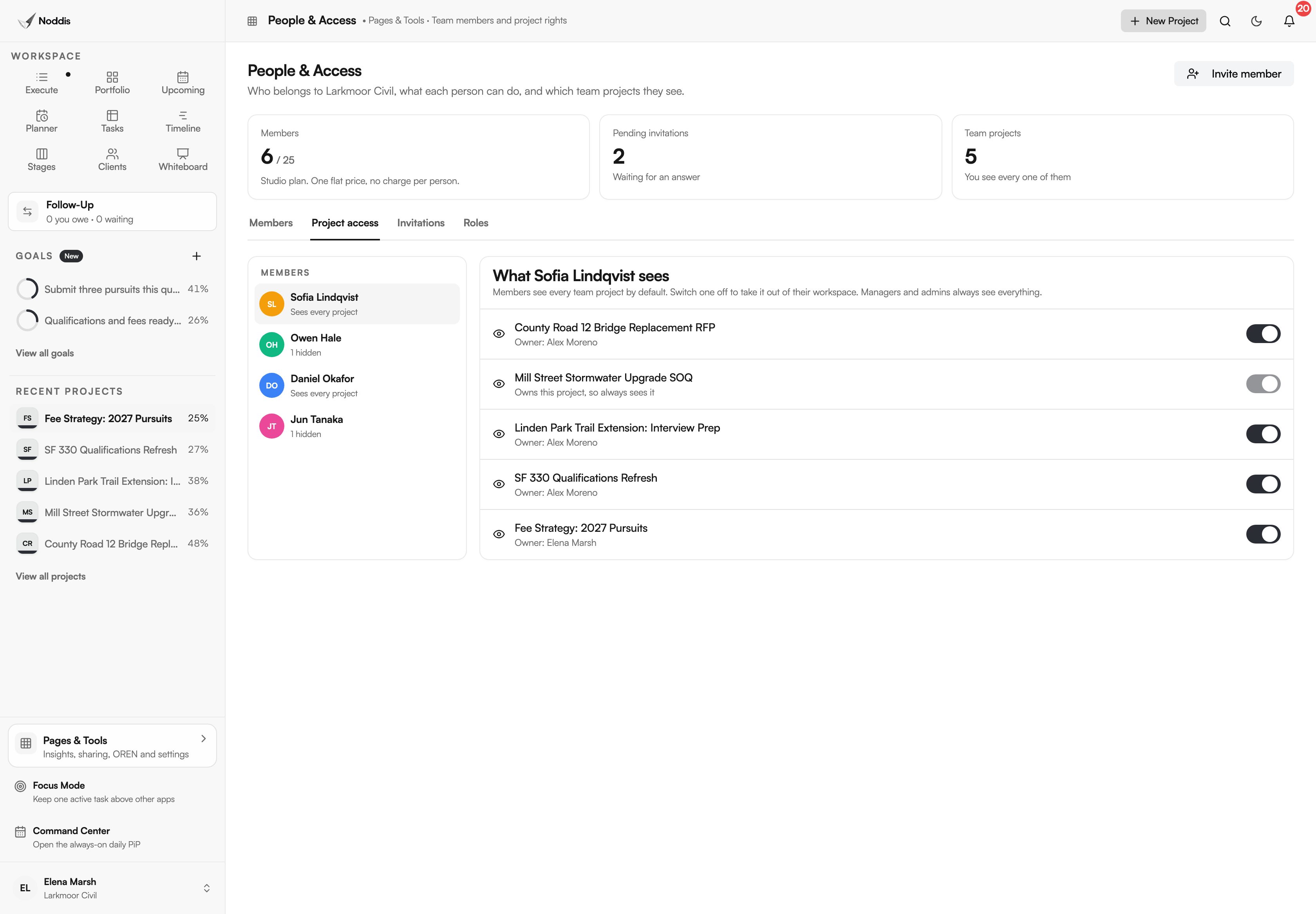
Every person has one of four roles: owner, admin, manager or member. A member can add tasks, complete tasks and fix what they added. A manager can switch on three more things for a member: "Edit tasks", "Assign tasks" and "Create projects". Members never delete.
This follows a rule security people call least privilege. The NIST glossary describes it as "A security principle that a system should restrict the access privileges of users" to what their tasks need. In Noddis that is a default, not a project.
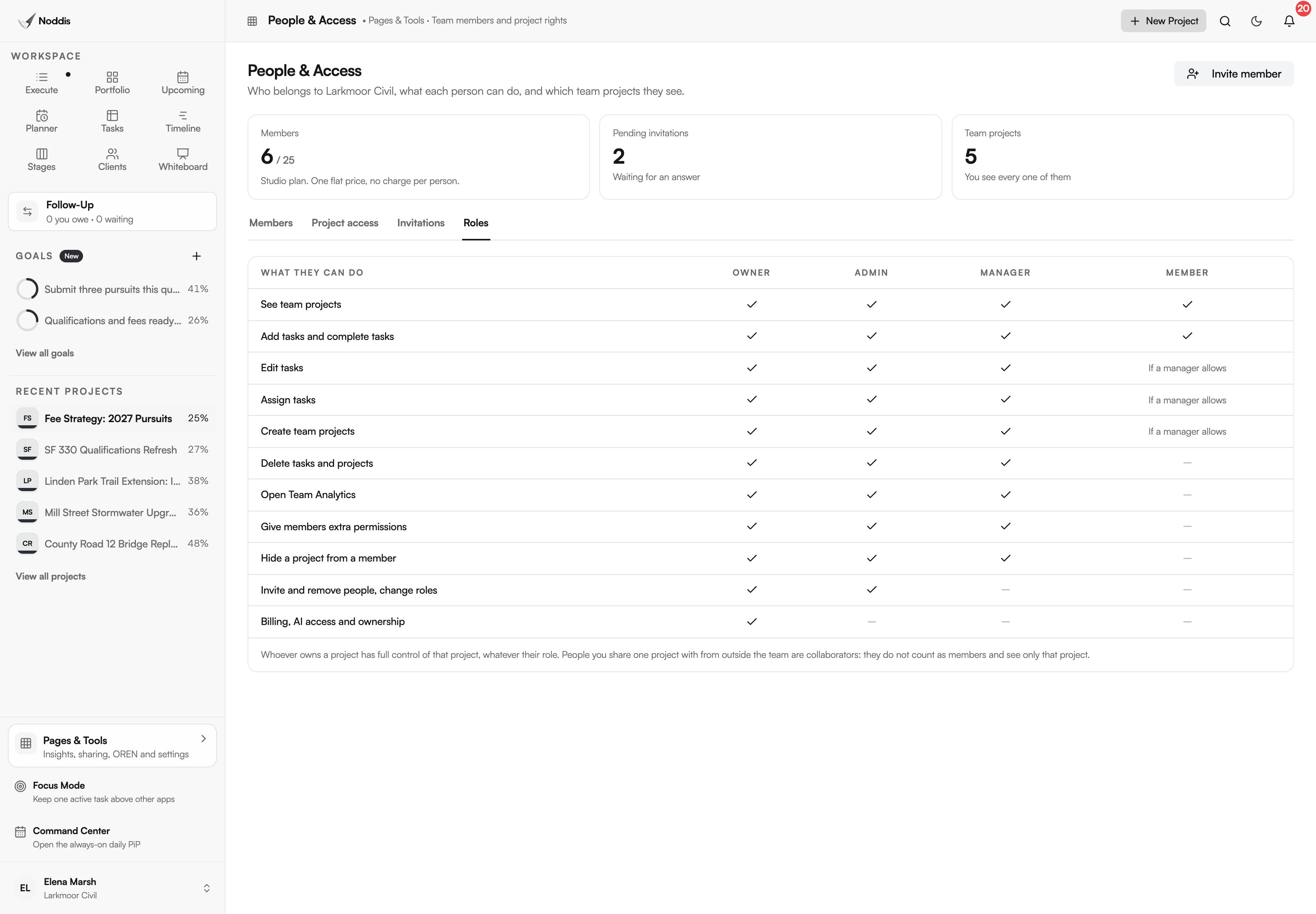
A manager can also hide a project from one member. The member simply does not see it.
How do you see who is working on what?
You see it in three places, and none of them is a report somebody writes. Each task shows its owner. Each project's progress bar is coloured by the person who finished the work. Team Analytics lists each person's open tasks.
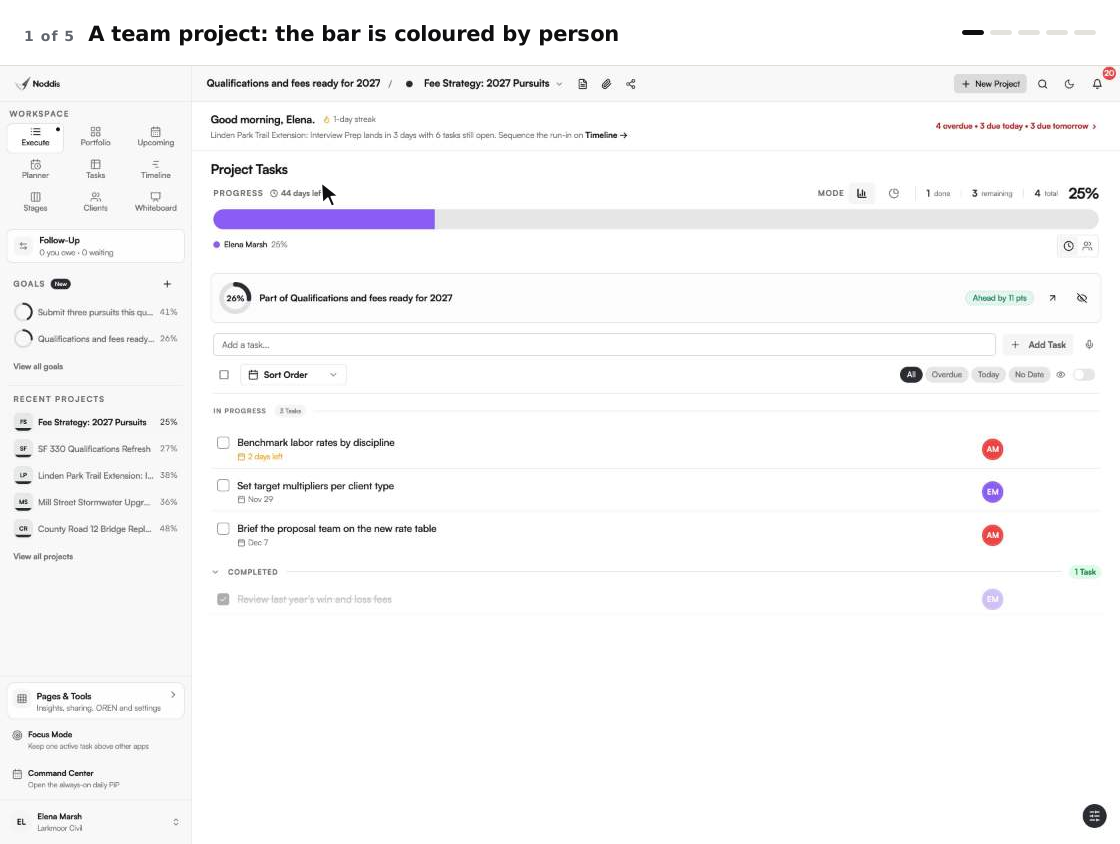
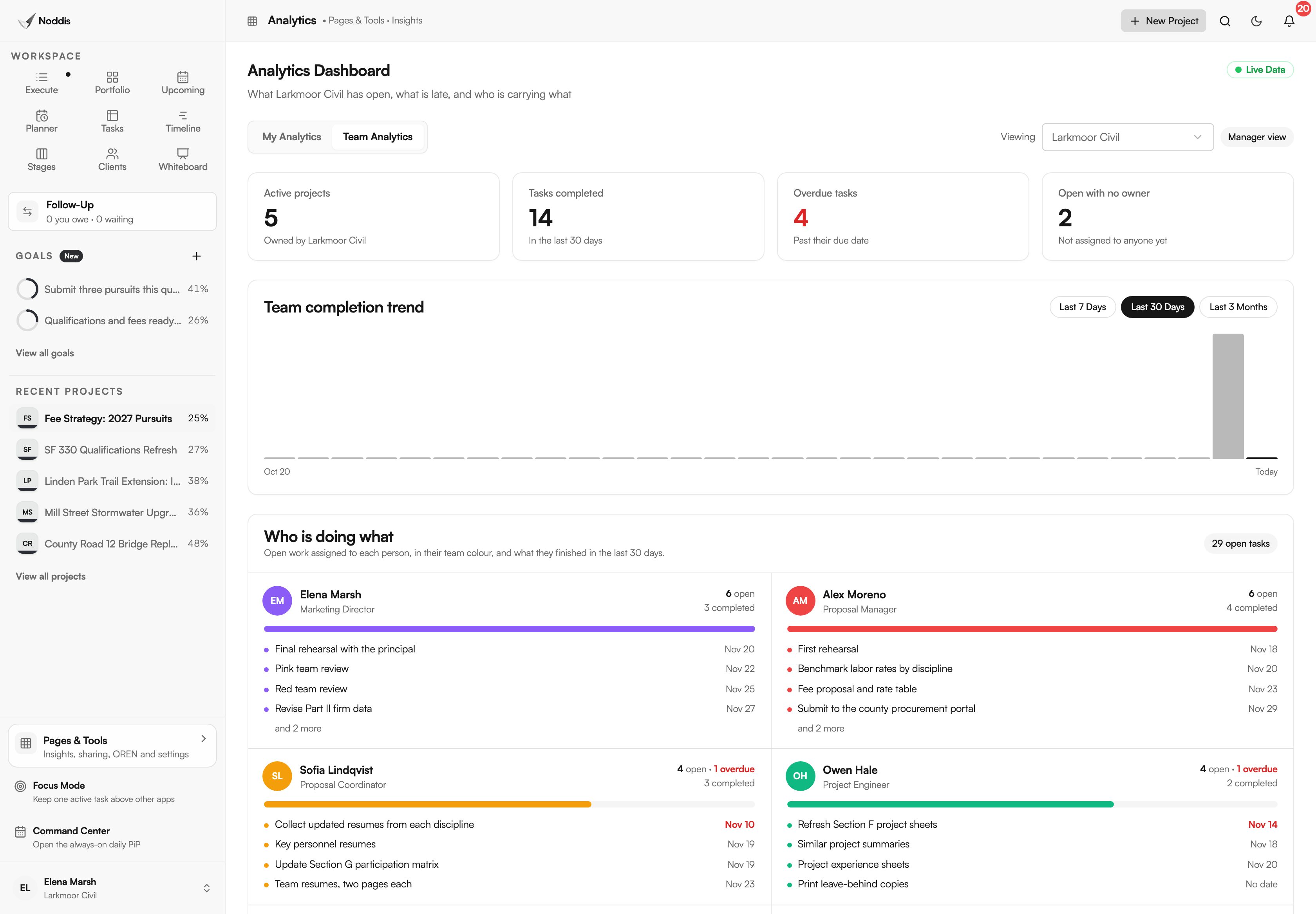
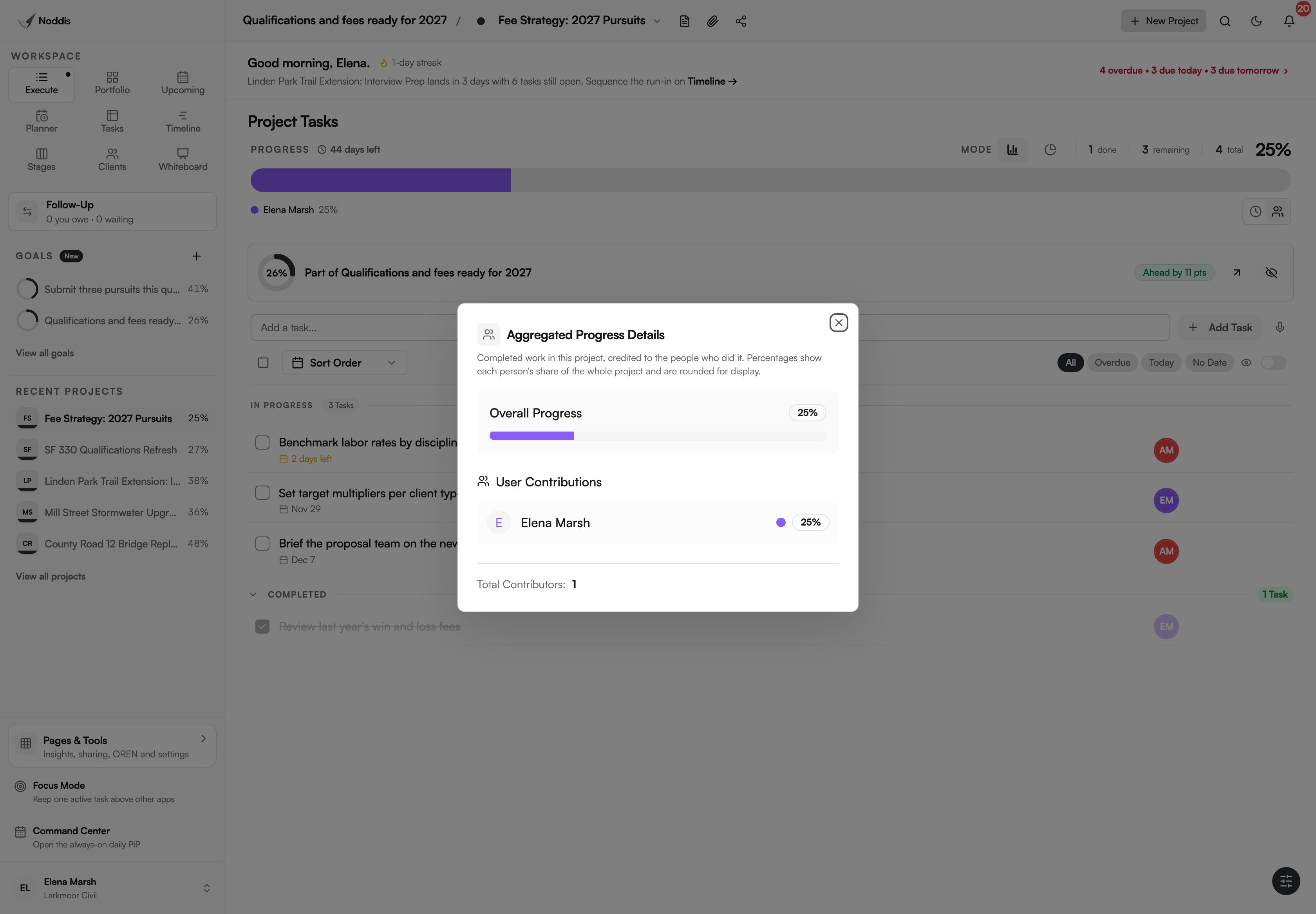
Click a project's bar to see each person's share. The guide how to see who is working on what walks through one week.
Which kinds of work suit Teams?
Teams suits work where several people each own a part of the same deadline.
AEC proposal teams
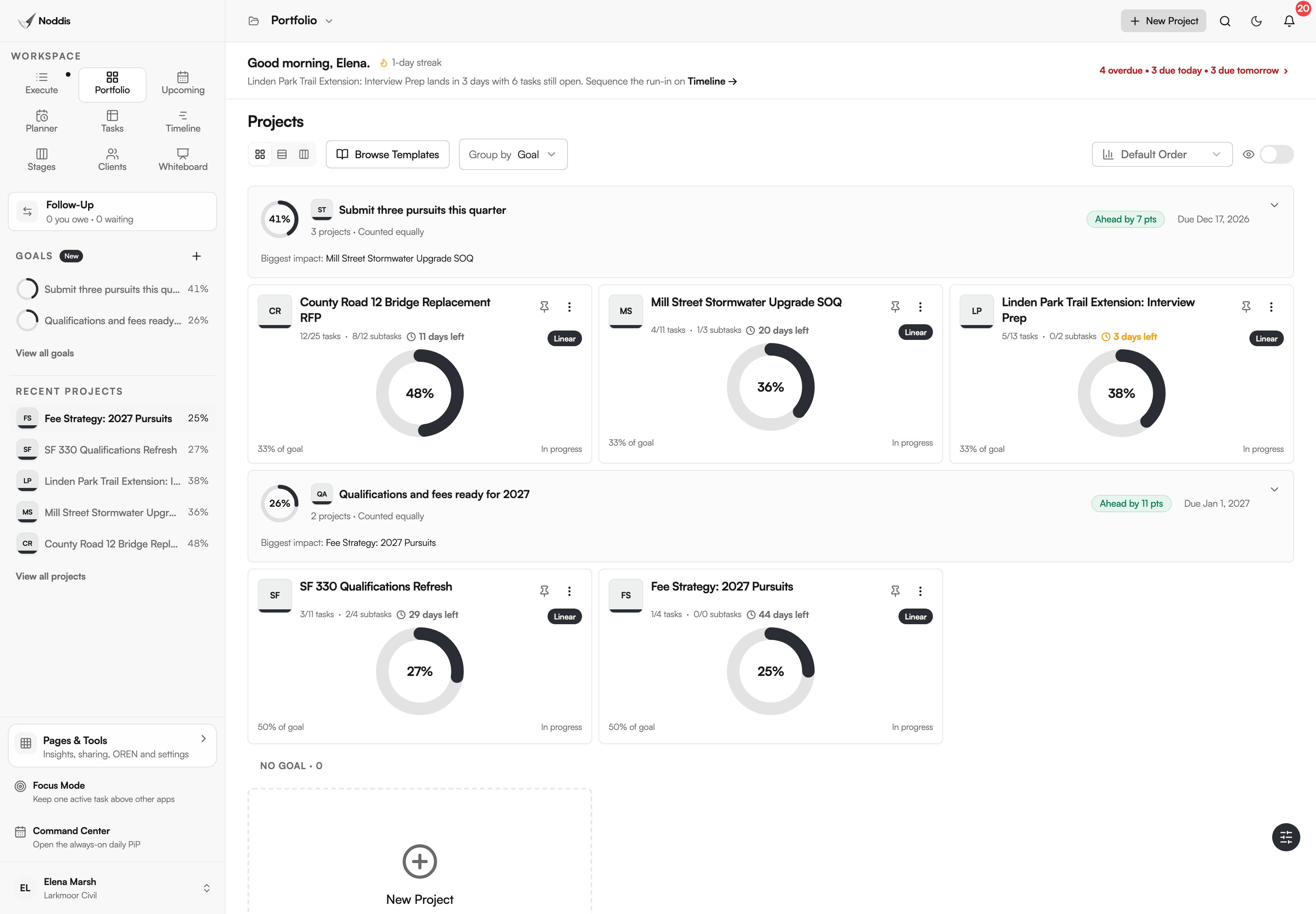
A proposal pulls in marketing, engineers and a designer for a few weeks. QorusDocs, reporting its 2026 benchmark of AEC firms, found: "Seventy-four percent involve 11 or more contributors". Each section gets an owner, and Portfolio shows every pursuit at once.
Agencies and studios
Give each client project a lead and let the rest of the studio add and complete tasks. A freelancer can be invited to one project as a collaborator, without joining the team.
In-house teams
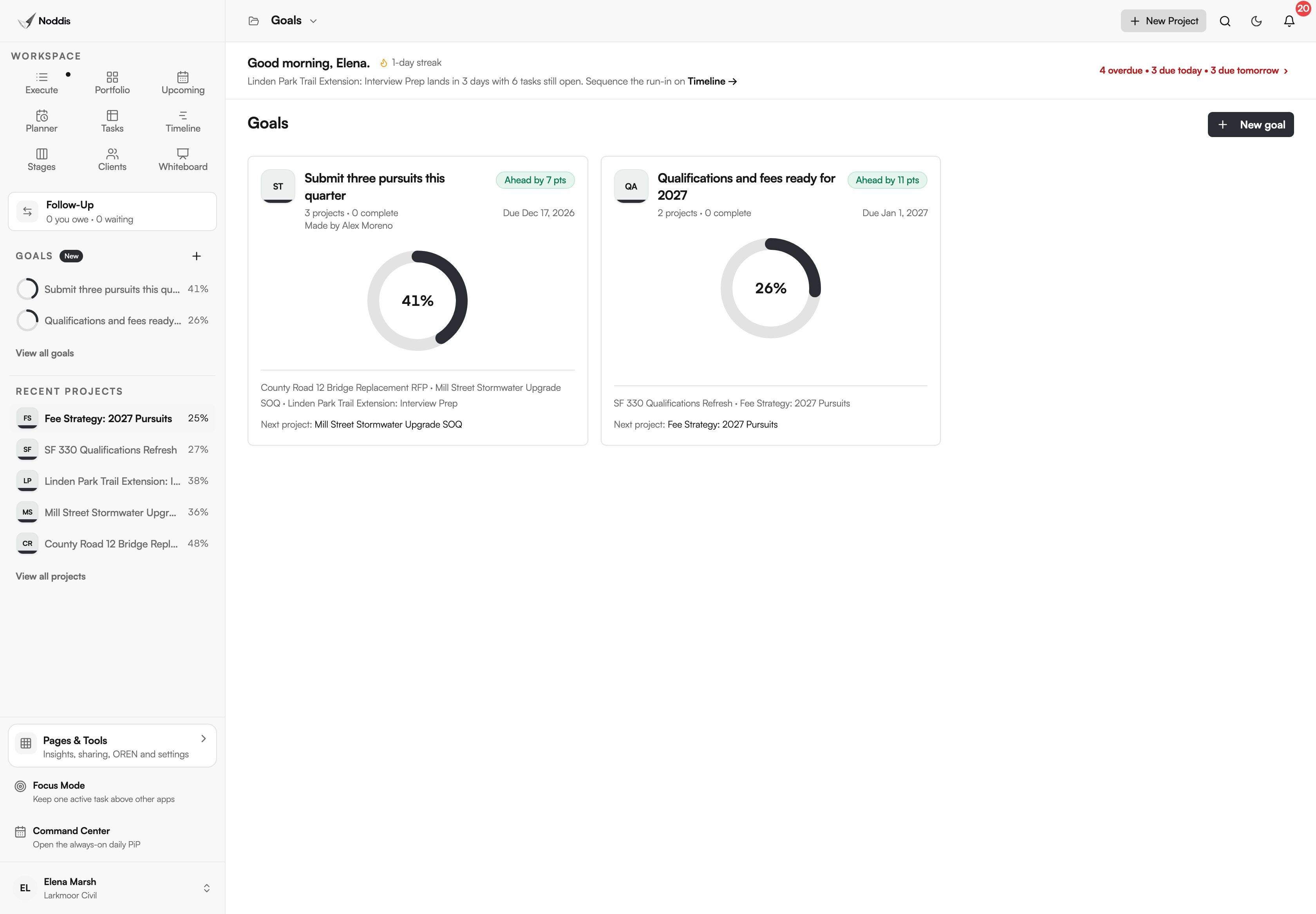
A marketing or operations team shares one goal for the quarter. Everyone reads the same percentage, and the maker or a manager keeps it current.
Contractors
The office creates the jobs and the crew leads tick the tasks. The bar shows which trade moved each job this week.
What Teams does not do
Teams shares projects and shows who did the work. It is not an enterprise suite, and it is honest about that.
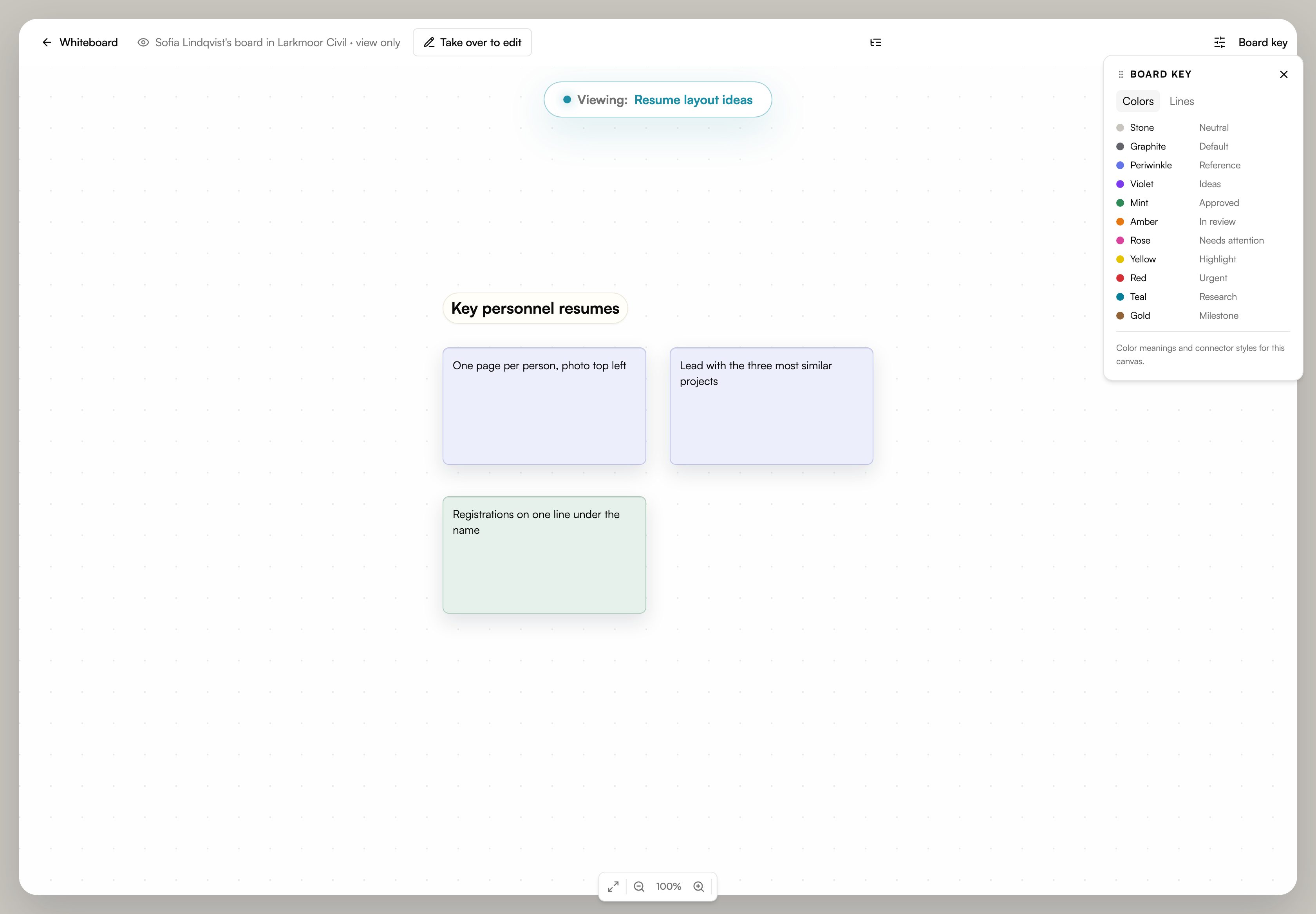
- No live co-editing of a whiteboard. A board has one editor at a time. A manager can press "Take over to edit", and the previous editor keeps a view.
- No single sign-on, departments or audit log. There are four roles, three switches and hidden projects, with no custom roles and no custom fields.
- No time tracking. Team Analytics counts tasks, not hours.
- No AI on Studio. AI is an Organization add-on, switched on per person.
What it costs
Studio is $55 a month and Organization is $200 a month, each for the whole workspace. On Organization, AI is $25 a month for each person you switch it on for. Team billing is separate from your own plan: Pro is $15 a month for one person, and the Free plan includes three active projects. See the current plans.
A plan change mid-month is adjusted on the next invoice. Stripe, which takes the payment, explains: "If a customer upgrades from a 10 USD monthly plan to a 20 USD option halfway through the billing period, the customer is billed an additional 5 USD".
You can look at Noddis before you pay. To try it with your own project, open the personal project demo. The team walkthroughs above show Studio and Organization.
Frequently asked questions
Is Noddis team project management software priced per user?
No. You pay for the workspace. Studio is $55 a month for up to 25 people and Organization is $200 a month for unlimited people. The only charge that follows a person is optional AI on Organization, at $25 a month for each person the owner switches it on for.
Do my teammates need to pay for Noddis Pro?
No. The team plan covers the team workspace for everyone in it, and teammates can be on the Free plan themselves. Personal and team billing are separate. If you have Personal Pro it keeps running, and it stays yours if the team plan is cancelled.
Can I keep my own projects private?
Yes. Your personal workspace is separate from the team workspace, under the same login. Teammates cannot see your personal projects. Inside the team, a manager can also hide a team project from a member who does not need it.
What happens to the work when someone leaves?
The team keeps every project and task. The person's access ends at once, and the team projects, goals, boards and clients they owned pass to the workspace owner. Their own Noddis account and personal projects are not touched.
Can an outside freelancer work on one project?
Yes. The project's owner or a manager can invite them to that one project as a collaborator. Members belong to the team and see its projects; a collaborator sees only the project they were invited to and checks off the work assigned to them. Collaborators do not count toward Studio's 25 members and cannot see other projects, the team's people or billing.
One workspace. Everyone in it.
Start a team workspace when two people need the same project. The price is set before you invite anyone, and it stays there.