
Short answer
To see who is working on what, give every task one named owner and read the answer from the work itself: the owner on each task, a progress bar coloured by person, and a list of each person's open tasks. A status meeting can then cover decisions, because the question "who has this?" is already answered on screen.
Why is it hard to see who is working on what?
Seeing who is working on what is hard because the answer usually lives in people's heads and in chat. A project list shows tasks. It rarely shows the person, and it almost never shows the same person across five projects at once.
The problem grows with every specialist who joins. QorusDocs, reporting its 2026 benchmark of AEC firms, found: "Seventy-four percent involve 11 or more contributors" on a proposal. Eleven people on one deadline is eleven chances to ask "is that yours or mine?"
What does a clear answer need?
A clear answer needs three views, and each one answers a different question: who owns a task, who moved a project, and what each person is still carrying. Any one of them alone leaves a gap.
| The question | The view that answers it | What it stops |
|---|---|---|
| Who owns this task? | An owner on every task | Two people doing it, or nobody |
| Who moved this project? | Progress split by person | Status updates collected by hand |
| What is each person carrying? | Open tasks listed by person | Finding out at the deadline |
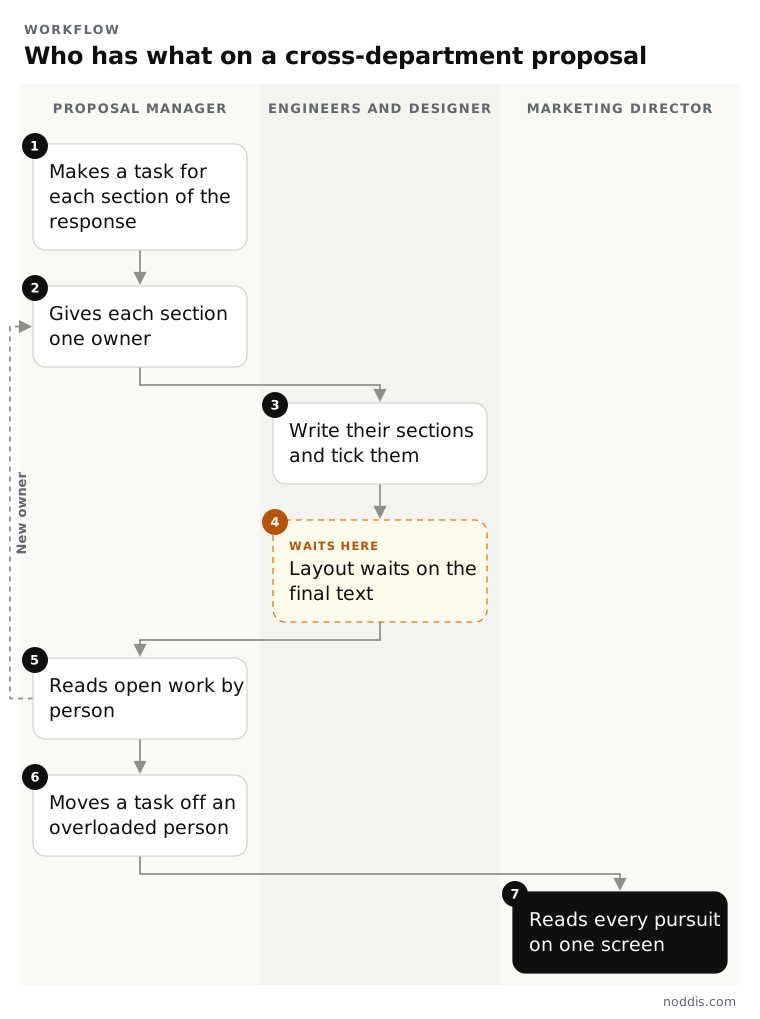
The amber step in the diagram is the one to watch. A designer cannot start layout until the text is final, so their open task waits on someone else. A view by person makes that wait visible while there is still time.
How do you set it up for a cross-functional team?
Set it up in the order the work arrives: sections first, owners second, review third. Take a civil engineering firm with five pursuits open and people from four departments.
- Create one project for each pursuit, with a task for each section of the response.
- Give each person a title, such as Structural Lead or Graphic Designer, so the right owner is easy to find.
- Assign each section to one person. Shared work gets one owner and subtasks.
- Let each person tick their own tasks. Nobody reports for them.
- Review by person once a week, and by project the rest of the time.
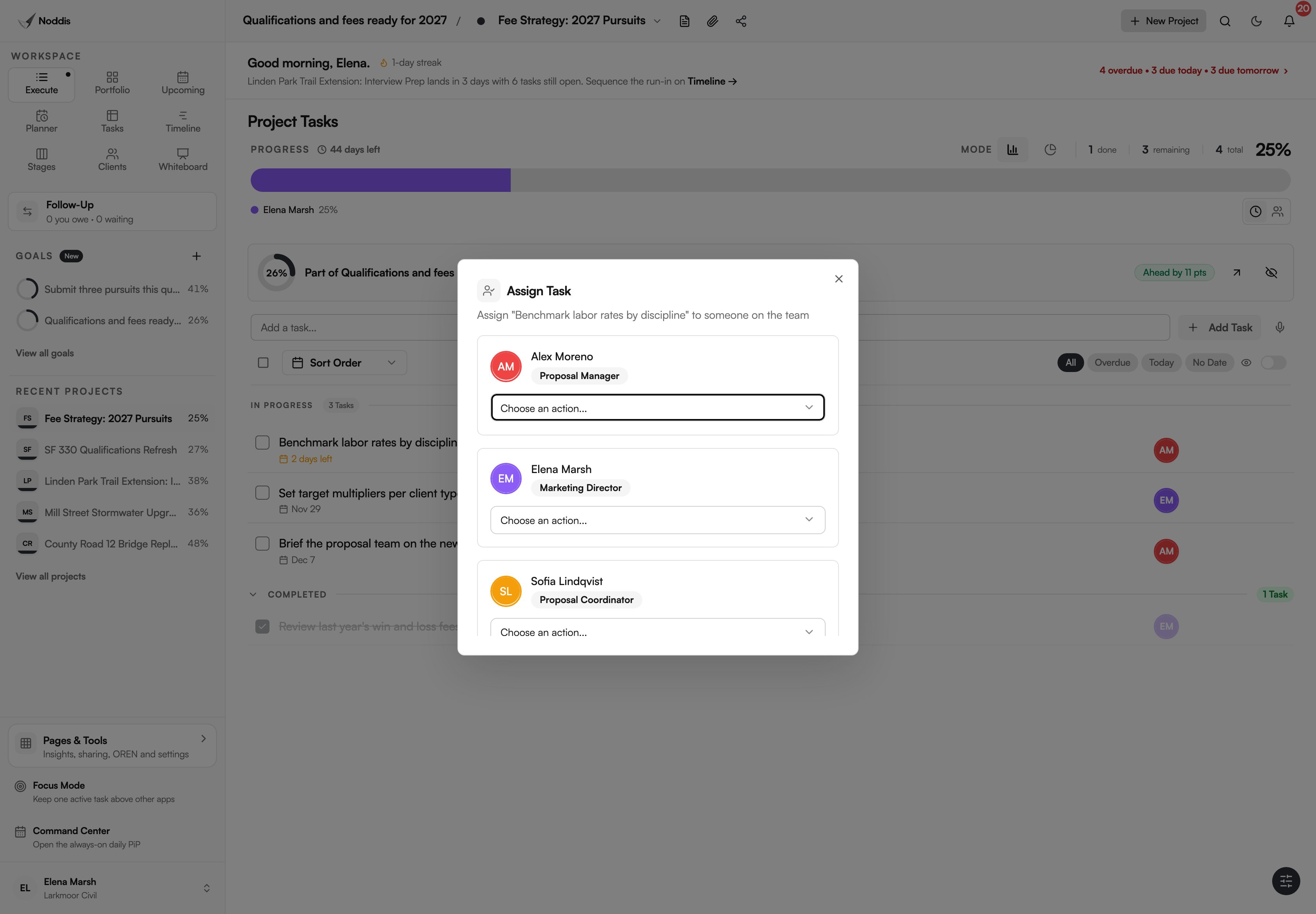
One owner per task is the same idea as a responsibility chart, without the chart. If two people need to act, split the task in two.
How does Noddis show who is working on what?
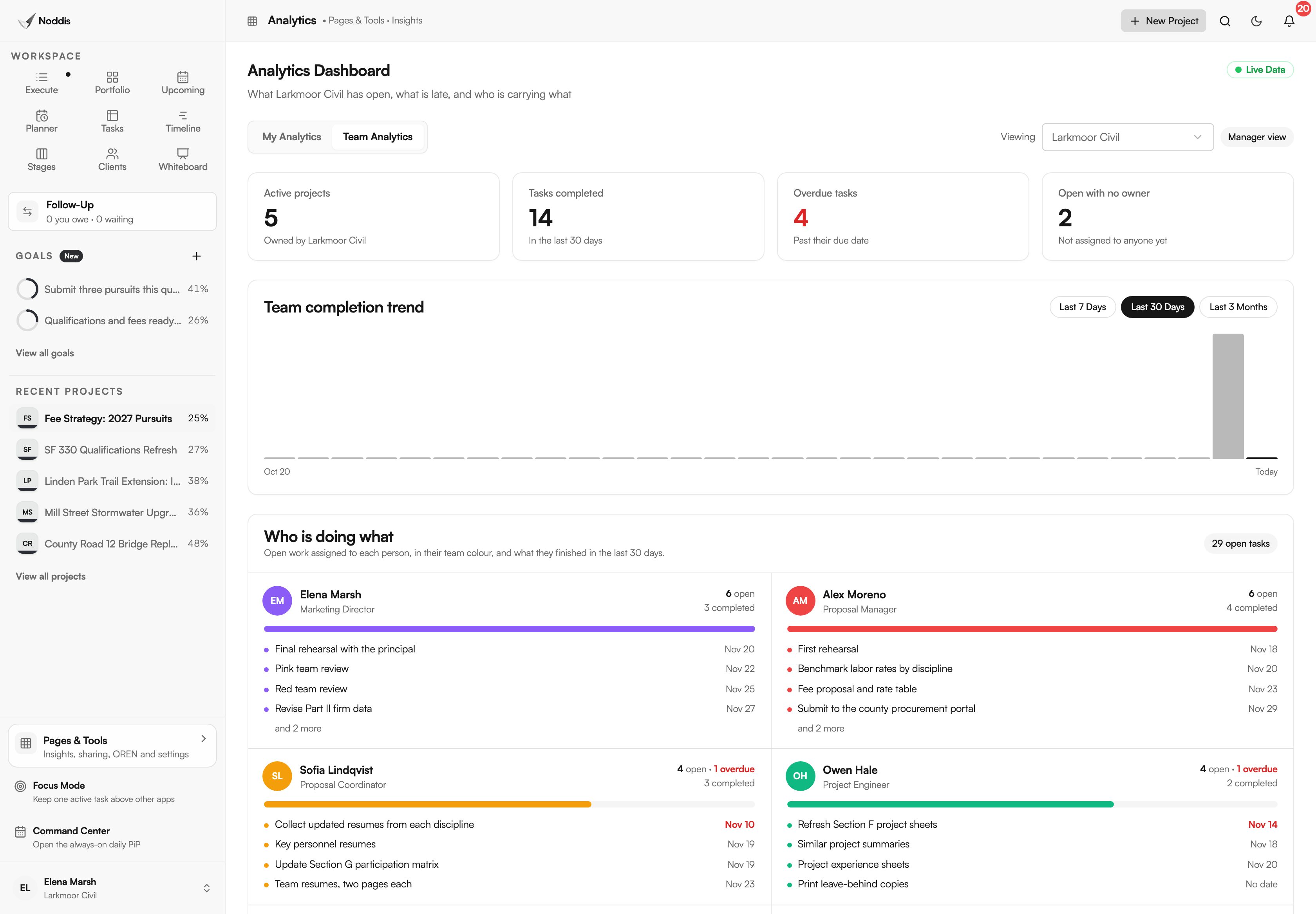
Noddis shows it in three places inside a team workspace, and none of them is a report somebody writes. Noddis is a project management app that keeps tasks, follow-ups, and related project details connected.
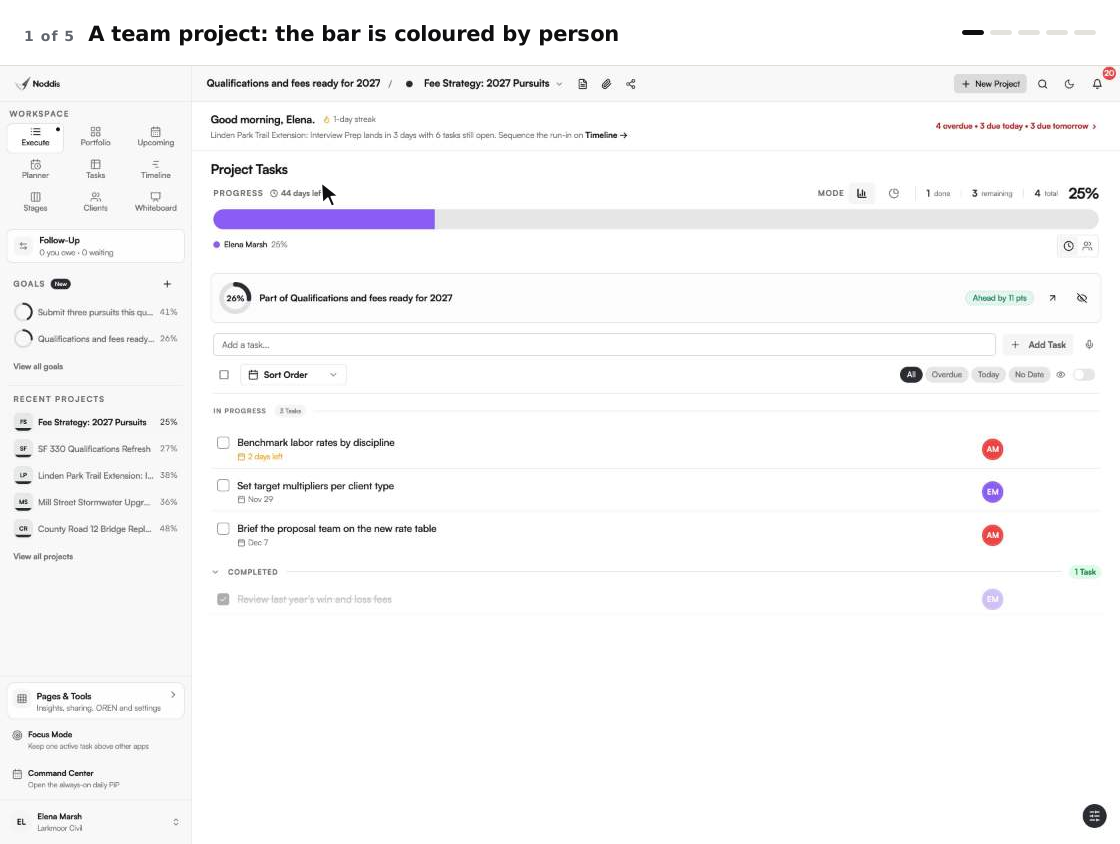
Each task shows its owner's initials. Each project's progress bar is filled in the colour of the person who finished the work. When we built Teams in Noddis, we priced the workspace instead of the seat, so adding a teammate is a decision about the work and not about the bill. That matters here: the view is only true when everyone who does the work is in it.
Team Analytics, for managers, lists each person with their open tasks and what they finished in the last 30 days. It also counts open tasks that have no owner at all.
Across pursuits, Portfolio shows every project's percent and days left, and Upcoming lists every deadline. For a proposal team's full week, see how proposal managers use Noddis.
What should you not read into these views?
Do not read hours or effort into a list of who is working on what. Noddis counts tasks, and a task can be an afternoon or a week, so two people with five open tasks each may carry very different loads.
- There is no time tracking and no capacity planning.
- A long list beside a name means "ask", not "behind".
- Members see their own work and the team's projects. Team Analytics is for managers, admins and the owner.
If you bill by the hour or plan staff across months, you need a time tracking or resource planning tool beside this.
Your next step
Pick one live project and check that every open task has exactly one owner. To try it with your own project, open the live demo. No account is needed. The Teams page shows the views in this guide.
Common questions
How do I see who is working on what across several projects?
Use a view that lists open tasks by person, not by project. In Noddis that is Team Analytics, which shows each person's open tasks from every team project under their name and title. Portfolio then shows how each project stands as a whole.
Should a task have more than one owner?
No. Give each task one owner, and use subtasks when several people contribute. A task with two owners is often treated as nobody's. If two people must each deliver something, those are two tasks.
How often should a team review who has what?
Once a week is enough for most teams, with a second look in the last days before a deadline. Review by person to spot overload, and by project to spot a section with no owner or no movement.
Does seeing each person's work feel like surveillance?
A view of each person's work can feel like surveillance if it is used to rank people. Keep the view about the work: what is open, what is waiting and what has no owner. Counting tasks says nothing about effort, so use the list to offer help or move a deadline.

Katleen is the founder of Noddis. She runs client projects through her app studio, 693 Labs, and builds Noddis around the problems that work creates.
Last reviewed . Feature details reflect Noddis at the time of review.