
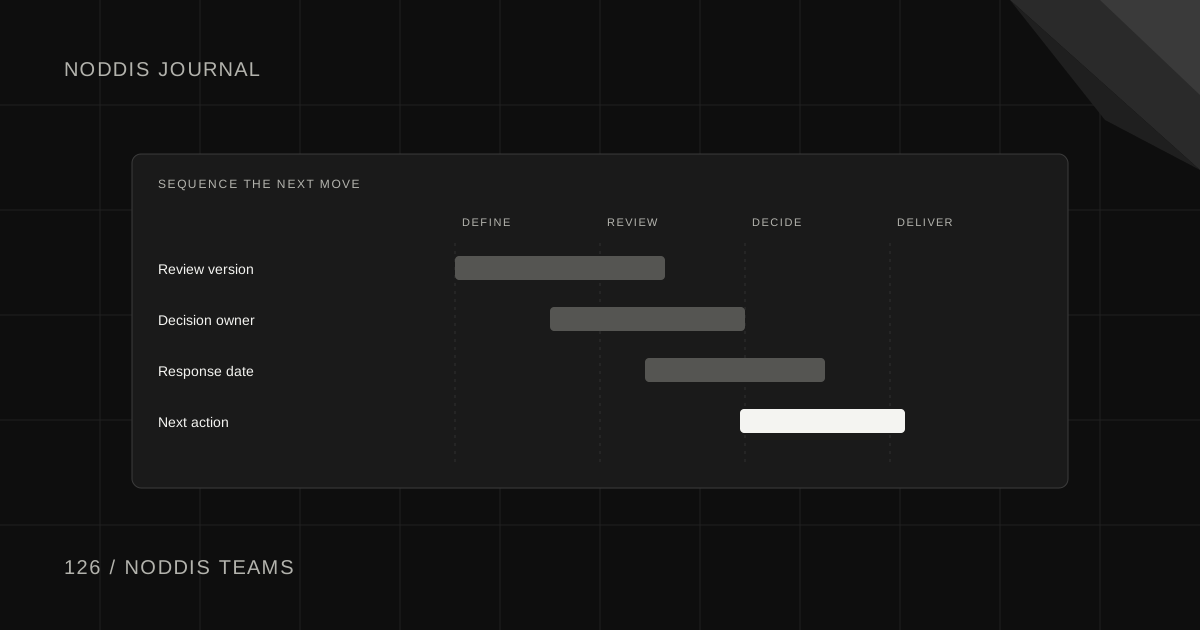
Short answer
Noddis Teams is a shared workspace for a team's projects, beside the personal workspace each person already has. You invite people, give each one a role, assign the work, and the progress bar shows who finished what. Studio is $55 a month for up to 25 people. Organization is $200 a month for unlimited people.
What is Noddis Teams?
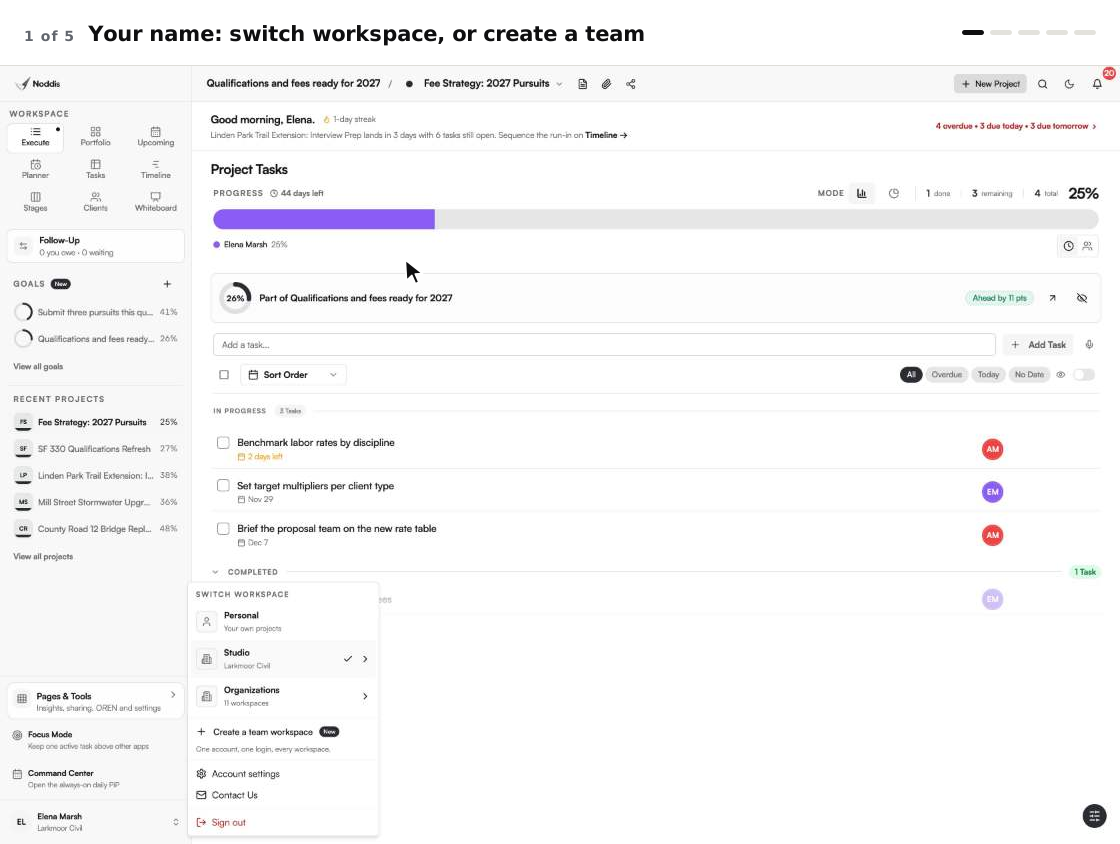
Noddis Teams is a second kind of workspace. Your personal workspace keeps your own projects. A team workspace keeps the projects a group runs together, and everyone you invite can open them. One login reaches both, from your name at the bottom of the sidebar.
Noddis is a project management app that keeps tasks, follow-ups, and related project details connected. Teams shares those details with the people you work with. When we built Teams in Noddis, we priced the workspace instead of the seat, so adding a teammate is a decision about the work and not about the bill.
What does a team workspace give you?
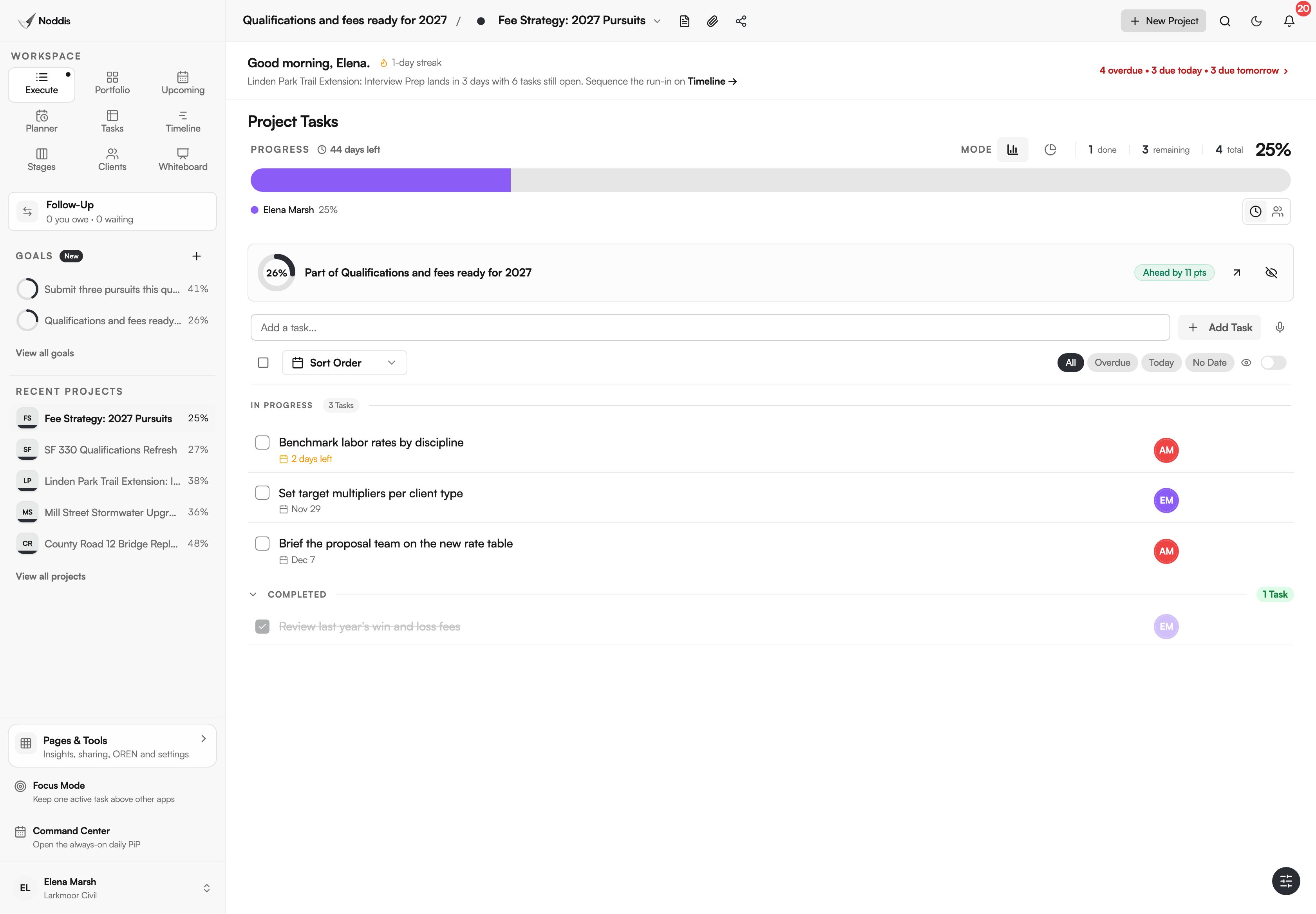
A team workspace gives the group one place for its projects and a named owner for every task. Inside it, the team gets every Pro workspace: Portfolio, Execute, Upcoming, Planner, Tasks, Timeline, Stages, Clients and Whiteboard.
| What you need | Where it is |
|---|---|
| Everyone in the same projects | The team workspace, switched from your name |
| A role for each person | People & Access |
| An owner for each task | "Assign task" in the task's menu |
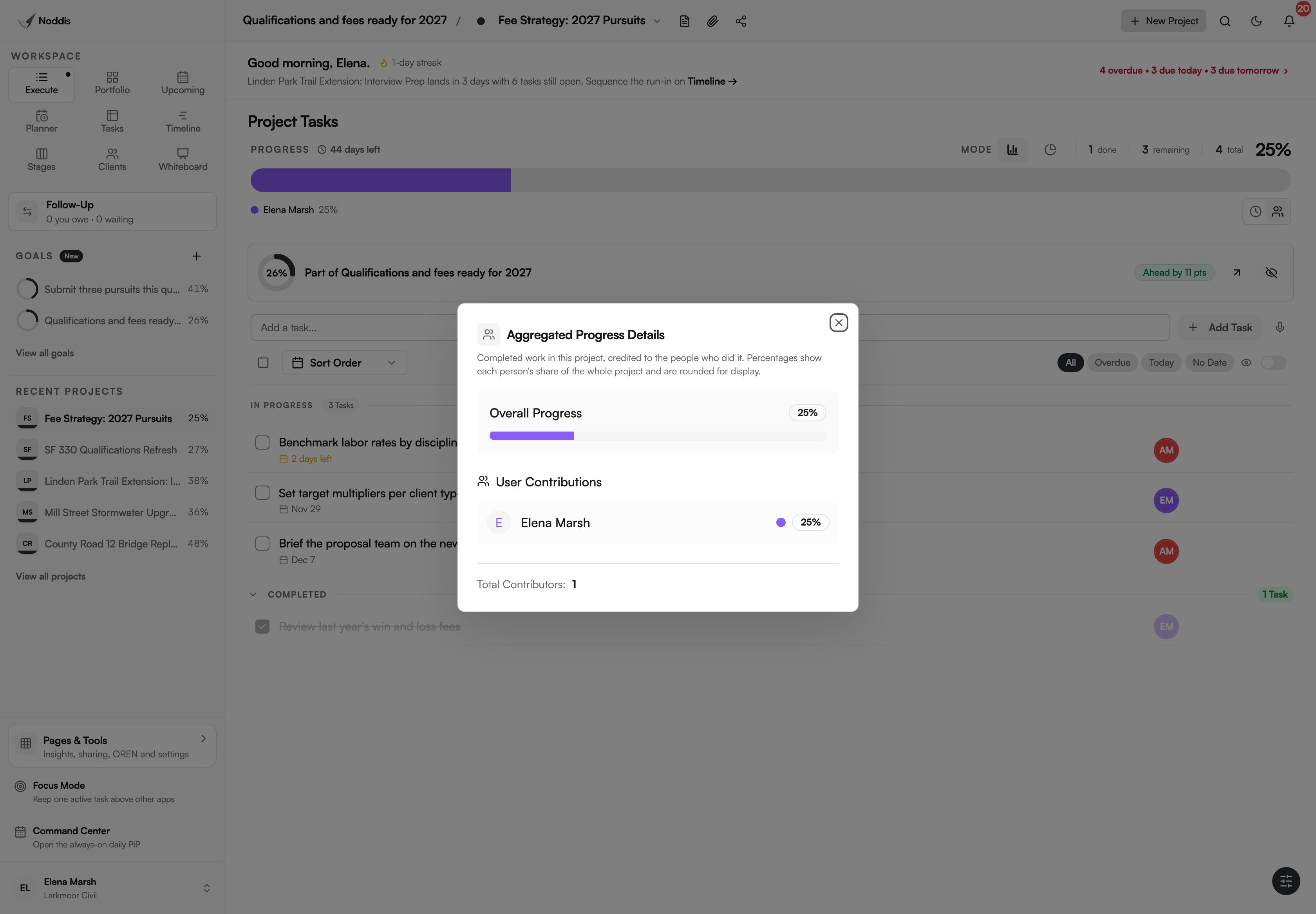
| Who finished what | The project's progress bar, coloured by person |
| Each person's open work | Team Analytics, for managers |
| One number for a shared target | Goals, shared with the team |
Studio or Organization: which plan fits?
Studio fits a team of up to 25 that does not need AI, at $55 a month. Organization fits a larger firm, or a team that wants AI for some people, at $200 a month. On Organization the owner switches AI on person by person, at $25 a month each.
Both prices are for the workspace. Stripe's documentation names the two common ways to price software. Flat rate: "Customers choose a service tier (for example, Basic, Starter, or Enterprise) and pay a flat rate for it." Per seat: "Each pricing unit represents one user." Noddis Teams is the first kind.
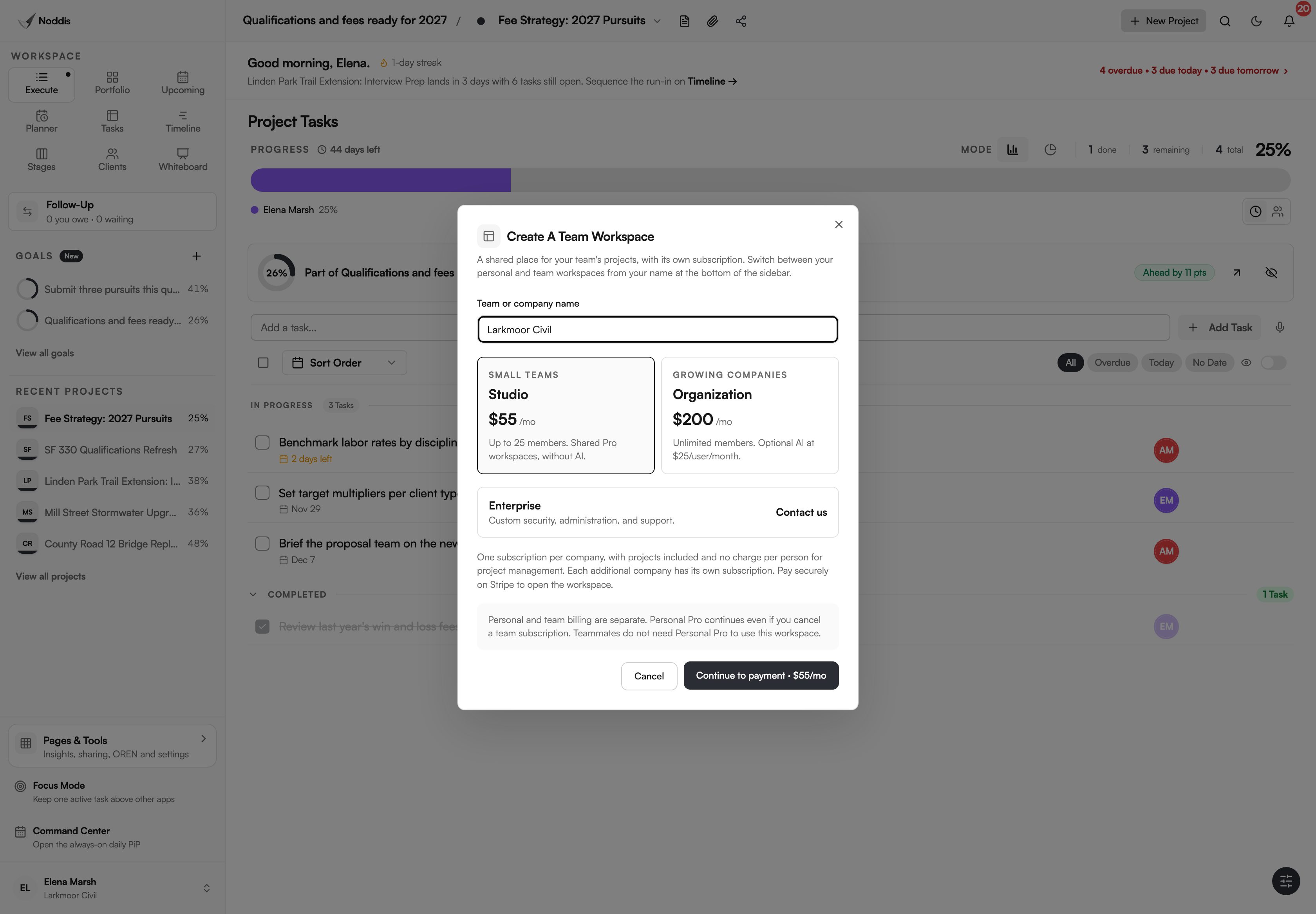
Team billing is separate from your own plan. If you have Personal Pro it keeps running, and teammates do not need it.
How does a project move through a team?
A project moves from the person who sets it up to the people who own its parts, and the workspace keeps count. The diagram shows one project from the first invitation to the finished work.
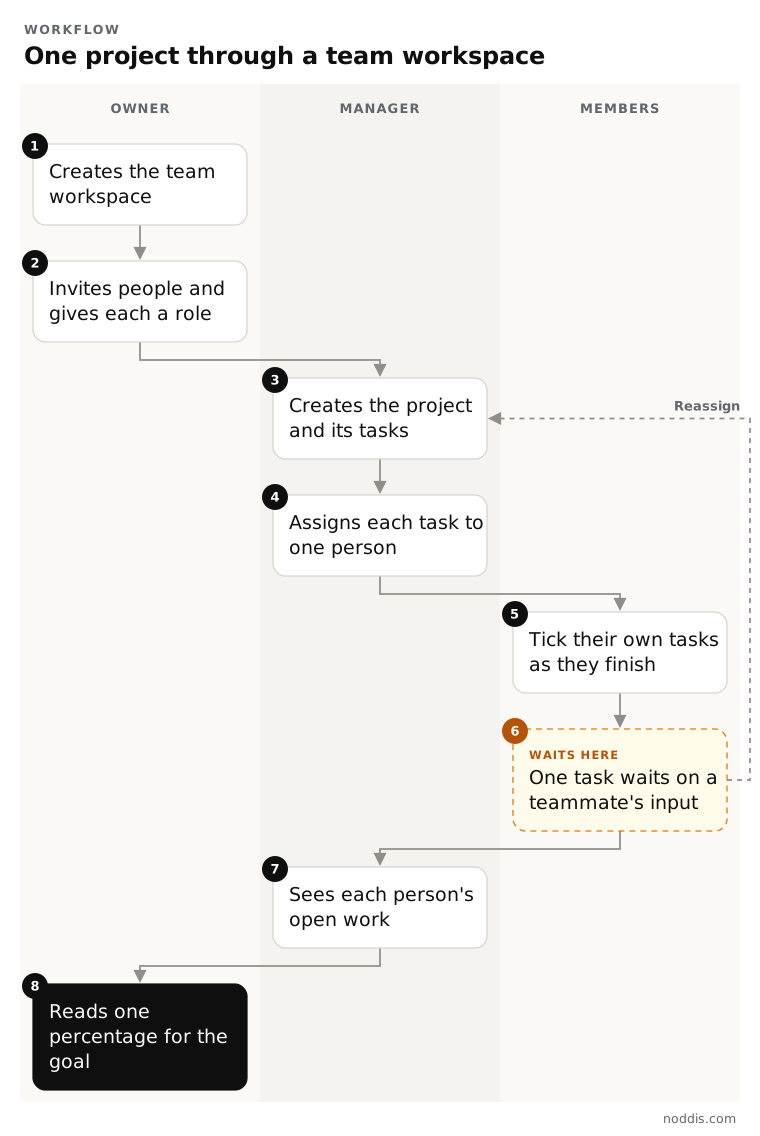
Take a civil engineering firm answering a bridge proposal. The marketing director owns the workspace. The proposal manager creates the project and gives each section an owner. Engineers and the designer tick their own tasks. The bar reads 36 percent and shows five colours, one for each person who moved it.
What does Noddis Teams not do?
Teams shares projects and shows who did the work. It leaves the heavier jobs to tools built for them.
- A whiteboard has one editor at a time. A manager can take a board over, and the previous editor keeps a view.
- There is no single sign-on, no departments and no audit log.
- Team Analytics counts tasks, not hours. There is no time tracking.
- Studio does not include AI.
Your next step
Write down who would be in your team workspace and which of them only need to add and complete tasks. To try it with your own project, open the live demo. No account is needed. The Teams page shows every screen.
Common questions
How much does Noddis Teams cost?
Studio is $55 a month for the workspace, for up to 25 people. Organization is $200 a month for the workspace, for unlimited people, with optional AI at $25 a month for each person the owner switches it on for. Neither plan charges for each person who uses project management.
Do teammates need their own paid plan?
No. The team plan covers the team workspace for everyone in it. A teammate can be on the Free plan for their own projects. Personal Pro is a separate plan for one person's own workspace, and it is not needed to work in a team.
Can I keep my personal projects out of the team?
Yes. Personal and team workspaces are separate, and teammates cannot see your personal projects. You choose which workspace you are in from your name at the bottom of the sidebar, and each project belongs to one workspace.
What happens when someone leaves the team?
Their access ends at once. The team keeps every project and task, and the team work that person owned passes to the workspace owner. Their own Noddis account and their personal projects are not touched.

Katleen is the founder of Noddis. She runs client projects through her app studio, 693 Labs, and builds Noddis around the problems that work creates.
Last reviewed . Feature details reflect Noddis at the time of review.