
Short answer
To set up a team workspace in Noddis, create the workspace from your name at the bottom of the sidebar, invite people from People & Access, give each person a role, and assign the first tasks. The whole setup is one dialog and one page, and nobody needs training to add and complete tasks.
What do you need before you start?
Before you start you need three things: a name for the team, a plan, and a list of the emails you will invite, each with the role that person should have. Noddis is a project management app that keeps tasks, follow-ups, and related project details connected, and a team workspace shares them with the people you invite.
Pick Studio if you are 25 people or fewer and do not need AI. Pick Organization if you are larger, or want AI for some people. You can change plan later.
How do you set up a team workspace, step-by-step?
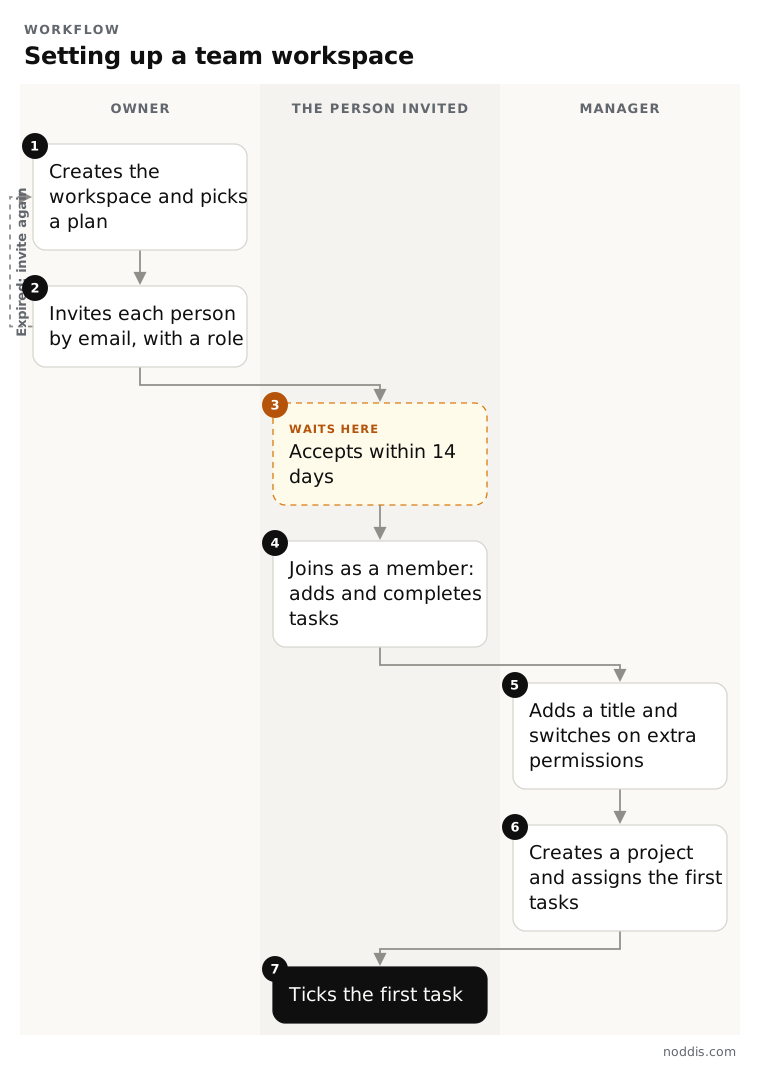
You set up a team workspace from the menu under your name, in four steps. The first three are one dialog, and the fourth is a checkout page. Nothing has to be installed, and your own projects are not moved.
- Click your name at the bottom of the sidebar.
- Choose "Create a team workspace".
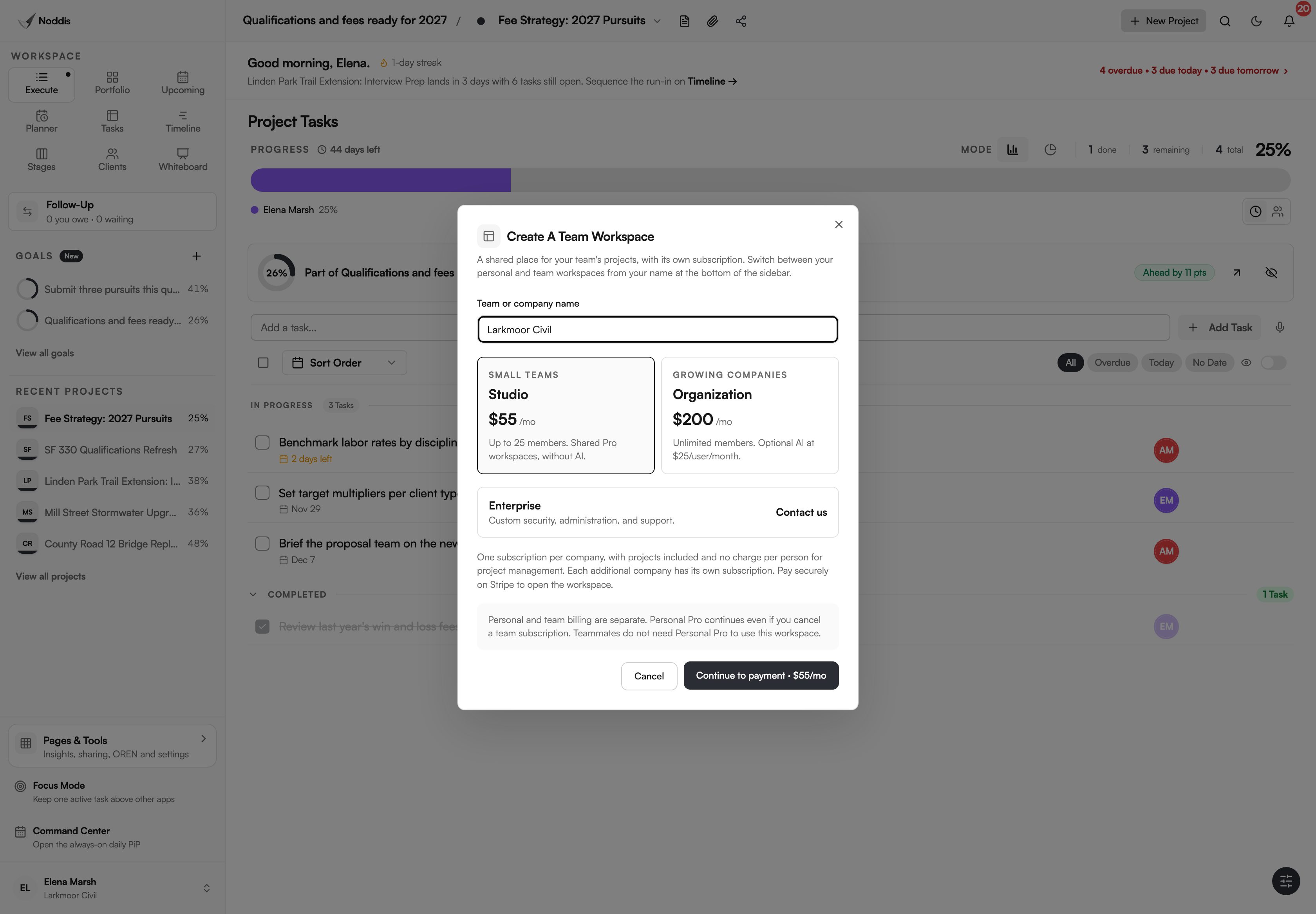
- Type the team or company name and choose Studio or Organization.
- Press "Continue to payment" and finish checkout. The workspace tour shows you how to create a project and invite your team. You can replay it from People & Access.
Your personal workspace is still there. The same menu switches between the two.
How do you invite people and set roles?
You invite people one at a time from People & Access, each with a role. Start with the lowest role that lets the person do their job.
- Press "Invite member".
- Enter their work email and an optional position.
- Under Permissions, choose Member or Manager. The workspace owner can also choose Admin.
- Press "Create invitation". The link works once and lasts 14 days.
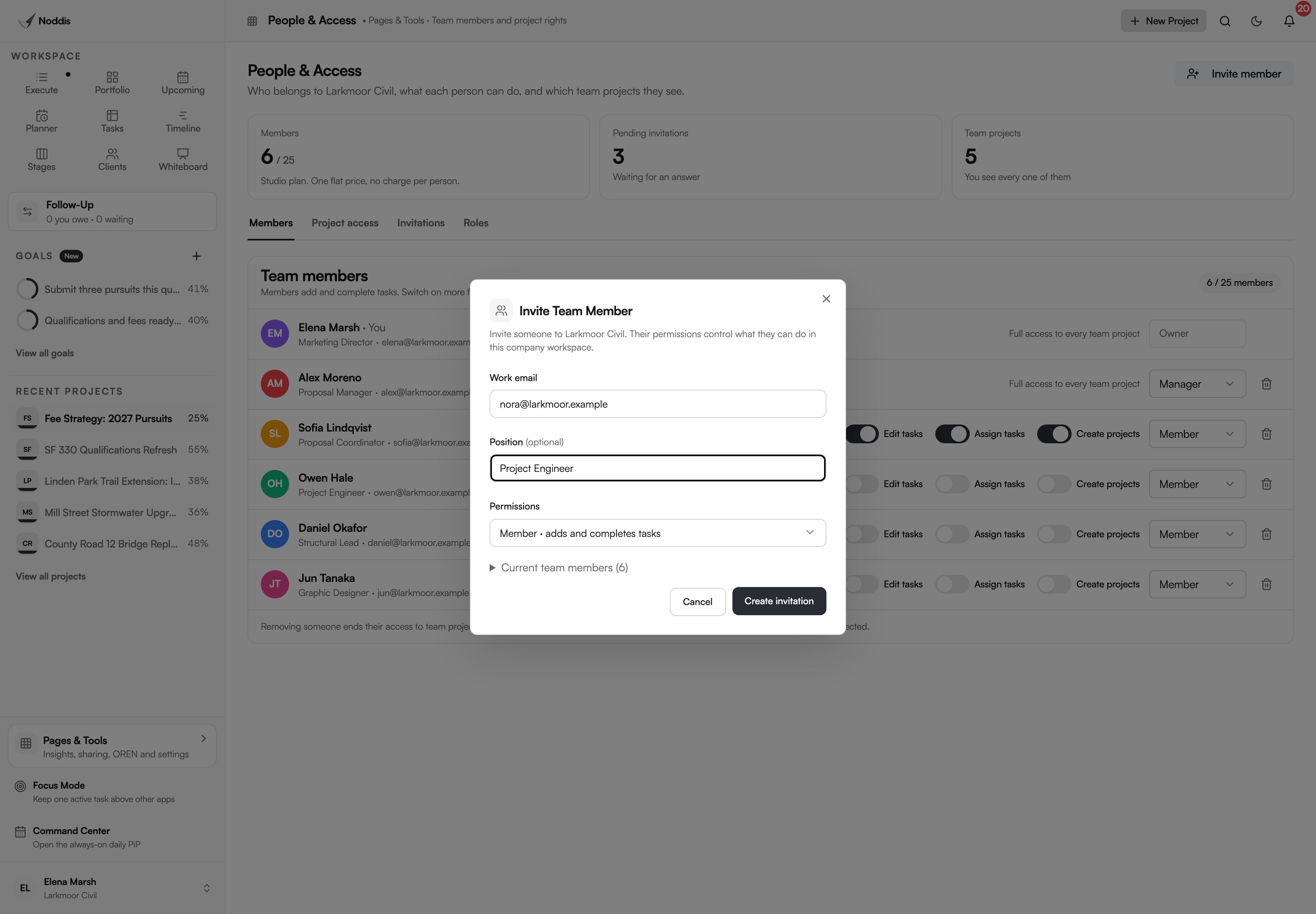
A member can add tasks, complete tasks and fix what they added. A manager runs projects and sets what members can do. An admin can also invite and remove people. Only the owner handles billing.
Security people call this least privilege. The NIST glossary describes it as "A security principle that a system should restrict the access privileges of users" to what their tasks need.
Which permissions should members have?
Leave the three switches off until someone needs one. Each switch is beside the person's name.
| Switch | Turn it on for | Leave it off for |
|---|---|---|
| Edit tasks | A coordinator who tidies other people's tasks | People who only do their own work |
| Assign tasks | Anyone who hands out work | People who receive work |
| Create projects | Leads who start their own projects | Everyone else |
Members never delete tasks or projects, whichever switches are on. A manager can also hide a project from one member on the "Project access" tab.
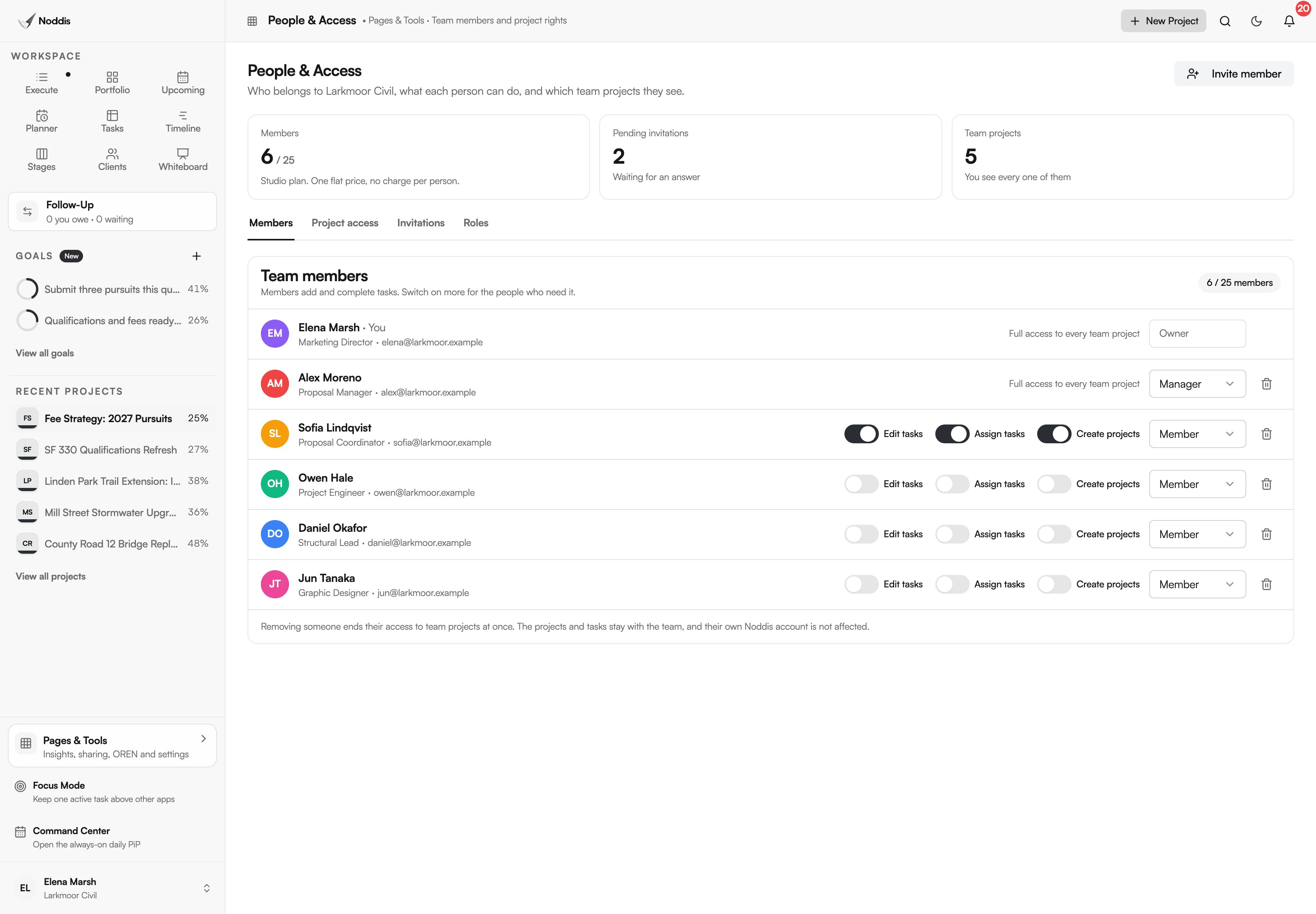
Click the line under each name to add a title, such as Structural Lead. The title shows when you assign a task.
How do you hand out the first work?
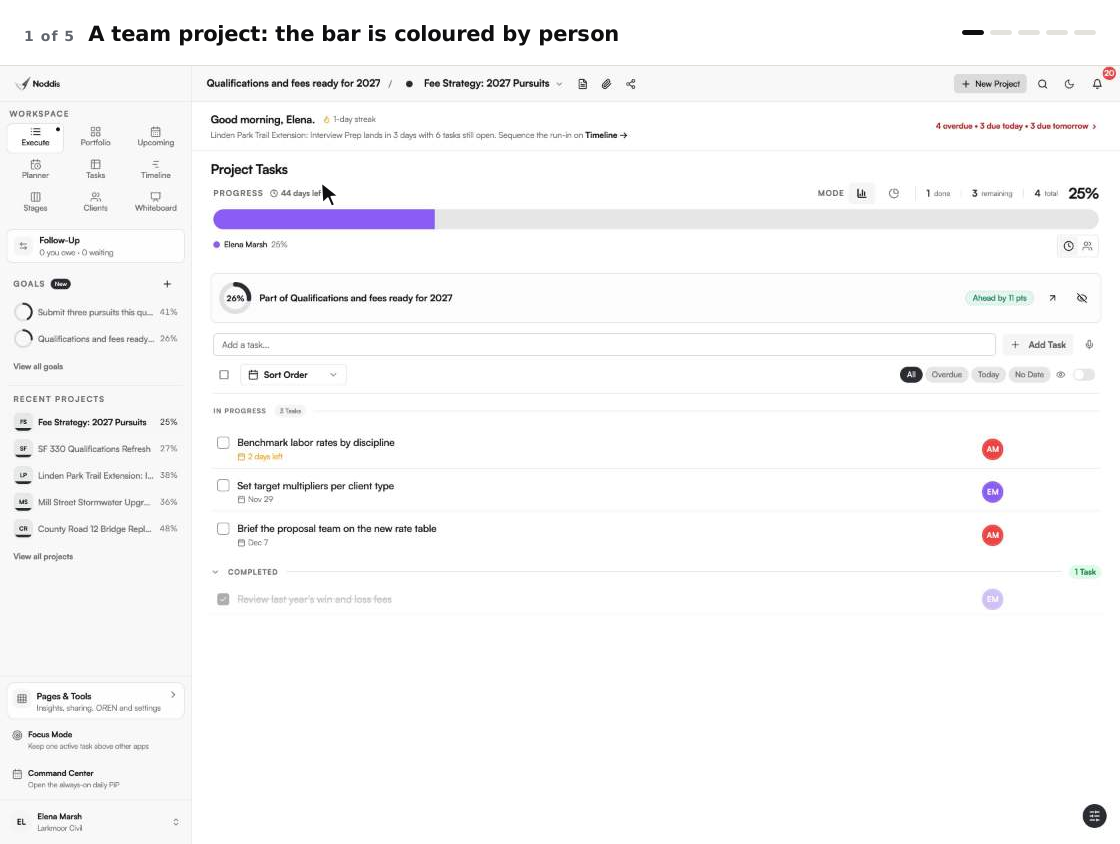
Hand out the first work by creating a project in the team workspace, adding its tasks, and giving each task one owner. Open the task's menu, choose "Assign task", and pick the teammate by name or title.
When we built Teams in Noddis, we priced the workspace instead of the seat, so adding a teammate is a decision about the work and not about the bill. That is why setup can include everyone who touches the project, and not only the people who manage it.
What can go wrong in setup?
Three things catch new teams in setup: an invitation that expires, an invitation accepted from the wrong account, and a Studio workspace that reaches its limit of 25 people. Each has a short fix.
- An invitation expires. It lasts 14 days. Create a new one from the Invitations tab.
- The wrong account accepts. The person must sign in with the email you invited.
- Studio is full. Studio holds 25 members. A collaborator, invited to one project only, is not a member and does not count.
Noddis Teams has no single sign-on and no way to add people in bulk from a directory. Each person is invited by email.
Your next step
List each person, their title and the lowest role that fits them. To try it with your own project, open the live demo. No account is needed. The Teams page covers plans and limits.
Common questions
How long does it take to set up a team workspace?
Creating the workspace is one dialog and a checkout. Inviting is one short form for each person. Most of the time goes on deciding roles, so make the list of people and roles before you open the dialog.
Can I change plan after setup?
Yes. The owner opens Teams Billing & Plan and presses "Change plan". Moving from Studio to Organization lifts the limit of 25 people and lets you add AI for the people you choose. Moving back to Studio needs 25 people or fewer and turns AI off. The price difference is adjusted on the next invoice.
Who should be the owner?
The owner is the person who should control billing and can transfer the workspace. In a small firm that is usually a principal or an operations lead. Day-to-day project work is better done by managers, so the owner role can stay with one accountable person.
Can I invite someone to one project only?
Yes. A project's owner or a manager can invite them to that project as a collaborator. A collaborator sees that project and checks off the work assigned to them. They are not a team member and cannot see the team's other projects or its people. To add someone to the team itself, invite them as a member in People & Access.

Katleen is the founder of Noddis. She runs client projects through her app studio, 693 Labs, and builds Noddis around the problems that work creates.
Last reviewed . Feature details reflect Noddis at the time of review.