
Short answer
Proposal managers use Noddis to run every live pursuit from one place: the RFP becomes a task outline, each section has a name and a date beside it, and anything owed by a principal, a technical lead or a subconsultant sits in one list with its age in days. This walk-through follows one week at an engineering firm.
How do proposal managers use Noddis in a real week?
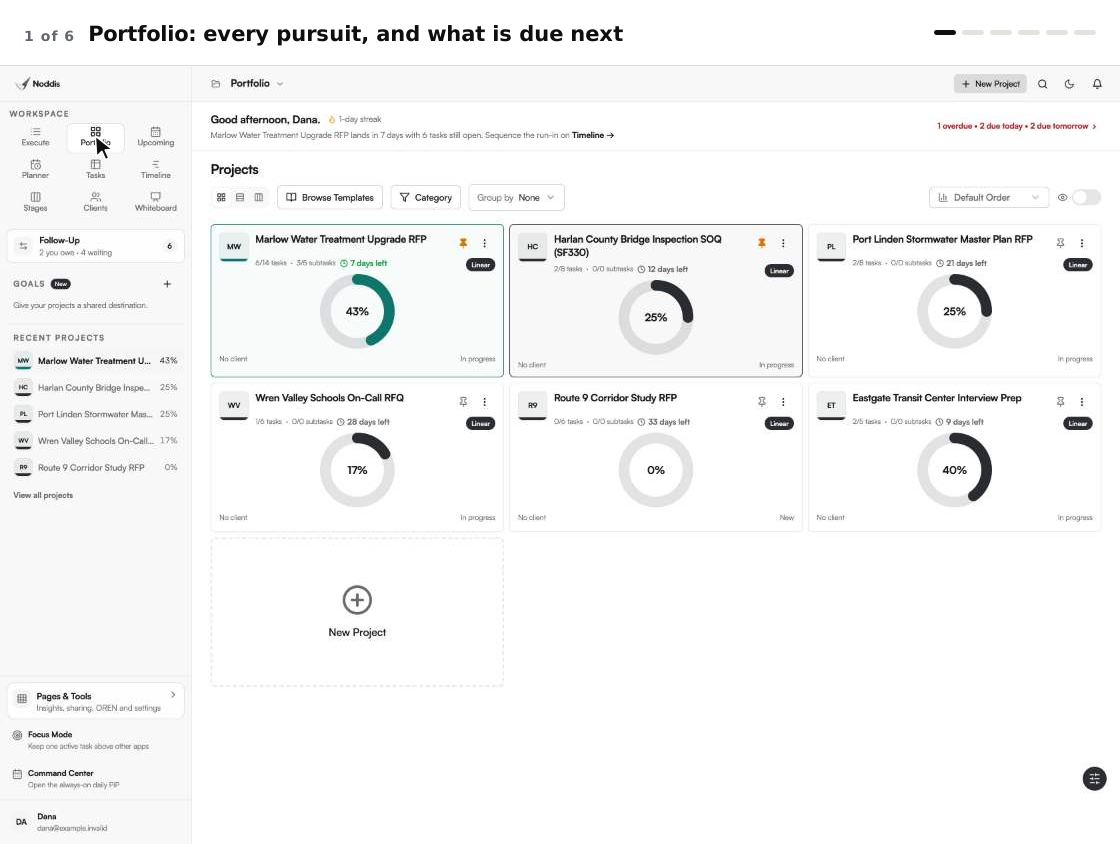
Noddis is a project management app that keeps tasks, follow-ups, and related project details connected. When we built Portfolio in Noddis, we put every active project and its progress in one view, so a weekly review can start from one screen instead of one tab per client.
For a proposal team, a project is a pursuit. As the team updates its tasks, Portfolio updates the progress across pursuits, so there is no separate status spreadsheet to maintain. Dana, a proposal manager, has five live: two RFPs, an SF330, an on-call RFQ and an interview to prepare. Each workspace in Noddis answers one question about them, and she moves between workspaces instead of building views.
| Dana asks | She opens | Plan |
|---|---|---|
| What is live, and what is due next? | Portfolio | Free |
| What is due this week across everything? | Upcoming | Free |
| What does this pursuit still need? | Execute | Free |
| What is stuck with someone else? | Stages, Follow-Up | Stages is Pro. Follow-Up covers one project on Free, all on Pro |
| How many days are left? | Timeline | Pro |
| Who is asking for status? | Client portal | Pro |
The screens are the real app.
How do you get an RFP into Noddis?
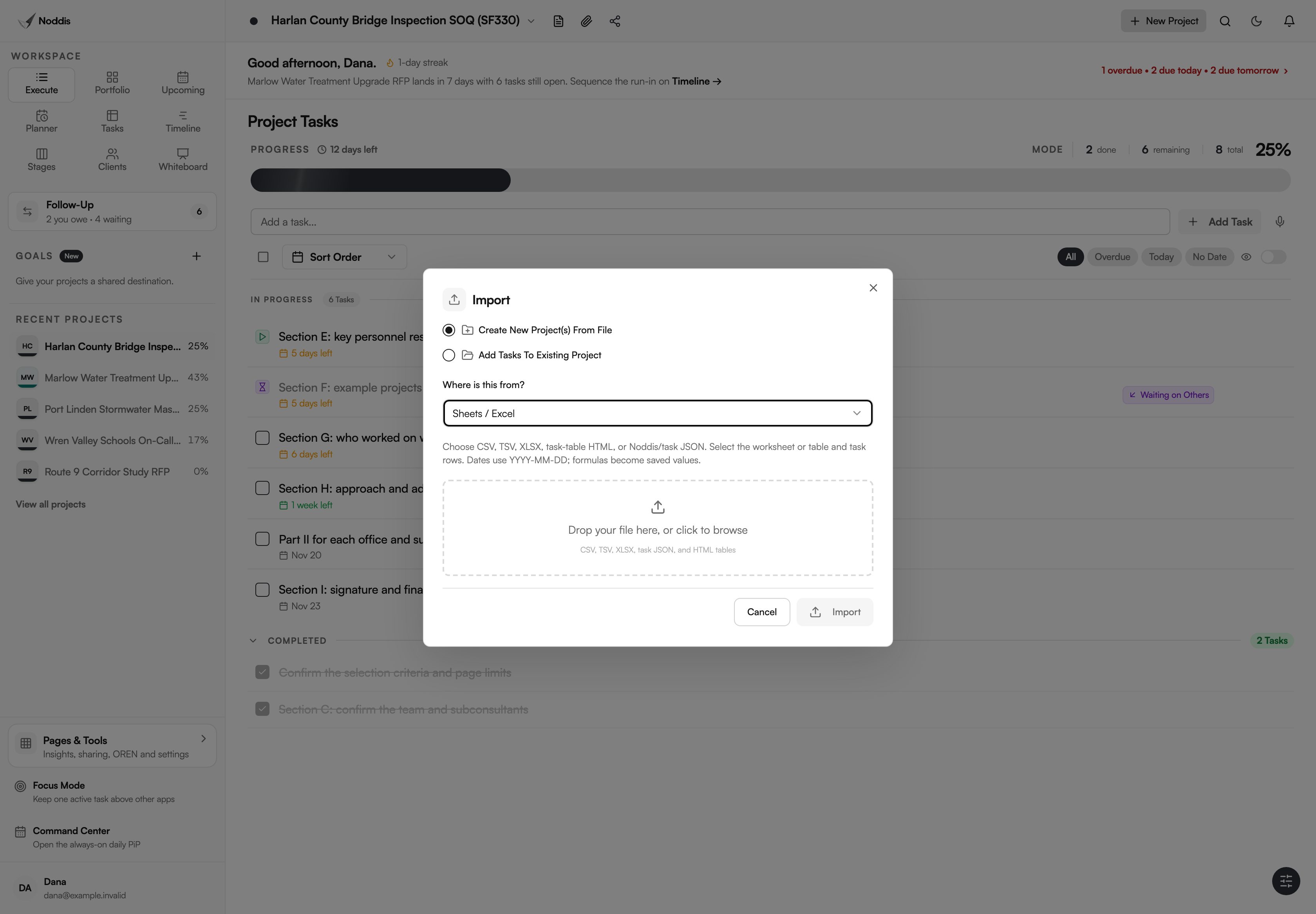
You get an RFP into Noddis through the Import dialog: paste the submission requirements or upload the PDF, and it drafts a task outline for you to review. An RFP tracker you already keep in a spreadsheet comes in the same way. Nothing is created before you check it.
- Proposal / Scope. Paste the RFP's submission requirements, or upload the PDF. Noddis drafts a task outline from the text. You read it, fix it and choose Create Project. Nothing is created before you review it.
- Sheets / Excel. Drop the tracker you keep today. You pick the worksheet and the header row, and Noddis shows the tasks it found. People and attachments are kept as notes on each task, not recreated.
- A template or last time's pursuit. Templates are free. Duplicating a finished pursuit as the starting point for the next one is part of Pro.
One limit matters here. Noddis is not FedRAMP authorized and holds no CMMC certification. A solicitation marked as controlled stays out of it. Track the tasks, not the documents.
How do you see every pursuit at once?
Open Portfolio to see every pursuit at once. Each pursuit is one card with its progress, its status and the next thing due, so the proposal status meeting can start from one screen. Dana's Monday review starts there: the water treatment RFP is 43 percent done, and the corridor study has not started.
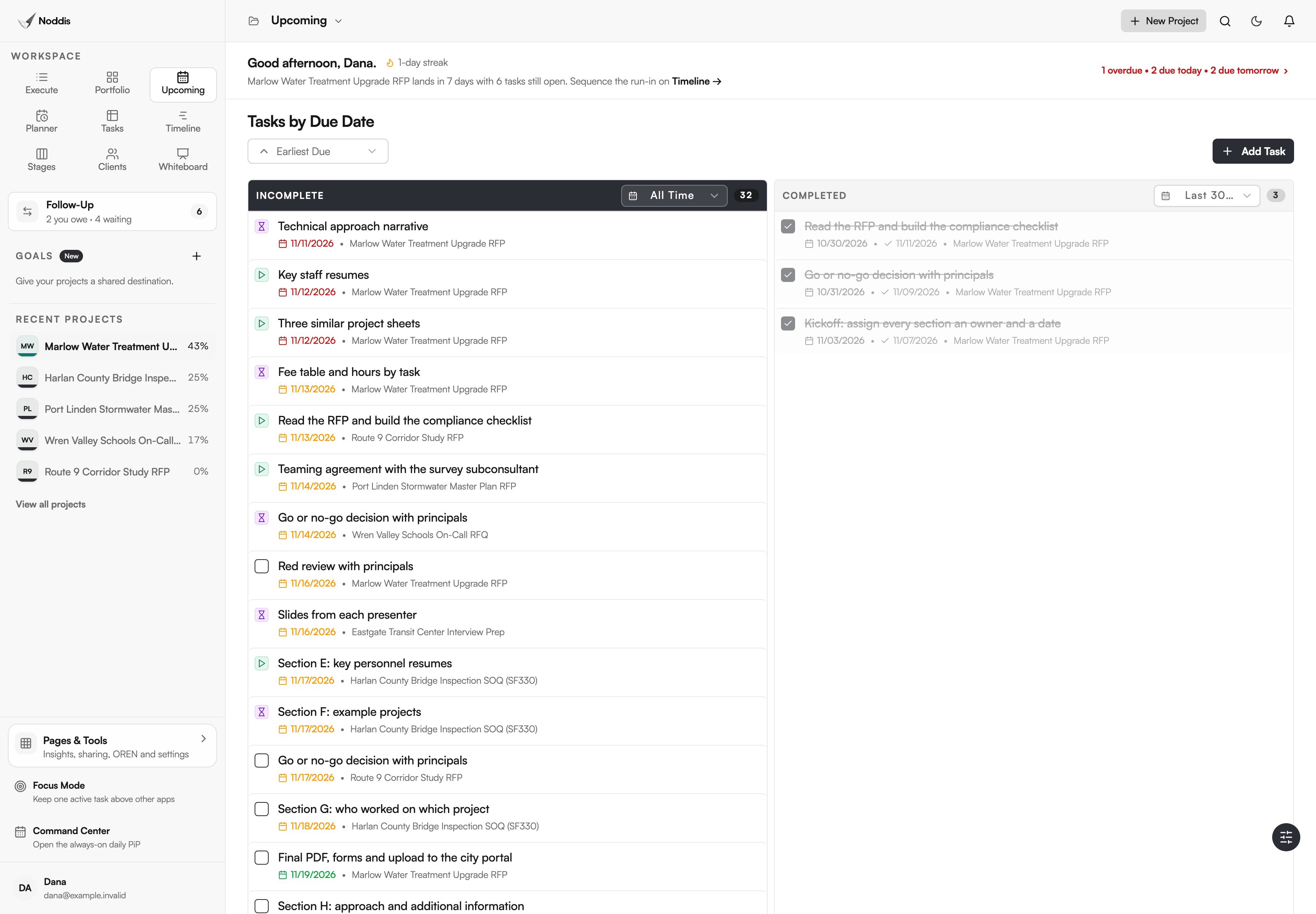
Upcoming answers the other Monday question. It lists the deadlines from every pursuit in date order, so a resume due Thursday for one proposal and a fee table due Friday for another sit in the same list.
How do you keep each section moving?
Execute is the task list for one pursuit. Dana keeps one task per section of the response, with the owner's name in the task and a due date that leaves time for review. Subtasks hold the pieces, such as each resume under one resumes task.
A qualifications package multiplies the asks. The SF330 instructions from the General Services Administration say: "Prepare a separate Part II for each firm that will be part of the team proposed for a specific contract and submitted with Part I." That is one form to collect from every firm on the team, on top of your own sections.
Stages shows the same tasks as columns: not started, in progress and pending, with finished work below. Pending is the column to watch. It holds everything that cannot move until someone else answers.
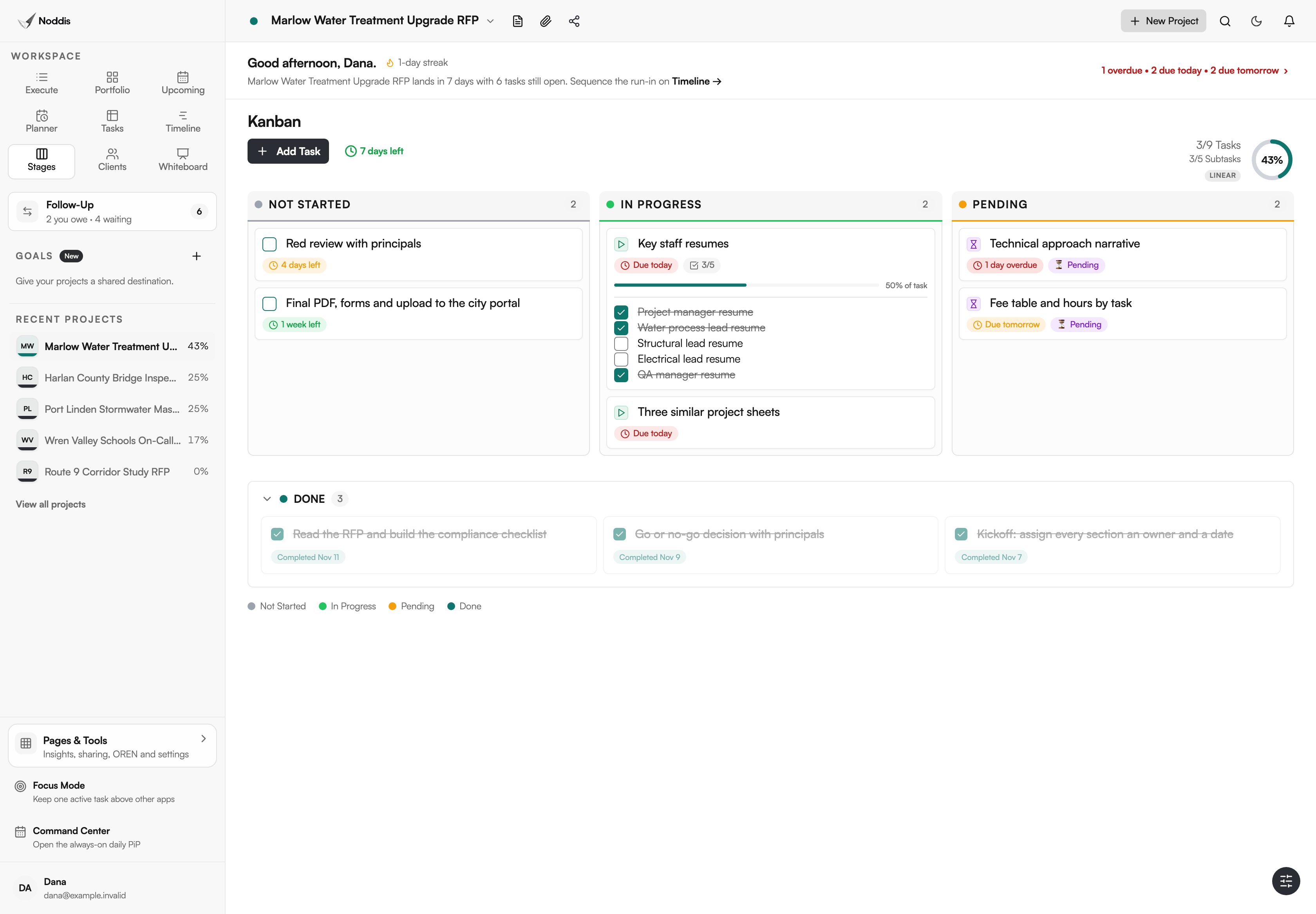
Amendments are one more thing that must not be missed on a federal pursuit. The standard instructions to offerors in the Federal Acquisition Regulation say: "Offerors shall acknowledge receipt of any amendment to this solicitation by the date and time specified in the amendment(s)." Give each amendment its own task, with the acknowledgment as a subtask.
Timeline draws each task as a bar from its start date to its due date, with the deadline flagged. It does not calculate a critical path. It shows, plainly, whether the review days you planned still exist.
How do you chase input without nagging?
Every ask goes into Follow-Up under the name of the person who owes it. The list has two halves. Needs From You holds what you promised. Waiting on Others holds what you are owed, and each item shows how many days it has waited.
On Dana's list, the technical approach narrative from the water lead has waited nine days and the fee table sign-off three. She chases the oldest first, and the number does the persuading.
Meetings alone do not fix this. Mercedez Thompson, writing in The Zweig Letter about AEC marketing teams, says: "Attendance at meetings generally improved at large firms, but accountability around deadlines did not." A dated list does what the meeting could not. "This has been with you nine days and the pink team review is Thursday" is a different message from "any update?".
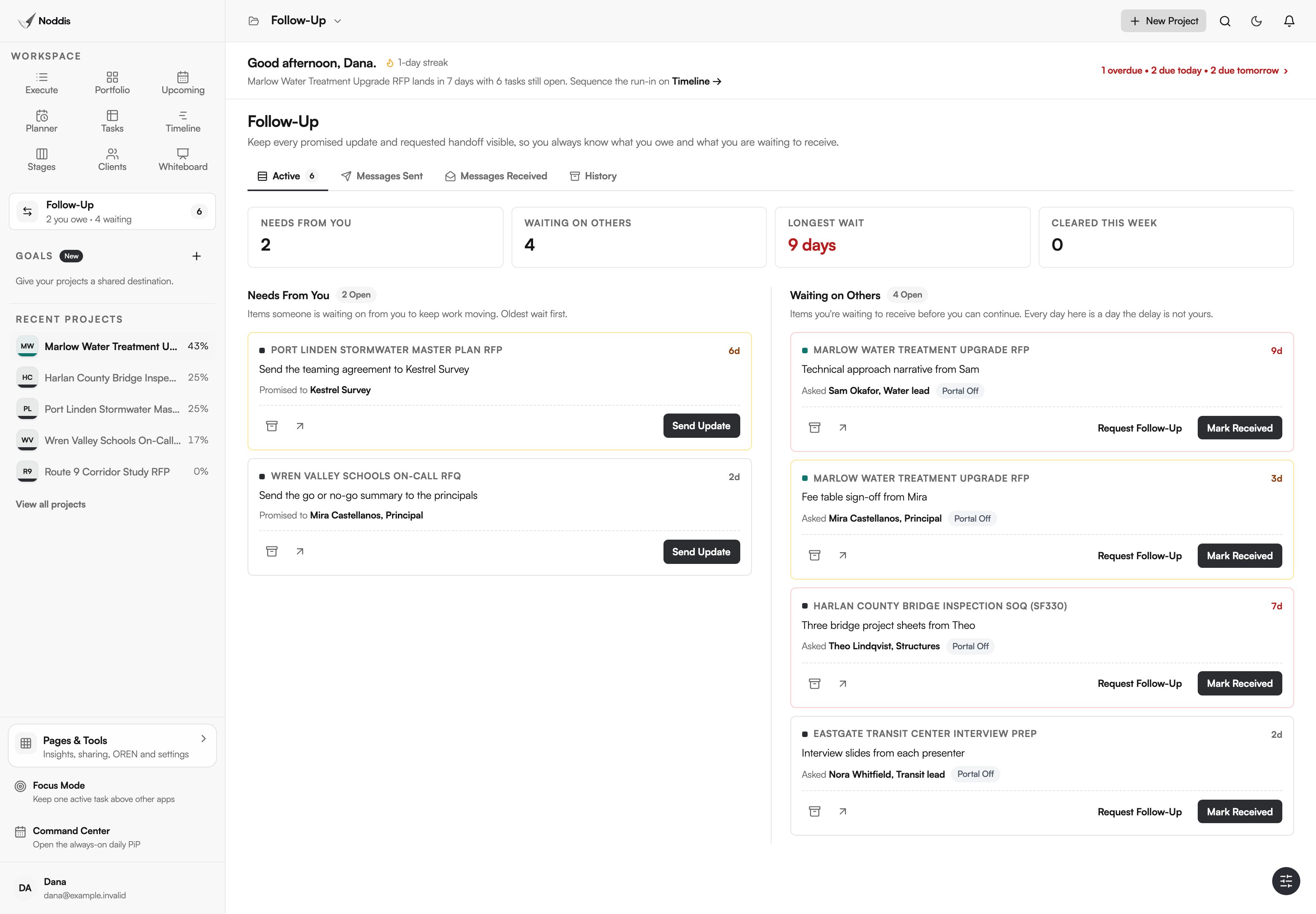
On Pro, a follow-up can be emailed from Noddis and the reply comes back into the same thread. The person replying does not need an account. The guide to getting proposal input from subject matter experts covers what to ask for, and the proposal data call template does the same for outside firms.
How do you keep principals informed without a meeting?
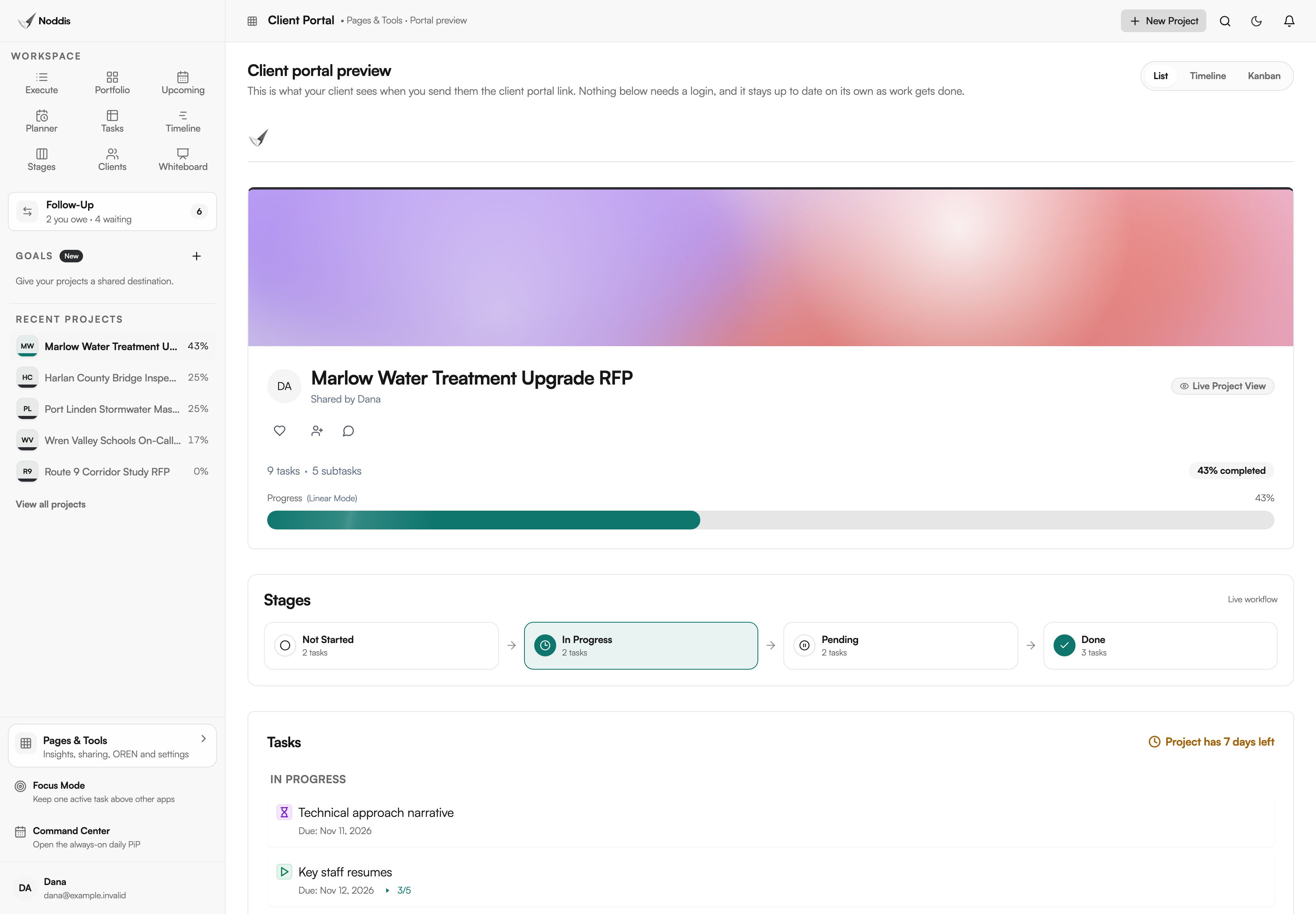
Share a client portal. It is a live, read-only page for one pursuit that opens from a link. The principal sees progress, the stages and the tasks you chose to show. They cannot edit anything, and they do not log in. You can require a passcode.
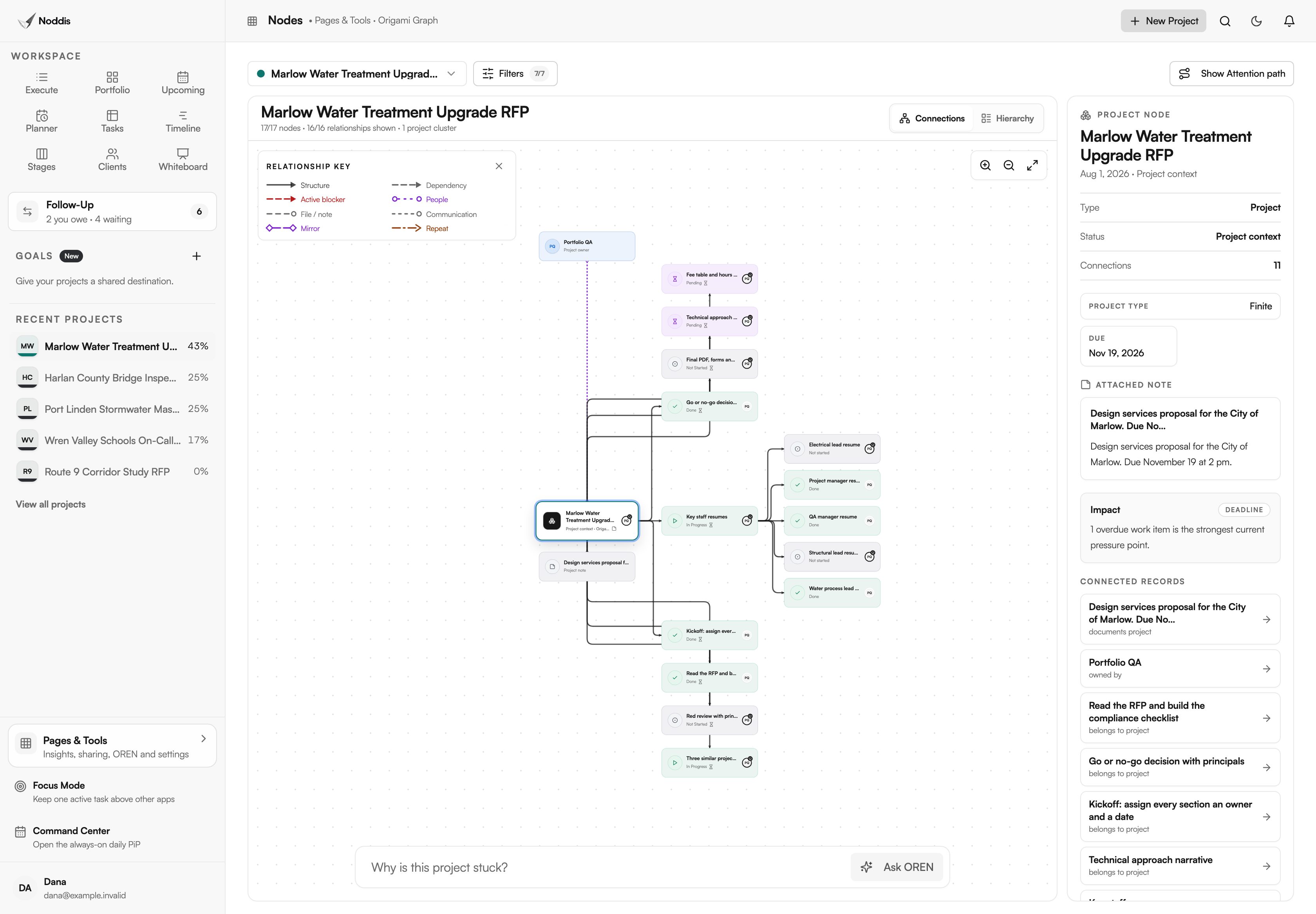
Two more workspaces help when a pursuit feels stuck and you cannot say why. Nodes draws one pursuit as a graph of its tasks and people, and its attention path highlights what is open, overdue, blocked or waiting. Analytics, on Pro, reports across all pursuits: how many tasks were finished each day and which have gone stale.
What does Noddis not do for a proposal team?
Noddis does not write, lay out or store the proposal itself. It tracks the work of producing one: the tasks, the dates and who owes what. Five limits are worth knowing before you rely on it.
- No content library, document assembly or InDesign and Word integration.
- No file markup, proofing or e-signatures.
- No CRM pipeline or win-rate forecasting.
- No Microsoft Teams, Outlook or SharePoint integration.
- No controlled, export-controlled or classified information.
The AEC proposal workflow shows the same screens with the steps in order.
Your next step
Paste the requirements of the next RFP on your desk into the Import dialog and review the outline it drafts. To try it with a pursuit of your own, open the live demo. No account is needed.
Common questions
Do principals and technical staff need a Noddis account?
No. An ask lives in your Follow-Up list under their name, whether or not they ever open Noddis. On Pro you can email the follow-up, and they answer by replying to the email. A portal link needs no login either. Only a colleague who ticks off tasks alongside you needs to be added as a collaborator.
Can Noddis hold the proposal files?
You can attach files and notes to a task, which is useful for a marked-up outline or a returned form. The writing and layout stay in Word and InDesign, and the boilerplate stays in your content library. Noddis is not authorized for controlled information, so keep any solicitation with that marking out of it.
How many pursuits fit on the Free plan?
Three active projects. Portfolio, Execute, Upcoming, Planner, Tasks and importing are all on Free, and Follow-Up works on one project you choose. Pro is 15 dollars a month and adds Follow-Up across every pursuit, Timeline, Stages, portals and Analytics. Principals and portal viewers do not need a paid seat.

Katleen is the founder of Noddis. She runs client projects through her app studio, 693 Labs, and builds Noddis around the problems that work creates.
Last reviewed . Feature details reflect Noddis at the time of review.