
Why AEC proposals stall
AEC proposals stall on other people's inputs, not on the writing. A proposal coordinator can finish the layout tonight. The technical narrative, five resumes and the fee table belong to engineers and principals who are busy on billable work.
The numbers match the experience. In the QorusDocs 2026 benchmark, among AEC proposal teams, "64% cite delays from subject matter experts" and "Seventy-four percent involve 11 or more contributors". Those figures come from a vendor's own survey, so treat them as a signal, not a census. Eleven contributors on one response means eleven people who can each hold up a submission.
A spreadsheet tracker records that a section is "in progress". It does not show that you asked for it nine days ago.
The proposal workflow in Noddis, step by step
| Step | What you do | Where in Noddis | What you see |
|---|---|---|---|
| 1 | Create one project per pursuit, with the due date | Portfolio | Every RFP, RFQ and interview with progress and days left |
| 2 | Turn the RFP into a checklist of sections and forms | Execute | Each resume, project sheet and narrative as a task with a date |
| 3 | Record every request to an engineer or principal | Follow-Up | Who owes what, and how many days you have waited |
| 4 | Plan backward from the due date | Timeline | Draft, review and production windows before the deadline |
| 5 | Check tomorrow's deadlines across pursuits | Upcoming | Dated work from every pursuit in one list |
Step 1: one project per pursuit
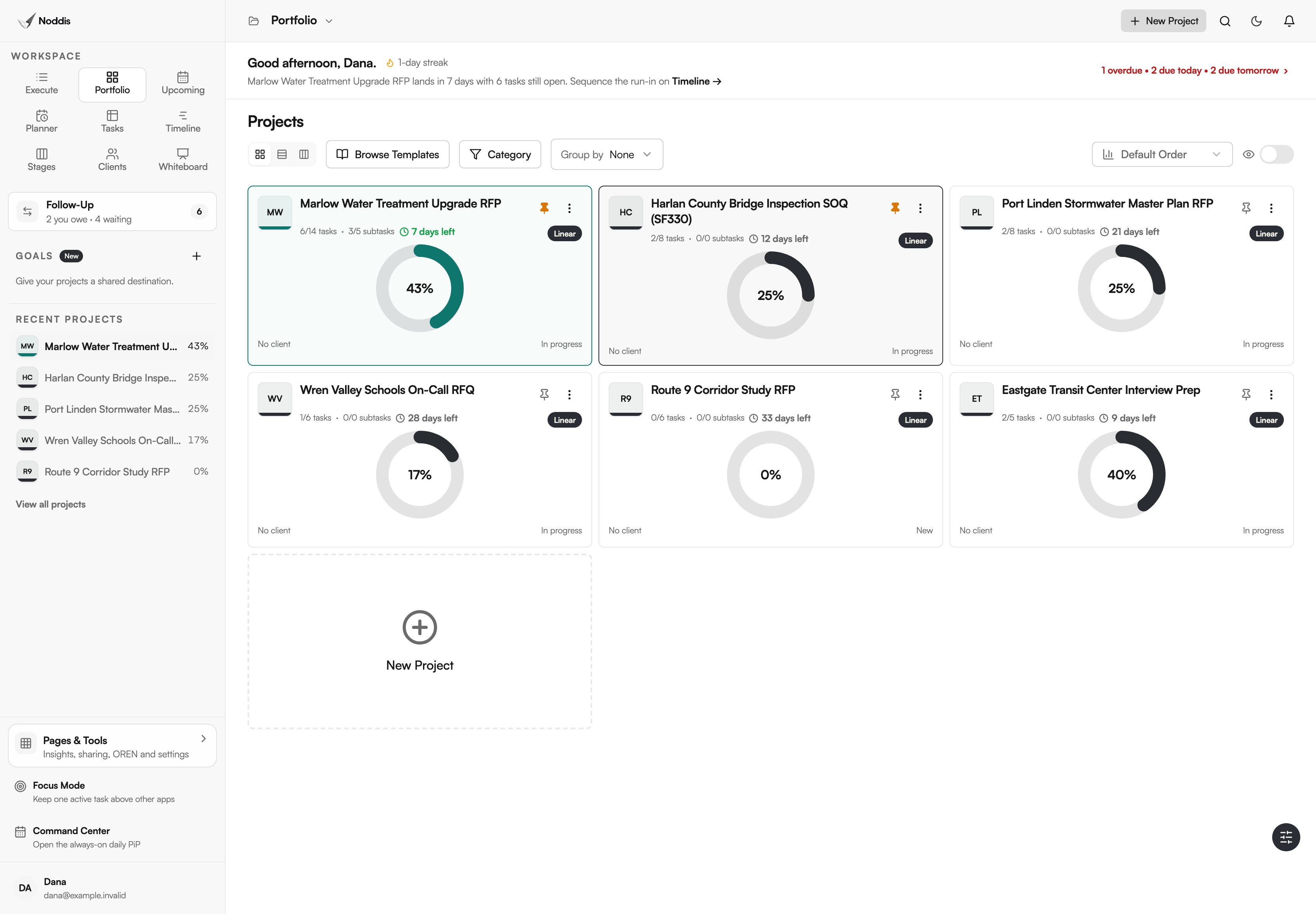
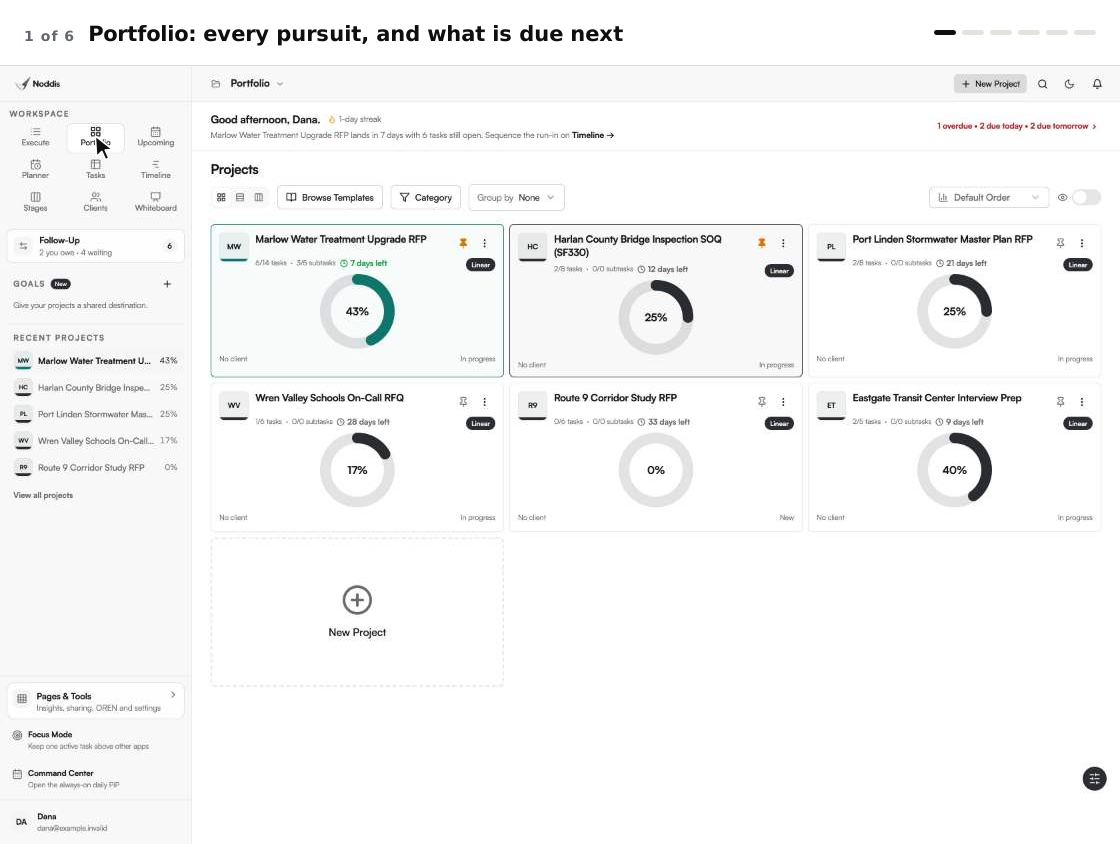
Start each pursuit as its own project and give it the submission date. Portfolio then shows every active RFP, statement of qualifications and interview side by side, with progress and days left on each card.
The hero image on this page is that view. Six pursuits, one screen, and the one due in seven days stands out without a status meeting.
Step 2: turn the RFP into a checklist
Break the response into the pieces people actually owe you: the technical approach, each resume, each project sheet, the fee table, the forms and the final upload. Give every piece a due date that falls before the review, not on submission day.
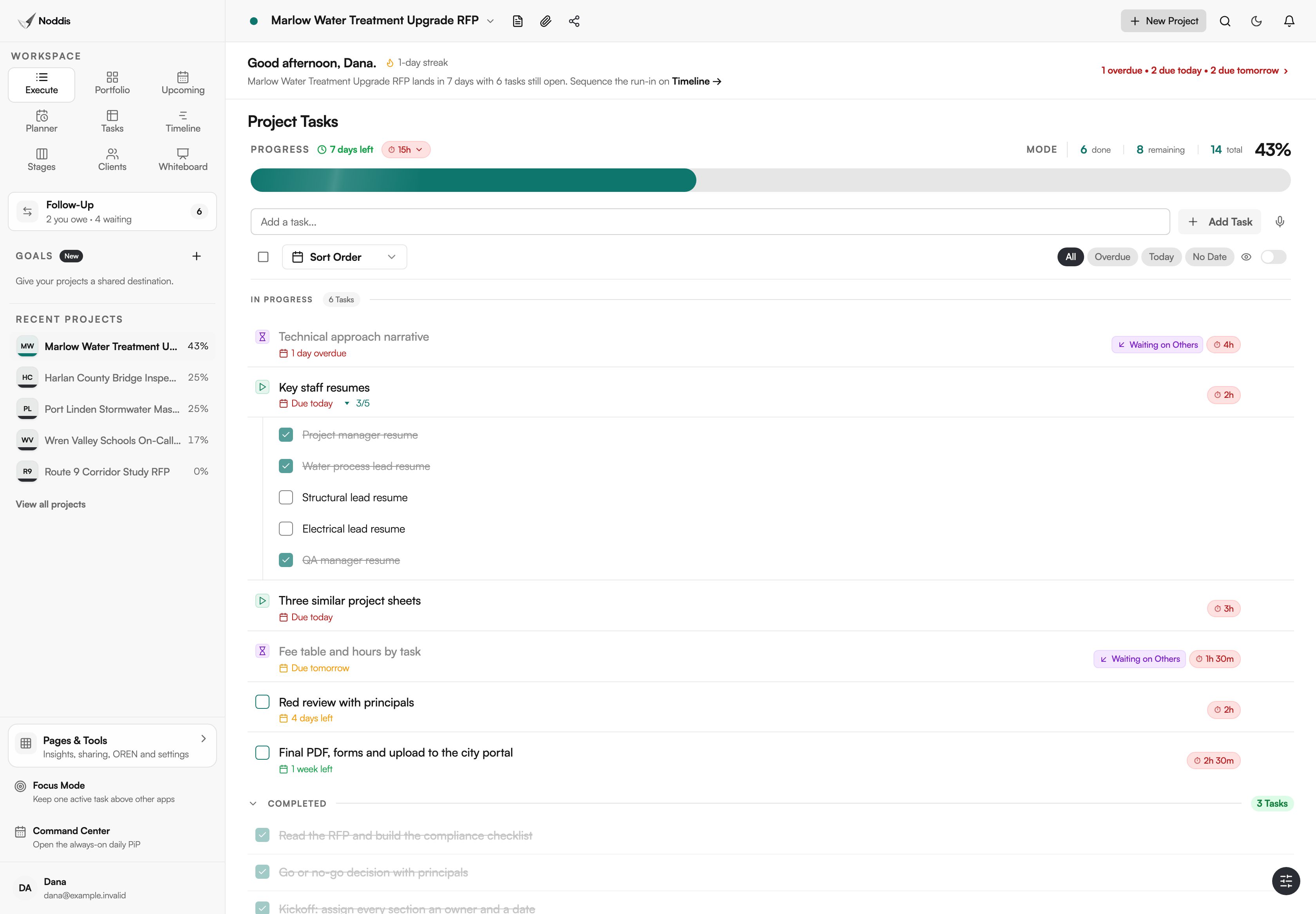
You do not need to rebuild the list for every pursuit. Project templates are part of the Free plan, duplicating a finished pursuit is part of Pro, and the Proposal / Scope import can turn a pasted scope document into an editable outline for you to review.
Step 3: record every request as something you are waiting on
This is the step a spreadsheet cannot do. When you ask Sam for the technical narrative, record it in Follow-Up as Waiting on Others, with his name and the date he promised. The item then ages by itself.
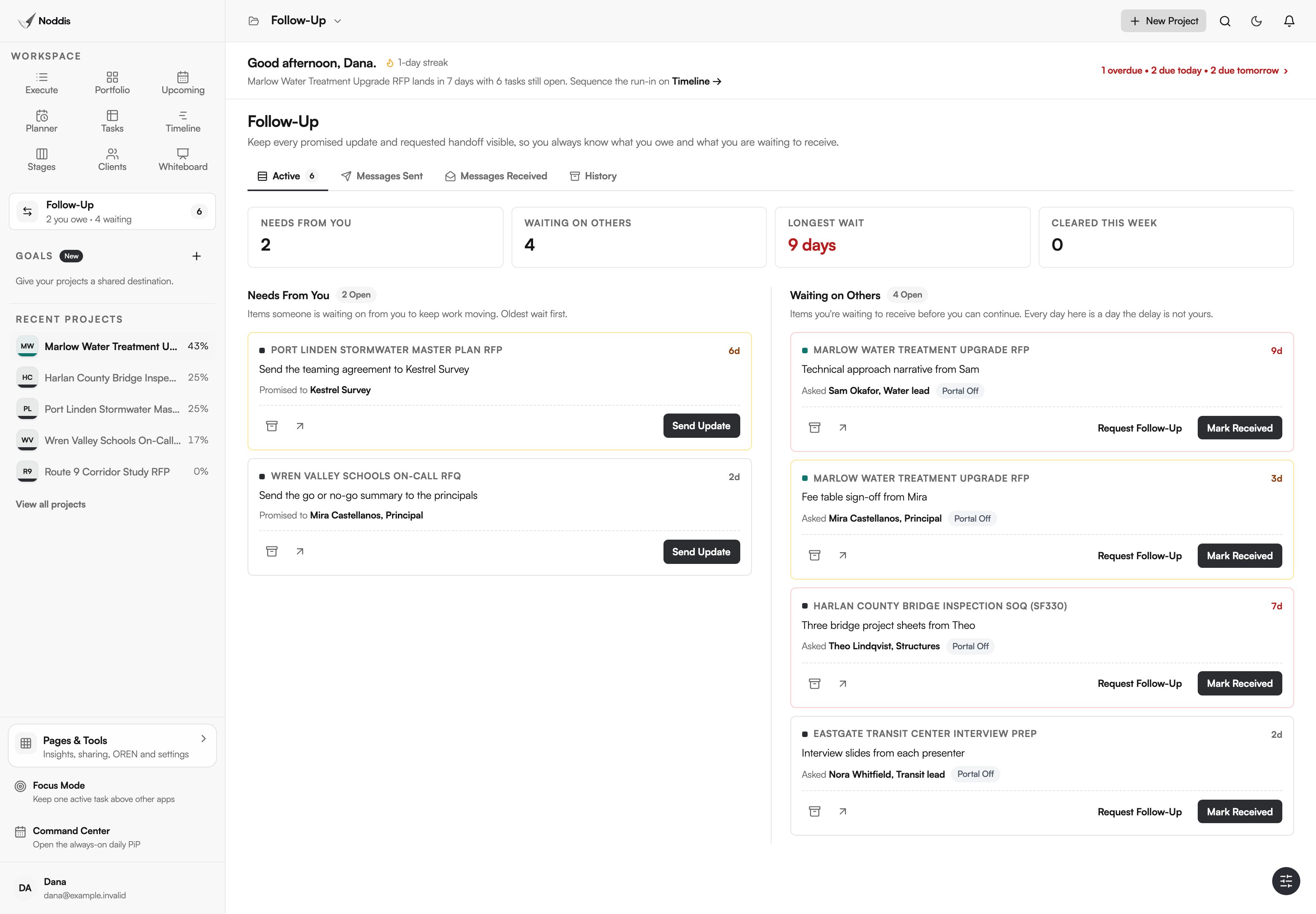
Each morning the list answers three questions: what am I waiting on, from whom, and for how long. On Pro, Request Follow-Up sends the reminder as an email, and the engineer's reply lands back on the same item. They do not need a Noddis account to answer.
Step 4: plan backward from the due date
A proposal that arrives late does not get read. For federal work the rule is written down: under the Federal Acquisition Regulation, a proposal received "after the exact time specified for receipt of proposals" is late and will not be considered.
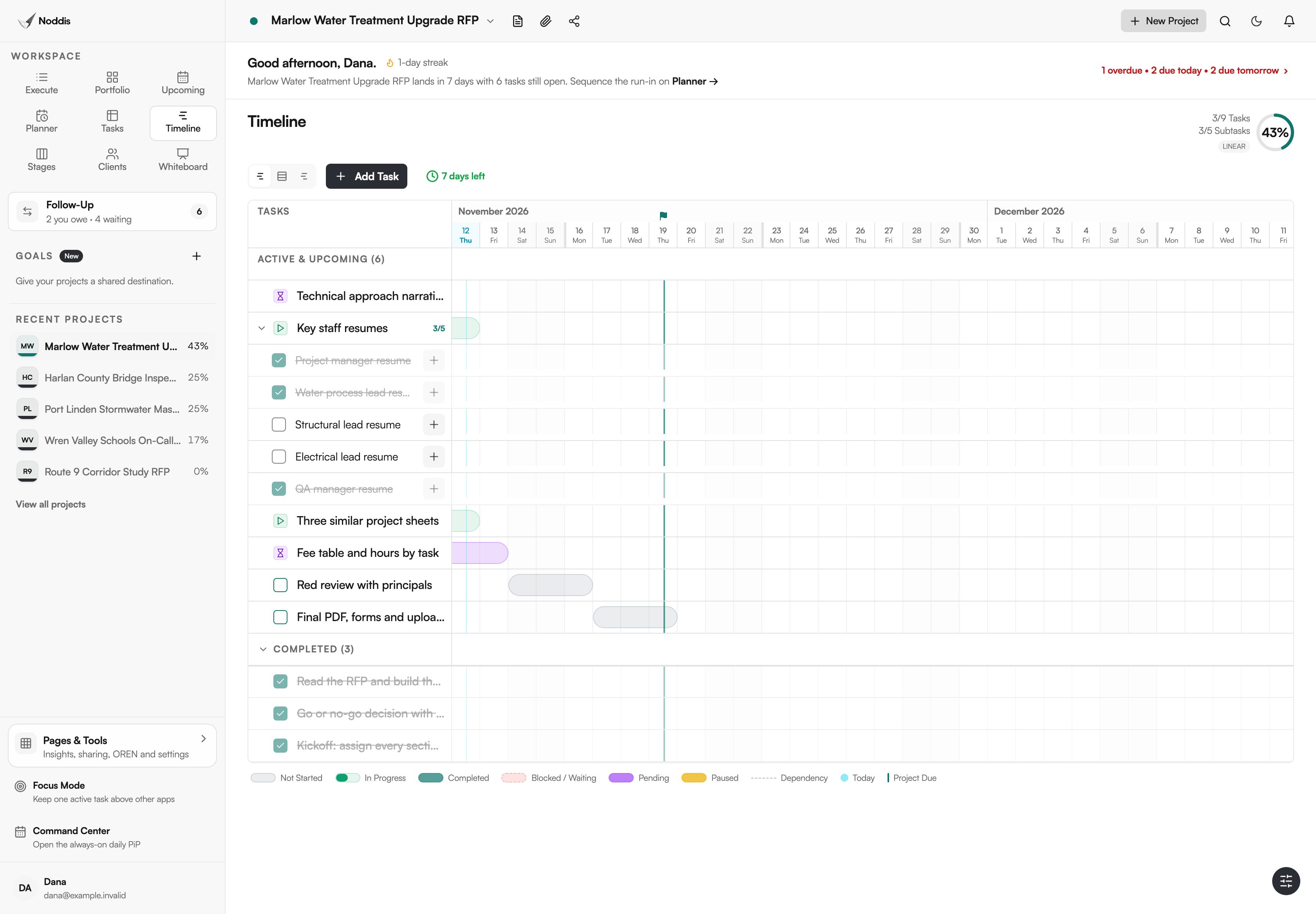
Timeline shows the remaining work as bars against the due date, so you can see whether the red review and the production day still fit. Timeline is part of Pro. Upcoming, which lists dated work across every pursuit, is part of Free.
What stays in your other tools
Noddis coordinates the pursuit. It does not replace the tools that hold the content.
- It does not write proposals or store a library of approved resumes and project sheets. Attach files or paste links to where they live.
- It does not fill out the SF330 or check compliance for you. It tracks who owes each section.
- It is not a CRM. Keep your opportunity pipeline and client history where they are.
- It does not connect to Microsoft Teams, Outlook or SharePoint today. Google Calendar sync is included.
What a proposal team needs
The Free plan includes three active projects and Follow-Up on one selected project, which is enough to run a single pursuit end to end. Pro is $15 a month and adds unlimited projects, Follow-Up across every pursuit, email requests with replies, and Timeline. Check the current plans before you decide.
For the method without the software, read how to manage multiple RFPs, how to get proposal input from subject matter experts and the SF330 checklist. For one proposal manager's week in the app, see how proposal managers use Noddis.
Frequently asked questions
Do engineers need a Noddis account to send their input?
No. On Pro, a Follow-Up request goes out as an email and the reply attaches to the item you are tracking. If you want an engineer to see the whole checklist, you can invite them to the project, and invited people can join with a free account.
Can Noddis produce the SF330 or the proposal document?
No. Noddis tracks the work around the document: which sections exist, who owes each one, what is late and what is due next. The form itself and the layout stay in the tools you already use for them.
How is this different from a proposal tracker in a spreadsheet?
A spreadsheet holds a status that someone has to keep typing. Noddis keeps what you owe apart from what you are waiting on, counts the days on each open request, and shows the same pursuit as a checklist, a timeline and a portfolio card without anyone re-entering it.
Is Noddis built only for AEC firms?
No. Noddis is general project management software, and this page shows one way to use it. The same workspaces serve freelancers, agencies and other teams whose work depends on people outside the team.
See your pursuits and your waiting list in one place.
Start with one live pursuit. Add its due date, list the pieces, and record the first three requests you send.