
Why in-house marketing work gets stuck
In-house marketing work gets stuck in two places: requests that arrive from everywhere, and approvals that sit with busy people. A two-person marketing department can have a trade show, a newsletter, six case studies and a proposal layout running at once, with a different partner or project manager holding up each one.
Timing is half the problem. As Emily Kramer and her co-authors put it in the MKT1 newsletter, "you want the request when planning the launch, not the night before." A queue with dates makes late requests visible as late, which is the first step to getting them earlier.
The marketing workflow in Noddis, step by step
| Step | What you do | Where in Noddis | What you see |
|---|---|---|---|
| 1 | Give colleagues one form for requests | Task intake form | Every request with its requester, details and due date |
| 2 | Accept, assign or decline each request | Task Queue | What is new, what is assigned and what is overdue |
| 3 | Keep each campaign as a project | Portfolio | All campaigns and recurring work with progress |
| 4 | Record every approval and input you are waiting on | Follow-Up | Who owes a quote, a photo or a sign-off, and for how long |
| 5 | Work one campaign's list | Execute | Tasks, subtasks and dates for the campaign in front of you |
Step 1 and 2: one door for requests
Replace hallway requests with one shareable form. Each submission lands in the Task Queue with the requester's name, what they need, their notes and the date they need it. You decide which project it joins.
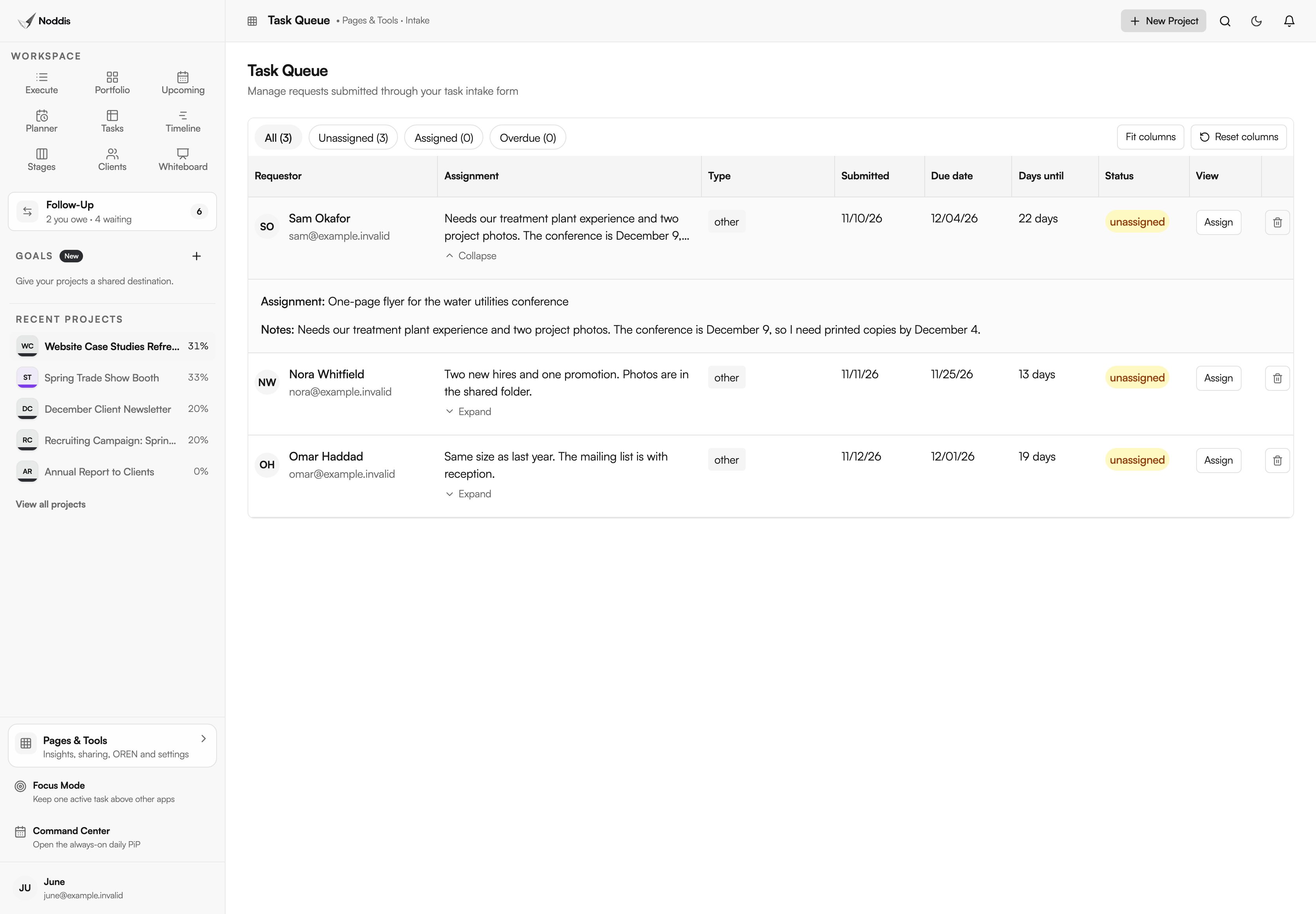
The queue is a triage step, not an automatic yes. A request with a date three weeks out sits beside one due in four days, so the conversation about priority happens with the facts in view. Task intake forms and the Task Queue are part of Pro.
Step 3: every campaign in one view
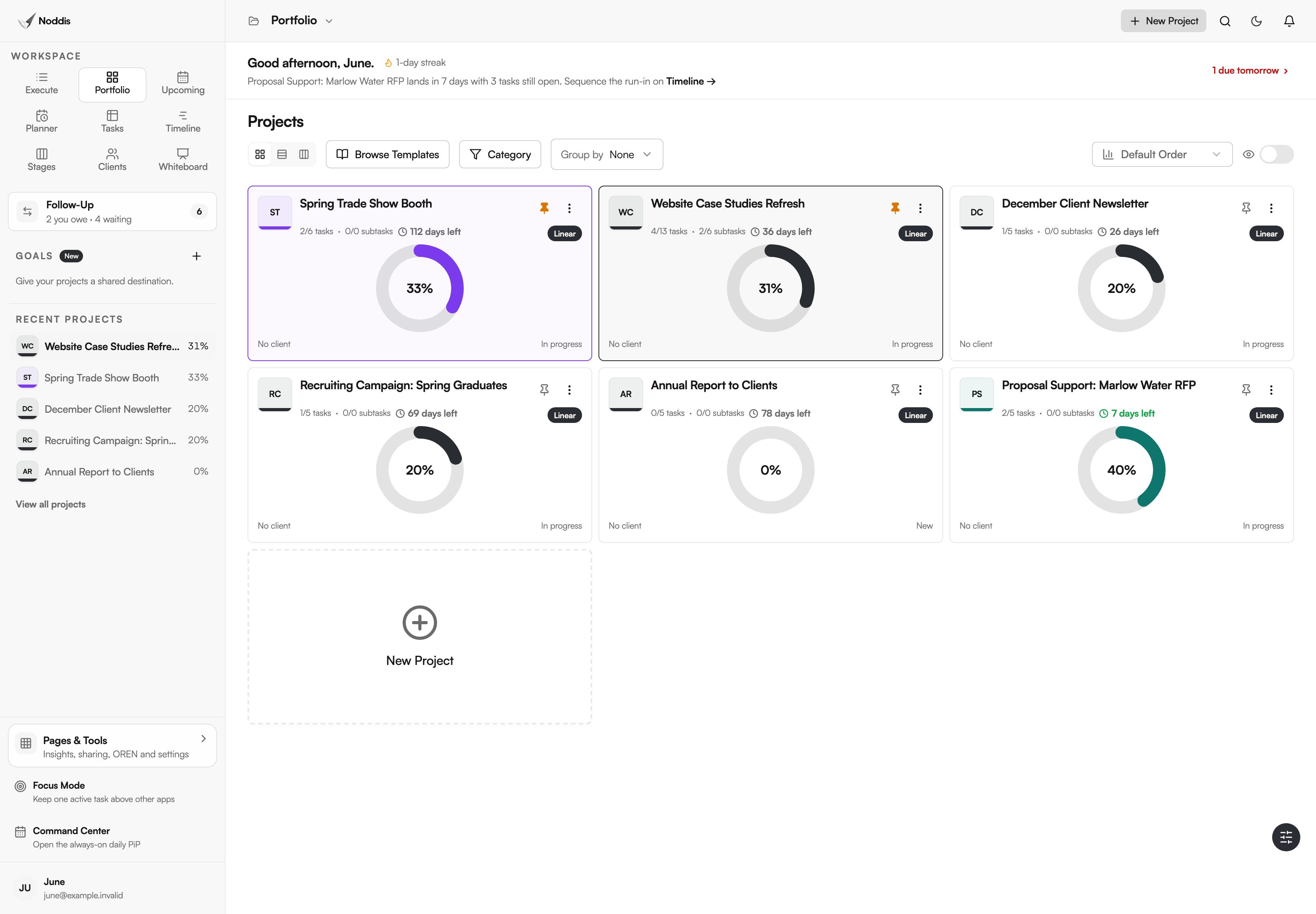
Give each campaign, publication and event its own project. Portfolio, shown at the top of this page, puts them side by side with progress, so the answer to "where are we on the trade show?" does not require opening a spreadsheet.
Recurring work fits the same structure. A quarterly newsletter can be a repeating project, and its tasks can repeat on a schedule. Recurring projects are part of Pro, and repeating tasks are part of Free.
Step 4: track approvals as things you are waiting on
Most marketing delays are a named person who has not replied: the principal who owes a note for the newsletter, the client who has not approved a quote, the field team that has not sent photos. Record each one in Follow-Up as Waiting on Others.
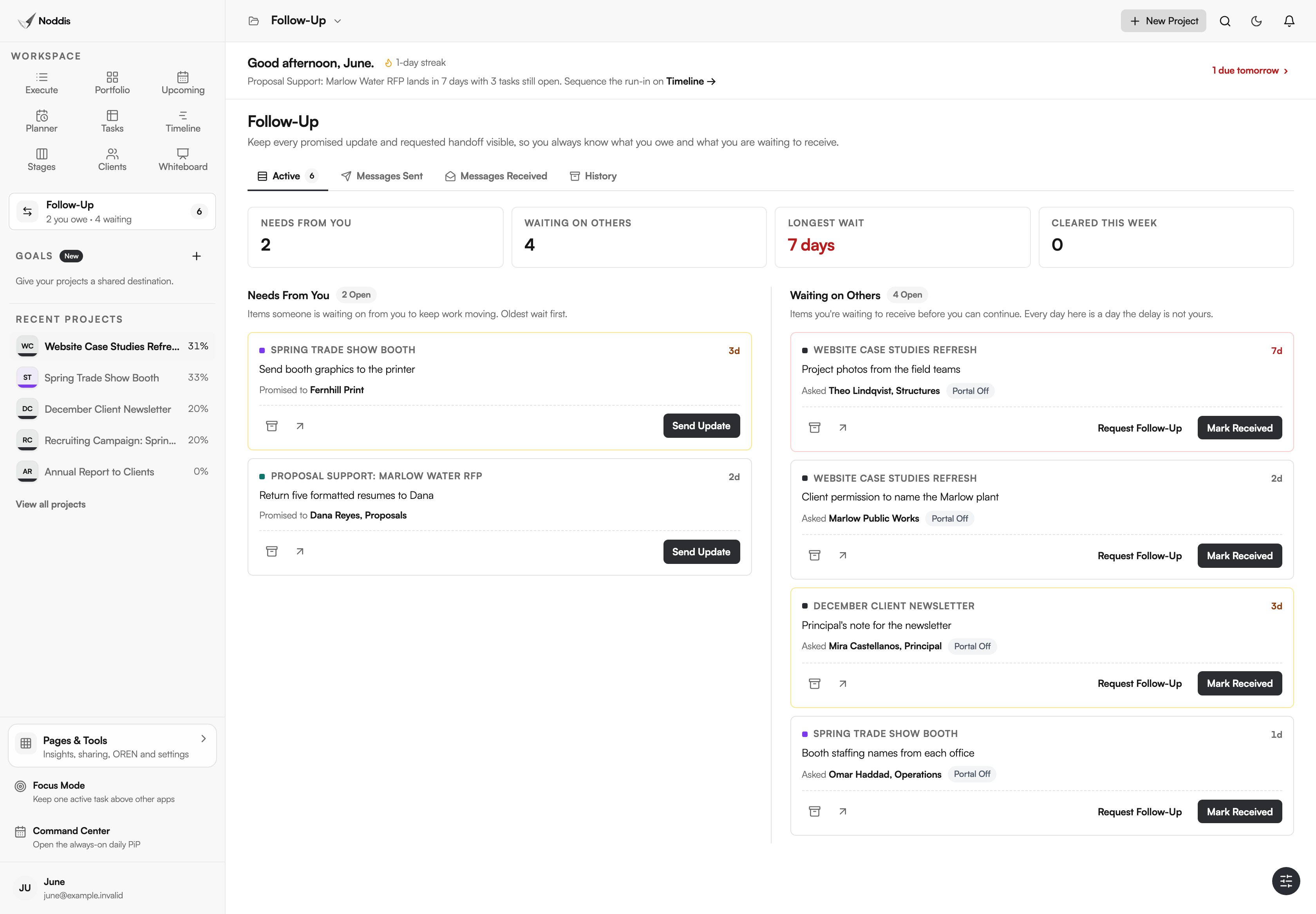
The list replaces the mental tally. It also separates what you owe, such as artwork due at the printer, from what you are waiting on, which need different actions. On Pro, a follow-up can go out as an email and the reply returns to the item.
Step 5: work the campaign
Open one campaign in Execute to see its tasks, subtasks and dates. A case study project, for example, can carry one subtask per story, with technical review and client permission as separate tasks.
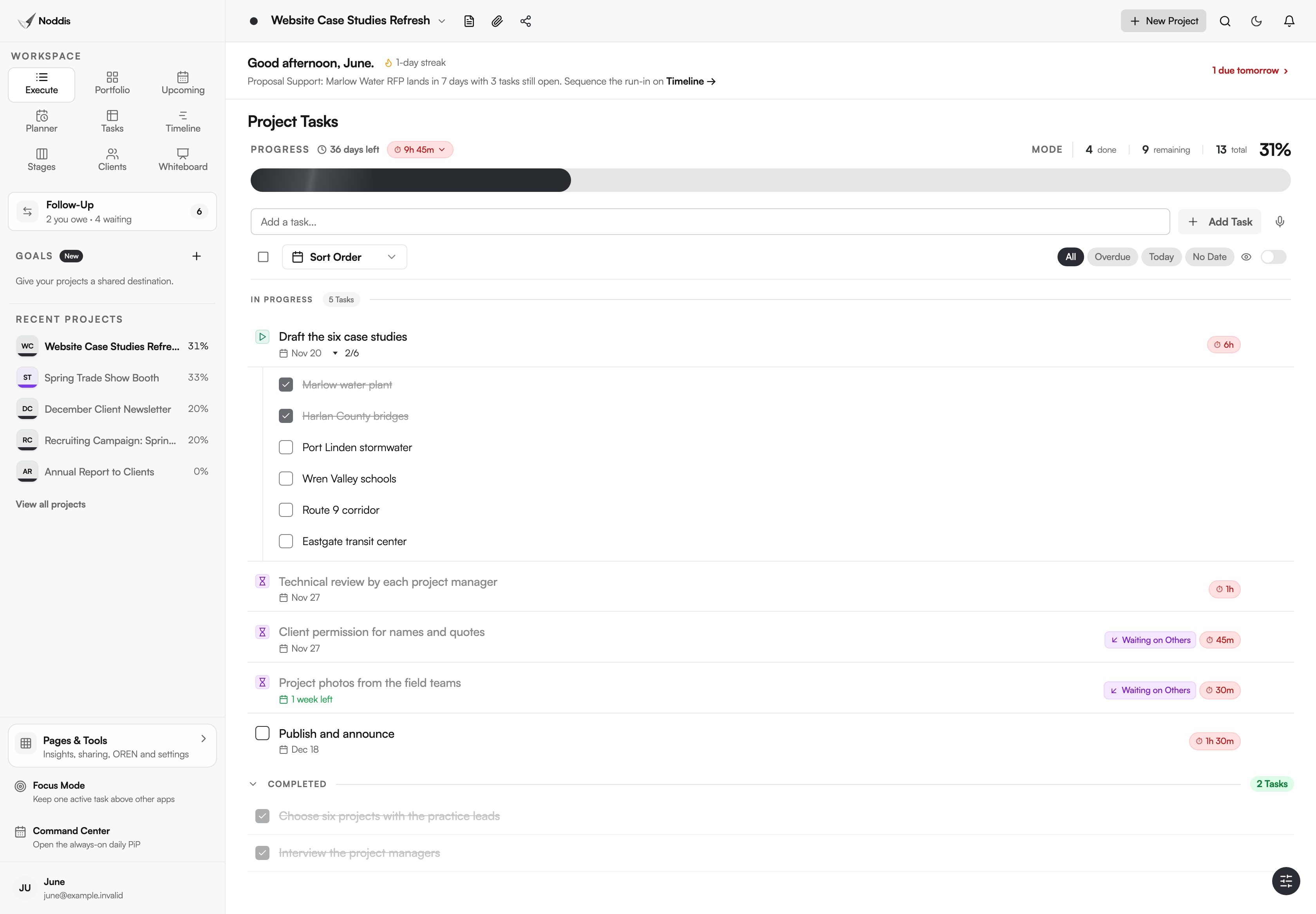
Tasks that are blocked on someone else are marked Waiting on Others in the list, so you can see at a glance which work you can move today.
What stays in your other tools
- Noddis does not mark up creative files. There is no proofing or annotation on PDFs and images. Reviewers reply with comments, and you record the decision.
- It is not a digital asset library or a social scheduler. Link to where files and posts live.
- It does not connect to Microsoft Teams, Outlook or SharePoint today. Google Calendar sync is included.
- Approvals are records, not signatures. For anything contractual, keep the signed version elsewhere.
What a marketing team needs
The Free plan includes three active projects, repeating tasks and Follow-Up on one selected project. Pro is $15 a month and adds unlimited projects, the intake form and Task Queue, Follow-Up across every project with email replies, and Timeline. Check the current plans before you decide.
For the method without the software, read how to manage marketing requests from other departments and the marketing approval process. If your team also supports proposals, see AEC proposal management. For one marketing manager's week in the app, see how marketing managers use Noddis.
Frequently asked questions
Do people who send requests need a Noddis account?
No. The intake form is a shareable link. A colleague fills it in, and the request appears in your Task Queue. Only the people who manage the queue and the projects need accounts.
Can Noddis handle creative review and proofing?
Not as markup on the file. Noddis tracks that a review is open, who owes it and how long it has been waiting, and it can send the request by email on Pro. Comments on the artwork itself stay in your design or document tool.
Is this a fit for a marketing team of one?
Yes. The value does not depend on team size. One person with twelve open requests and eight approvals pending needs the queue and the waiting list more than a large team with a coordinator.
Does Noddis replace our project management tool for campaigns?
It can for many teams. Noddis includes tasks, subtasks, dependencies, due dates, a planner and portfolio views. If you rely on resource scheduling across a large team, proofing or built-in time billing, compare those functions first.
Put the requests and the approvals in one place.
Start with the campaign that is causing the most chasing. List its tasks and record the first three things you are waiting on.