
Where small contractors lose days
Small contractors lose days waiting, not building. The tile has not been chosen, the electrician has not confirmed a date, the homeowner has not signed the change order, the inspection is not scheduled. Each one is a phone call you meant to make.
The fix is old advice. Writing in the Journal of Light Construction, remodeling consultant Les Cunningham put it this way: "For these types of selections, you should create a schedule for the client listing "due by" dates." The hard part is keeping that schedule in front of you across five jobs.
The job workflow in Noddis, step by step
| Step | What you do | Where in Noddis | What you see |
|---|---|---|---|
| 1 | Keep each job as a project with its target date | Portfolio | Every job, with progress and days left |
| 2 | Record each selection, sub and inspection you are waiting on | Follow-Up | Who owes what, and for how many days |
| 3 | Set the signed scope as the baseline, then add change orders as tasks | Drift | What the client added and what you added since signing |
| 4 | Lay the phases against the calendar | Timeline | Rough-ins, inspections, cabinets and finishes by date |
| 5 | Share progress with the homeowner | Client Portal | A link with the progress and items you choose to show |
Step 1: every job on one screen
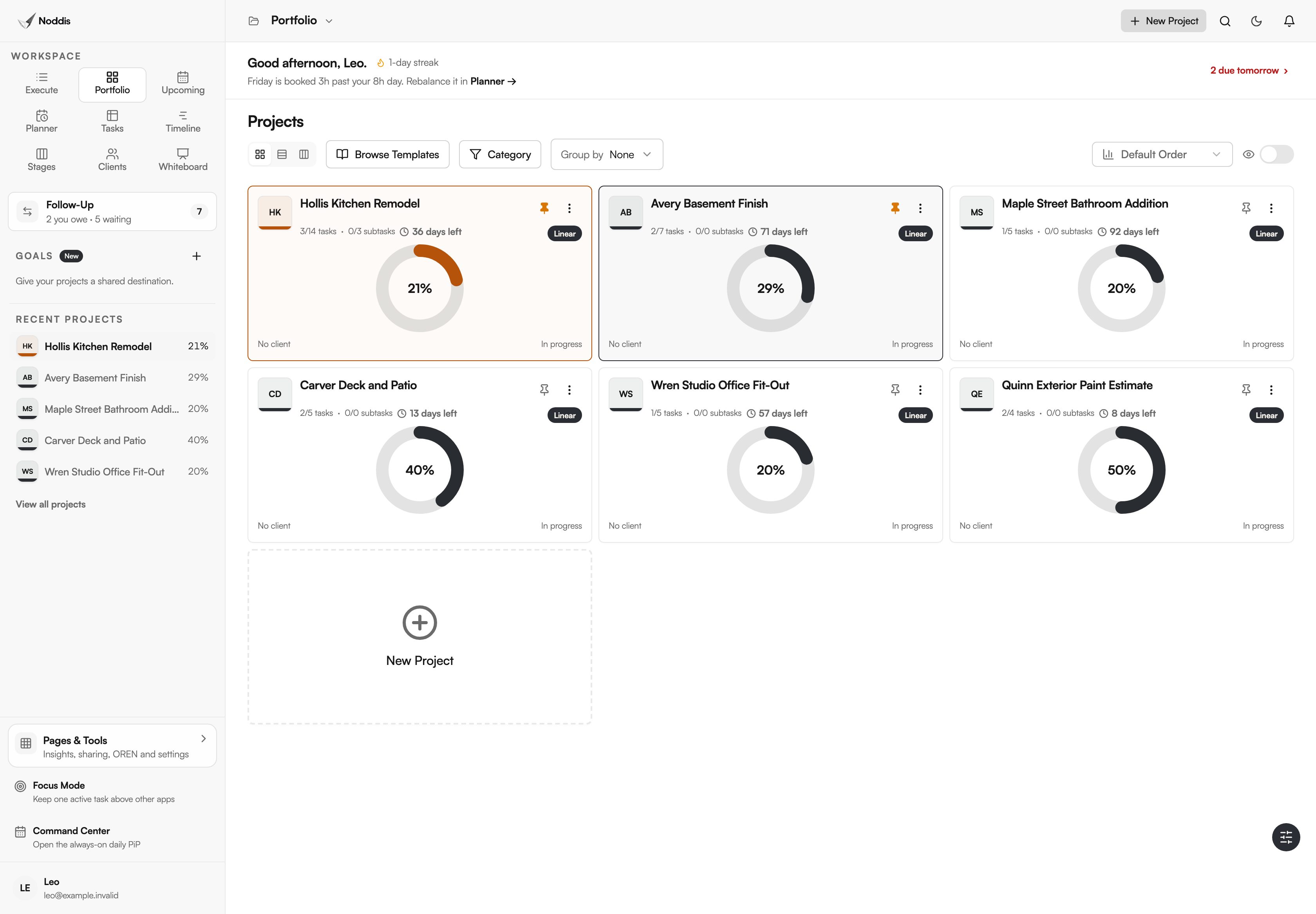
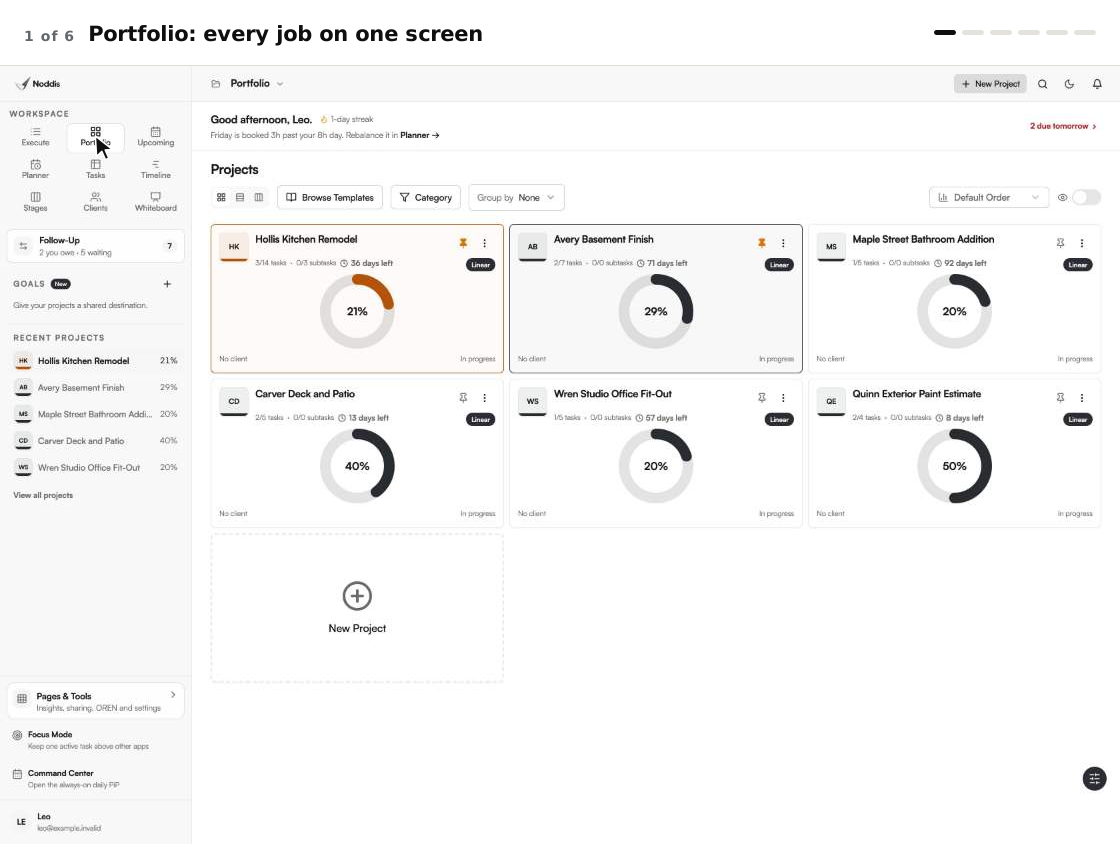
Give each job its own project and its target completion date. Portfolio, shown at the top of this page, puts the kitchen, the basement, the deck and the open estimate side by side, with progress on each.
Estimates you are waiting to hear back on can sit there too, so a quiet lead does not disappear.
Step 2: track selections, subs and inspections by the day
When you ask a homeowner to choose tile, or an electrician to confirm a finish date, record it in Follow-Up as Waiting on Others with the date they promised. The item counts the days for you.
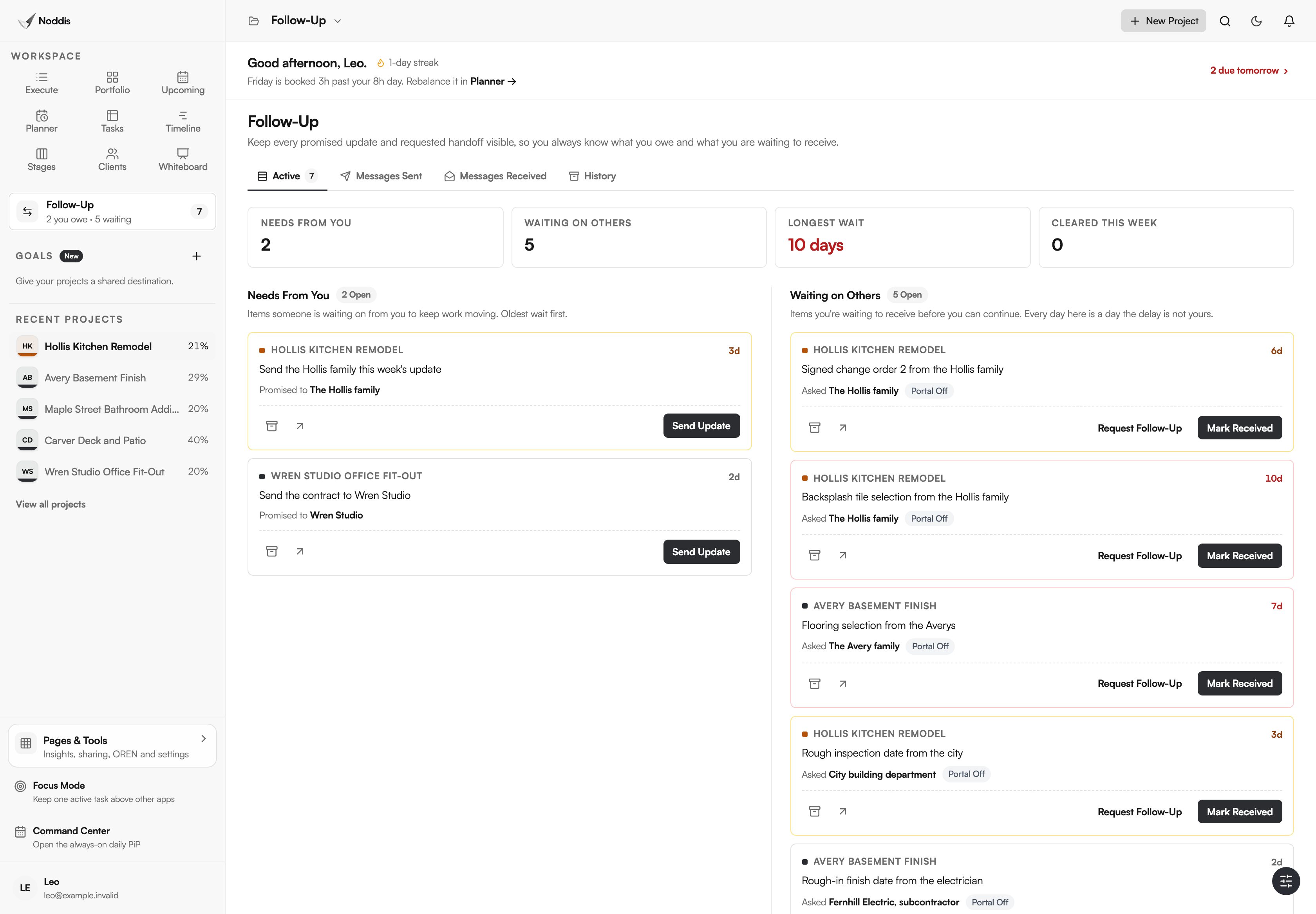
One list across all jobs tells you which calls to make this morning. What you owe, such as the weekly update or a contract, sits in the other column.
Step 3: see change orders as added scope
Set the signed scope as the job's baseline. Every change order you add afterward is marked as requested by the client or added by you, and Drift shows the total against the original job.
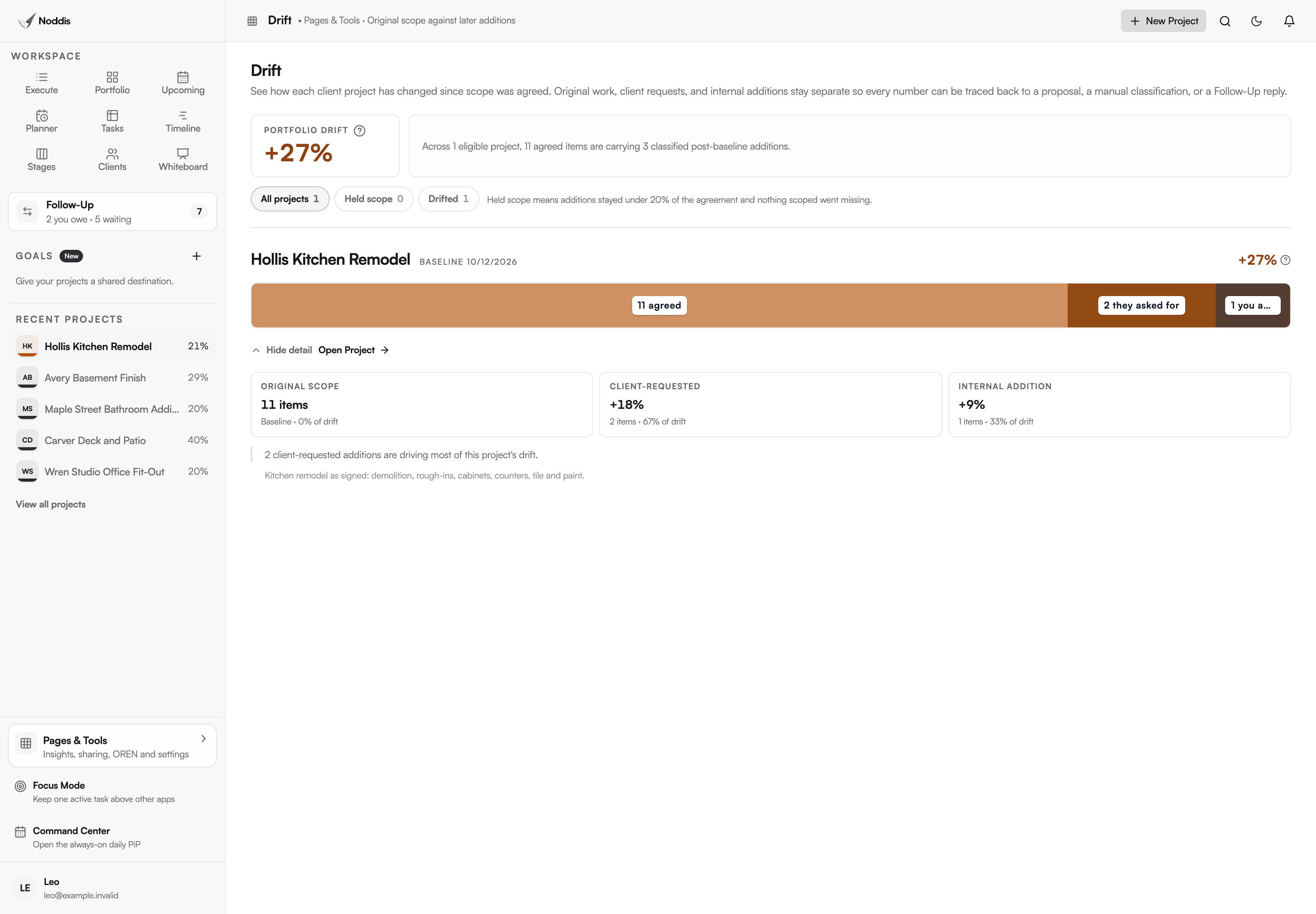
Drift counts items, not dollars. It tells you the job has grown by three pieces of work since signing, which is the moment to check that each one has a signed change order and a price. The pricing itself stays in your estimate.
Step 4: lay the phases against the calendar
Timeline shows the remaining tasks as bars against the completion date. When an inspection slips two days, you can see what it pushes.
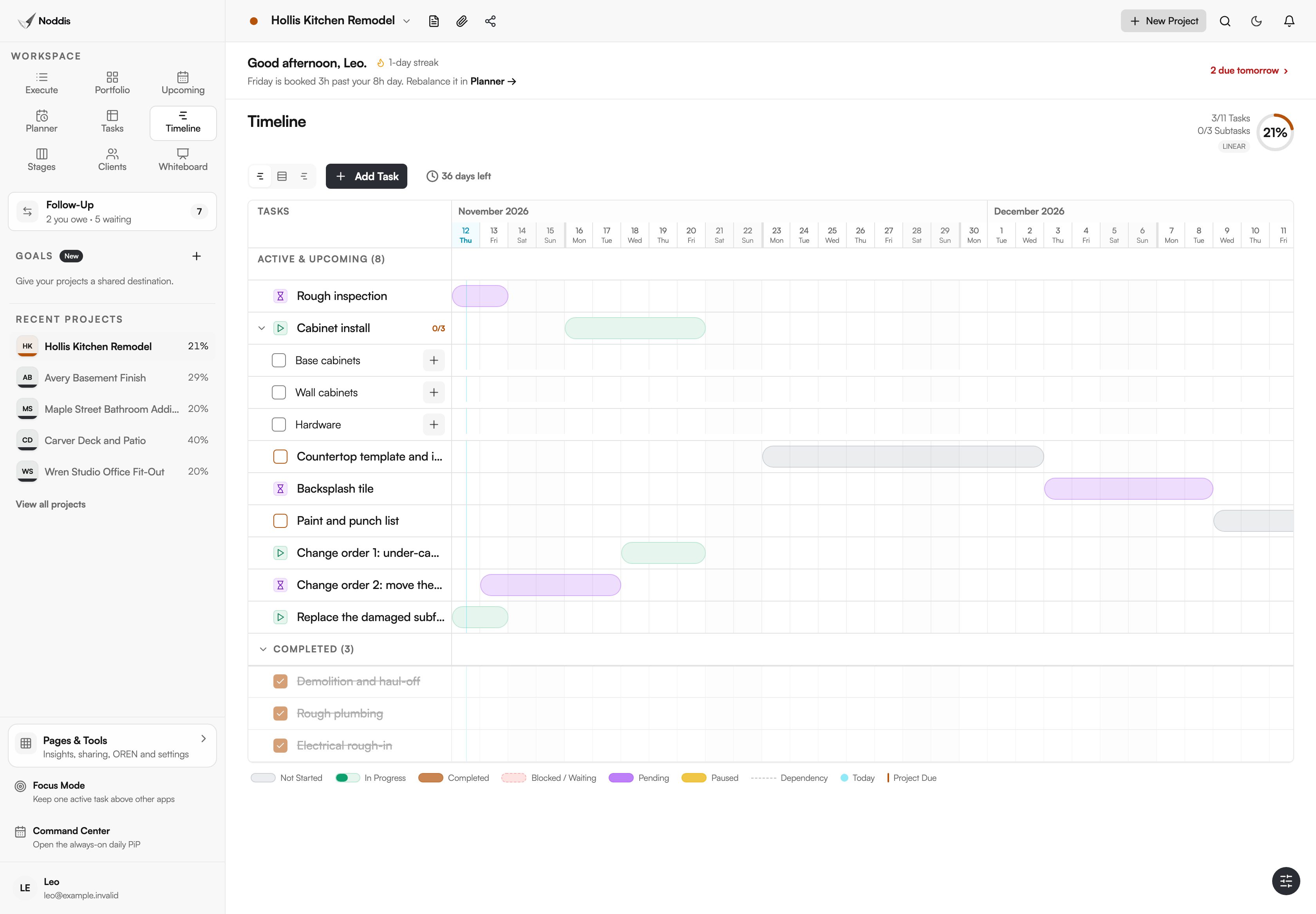
Timeline and the Client Portal are part of Pro. With a portal, a homeowner opens a link to see the progress and items you have chosen to share. They do not need an account.
What stays in your other tools
- Noddis does not estimate or do takeoffs. Bring the scope in as a task list.
- It does not do job costing. Drift counts added items, not their cost or hours.
- It has no crew time cards or daily logs.
- A portal is not a signature. Get change orders signed the way your contract requires.
What a small contractor needs
The Free plan includes three active projects and Follow-Up and Drift on one selected project, which is enough to run one job properly. Pro is $15 a month and adds unlimited projects, Follow-Up and Drift on every job, Timeline, client portals and invoices. Check the current plans before you decide.
For the method without the software, read the change order log template and the remodeling selection schedule. To track the trades, see how to track subcontractor deliverables. For one remodeler's week in the app, see how contractors use Noddis.
Frequently asked questions
Is Noddis construction software?
No. Noddis is general project management software. It has no estimating, takeoff, job costing or daily logs. It fits a contractor whose main problem is keeping several jobs, clients and subs moving, and who finds full construction suites more than a small crew needs.
Do homeowners or subcontractors need an account?
No. A homeowner can view a client portal through a link, and on Pro a follow-up request goes out as an email with the reply attached to the item. You can also invite a sub to a job, and invited people can join with a free account.
Can Noddis price or approve a change order?
No. It shows that work was added after the signed scope and who asked for it. Pricing and the signed approval stay in your own paperwork. Use the two together: the list tells you which additions still need a signature.
Does it work on a phone?
Yes. Noddis runs in the browser on a phone and can be added to the home screen as a web app.
See every job, and every call you need to make.
Start with the job that has the most open questions. Add its phases, then record the three things you are waiting on.