
Why purchasing work gets stuck
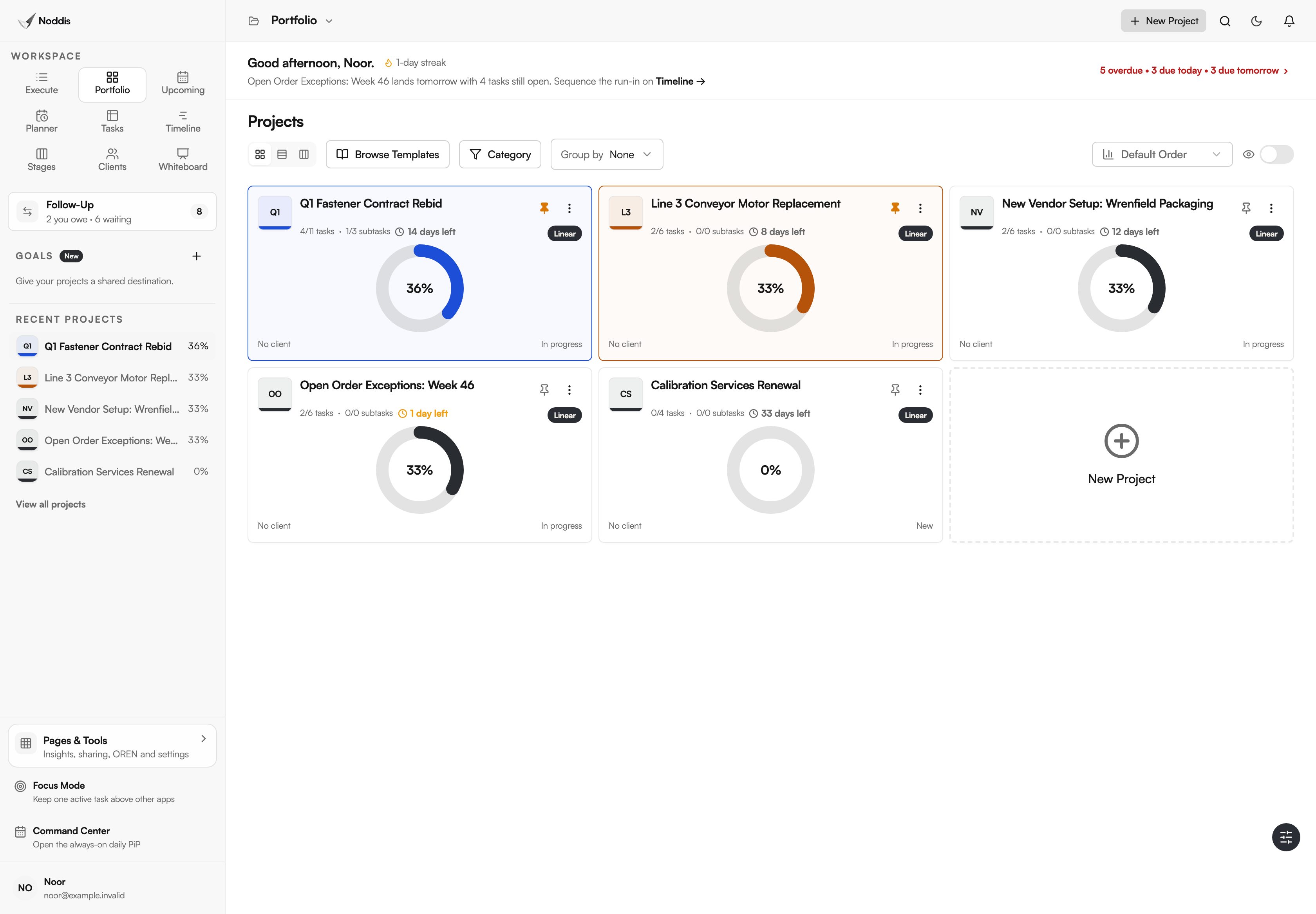
Purchasing work gets stuck in the gaps between systems. An ERP may already track acknowledgments and delivery dates, but open questions can still be scattered across inboxes and spreadsheet exports. Noddis gives a small team one place to track those unresolved asks beside its purchasing system.
The work that needs chasing should be the exception. Procurement guidance published by the Government of the Northwest Territories puts it this way: "Expediting should be necessary on only a small percentage of Purchase Orders issued." The practical question is which small percentage, and who has it today.
Incomplete requests cause the rest. The University of Tennessee's County Technical Assistance Service states the standard plainly: "The purchase requisition should contain accurate and complete information describing the goods or services needed for the on-going operations of the user department."
The purchasing workflow in Noddis, step by step
| Step | What you do | Where in Noddis | What you see |
|---|---|---|---|
| 1 | Give colleagues one form for purchase requests | Task intake form, Task Queue | Every request with its requester, details and need-by date |
| 2 | Run each RFQ or urgent buy as a project | Portfolio, Stages | What is not started, in progress and pending on a supplier |
| 3 | Record every quote, confirmation and document you are owed | Follow-Up | Which supplier or colleague owes you, and for how many days |
| 4 | Review only the stuck orders each week | Upcoming | The dates that are due or about to slip, across every project |
| 5 | Let the requester check status | Client portal | A read-only page with progress, by link |
Step 1: one form for purchase requests
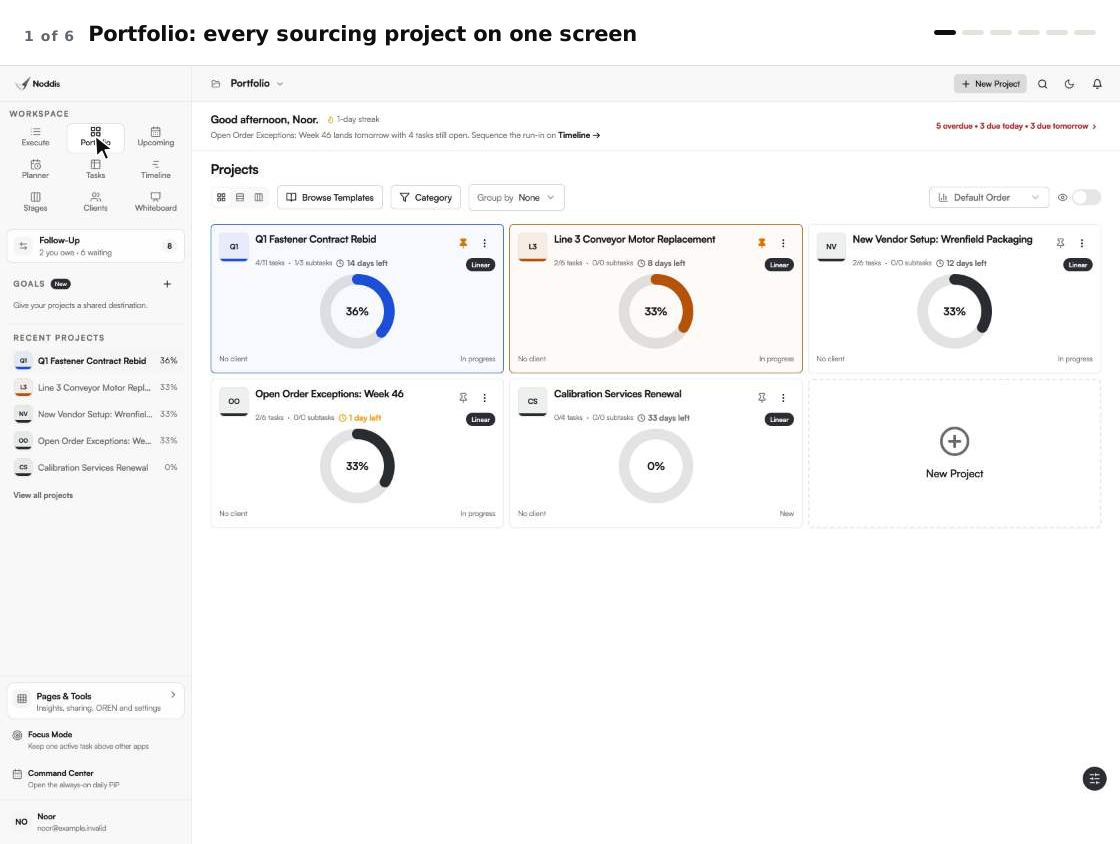
Replace hallway and email requests with one shareable form. Each submission lands in the Task Queue with the requester's name, what they need, their notes and the date they need it. The form has fixed fields. Ask colleagues to include the part number, quantity and cost center in the description or notes, then check completeness yourself. A request stays unassigned until you accept it, so an incomplete one can go back with a single question first.
Step 2: one project per sourcing event
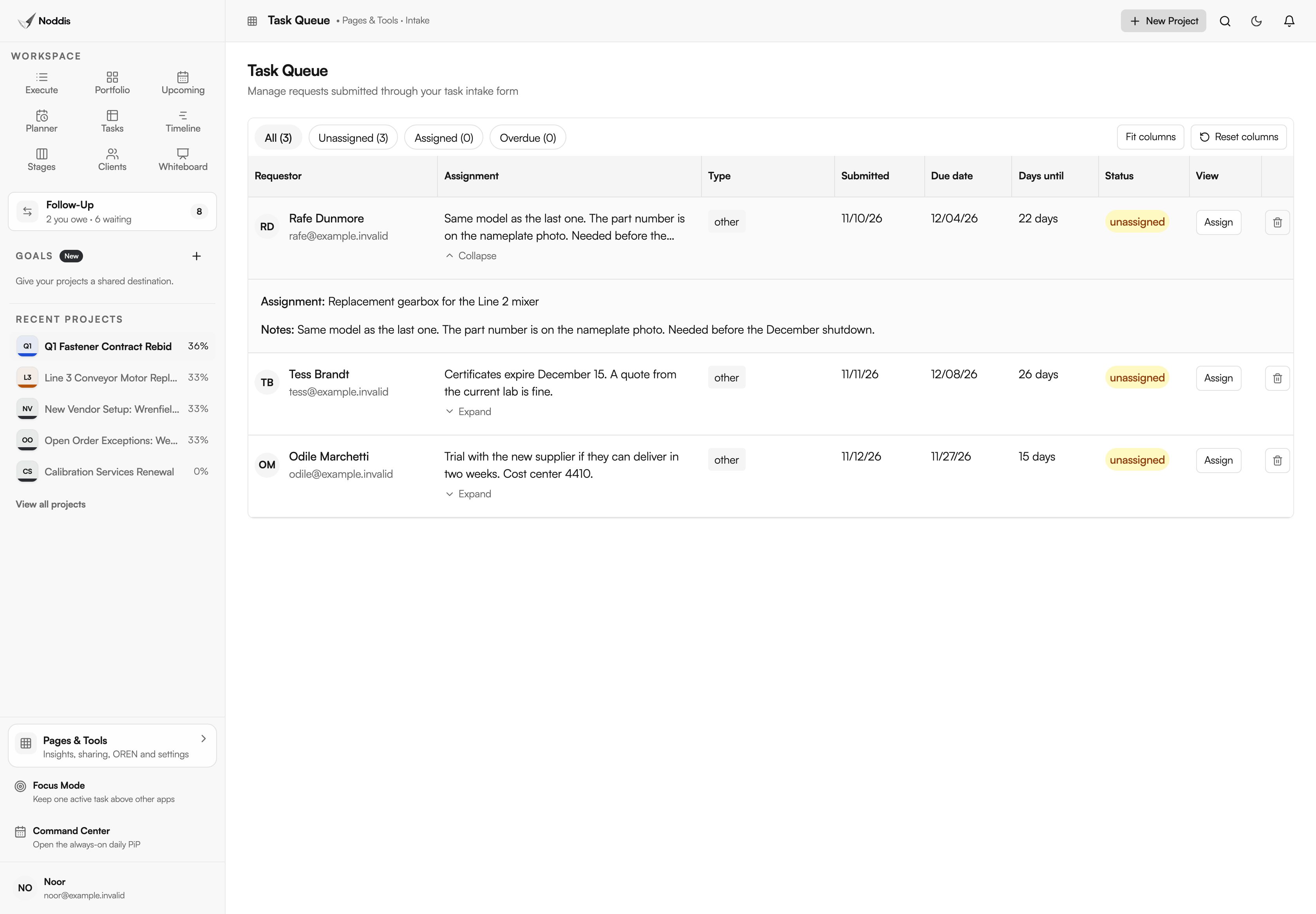
Give each RFQ its own project, with a task for each supplier's quote. Stages shows the event as columns: not started, in progress and pending, with finished work below. Pending is the column to watch. It holds what cannot move until a supplier answers.
Step 3: every open ask, with its age
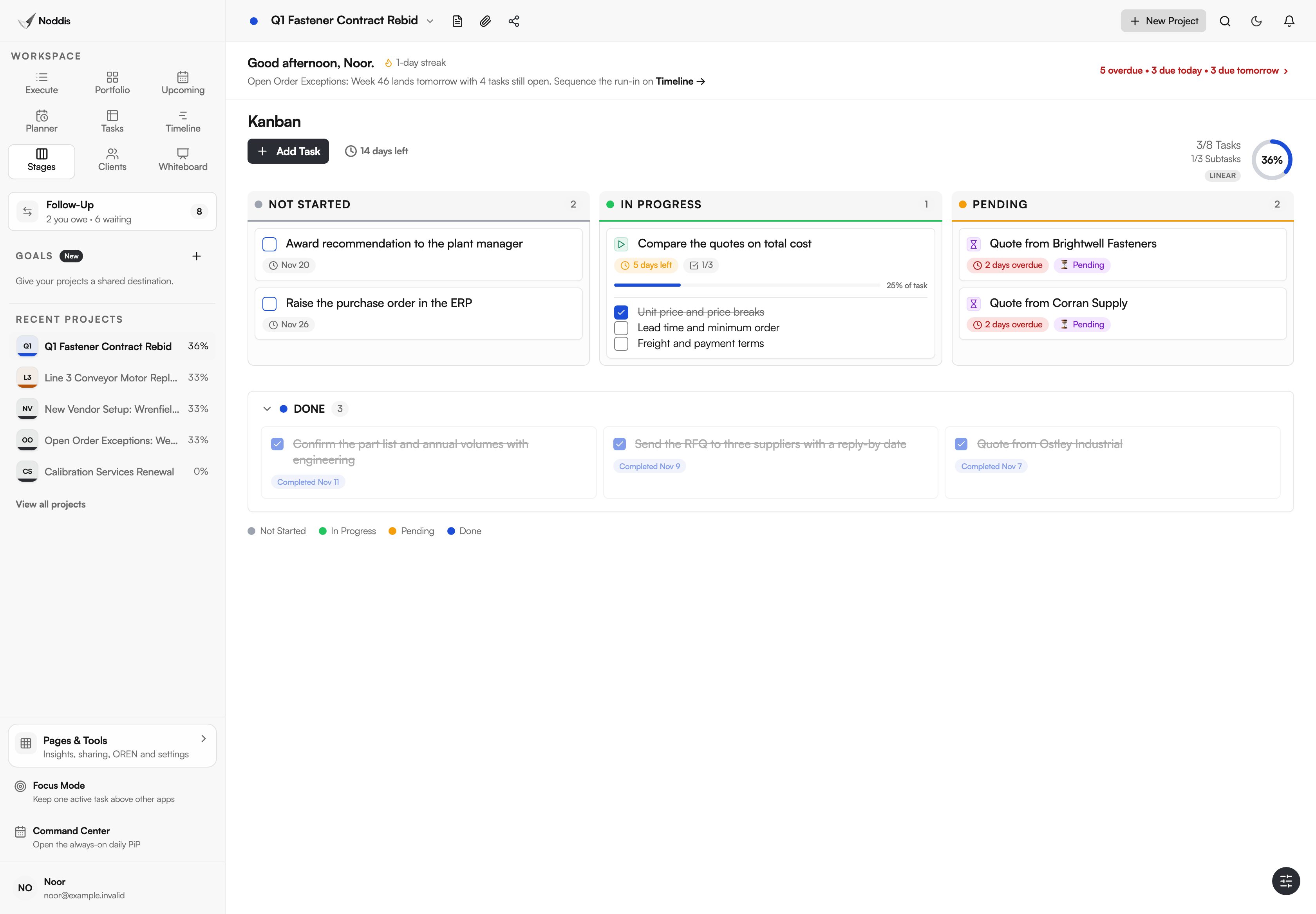
Record each quote, order acknowledgment, ship date and vendor document as a Follow-Up item under the name of whoever owes it. In practice this is a supplier follow-up tracker that keeps count for you. Waiting on Others lists them across every project with the days each has waited, and a Longest wait counter shows the oldest. Needs From You lists what you promised to colleagues.
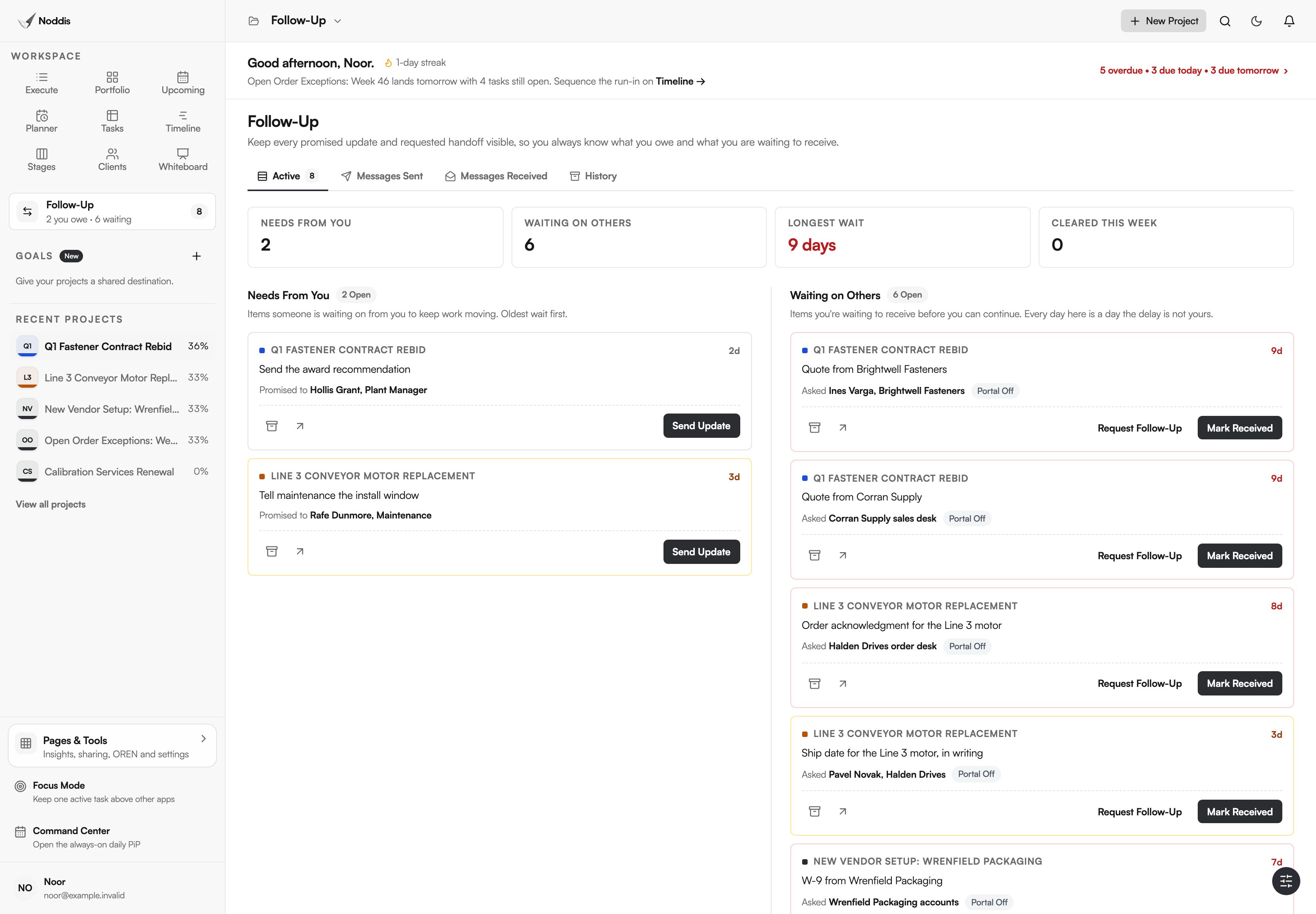
On Pro, a follow-up can be emailed from Noddis and the supplier's reply returns to the same thread. The supplier does not need an account.
Step 4: a weekly review of the stuck orders only
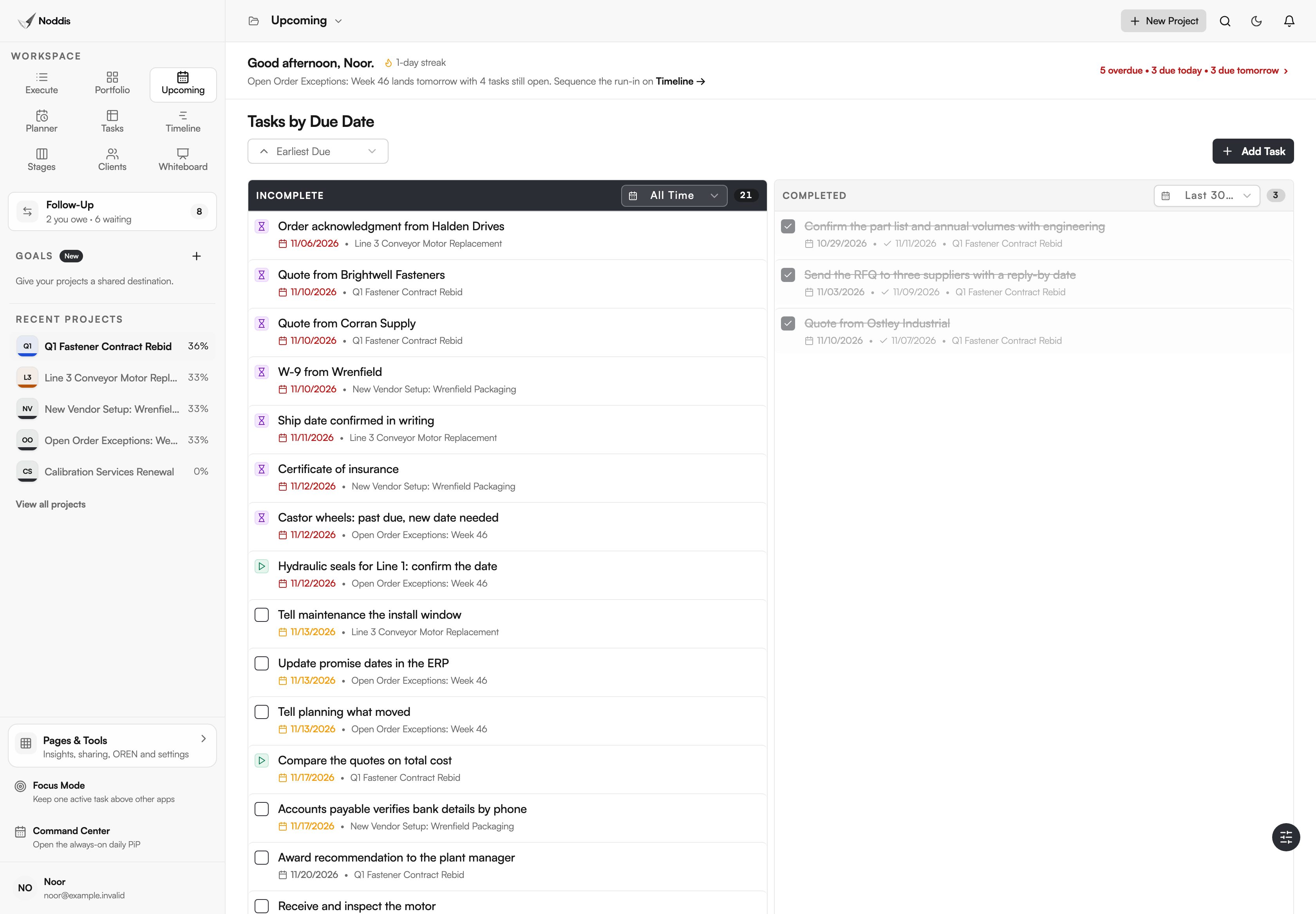
Purchase order follow-up works best as a weekly habit. Once a week, pull the open order report from your ERP. Add a task only for each order that is unacknowledged, past due or critical. Upcoming then lists those dates with the dates from every other project, in order.
Step 5: status without the status email
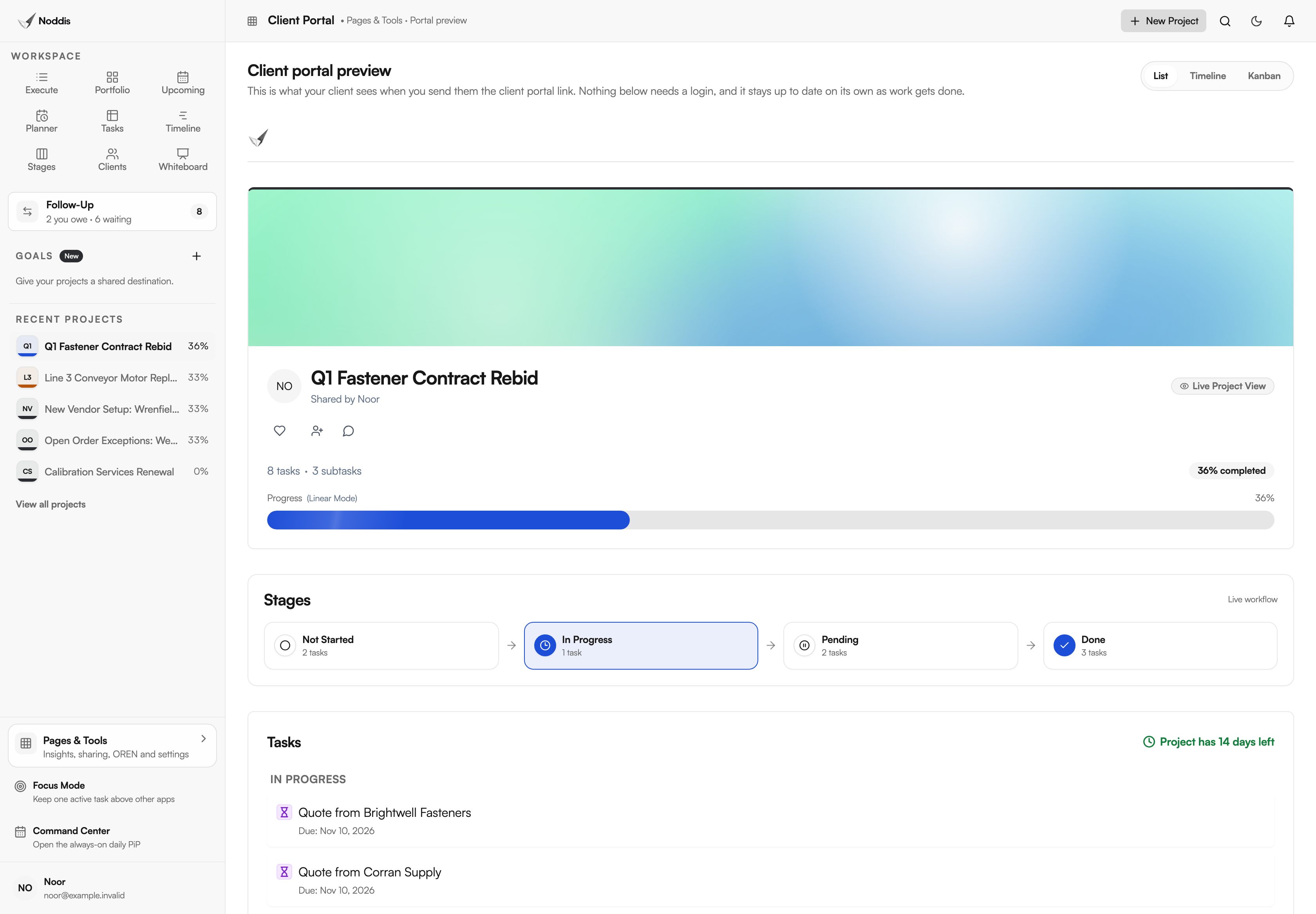
Share a client portal for a project with the person who asked for it. It is a live, read-only page that opens from a link, showing progress, the stages and the tasks you chose to share. Nobody logs in and nothing can be edited.
What stays in your ERP and other tools
- Noddis is not a purchasing system. It has no purchase orders, receipts, invoice matching or approval routing. The last task of a sourcing project is still done in the ERP.
- It does not hold a supplier database, scorecards or spend analysis. Drift and Analytics count tasks, not money.
- It does not connect to Microsoft Outlook, Teams or SharePoint today. If your day runs in Outlook, Noddis sits beside it.
- It is for the stuck orders, not all of them. Nobody should retype hundreds of open order lines.
What a purchasing team needs
The Free plan includes three active projects, importing a spreadsheet tracker, and Follow-Up on one selected project. Pro is $15 a month and adds unlimited projects, the intake form and Task Queue, Follow-Up across every project with email replies, Stages, Timeline and client portals. Suppliers and requesters never need a paid seat. Check the current plans before you decide.
For the method without the software, read the RFQ follow-up email, how to follow up with a supplier on a late delivery and the procurement intake form. For one buyer's week in the app, see how procurement managers use Noddis.
Frequently asked questions
Does Noddis replace an ERP or a procure-to-pay system?
No. The ERP remains the record for orders, receipts and payments. Noddis holds the work around those records: the request that needs a spec, the quote that has not arrived and the date a supplier promised by phone.
Do suppliers need a Noddis account?
No. A supplier appears as a name on a Follow-Up item. On Pro, you can email the follow-up from Noddis and the supplier answers by replying to that email. Requesters fill in the intake form from a link without an account.
Can I bring in the spreadsheet I track follow-ups in today?
Yes. The Import dialog reads CSV and Excel files. You choose the worksheet and the header row, and Noddis shows the tasks it found before it creates anything. Columns it cannot map are kept as notes on each task.
Is this a fit for a purchasing team of one?
Yes. One buyer with thirty open asks across a dozen suppliers needs the list more than a large team with an expediter. If you manage hundreds of order lines a day, keep that work in the ERP and bring only the exceptions here.
Put the chasing in one list.
Start with the sourcing project that is causing the most follow-up. List its tasks and record the first three things you are waiting on.