
Read this first: what does not belong in Noddis
Noddis is general business software. It is not FedRAMP authorized and it holds no CMMC certification. Do not put Controlled Unclassified Information, export-controlled technical data or classified information in it.
The rule for contractors is specific. The defense acquisition clause on safeguarding covered defense information requires a contractor that uses an outside cloud service for that information to make sure the provider meets security requirements equivalent to the "Federal Risk and Authorization Management Program (FedRAMP) Moderate baseline". Noddis has not been assessed against that baseline.
What that leaves is still a large share of a supplier's week: who owes a past performance write-up, which quote is late, when the red team review happens, what was promised in the last customer meeting. Keep task names and notes free of controlled details, and follow your company's security policy on what may be recorded where.
The coordination workflow in Noddis, step by step
| Step | What you do | Where in Noddis | What you see |
|---|---|---|---|
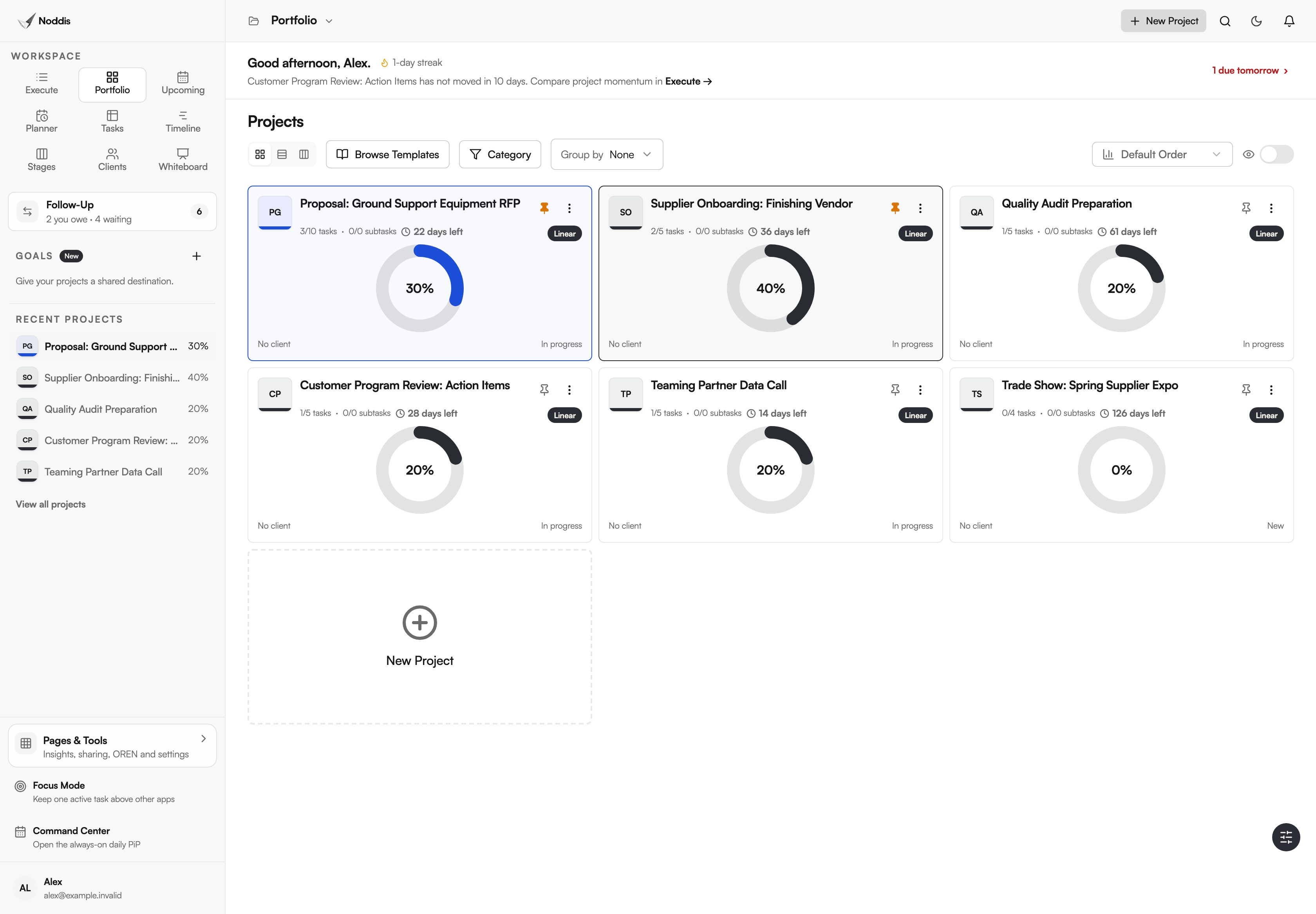
| 1 | Keep each business-side effort as a project | Portfolio | Proposals, supplier onboarding, audit preparation and action items together |
| 2 | Schedule the proposal and its review gates | Timeline | Draft windows and pink, red and gold reviews before the due date |
| 3 | Record what partners, suppliers and customers owe you | Follow-Up | Each open request with its owner and its age in days |
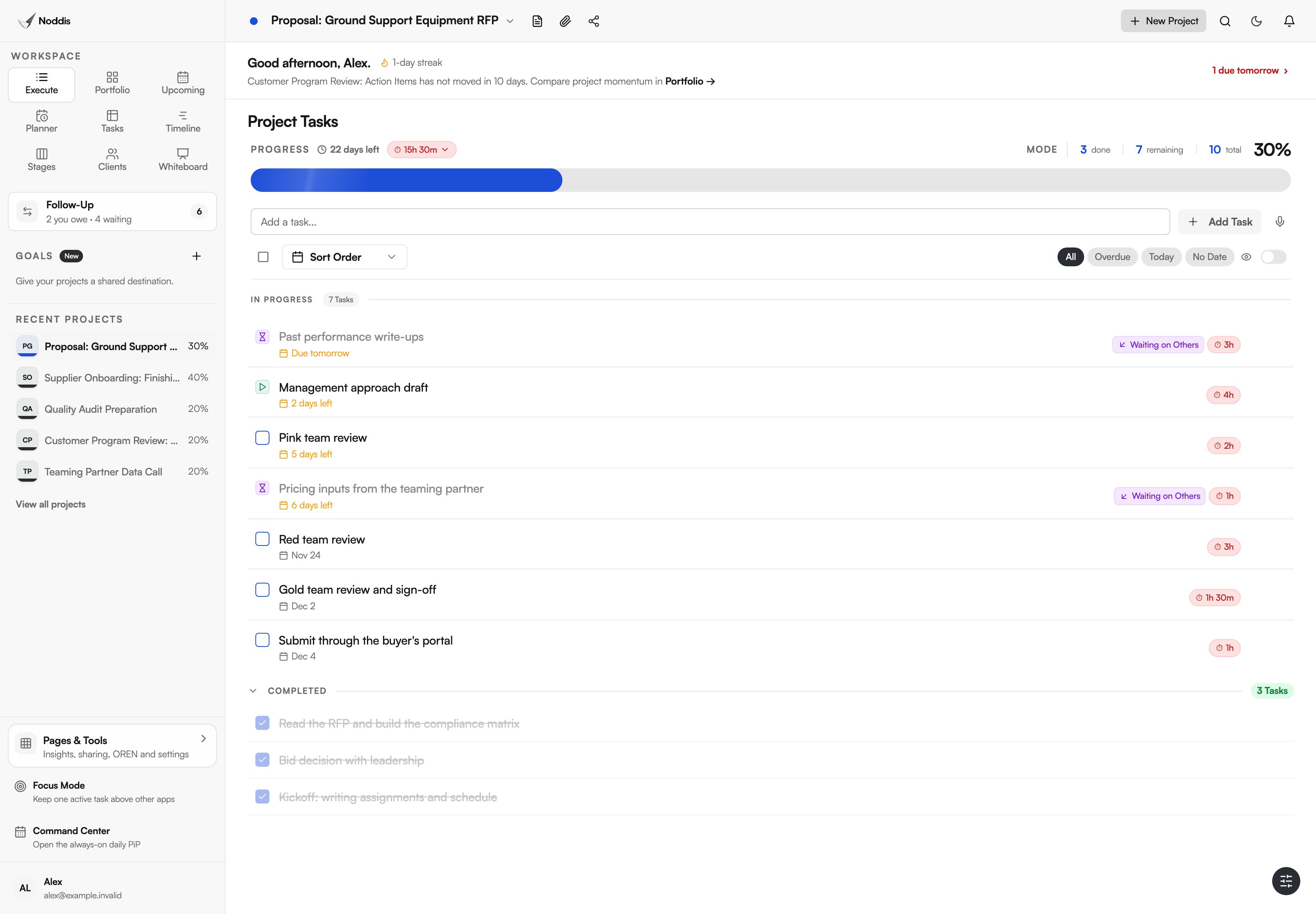
| 4 | Work one effort's open items | Execute | Tasks with dates, and which ones are waiting on someone else |
Step 1: the business-side portfolio
Give each effort its own project: the proposal, the supplier you are onboarding, the audit you are preparing for, the open actions from a customer review. Portfolio, shown at the top of this page, puts them on one screen with progress and due dates.
This is the view an operations lead usually builds by hand in a spreadsheet on Monday morning.
Step 2: schedule the proposal and its reviews
A proposal with pink, red and gold team reviews is a schedule problem. Each review needs a draft that is ready, reviewers who are free and time afterward to fix what they find.
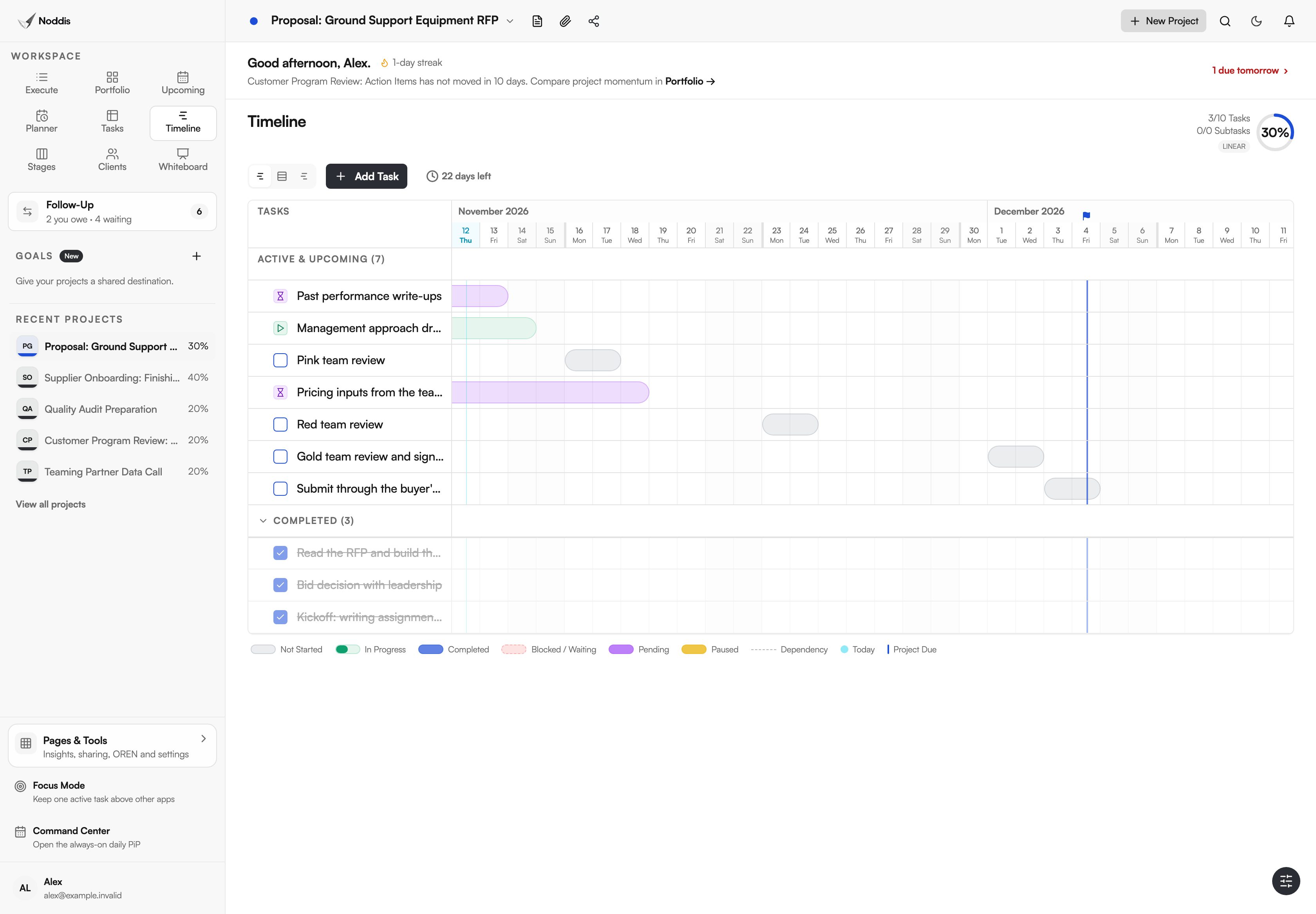
Timeline lays the remaining tasks against the due date, so a slipped pricing input shows up as a bar running into the red team review. Timeline is part of Pro.
Step 3: track what partners and suppliers owe you
On a teamed bid, the prime still carries the result. Federal regulation puts it in one sentence: "The prime contractor is responsible for managing its subcontracts." The same is true in practice for a supplier waiting on a finishing vendor or a customer's answer.
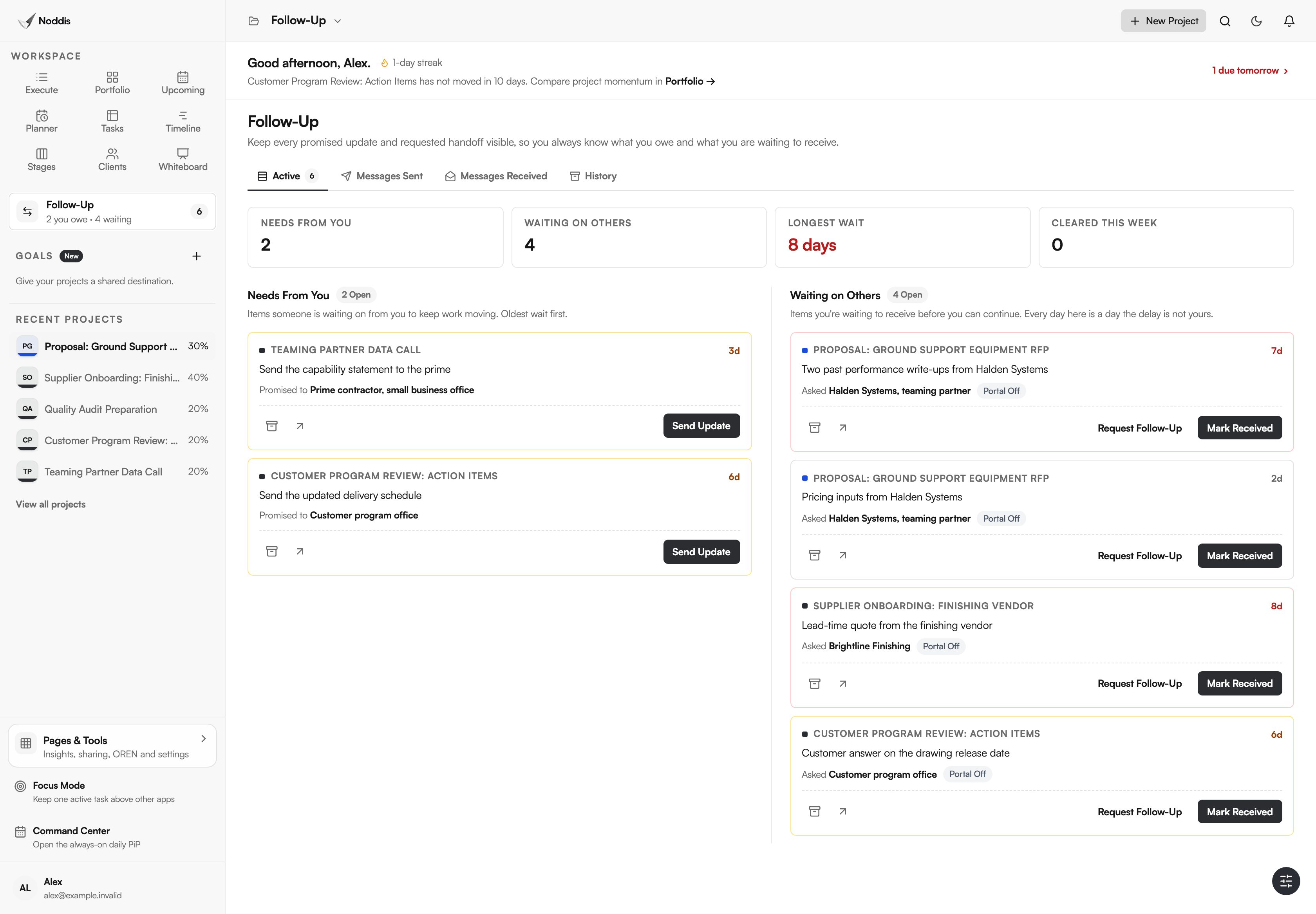
Record each request in Follow-Up as Waiting on Others, with the organization and the promised date. What you owe a prime or a customer sits in the other column, Needs From You. Both lists age in days, so "we asked them last week" becomes a number.
Step 4: close the action items
After a customer program review, turn the minutes into tasks with owners and dates the same day. Execute shows the list for that effort, with overdue items and the ones blocked on someone else marked.
What stays in your other tools
- Engineering data stays in engineering systems. Drawings, specifications, part data and anything controlled do not belong here.
- Noddis is not a scheduling or earned value tool. It has no critical path analysis, resource leveling or cost reporting.
- It is not a quality system. It can hold the task "close corrective action 14". The record itself stays in your quality system.
- It does not connect to Microsoft Teams, Outlook or SharePoint today. Google Calendar sync is included.
What a small supplier needs
The Free plan includes three active projects and Follow-Up on one selected project. Pro is $15 a month and adds unlimited projects, Follow-Up across every project with email replies, and Timeline. Check the current plans, and have your security lead review the tool before anyone signs up.
For the method without the software, read proposal management for small government contractors, the color team review checklist and how to track subcontractor deliverables.
Frequently asked questions
Can we use Noddis for work that involves CUI or ITAR data?
No. Noddis is not FedRAMP authorized, holds no CMMC certification and has not been assessed for export-controlled data. Use it only for work your security policy allows in ordinary business software, and keep controlled details out of task names, notes and attachments.
Is Noddis a replacement for Primavera, Microsoft Project or an earned value system?
No. Those tools exist for formal program schedules and cost control. Noddis sits beside them for the everyday coordination they do not cover well: requests, promises, review dates and action items.
Do teaming partners or suppliers need an account?
No. On Pro, a Follow-Up request goes out as an email and the reply attaches to the item. Review what you send, because email is ordinary business communication and the same data rules apply.
Who is this for inside a supplier?
The people who keep others moving: the operations lead, the proposal or capture manager, the program coordinator, the buyer chasing vendors. If your day is mostly asking for things and tracking answers, this is your tool.
See what you are waiting on, by name and by day.
Start with one business-side effort that has no controlled data in it, such as a commercial quote or a trade show.