
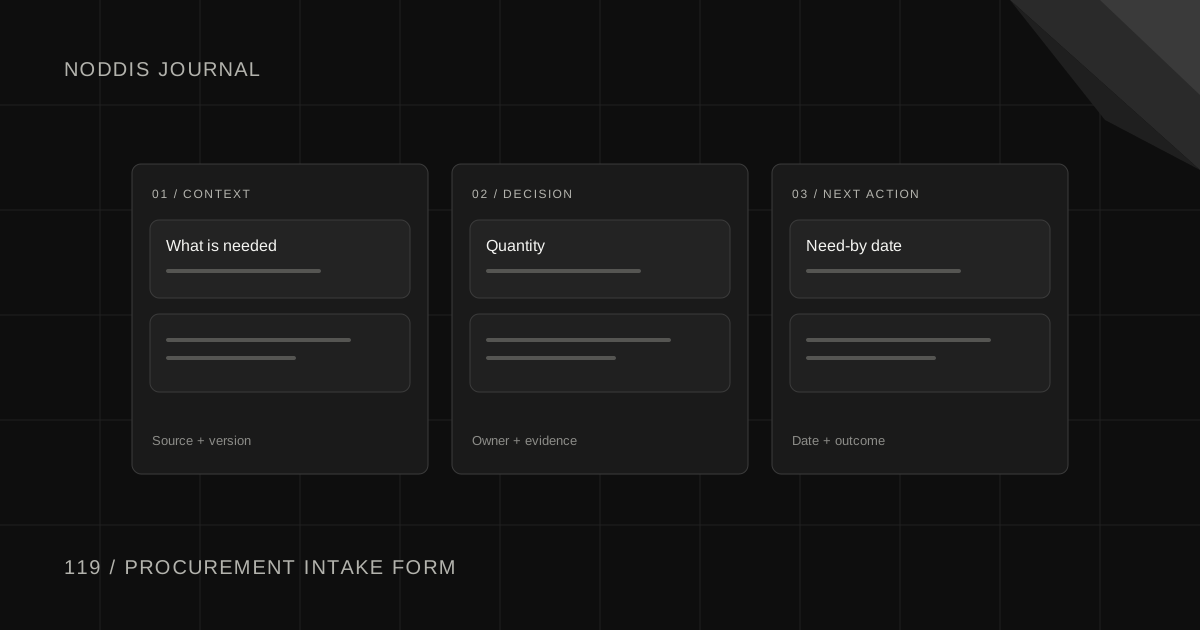
Short answer
A procurement intake form is the one place a colleague asks purchasing to buy something. It should collect enough to source the item without a second conversation: what is needed, the specification, the quantity and unit, the need-by date and the reason for it, where to deliver, the budget, and any supplier already in mind.
Free resource
Download the purchase request fields worksheet. The file is a blank CSV with one row per request and columns for the requester, what is needed, the part number or spec, quantity, unit of measure, need-by date, cost center, suggested supplier and status. One example row shows how to fill it in. No account is required.
What is a procurement intake form?
A procurement intake form is the front door to purchasing: a short, required form that turns "can you order this" into a request a buyer can act on. It comes before the purchase requisition and the purchase order, and small companies often blur the three.
| Document | Who creates it | What it does |
|---|---|---|
| Intake form | The requester | States the need in plain words |
| Purchase requisition | The requester or the buyer, in the purchasing system | Routes the request for approval against a budget |
| Purchase order | The buyer | Commits the company to a supplier |
Public purchasing manuals set the standard. The University of Tennessee's County Technical Assistance Service says: "The purchase requisition should contain accurate and complete information describing the goods or services needed for the on-going operations of the user department." An intake form is how a small team collects that information before anything is keyed into the system.
What should a procurement intake form ask?
A procurement intake form should ask ten things, and each one should save a question later. If you cannot say why a field is there, remove it, because long forms get skipped.
| Field | Why it is asked |
|---|---|
| Requester and department | Who answers questions, and who gets the order number |
| What is needed | A plain description a supplier could read |
| Part number, drawing revision or spec | "Same as last time" cannot be quoted |
| Quantity and unit of measure | Ten each and ten boxes are different orders |
| Need-by date, and what happens if it is late | Separates a line-down need from "as soon as possible" |
| Deliver to | The site, dock or person, so goods are not lost on arrival |
| Cost center or budget | Decides who approves |
| Estimated cost, if known | Decides how many quotes your policy asks for |
| Suggested supplier, and whether it must be that one | A preferred brand is different from a single source |
| New or repeat purchase | A repeat reuses the last order. A new supplier needs setup first |
Make the first seven required. Montana State University's requisition instructions put it bluntly: "The Requisition form must be completely filled in, including complete description and specifications." The same rule works for marketing requests from other departments.
What do you do with an incomplete request?
Send an incomplete request back the same day, with one specific question, and do not start sourcing until the answer arrives. Guessing a specification to be helpful is how the wrong part gets ordered and purchasing gets the blame.
- Ask one question. Name the missing fact and why a supplier needs it.
- Start the clock when the request is complete. Say so at the top of the form, so nobody counts lead time from a blank request.
- Keep the request visible. Log it as "sent back" with the date, so it does not vanish from both inboxes.
Subject: Your request for [item]: one question before I can order
Hi [Name],
Thanks for the request. I can start as soon as I have one thing: [the part number on the nameplate / the drawing revision / the quantity per box].
Without it a supplier cannot quote the right item. Your need-by date of [date] still looks possible if I have the answer by [date].
Thanks,
[Your name]
How does a purchase request move from form to purchase order?
A purchase request moves from form to purchase order in seven steps, and two of them are waits. Take a request: Rafe Dunmore in maintenance asks Noor, the buyer, for a replacement gearbox.
- The requester fills in the form. Rafe gives the item, the quantity and the shutdown date.
- The buyer checks it against the required fields. The part number is missing.
- The requester owes one answer. Noor sends the single question and logs the request as sent back.
- The buyer accepts the request and sources it. With the part number, Noor gets a price and a lead time.
- The approver owes a decision. The requisition goes to the budget owner in the purchasing system.
- The buyer raises the purchase order. In the purchasing system, never in the form.
- The buyer sends the PO number and the promised date. Rafe can plan the installation.
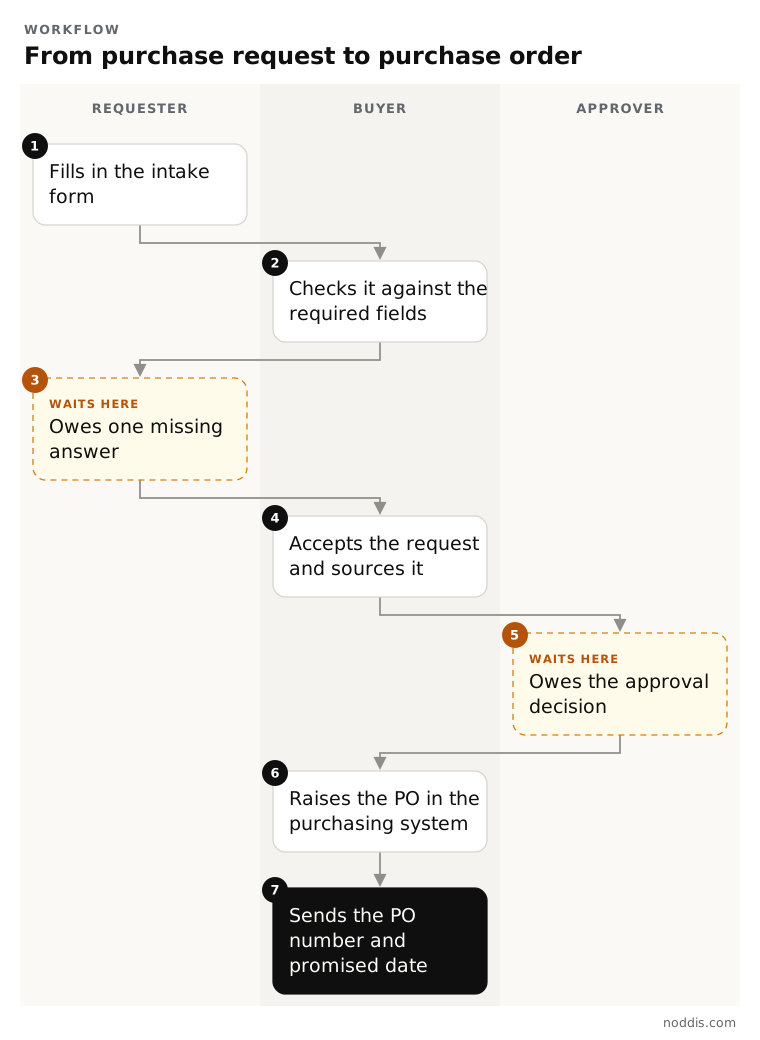
Steps 5 and 6 stay in your ERP or purchasing system, because approvals and commitments need its audit trail. If step 4 needs quotes, the RFQ follow-up emails cover suppliers who stay silent, and if the promised date slips, see how to follow up on a late delivery.
How does Noddis hold purchase requests before they become orders?
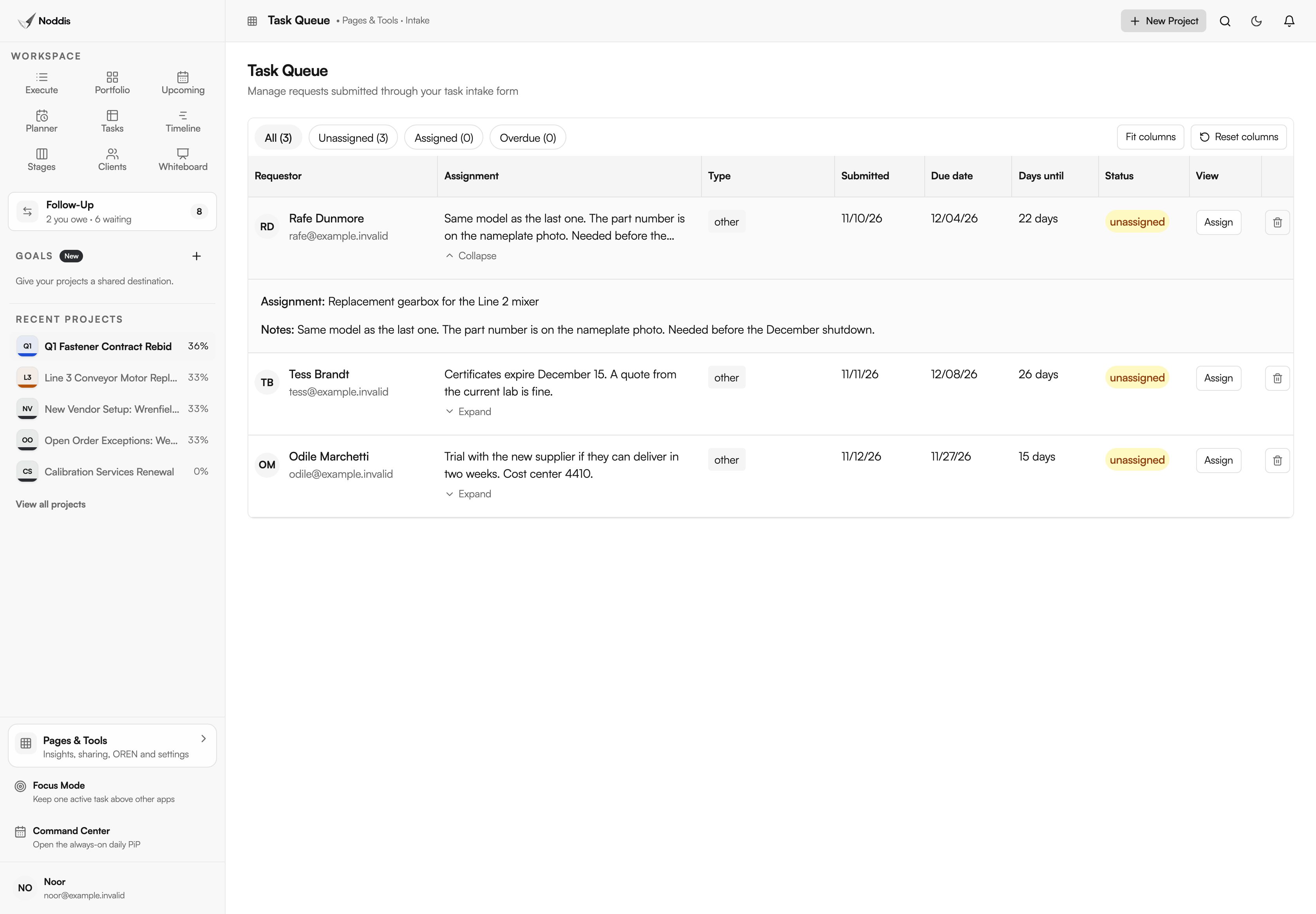
Noddis is a project management app that keeps tasks, follow-ups, and related project details connected. When we built the Task Queue in Noddis, we kept every request unassigned until someone chooses a project for it.
On Pro, Task Intake is a shareable request form that colleagues fill in without an account. The form is short and fixed: name, email, a description, a request type, optional notes, a link and a requested due date. Ask requesters to put the quantity, part number and cost center in the description and notes. Each request waits in the Task Queue until you accept it into a project. A request form with a reviewable queue covers the setup.
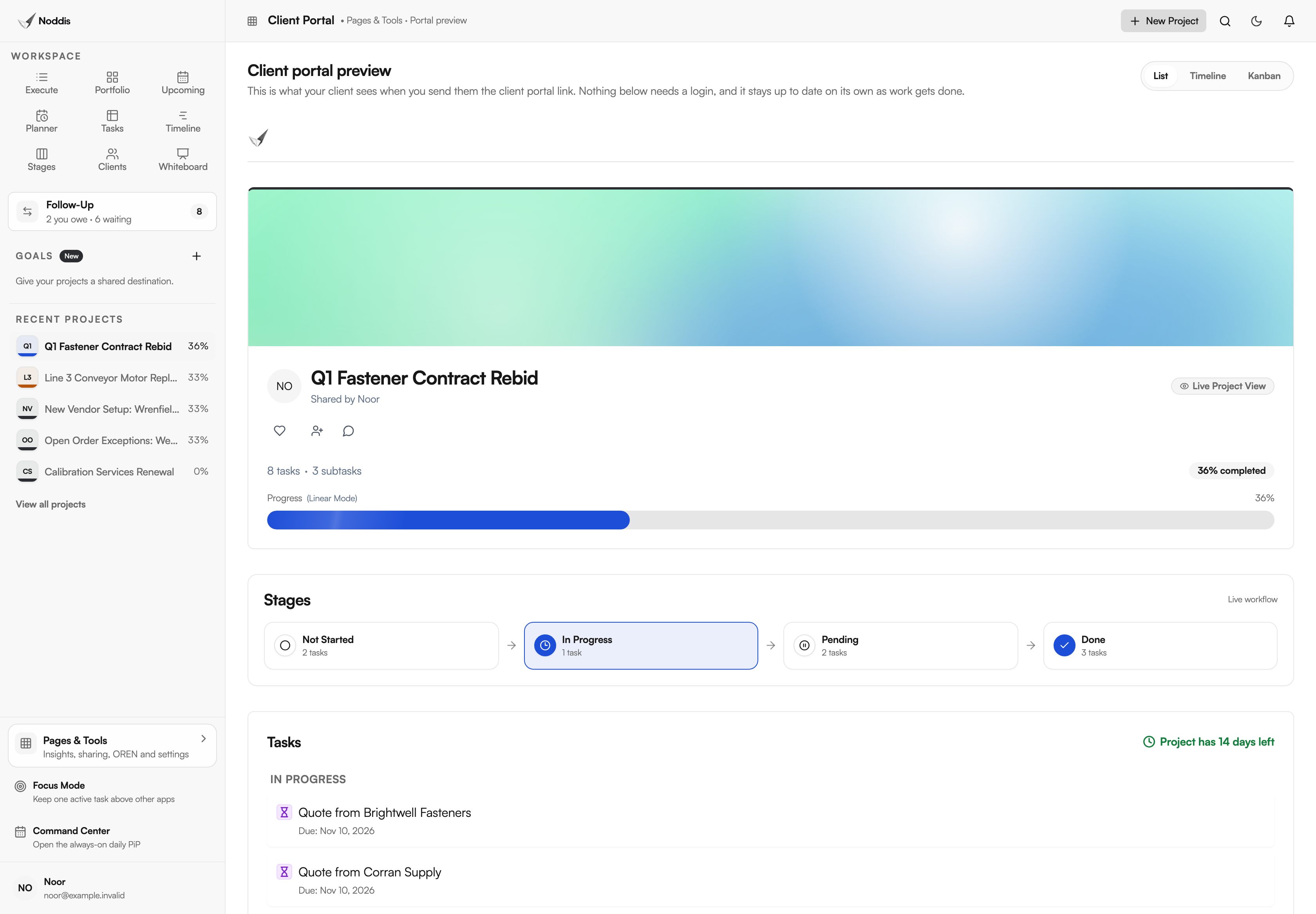
A larger purchase can be its own project. Portfolio (Free) shows every sourcing project with its progress and what is due next. For a requester who keeps asking for status, the client portal (Pro) is a live, read-only page for one project that opens from a link with no account.
Approval routing, purchase orders, receipts and payments stay in your purchasing system. As of November 2026, Noddis does not connect to Outlook, Teams or SharePoint. The procurement follow-up workflow shows the screens step by step, and how procurement managers use Noddis is the longer walk-through.
Your next step
List the last five requests that needed a second conversation, note the missing fact in each, and make those facts required fields. To try the review step on a project of your own, open the live demo. No account is needed.
Common questions
What if people skip the form and email you instead?
Reply with the link and one sentence: "Happy to help. Please put it in the form so it gets a place in the queue." Then hold the line for everyone, managers included, because one exception teaches the whole plant that email still works. Agree the rule with your own manager first.
Should an urgent request skip the form?
A real emergency, such as a stopped line, starts with a phone call, and the form follows the same day so the order has a record. Define urgent in advance by what stops and when, not by who is asking, and put that definition on the form.
Can someone submit a request after the goods have arrived?
Treat an after-the-fact request as a policy problem, not a form problem. The company was committed before anyone checked the price, the terms or the budget. Check what your purchasing policy says, record the purchase, tell the budget owner, and use the case to explain why the form exists.

Katleen is the founder of Noddis. She runs client projects through her app studio, 693 Labs, and builds Noddis around the problems that work creates.
Last reviewed . Feature details reflect Noddis at the time of review.