
Short answer
A remodeling selection schedule is a list of every choice the client has to make, such as cabinets, tile, fixtures and paint, each with a due-by date worked back from when the item must be ordered. Giving clients dates instead of a general "pick your finishes" keeps a late decision from stopping a crew that is ready to work.
Free resource
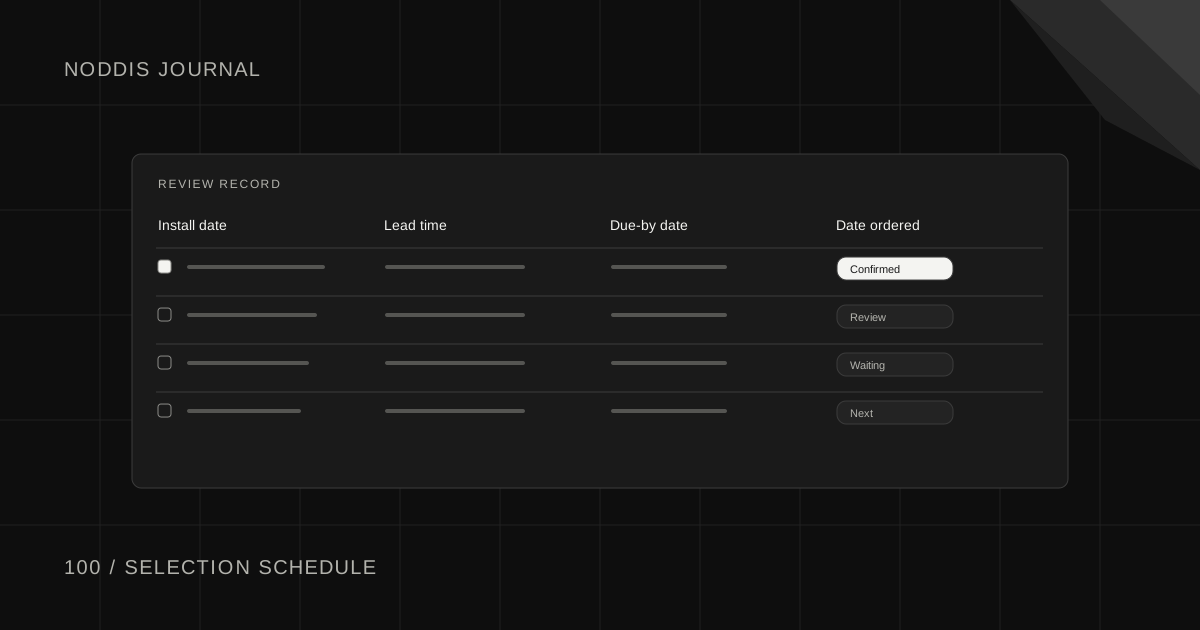
Download the selection schedule template. The file is a blank CSV that opens in Excel, Google Sheets or Numbers, with one row per selection and columns for the install date, lead time, due-by date, the choice made and the date ordered. One example row shows how to fill it in. No account is required.
What is a remodeling selection schedule?
A remodeling selection schedule is the contractor's list of client decisions with a deadline on each. It turns "we still need to pick tile" into "backsplash tile, due by November 17, needed for install on December 3".
The idea is not new. Writing in the Journal of Light Construction, remodeling consultant Les Cunningham put it plainly: "For these types of selections, you should create a schedule for the client listing "due by" dates." He adds a second point: "The date, as well as the pricing method for product selections, should be clearly identified and addressed in your contract."
In other words, the schedule works best when the client agreed to it before the job started.
Which selections need a due-by date?
Every selection that has to be ordered, fabricated or built around needs a due-by date. A kitchen and bath remodel usually includes these, in roughly the order the decisions are needed:
| Selection | Needed before | Why the date matters |
|---|---|---|
| Cabinets | Ordering, weeks ahead of install | Long lead time, and everything else measures from them |
| Appliances | Cabinet order | Cabinet openings depend on the models |
| Plumbing fixtures | Rough plumbing | Valve and drain locations depend on the fixture |
| Lighting fixtures | Electrical rough-in | Box locations depend on the fixture |
| Countertops | Template, after cabinets are set | Fabrication follows the template |
| Tile and flooring | Ordering, before the install date | Stock and delivery vary |
| Hardware | Cabinet install | Drilling happens once |
| Paint colors | Paint start | Short lead time, so it can come last |
Lead times vary by supplier and season, so ask yours on every job. The pattern holds: the items with the longest lead times and the most other work depending on them come first.
How do you set the due-by dates?
Set each due-by date by counting back from the day the item is installed. The arithmetic is three subtractions.
- Start with the install date from your job schedule.
- Subtract the supplier's lead time. Ask the supplier on this job.
- Subtract a buffer for the client to change their mind and for your ordering. A week is a workable default.
Take a job for a family called Hollis. Backsplash tile goes in on December 3. The supplier quotes two weeks. With a few days of buffer, the due-by date is November 17.
Put the dates in order and hand over the whole list at the pre-construction meeting. A client who sees eight decisions with eight dates plans their weekends differently from one who gets a text every few days.
What do you say when a selection is late?
When a selection is late, say what it is holding up and offer an easier way to decide. Keep it short and send it the morning after the date passes.
Subject: Tile selection needed by Friday to hold the December 3 install
Hi [Name],
The backsplash tile was due on the 17th and I do not have your choice yet. The supplier needs two weeks, so an order placed after Friday moves the tile install past December 3.
To make it easier: I can bring the three samples you liked to the house tomorrow at 5, or you can reply with the name from the showroom tag.
Thanks,
[Your name]
Offering fewer options helps. Three samples in the client's own kitchen is an easier decision than a showroom wall. If the choice still does not come, tell the client in writing which date moves and by how much.
For other stuck moments, the client email templates for stuck work include a gentle and a firmer version of each message.
How do you keep the schedule in front of the client?
Keep the schedule in front of the client with one short weekly update that lists the decisions due in the next two weeks. A list sent once at the start is easy to forget.
- Weekly update. Three lines: done this week, next week, decisions needed from you with dates.
- One place to look. The same list every time, with each item marked chosen or open.
- A standing time. The same day each week, so the client expects it.
Across several jobs, your own view matters as much as the client's. You need one list of every open selection on every job, sorted by date, so Monday's phone calls choose themselves.
How does Noddis track client selections?
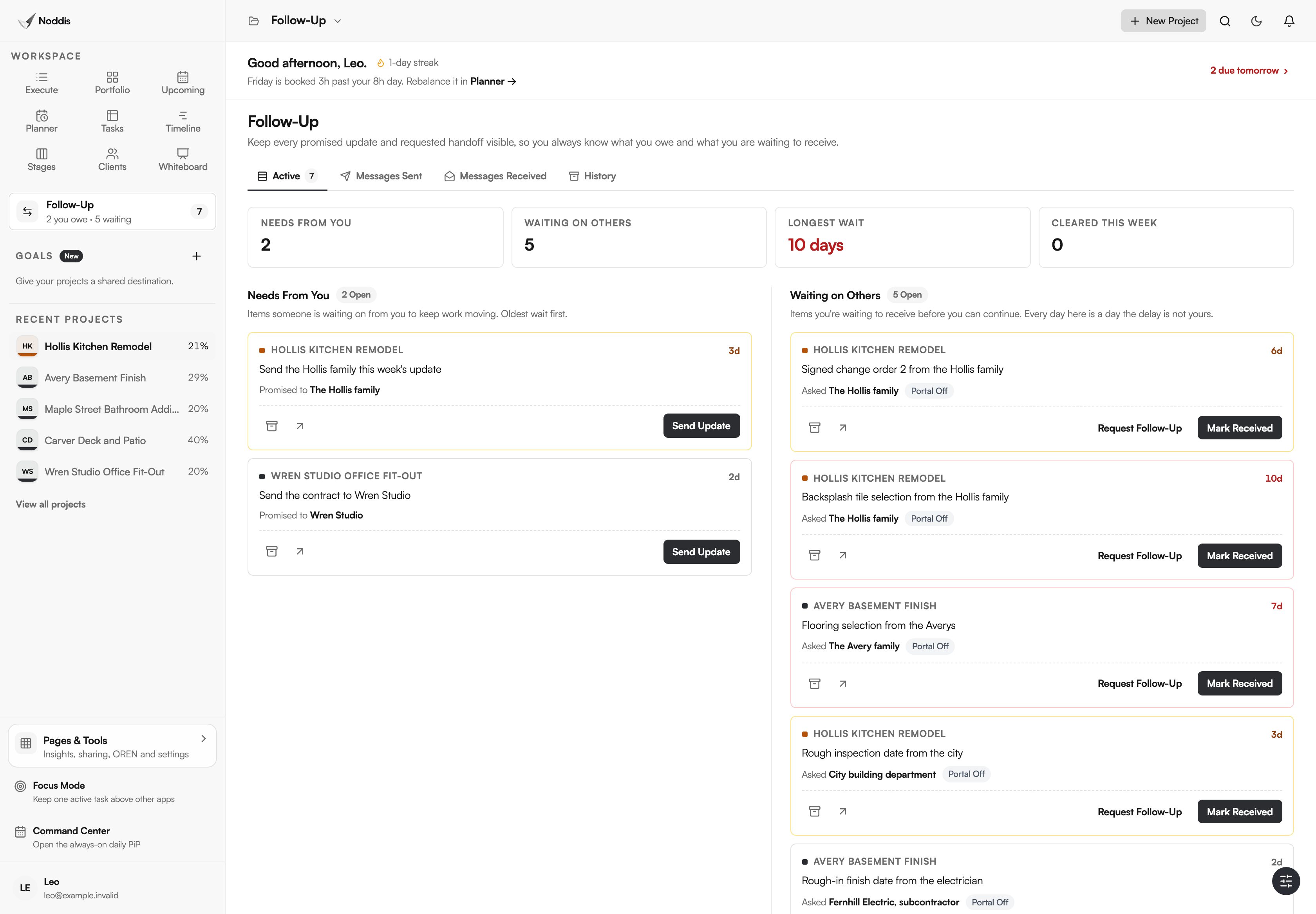
Noddis is a project management app that keeps tasks, follow-ups, and related project details connected. When we built Follow-Up in Noddis, we split it into two lists, Needs From You and Waiting on Others, and gave every open item an age in days.
Each selection becomes a Waiting on Others item on the task it blocks, such as "Backsplash tile", with the client's name and the due-by date. One list then shows every open decision across all your jobs. On Pro, a client portal can show the homeowner the job's progress and the items you choose to share, through a link with no account. The workflow for contractors shows the list on a sample remodel.
Your next step
List every selection on your next job, count back from each install date, and give the client the dated list at the pre-construction meeting. To list your open decisions across jobs with ages, open the live demo.
Common questions
Should all selections be made before construction starts?
As many as possible, and all the long-lead ones. Cabinets, appliances, plumbing fixtures and special-order tile should be chosen before demolition. Short-lead items like paint colors can wait. Starting with open long-lead selections is how a job ends up with a finished rough-in and nothing to install.
How many options should you show a client?
A few. A short list that you have already checked for budget, availability and lead time is easier to choose from than a showroom. Three is a workable number. Whatever you show, make sure every option can arrive in time, so the client cannot pick a product that breaks the schedule.
What if the client changes a selection after it is ordered?
Treat it as a change order, which the Federal Acquisition Regulation defines for public work as "a written order" to make a change. The change may carry a restocking fee, a price difference and a new lead time. Write it up, get it signed and update the schedule. The change order log template keeps those changes in one place.

Katleen is the founder of Noddis. She runs client projects through her app studio, 693 Labs, and builds Noddis around the problems that work creates.
Last reviewed . Feature details reflect Noddis at the time of review.