
Short answer
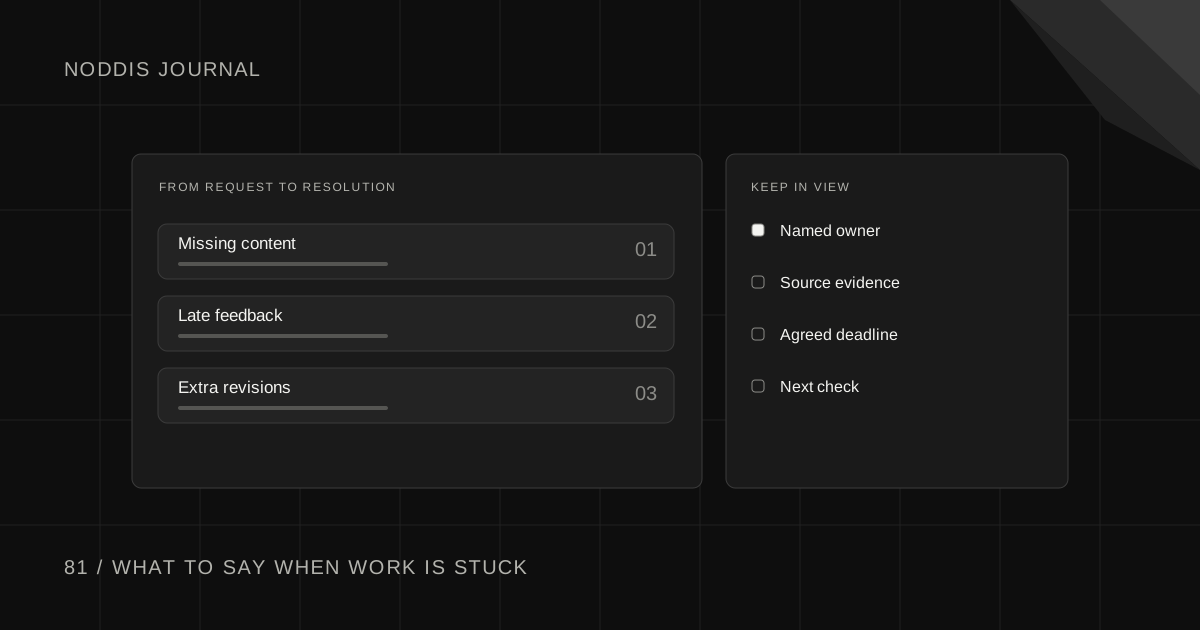
These client email templates for freelancers cover the four moments when client work gets stuck: missing content, late feedback, extra revisions and scope changes. Each of the 10 messages names what you need, the date you need it and what happens next. Copy them from this page or download the free PDF.
Free resource
Download the 10 messages as a PDF, or as plain text you can paste anywhere. No account or email address is required. Both files write out a gentle and a firmer version of every message in full, with the reply to ask for and what to record afterward. Save a copy before you add your project details.
What makes client email templates for freelancers work on a stuck project?
Client email templates for freelancers work on a stuck project when they make replying easier than ignoring the message. A general "any update?" gives the client nothing to act on. Good client email scripts share four parts:
- One request. A single item, decision or approval.
- One date. The day you need the reply.
- What the date protects. The milestone or launch that depends on it.
- An easy reply. Something the client can answer in a single line.
A short message is also quicker to act on. The U.S. government's plain language guide on Digital.gov tells writers to "Consider whether you need every word", and the same test applies to a reminder. Each template below stays under 120 words.
Start from the situation you are in:
| Situation | Start with | Reply to ask for | Deeper guide |
|---|---|---|---|
| Content has not arrived | Messages 1 to 3 | The items, or a date for each | When a client is not sending website content |
| Feedback or approval is late | Messages 4 to 6 | Approved, or one list of changes | Client feedback deadline email templates |
| Revision rounds keep coming | Messages 7 and 8 | A written yes to the extra round | When a client keeps asking for revisions |
| A request is outside the scope | Messages 9 and 10 | Option A, B or C | How to handle out-of-scope client requests |
Other stuck moments have their own guides: a prospect who ghosted after a proposal, a client who is not responding to emails or keeps changing their mind, a rush request, and the wording for a project on hold email. A weekly review catches most of them early.
Which messages help when a client has not sent content?
A missing content email works best as a short sequence: a clear first request, then a reminder that names what is still missing. Move to the second message only when the date in the first one has passed, and keep the list of items identical in both.
Message 1: Ask for content with a list and a date
When to use it: Content is due within two weeks and nothing has arrived yet.
Subject: Content needed for [Project] by [Day, Date]
Hi [Name],
To keep [Project] on track for [milestone], I need these items by [Day, Date]:
[Item, with the format you can accept]
[Item]
[Item]
Rough is fine. A draft I can place today is more useful than a polished version next month.
If any item is hard to pull together, tell me which one and I will suggest a shortcut.
Thanks,
[Your name]
Firmer closing, to swap in for the last line before the sign-off: The [milestone] date depends on these arriving by [Date]. If they arrive later, the date moves by the same number of days, and I will confirm the new one in writing.
Ask for: One reply that sends the items or names a date for each.
Then record: Log each item as something you are waiting on, with the date you asked.
Message 2: Say what is still missing and what it holds up
When to use it: The date you gave has passed and at least one item is still missing.
Subject: Still needed for [Project]: [number] items
Hi [Name],
Thanks for sending [what arrived]. I am still missing:
[Item]
[Item]
Until these arrive, [page or task] cannot move, and [milestone] is at risk.
Could you send them by [Day, Date], or tell me a date that works?
Thanks,
[Your name]
Firmer closing, to swap in for the last line before the sign-off: If they are not in by [Day, Date], I will move [Project] off my active schedule and rebook the remaining work once everything is here.
Ask for: A delivery date for each missing item.
Then record: Update the waiting item with the new date. Note the day the milestone started to slip.
What do you send when the content still has not arrived?
When two reminders have passed and the content still has not arrived, stop reminding and offer a choice. The third message gives the client two ways forward, a launch with placeholders or a pause, and asks them to pick one.
Message 3: Offer a way forward: placeholders or a pause
When to use it: Two reminders have gone unanswered, or the content keeps slipping.
Subject: [Project]: two ways to move forward
Hi [Name],
[Project] has been waiting on content since [Date]. I would like to get you to a finished result, so here are two options:
Option A: I launch with the pages that are ready and mark the rest as coming soon. You send the remaining content when it is ready and I add it as a follow-up task.
Option B: the project pauses from [Date]. Once the content is complete, I schedule the remaining work in my next open slot.
Which option suits you better? A one-line reply is enough.
Thanks,
[Your name]
Firmer closing, to swap in for the last line before the sign-off: If I do not hear back by [Day, Date], I will treat the project as paused under Option B and send a short written confirmation.
Ask for: A choice: Option A or Option B.
Then record: Record the choice and its date. If the project pauses, log what is needed to restart it.
What do you send when client feedback is late?
A feedback reminder email has to separate three things: the version under review, the reply you need and the date the next step depends on. Message 4 sets that up when you deliver the work. Message 5 explains what a late reply does to the schedule.
Message 4: Ask for one decision by one date
When to use it: A deliverable is ready for review.
Subject: For review: [Deliverable] v[Number], reply by [Day, Date]
Hi [Name],
[Deliverable] v[Number] is ready: [Link].
Please check [two or three specific things]. I need one of two replies by [Day, Date]: approved as is, or one combined list of changes from everyone on your side.
If that date is tight, tell me what works and I will adjust the plan.
Thanks,
[Your name]
Firmer closing, to swap in for the last line before the sign-off: [Next milestone] starts once I have your reply. Each day past [Date] moves that start by a day.
Ask for: Approved, or one combined list of changes.
Then record: Log the review as waiting on the client, with the version number and the reply date.
Message 5: Explain what late feedback does to the date
When to use it: The reply date has passed and the next step is blocked.
Subject: [Project]: decision needed to hold the [milestone] date
Hi [Name],
I am still waiting on your review of [Deliverable] v[Number]: [Link]. [Next step] cannot start without it.
The plan assumed a reply by [original date]. With a reply by [new date], I can still deliver [milestone] on [date]. After that, the delivery date moves.
Would a 15-minute call be easier than written notes? I can walk through it with you.
Thanks,
[Your name]
Firmer closing, to swap in for the last line before the sign-off: If I have no reply by [new date], I will send a revised schedule based on the day the review comes in.
Ask for: The review, or a date for it.
Then record: Note the original and the new reply date next to the waiting item.
How do you ask for final approval in writing?
Ask for final approval with a short list of what changed, the date you need the answer and the exact reply that counts as approval. A written "approved" protects both sides, because later requests can then be handled as new work instead of unfinished work.
Message 6: Ask for final approval in writing
When to use it: All agreed changes are done and you need sign-off before launch or handover.
Subject: Final approval needed: [Project]
Hi [Name],
Every change from your last round is in: [Link]. Here is what changed:
[Change]
[Change]
To [launch or hand over] on [Date], I need your written approval by [Day, Date]. A reply that says approved is enough.
If you spot anything that is not right, send it in one list and I will tell you how it affects the date.
Thanks,
[Your name]
Firmer closing, to swap in for the last line before the sign-off: Requests that arrive after approval are welcome. I will quote them separately as new work.
Ask for: The word approved, in writing.
Then record: Save the approval with the version it applies to and the date.
What do you say when revision rounds run out?
When the included revision rounds are used up, say so plainly, state the cost of another round and let the client choose. Keep the tone warm. More revisions are welcome work once they are agreed as extra work.
Message 7: Say the included rounds are used up
When to use it: The included revision rounds are finished and more changes arrive.
Subject: [Project]: revision rounds and next steps
Hi [Name],
Thanks for the new notes. Our agreement includes [number] rounds of revisions, and round [number] finished on [Date].
I am glad to keep refining. Further rounds are billed at [rate or fee per round], and this list would take about [estimate].
Shall I go ahead on that basis, or would you prefer to pick the two or three changes that matter most?
Thanks,
[Your name]
Firmer closing, to swap in for the last line before the sign-off: I will start as soon as you confirm the extra round in writing. Until then the current version stays as the approved draft.
Ask for: A written yes to the extra round, or a shorter list.
Then record: Count the round, log the request as client-requested extra work, and keep the confirmation.
Message 8: Handle a change after approval
When to use it: The client approved a version, then asks for changes to it.
Subject: [Deliverable]: change after approval
Hi [Name],
You approved [Deliverable] v[Number] on [Date], and [next step] has started from that version.
The change you describe is possible. Because it reopens approved work, it adds [time] and [cost], and [milestone] would move to [new date].
Would you like me to make the change on those terms, or keep the approved version and note the idea for a later phase?
Thanks,
[Your name]
Firmer closing, to swap in for the last line before the sign-off: I will keep working from the approved version until you confirm the change and its new date in writing.
Ask for: Change on the new terms, or keep the approved version.
Then record: Log the decision next to the original approval so both stay visible.
How do you answer a request outside the agreed scope?
A scope change email should offer options instead of a yes or a no: add the request for a stated cost and date, swap it for planned work of similar size, or park it for a later phase. Then confirm whatever you agree in writing before you start.
Message 9: Offer options for a request outside the scope
When to use it: A request goes beyond what the agreement lists.
Subject: [Request]: options for adding it
Hi [Name],
Good idea on [request]. It sits outside what we scoped for [Project], so I want to give you clear options before I touch it:
Option A: add it now for [cost], which moves [milestone] to [date].
Option B: swap it for [planned item of similar size], with no change to cost or date.
Option C: park it for a second phase after launch.
Which one fits best? Happy to talk it through if that helps.
Thanks,
[Your name]
Firmer closing, to swap in for the last line before the sign-off: I will stay on the agreed scope until you choose, so the current dates hold.
Ask for: Option A, B or C.
Then record: Add the request to your change log with the option chosen and who chose it.
Message 10: Confirm an agreed change in writing
When to use it: You agreed a change on a call or in chat and need it in writing.
Subject: Confirming the change to [Project]
Hi [Name],
To confirm what we agreed on [Date]:
Added: [item]
Removed or swapped: [item or none]
Cost: [amount or no change]
New date for [milestone]: [date]
If this matches your understanding, reply confirmed and I will start. If I got something wrong, correct it here so we have one record.
Thanks,
[Your name]
Firmer closing, to swap in for the last line before the sign-off: Work on the change starts once I have your written confirmation. Until then I will continue with the original plan.
Ask for: The word confirmed.
Then record: File the confirmation with the project and update the scope baseline or change log.
How do you save these messages as email templates in Gmail or Outlook?
Save the two or three messages you send most as templates in your email app, so the wording is one click away. In Gmail, open a new message, paste the text, then choose More options, Templates and Save draft as template. Google's Gmail Help notes one limit: "You can only turn on and use message templates from Gmail on your computer."
Outlook has the same feature. Microsoft's support page describes email templates as a way to "create and save messages with content that rarely changes", which is exactly what these messages are once your rates and review periods are filled in.
Whichever app you use, keep the bracketed fields in the saved template. Filling them in fresh each time forces you to check the version number, the date and the name before you send.
How do you keep track of what each message is waiting on?
Sending the message is half the job. The other half is remembering, a week later, that a reply is still owed. Write down what you asked for, who owes it and the date, in the same place as the project it blocks.
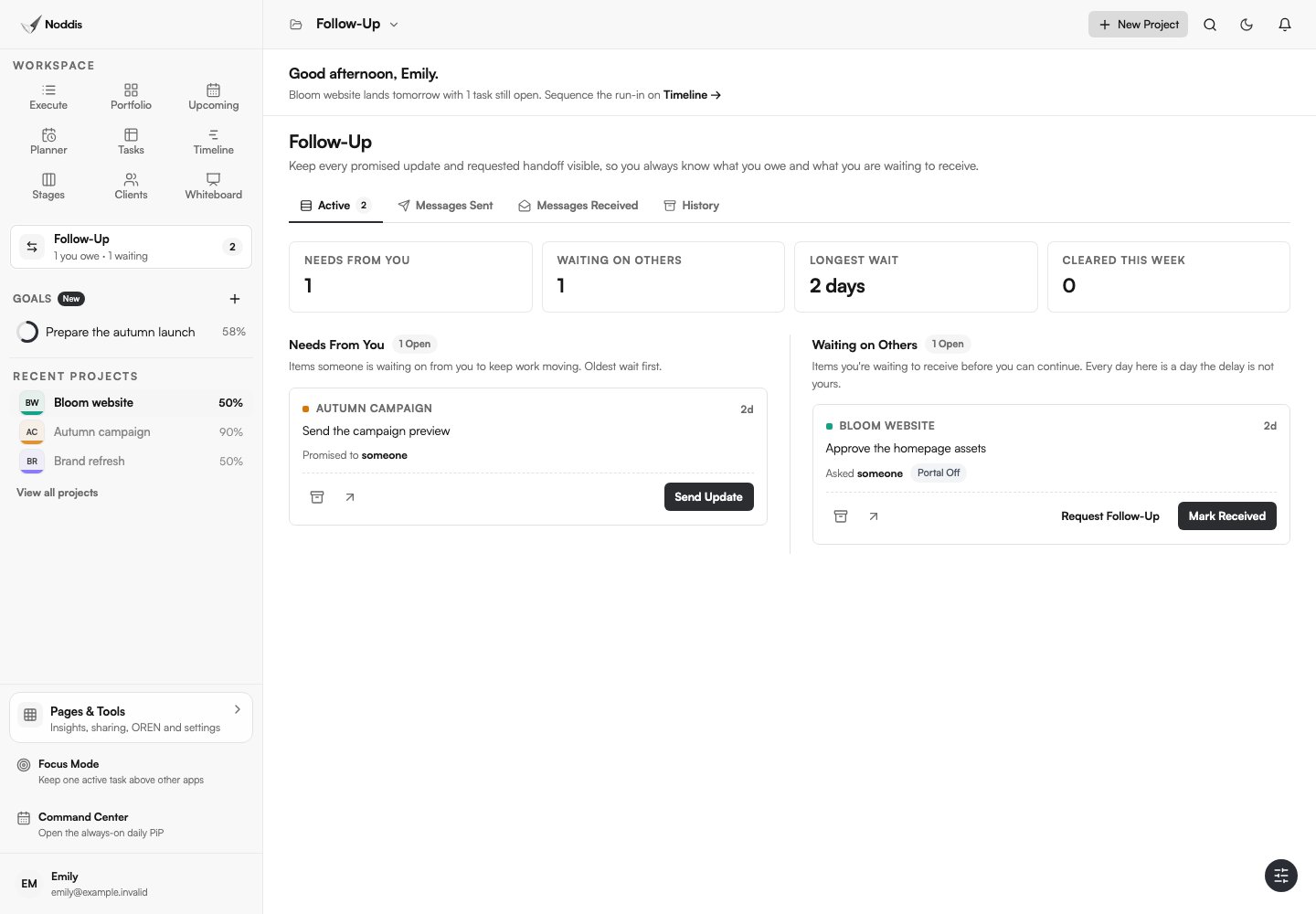
Noddis is a project management app that keeps tasks, follow-ups, and related project details connected. When we built Follow-Up in Noddis, we split it into two lists, Needs From You and Waiting on Others, and gave every open item an age in days. Each request you send becomes a Waiting on Others item on the task it blocks, and the age keeps counting until you mark the reply received.
Follow-Up works on one selected project on the Free plan and on every project on Pro. Sending the email from inside Follow-Up and receiving the reply there is a Pro feature. The client follow-up system guide explains the routine with any tool.
Your next step
Download the pack, save the two messages you need this week as templates, and send the gentle version today. To build a waiting list with ages next to each item, open the live demo.
Common questions
Should I send the gentle or the firmer version first?
Send the gentle version first, every time. The firmer closing is for the moment after a date you gave has passed, because it states a consequence, and a consequence only makes sense once the client has had a fair chance to reply. Going firm on the first message reads as blame before the client has done anything wrong.
Can I use these templates in chat or text messages?
Yes, with one change: keep the request, the date and the reply you need, and drop the greeting and sign-off. A chat message can be two sentences. For anything that changes cost, scope or a delivery date, follow the chat with an email, so there is one written record both sides can find later.
Do these messages replace a contract?
No. The messages refer to terms you have already agreed, such as the number of revision rounds or a review period, so they work best alongside a written agreement. Some places require one. New York City's Department of Consumer and Worker Protection tells freelance workers that "All contracts worth $800 or more must be in writing." Ask a qualified professional about contract wording.

Katleen is the founder of Noddis. She runs client projects through her app studio, 693 Labs, and builds Noddis around the problems that work creates.
Last reviewed . Feature details reflect Noddis at the time of review.