
Short answer
Contractors use Noddis to run several jobs without carrying each one in their head: every job sits on one screen, each open decision, inspection and subcontractor date is listed with the days it has waited, added work is counted against the signed scope, and the client can check progress from a link. This walk-through follows one week for a remodeler.
How do contractors use Noddis in a real week?
Noddis is a project management app that keeps tasks, follow-ups, and related project details connected. When we built the client portal in Noddis, we made it a live, read-only page that opens from a link, so the person you share it with needs no account.
Leo, a remodeler, has six jobs open: a kitchen, a basement, a bathroom addition, a deck, an office fit-out and an estimate. He does not need estimating or accounting from Noddis. He has tools for those. He needs to know, from the truck, which job is waiting on whom.
| Leo asks | He opens | Plan |
|---|---|---|
| How is every job doing? | Portfolio | Free |
| What does this job still need? | Execute | Free |
| What happens when, and what is late? | Timeline | Pro |
| Who owes me a decision or a date? | Follow-Up | One job on Free, all on Pro |
| What got added after we signed? | Drift | One job on Free, all on Pro |
| What can the client see? | Client portal | Pro |
The screens are the real app.
How do you get your jobs in?
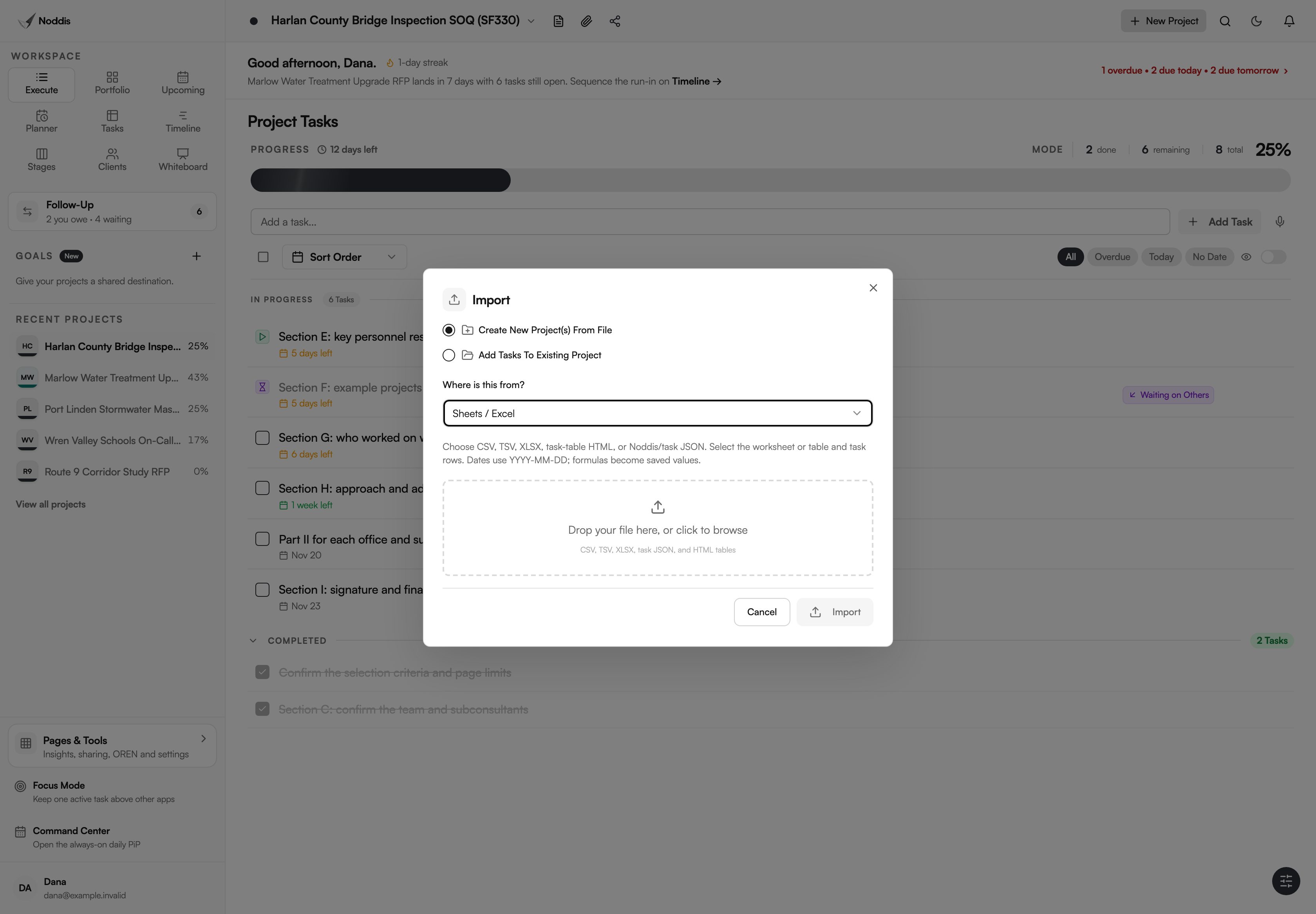
You get a job into Noddis from the paper you already have. The Import dialog asks where the work is coming from, reads the signed scope of work or your schedule spreadsheet, and shows you the tasks it found before it creates anything.
- Proposal / Scope. Paste the signed scope of work, or upload the PDF. Noddis drafts the task outline: demolition, rough-ins, cabinets, counters, tile, paint. You review it and create the job. That reviewed outline also becomes the baseline Drift compares against later.
- Sheets / Excel. Drop the spreadsheet you schedule from. You pick the sheet and the header row, and Noddis shows the tasks it found before it creates anything.
How do you see every job at once?
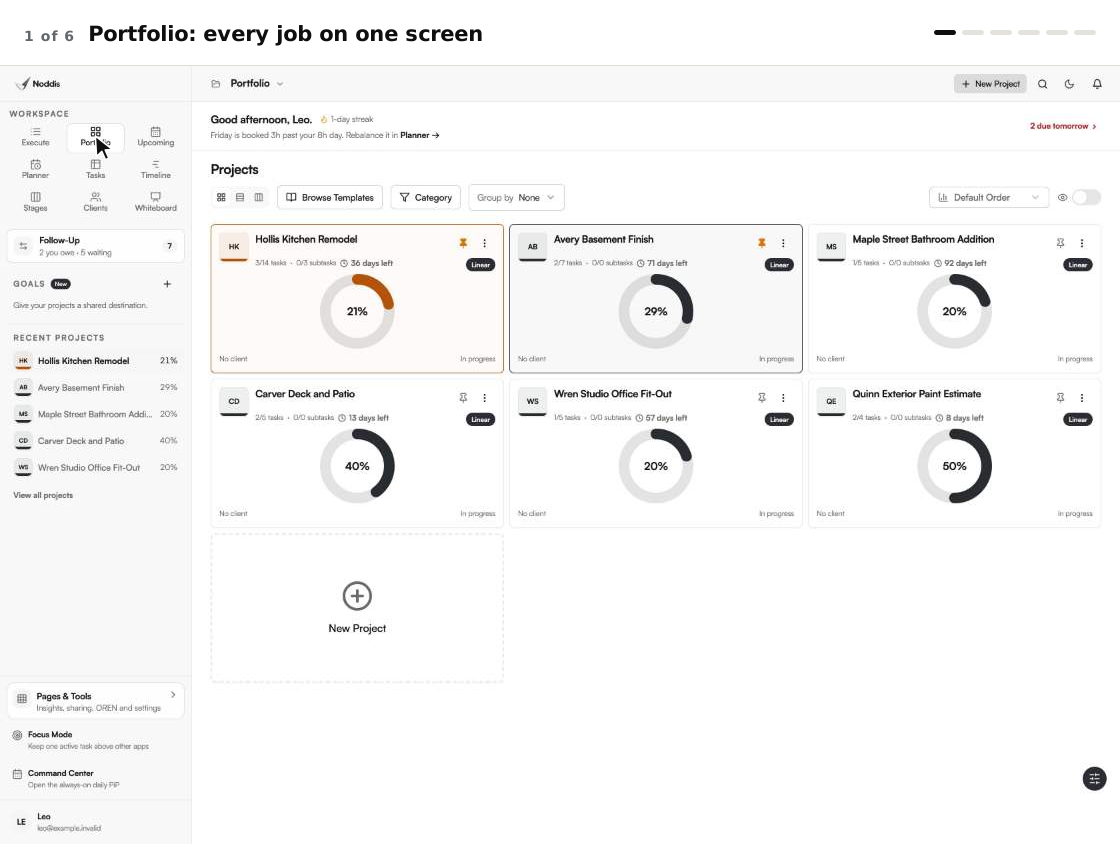
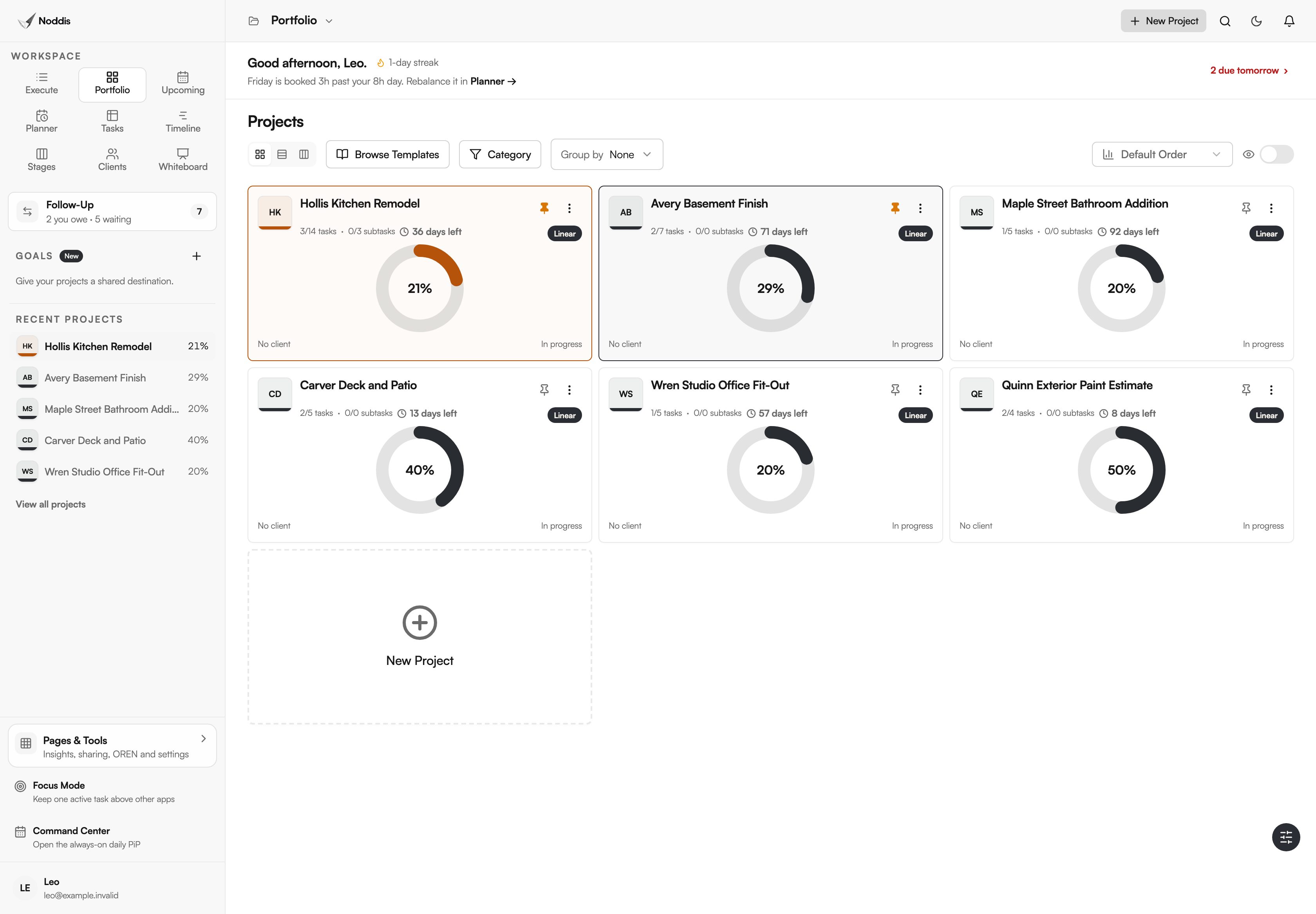
Portfolio shows every job at once. It is the whiteboard on the shop wall, kept current: job tracking without the marker. Each job is a card with its progress, its status and the next thing due. The kitchen is 21 percent done with a rough inspection next. The office fit-out has not started.
Upcoming lists the dates from every job in one column: inspections, installs and the selections your clients owe you, in order.
How do you know what each job is waiting on?
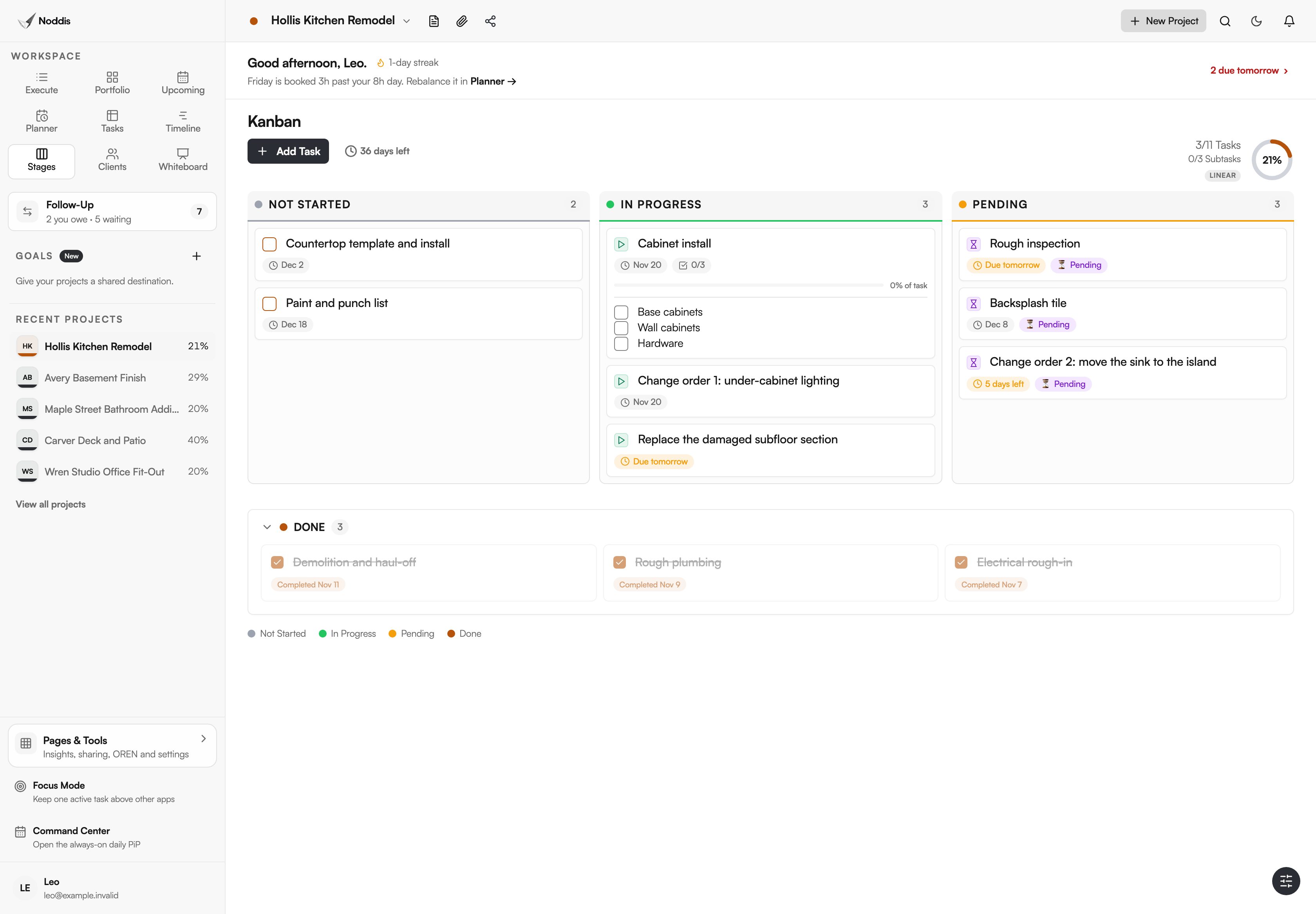
Open Stages on a job. Tasks sit in columns for not started, in progress and pending, with finished work below. On the kitchen, the pending column holds the rough inspection, the backsplash tile and the change order to move the sink. None of those is waiting on Leo's crew.
Follow-Up says who has each one, and for how long. Waiting on Others lists the homeowner's tile choice, the unsigned change order, the inspector's date and the electrician's finish date, each with its age in days. Needs From You holds what Leo owes: this week's update to the client, and a contract to send.
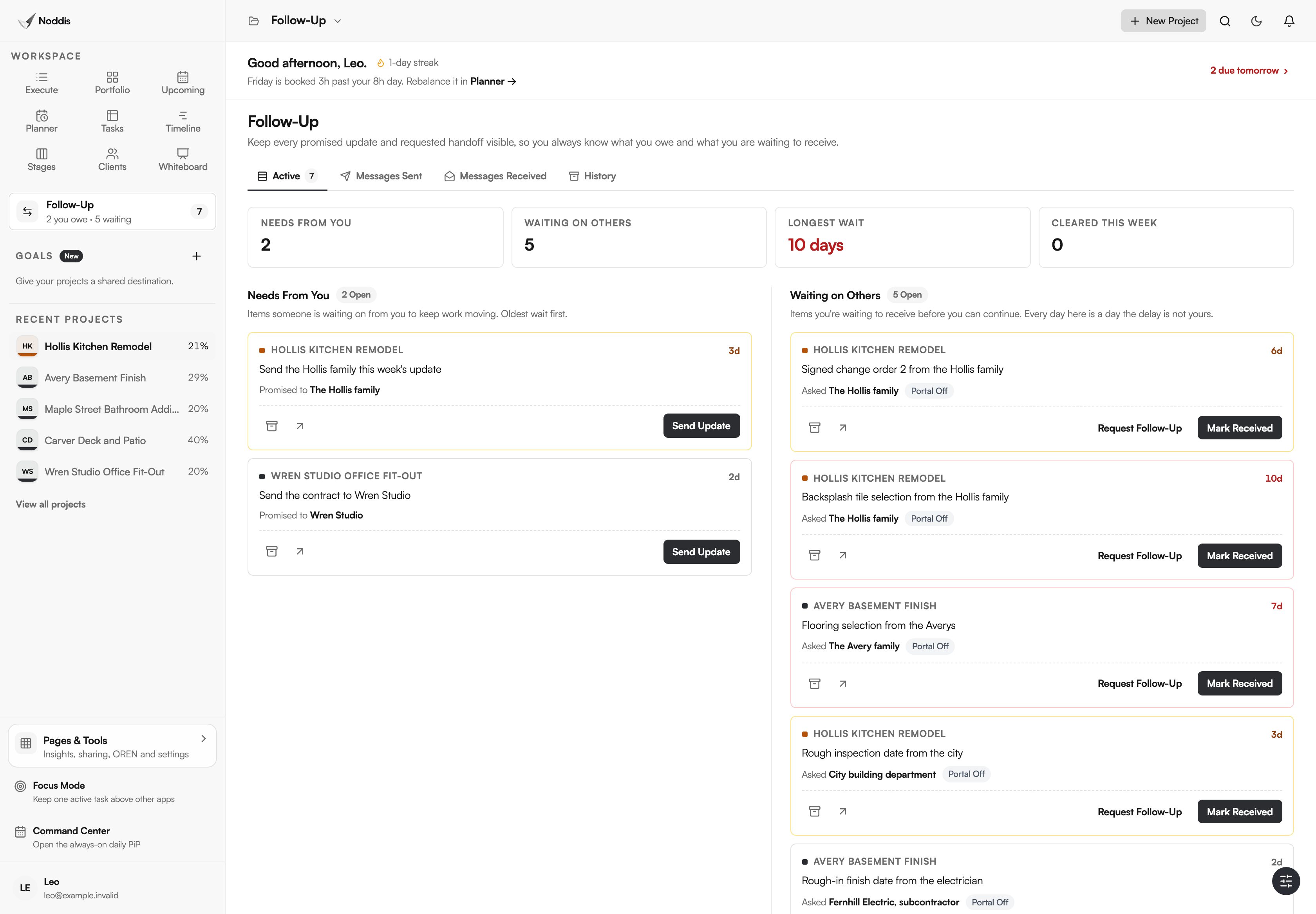
The selection that has waited longest is the first call on Monday. The remodeling selection schedule explains how to set those dates, and how to get subcontractors to finish the punch list covers the last two weeks of a job.
How do you keep extra work from disappearing?
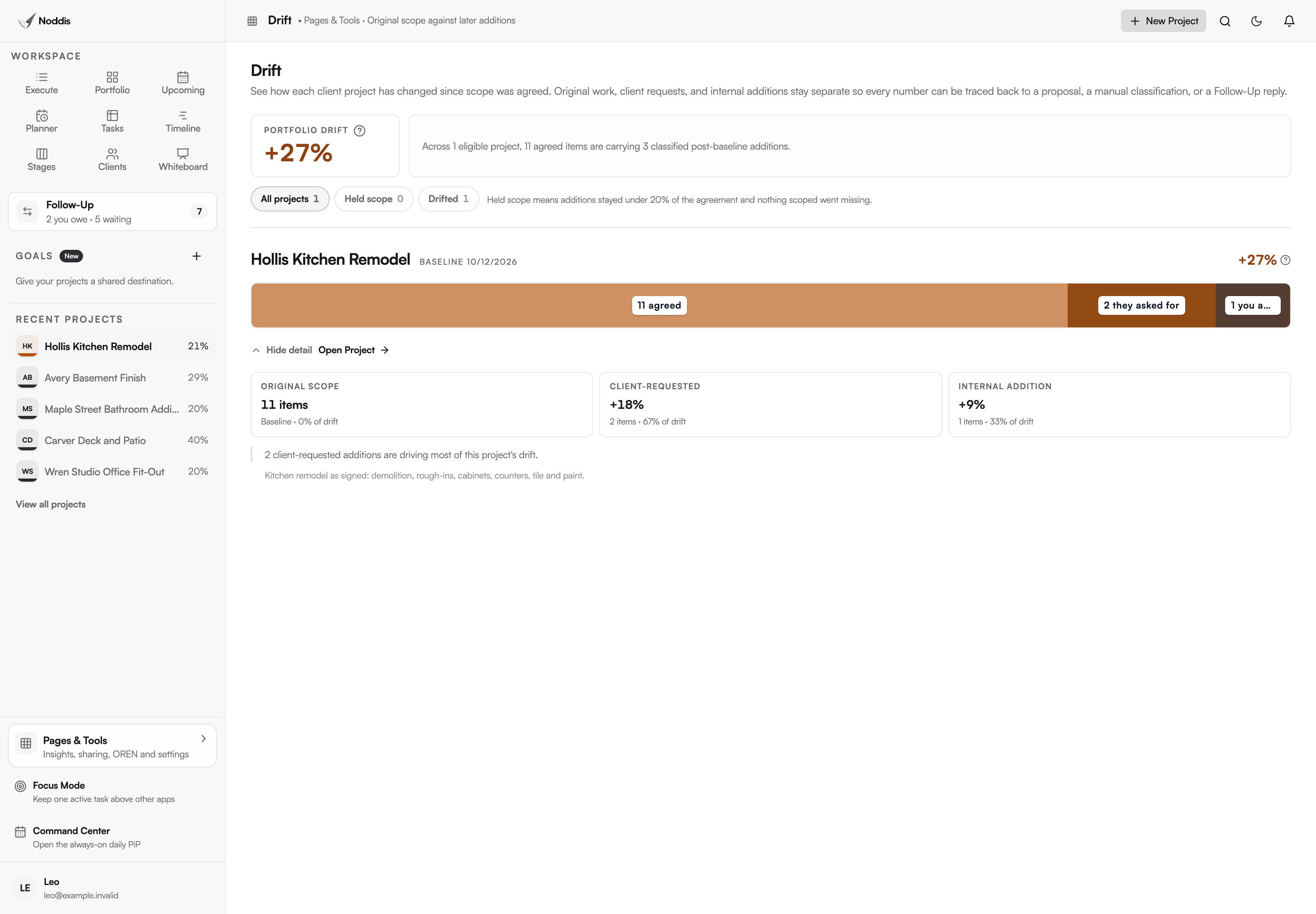
Drift compares the job's current task list with the baseline you set at signing. Every addition is sorted: requested by the client, added by you, or not yet classified.
The paperwork standard for added work is old and simple. The Federal Acquisition Regulation defines a change order for public work as "a written order, signed by the contracting officer, directing the contractor to make a change". On a private job the signature is the owner's, and Drift is how you notice the work that never got one.
On the kitchen, Drift shows the under-cabinet lighting and the sink move as client requests, and a damaged subfloor section as something the crew found. It counts items. It does not hold prices or days, so the change order log still carries the money.
How do you keep the client informed without daily texts?
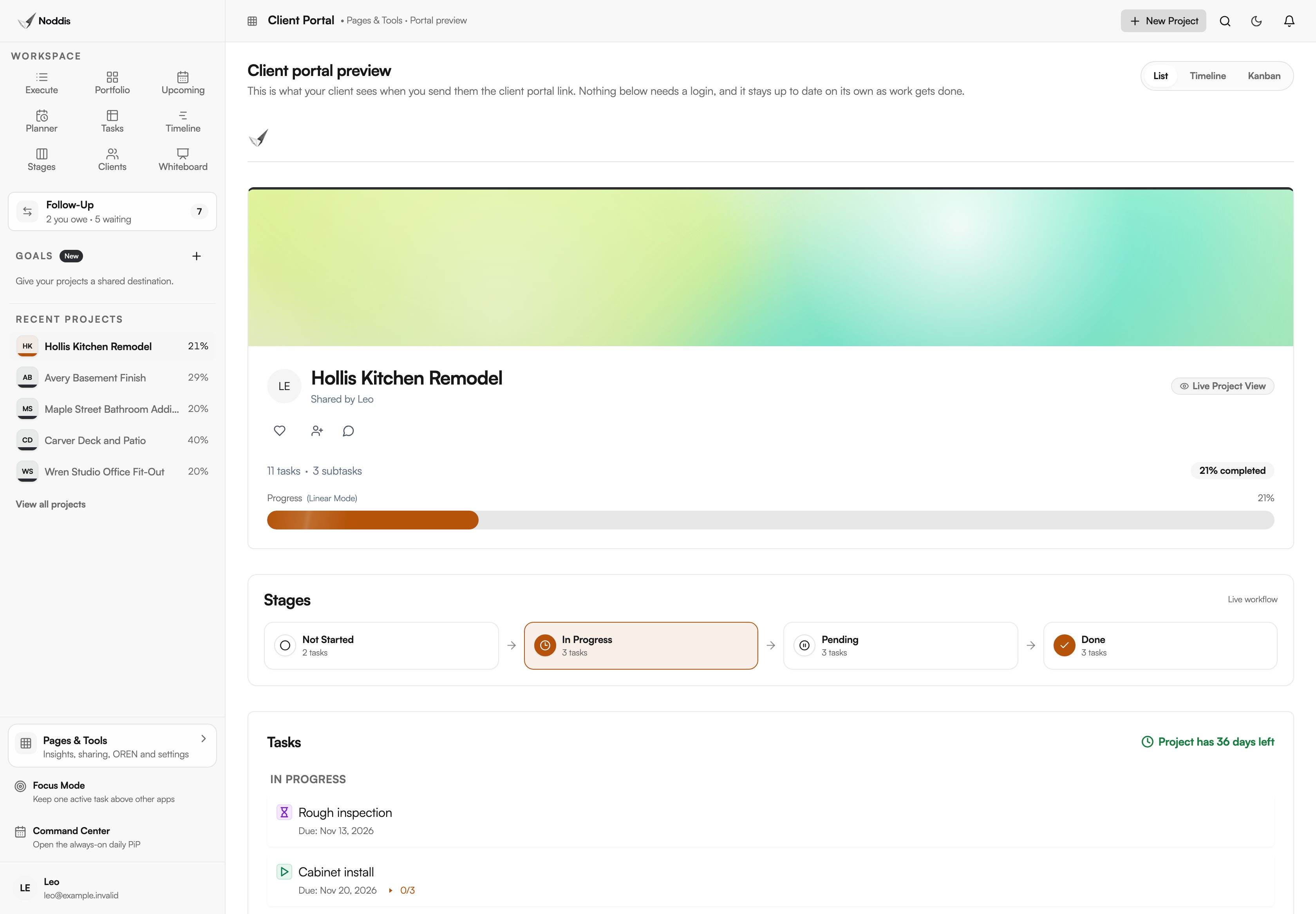
Share the job's client portal. The homeowner opens a link and sees progress, the stages and the tasks you chose to show. You can switch on a section called Needs Your Attention, which lists what you are waiting on from them. They cannot edit anything, and they do not log in. You can add a passcode.
Clients want to know about the waits, not only the progress. Stacey Freed, writing in the Journal of Light Construction, says: "If there are permit issues that may put a job into a holding pattern, for example, the homeowner should know."
A client who can see that the cabinets are in and the tile is waiting on their choice asks fewer questions, and asks better ones.
What does Noddis not do for a contractor?
Noddis does not estimate, draw, bill or schedule by critical path. It keeps track of the work and who owes the next move, and the rest stays in the tools built for it. Five limits are worth knowing before you rely on it.
- No estimating, takeoff or bid management.
- No drawings, plan markup or photo documentation.
- No job costing, invoicing against a schedule of values, payroll or accounting.
- No e-signatures. A change order is signed elsewhere and tracked here.
- No critical-path scheduling. Timeline shows dates. It does not recalculate them.
The workflow for contractors shows the same screens with the steps in order.
Your next step
Paste the signed scope of your next job into the Import dialog and review the outline it drafts. To try it with one of your own jobs, open the live demo. No account is needed.
Common questions
Does the homeowner or the architect need an account?
No. A portal opens from a link, with a passcode if you set one. An architect, inspector or subcontractor appears as a name on a Follow-Up item and never has to see Noddis. On Pro, you can email a follow-up from Noddis and they answer by replying to the email.
Can a crew lead use it from the job?
Yes. Noddis runs in a phone's browser and can be installed as a web app. Add a lead as a collaborator and assign them tasks, and they can tick off only what is theirs. Free allows one collaborator on one project. Pro allows as many as you need.
How many jobs fit on the Free plan?
Three active projects, with Portfolio, Execute, Upcoming, Tasks and importing. Follow-Up and Drift work on one job you choose. Pro is 15 dollars a month for every job, and adds Timeline, Stages and client portals. Clients and subcontractors never need a paid seat.

Katleen is the founder of Noddis. She runs client projects through her app studio, 693 Labs, and builds Noddis around the problems that work creates.
Last reviewed . Feature details reflect Noddis at the time of review.