
Short answer
A change order log template is a single list of every change to a job after the contract was signed: what changed, who asked, the price, the days added and whether it was approved. Kept current, the log tells you at any moment what the job is now worth, when it will finish and which extra work is still unsigned.
Free resource
Download the change order log template. The file is a blank CSV that opens in Excel, Google Sheets or Numbers, with one row per change order and columns for the request, reason, price, days added, status and approval. One example row shows how to fill it in. No account is required.
What is a change order log?
A change order log is the running record of all change orders on one job. A change order is a written change to the contract: added work, removed work, a swapped material or a new completion date, with the price and schedule effect agreed.
The federal definition shows the two essentials. The Federal Acquisition Regulation defines a change order as "a written order, signed by the contracting officer, directing the contractor to make a change". Private jobs have a homeowner or an owner's representative instead of a contracting officer, but the essentials are the same: written, and signed by someone with authority.
The log is what connects individual change orders. Without it, a job with six changes has six documents in six places and no total.
What columns does a change order log template need?
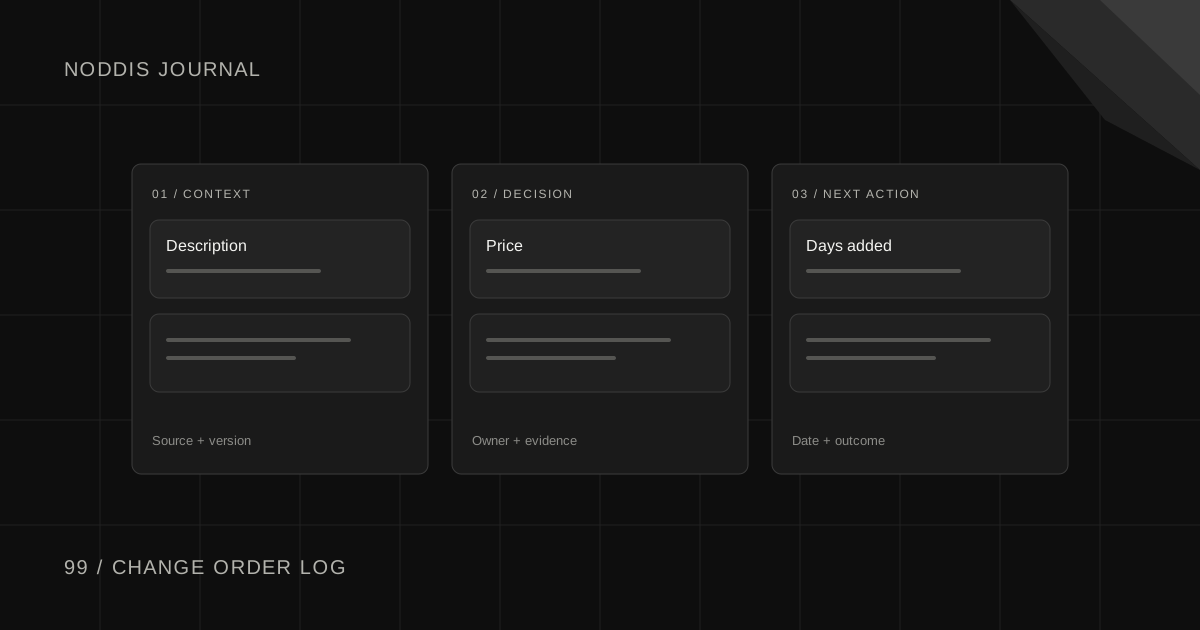
A change order log template needs eleven columns. Each one answers a question you will be asked later by the client, your bookkeeper or yourself.
| Column | What goes in it |
|---|---|
| CO number | A simple sequence: 1, 2, 3 |
| Date requested | The day the change came up |
| Requested by | Client, designer, inspector, or found on site |
| Description | What changes, in one plain sentence |
| Reason | Client request, hidden condition, design change, code requirement |
| Price | The added or reduced amount, or zero |
| Days added | Working days added to or removed from the schedule |
| Status | Draft, sent, approved, declined |
| Approved by | The person who signed |
| Date approved | The day you received the signature |
| Invoiced | The invoice that carries it |
Price and days belong on every row. A change with no cost can still add three days, and a client who agreed to "no charge" did not necessarily agree to a later finish.
How do you use the log on a live job?
Use the log as a gate: no change gets built until it has a row with a status of approved. On a live job that means five steps, in this order.
- Write it down the day it comes up. Add a row with the description and who asked.
- Price it and count the days. Include the effect on other trades.
- Send it for signature. One page, with the price and the new completion date.
- Build it only after approval. Update the schedule the same day.
- Mark it invoiced when it appears on a bill.
Step 4 is where discipline pays. Work done on a verbal yes is hard money to collect. If the crew is standing in the kitchen and the client wants an answer today, a signed one-line change order on a phone still counts as written.
What does a completed change order log look like?
Take a kitchen remodel for a family called Hollis, with a signed contract and three changes by the midpoint of the job:
| CO | Requested | By | Description | Reason | Price | Days | Status |
|---|---|---|---|---|---|---|---|
| 1 | Nov 4 | Client | Add under-cabinet lighting | Client request | [price] | 1 | Approved Nov 5 |
| 2 | Nov 6 | Client | Move the sink to the island | Client request | [price] | 3 | Sent, not signed |
| 3 | Nov 12 | Found on site | Replace damaged subfloor section | Hidden condition | [price] | 1 | Draft |
Three facts are visible at a glance. The job has grown by three pieces of work. One is signed. Change order 2 has been with the client for six days, and no plumbing should move until it comes back.
Change order 3 is a different kind. Nobody asked for it. Damage was found once the floor was open. Many contracts treat concealed conditions separately, so log the reason and tell the client the same day, with photos.
What is the difference between a change order and scope creep?
A change order is added work that has been written, priced and approved. Scope creep is added work that has not. The work on site can be identical. The difference is the paperwork, and it decides whether you are paid.
Scope creep on a remodel sounds like "while you're here". Each request is small, and each one gets a row in the log anyway, even at zero cost, so the client can see the total. For the conversation itself, the guide to handling out-of-scope client requests has wording you can adapt.
Client decisions cause the other common delay, and the contract should cover them too. Writing in the Journal of Light Construction, remodeling consultant Les Cunningham advises that "The date, as well as the pricing method for product selections, should be clearly identified and addressed in your contract." A remodeling selection schedule keeps choices like tile and fixtures from turning into late change orders.
How does Noddis show change orders against the original job?
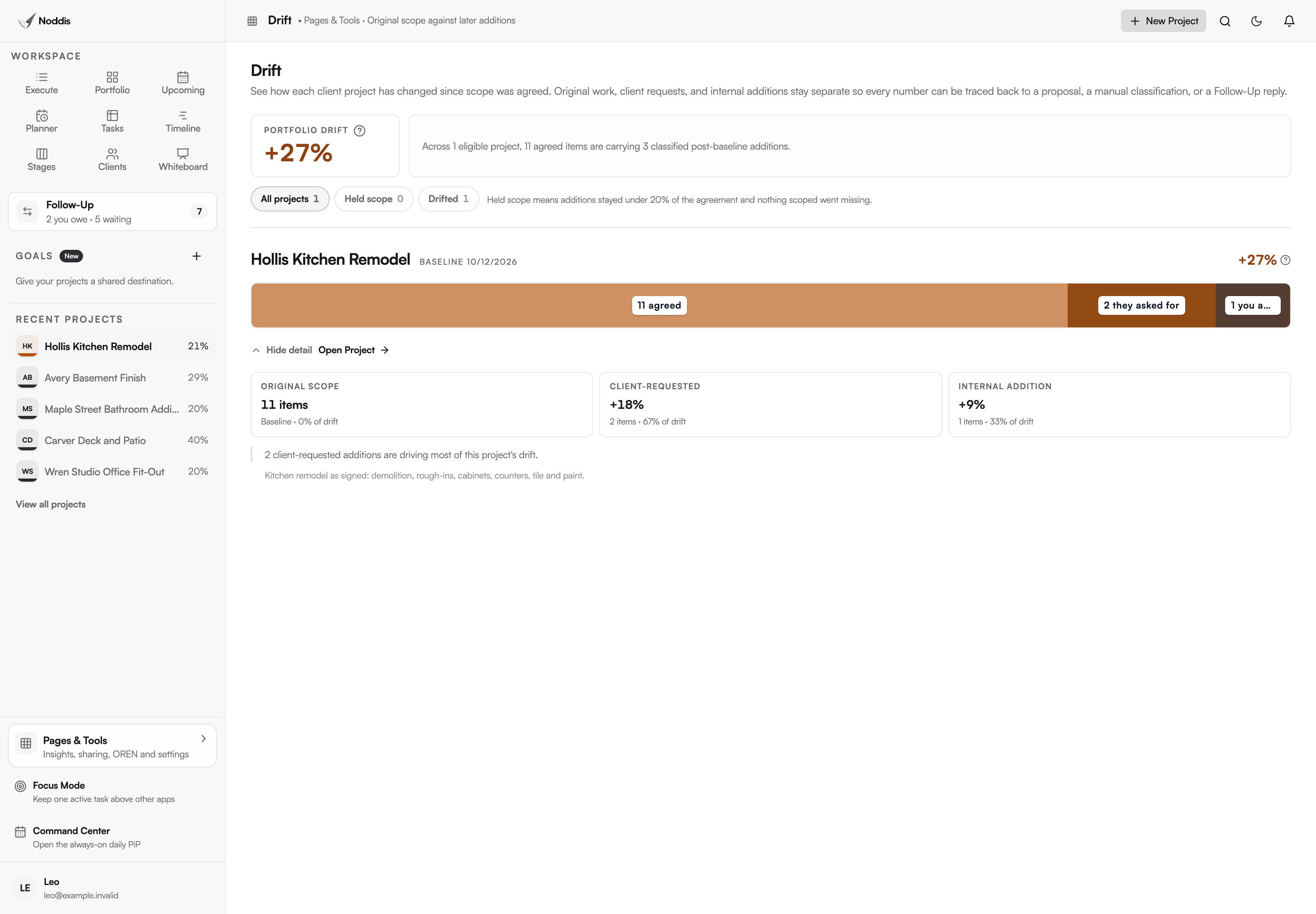
Noddis is a project management app that keeps tasks, follow-ups, and related project details connected. When we built Drift in Noddis, we made it compare the current task list with the agreed baseline and sort every addition as client-requested, internal or unclassified.
Set the signed scope as the baseline. Each change order you add as a task is marked as requested by the client or added by you, and Drift shows the additions against the original job. Drift counts items, not dollars or days, so the log above still holds the prices. An unsigned change order can also sit in Follow-Up as something you are waiting on, with its age in days. The workflow for contractors shows both screens.
Your next step
Download the template, list every change on your current job, and mark which ones are signed. To track added work against your own job's scope, open the live demo.
Common questions
Is a verbal change order enough?
Treat it as not enough. A verbal agreement is hard to prove and easy to remember differently, and many contracts require changes in writing. Write the change down, send it, and get a reply or a signature before the work starts. A text message that says "approved" is far better than a memory of a conversation in the driveway.
Who can approve a change order?
The person who signed the contract, or someone that person has named in writing. On a home remodel, check whether both owners need to agree. On commercial work, the owner's representative may have a spending limit. Ask at the start of the job who can approve changes, and write the name in the log's header.
Should a hidden condition be a change order?
Usually, yes. Rot, old wiring or a buried pipe that nobody could see at the estimate changes the work and often the price. Check what your contract says about concealed conditions, document the problem with photos before you fix it, and send the change the same day. Clients accept surprises better when they see them immediately.

Katleen is the founder of Noddis. She runs client projects through her app studio, 693 Labs, and builds Noddis around the problems that work creates.
Last reviewed . Feature details reflect Noddis at the time of review.