
Key takeaways
- Clients gives each client one row with their projects, overdue tasks, new requests and average progress.
- Opening a row shows a live card for each of that client's projects.
- Clients is not a CRM: there is no sales pipeline and there are no deal stages.
- Clients is on Pro, which is $15 a month.
Why does Noddis have Clients?
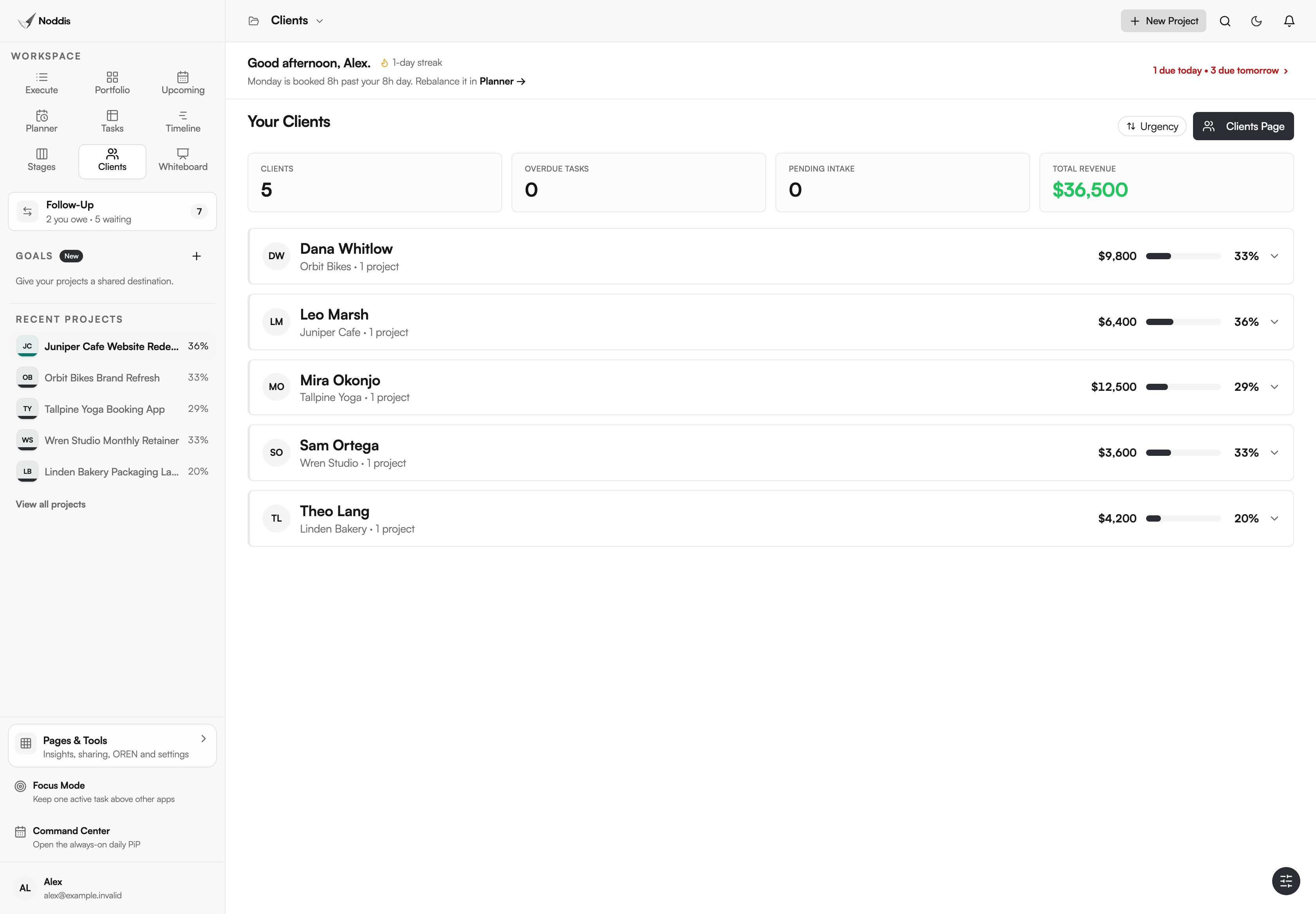
Noddis has Clients so you can manage projects by client without assembling the picture yourself. Every client is one row: their projects, overdue tasks, new requests and average progress. Open a row before a call and you see what is late and what comes next, with no project opened and no report written.
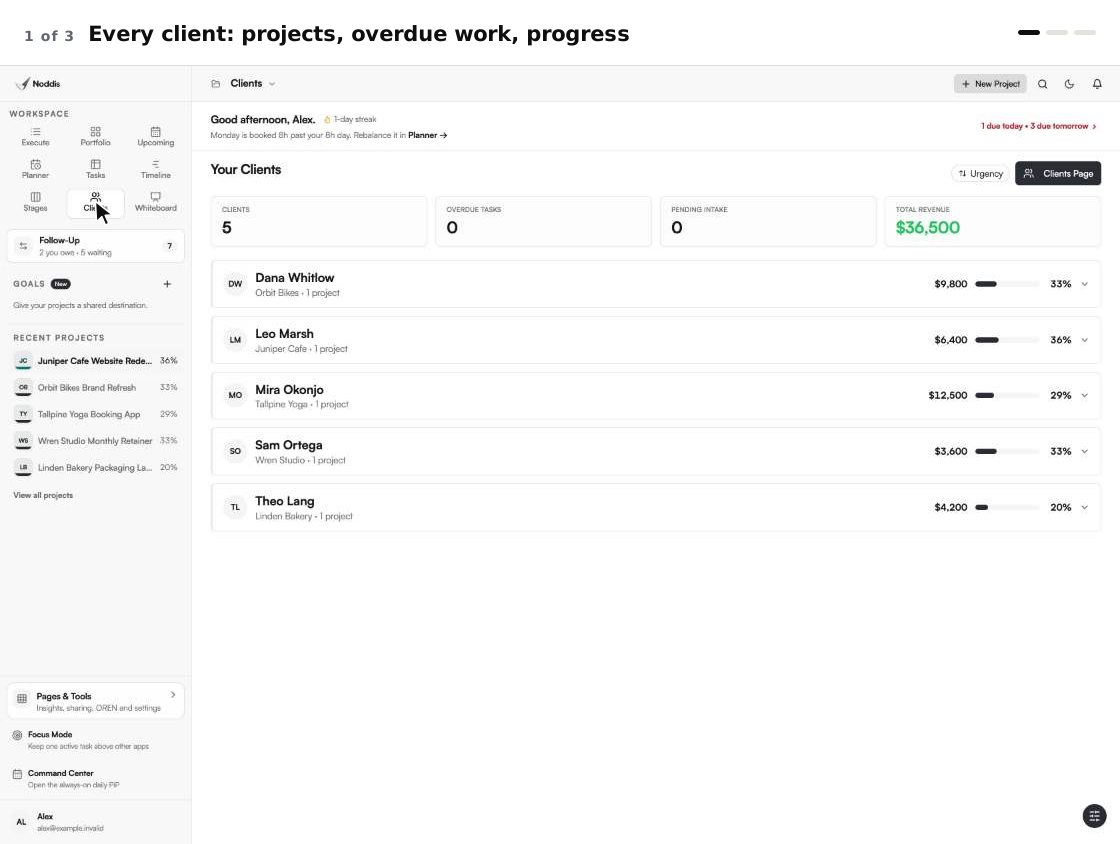
When we built Clients in Noddis, we put each client's projects, overdue work and progress in one row, so a client call starts from one screen. Noddis is a project management app that keeps tasks, follow-ups, and related project details connected. Clients groups those details by the person you answer to. It reads the same saved work as every other workspace, so nothing is copied. That is project management without the management in practice.
How Clients works, step by step
Clients works from two things you set once: a client record, and the projects attached to it. After that, every row is worked out from the tasks you finish anywhere in Noddis.
- Open Clients in the sidebar and press Clients Page. Add the client's name, company and email.
- Link the work. From a project's details choose "Attach a Client". From the client's record choose "Link Project" or "Create New Project".
- Go back to Clients. Each client now has a row with a project count, a revenue total and average progress.
- Press the sort button to order the rows by "Urgency", "Name", "Progress" or "Revenue".
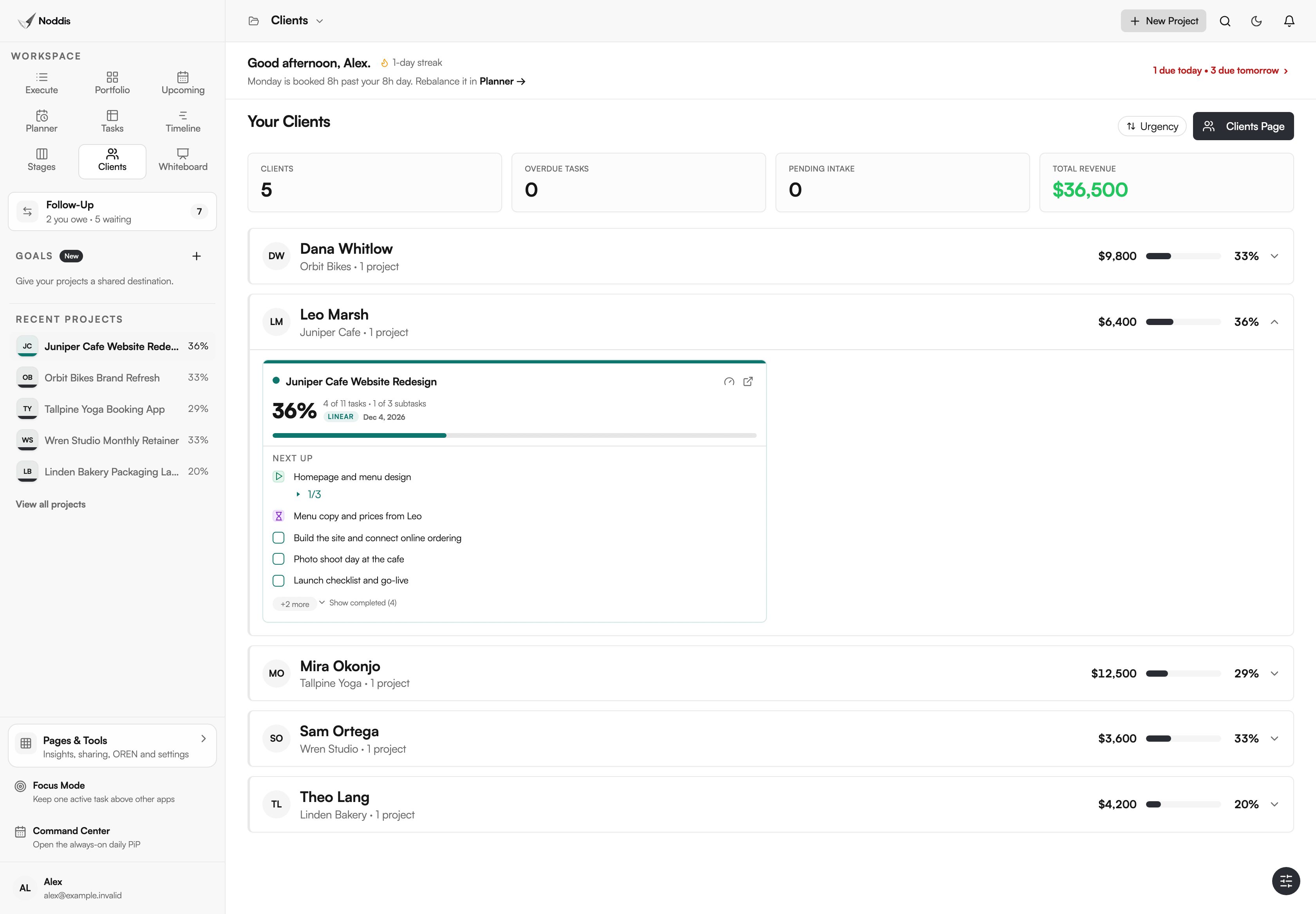
- Click a row. It opens to show overdue tasks and a live card for each project.
- To bill, open the project's details, choose "Send Invoice" and press "Create & Send Invoice".
What you stop doing
Clients removes the assembling you do before a client call. Count the steps on the screen above: five clients, one screen and no project opened.
| The chore | The usual way | In Clients |
|---|---|---|
| Preparing for a client call | Open each of the client's projects and note what is late | Open one row: overdue tasks and next tasks are listed |
| Finding who needs you first | Scan every project for late dates | Sort by "Urgency" and read the Overdue Tasks count |
| Spotting new requests | Search your inbox for the client's name | A new requests badge on the row |
| Sending an invoice | Build it in another app | "Create & Send Invoice" emails it with your own payment links |
Which parts of Clients carry the benefit?
Three parts do the work: the row for one client, the client portal that shows them the same progress, and the settings that decide what they see.
The row: one client on one line
The picture at the top of this page shows five rows. Each has the client's name and company, a project count, a revenue total and an average progress bar. Overdue and new requests badges appear only when there is something to act on.
Above the rows, four summary cards count clients, overdue tasks, pending intake and revenue. Pending Intake opens the Task Queue. The revenue figure is an all-time total.
The client portal: the same progress, from the client's side
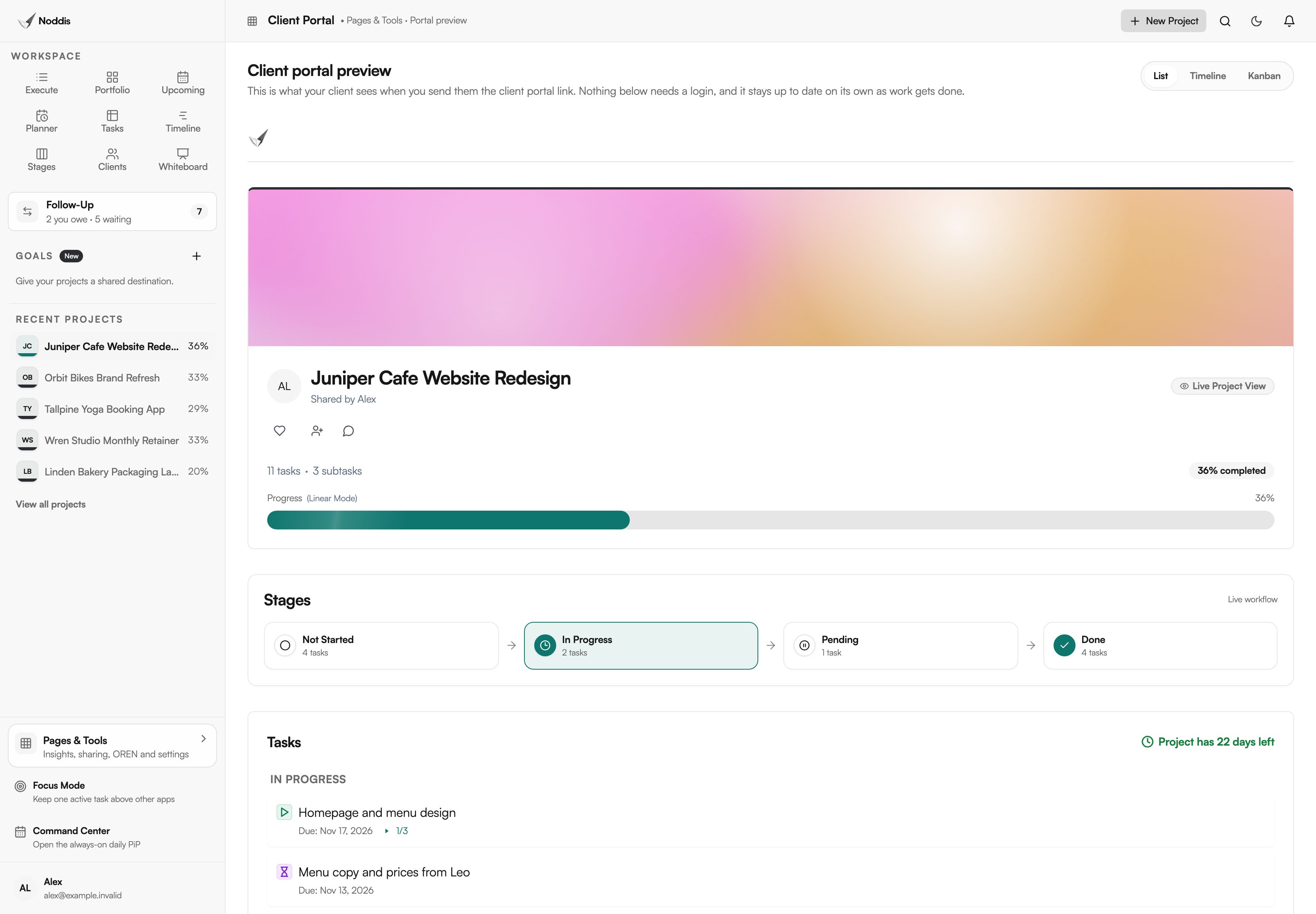
A project's client portal is a read-only page your client opens from a link, with no account. It shows progress, the stage the work is in and the tasks you chose to share. For what belongs on it, read what is a client portal.
The sharing settings: what a client is allowed to see
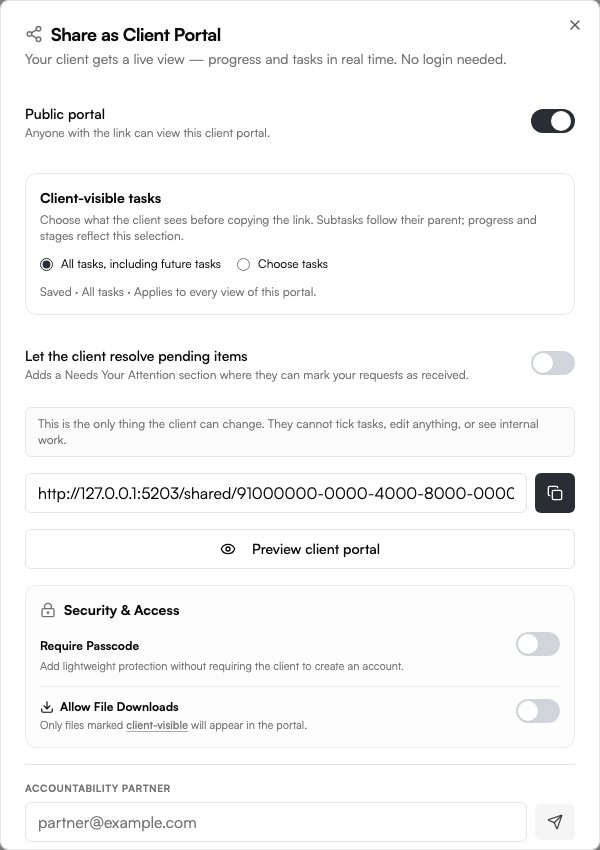
"Share as Client Portal" is where you choose "All tasks, including future tasks" or "Choose tasks". You can also turn on "Require Passcode" and "Allow File Downloads". The client cannot tick tasks, edit anything or see internal work.
Who needs to manage projects by client?
Clients suits work where one person or company waits on several things from you: studio and agency projects, retainers, and jobs that stall on a client's reply.
Agencies and studios with several clients
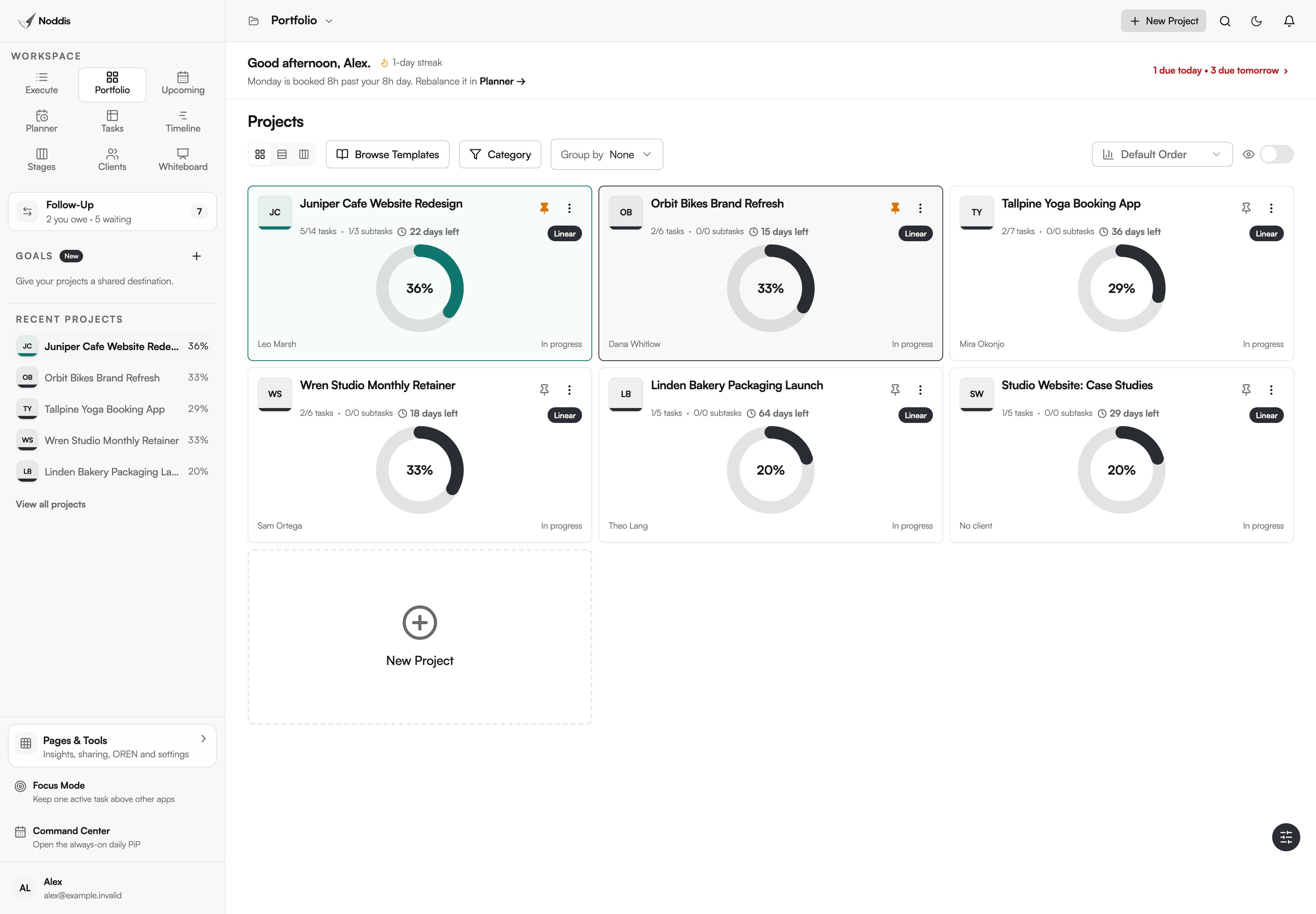
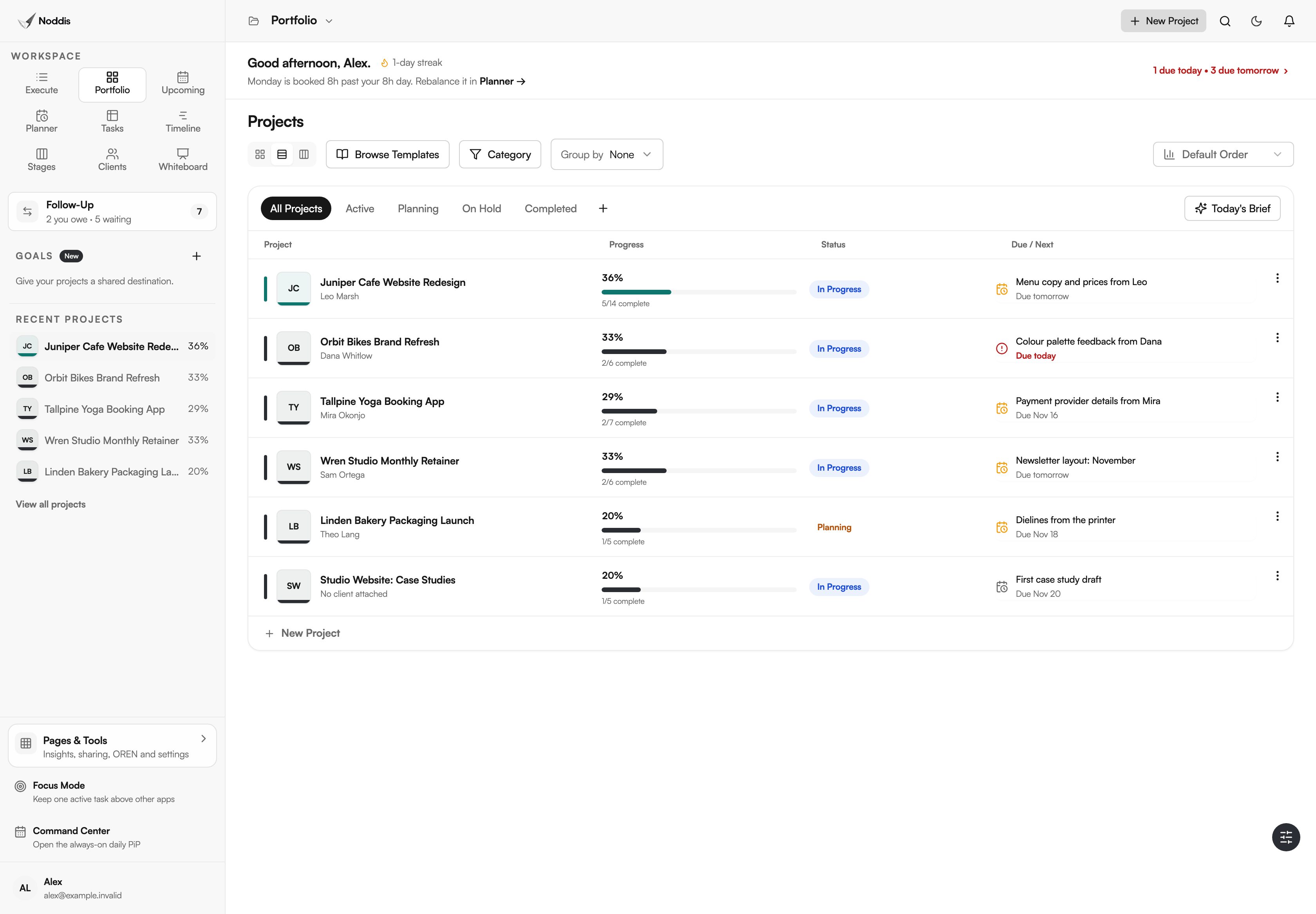
A studio plans by project and answers by client. Portfolio shows all six projects. Clients turns the five client projects into five rows, one for each person who will ask how things are going.
Retainers and repeat clients
Retainer work has no finish line, so an end date tells you little. The client's row keeps overdue tasks and new requests in view for as long as the work runs.
Work that waits on the client
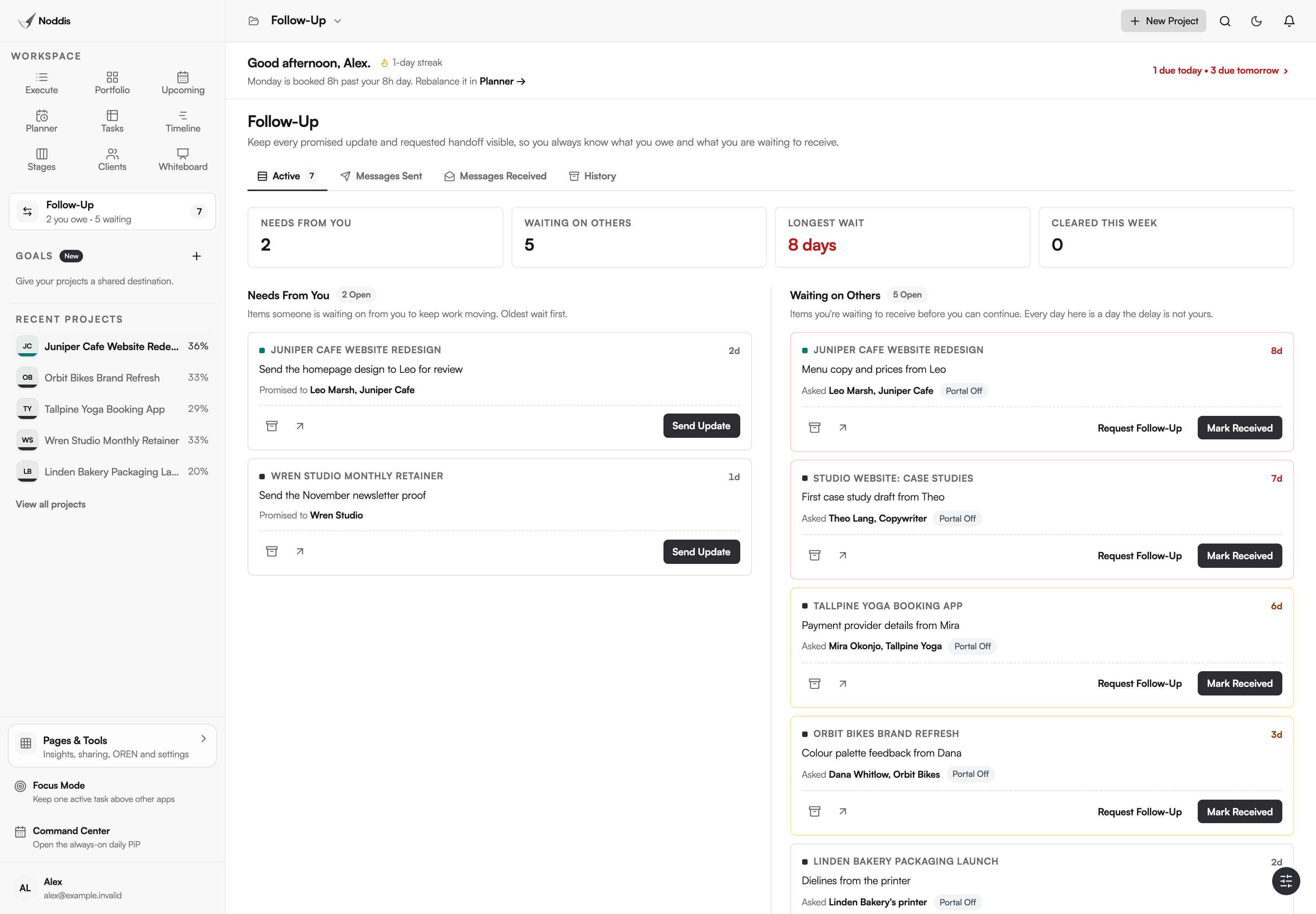
Much client work stalls on the client. Follow-Up lists what each person owes you and how many days it has been open. It covers one project on Free and every project on Pro. The method is in how to keep track of client follow-ups.
What Clients does not do
Clients is a view of project work, grouped by client. It is not a CRM, it is not accounting software, and it does not take payments.
Invest Northern Ireland's business advice service, nibusinessinfo.co.uk, says: "Customer relationship management (CRM) is a strategy for managing your business' interactions with current and prospective customers." Clients covers the people you already work for and the projects you are doing for them.
- No sales pipeline. There are no prospects, deal stages or lead scoring. If you track deals before they become projects, keep a CRM beside Noddis.
- No payment processing. An invoice is emailed with your own payment links, such as Stripe, Zelle or Venmo. Noddis takes no fee and does not process the payment.
- No accounting. There are no budgets, time sheets or job costing, and the revenue total is not a ledger.
- No custom fields. The client record holds a fixed set of details: name, company, email, phone, project types, website, internal notes and links.
What it costs
Clients is a Pro workspace, and client portals are on Pro too. Pro is $15 a month, and the clients you share a portal with never pay. The Free plan includes three active projects with Portfolio, Execute, Upcoming, Planner and Tasks. To try it with your own project, open the live demo. No account is needed. See the current plans, or compare all nine workspaces.
Frequently asked questions
How do I manage projects by client in Noddis?
Add the client once on the Clients Page, then attach each project to them. Clients shows one row per client with overdue tasks, new requests and average progress. Click a row before a call to see the late tasks and a live card for each project.
Can one client have more than one project?
Yes. A client's row counts every project linked to them and shows the average progress across them. Open the row and each project gets its own live card. A client with a website project and a retainer is still one row.
Does my client need a Noddis account?
No. A client opens their portal from a link and needs no account to read it. You can add a passcode. The portal is read-only: a client cannot tick tasks, edit anything or see internal work. Leaving a comment is the one thing that needs a sign-in.
Can clients pay an invoice through Noddis?
No. Noddis emails the invoice with the payment links you add, such as Stripe, Zelle or Venmo, and the client pays you there. Noddis takes no fee and does not process the payment. Each invoice carries a status: Draft, Sent, Payment Reported, Paid or Cancelled.
What happens to a project that has no client?
Nothing changes for it. A project with no client attached, such as your own website, still appears in Portfolio, Execute, Upcoming and every other workspace. It gets no row in Clients, because rows are built from client records. Attach a client later and it joins that client's row.
One client, one row.
Attach one real project to one client, then open the row before your next call. What is late, what comes next and how far along the work is will already be on screen.