
Short answer
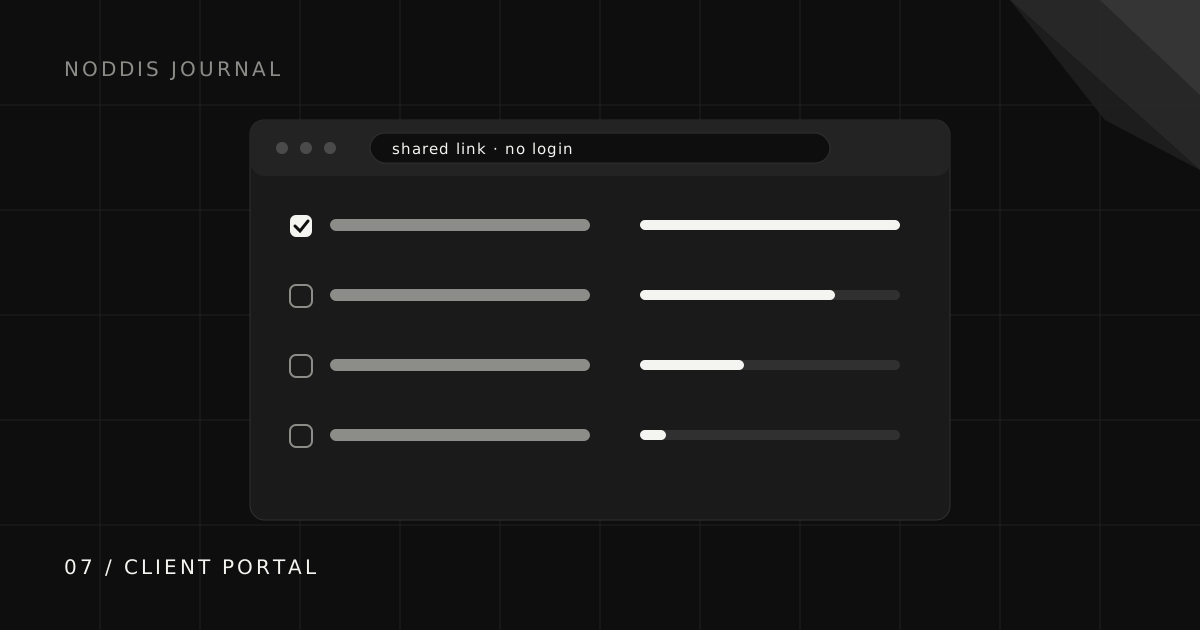
A client portal is a client-facing place to check selected progress, files, and requests. Its usefulness depends on clear content, current project records, and appropriate access controls. Some portals require an account; others use a shareable link. Noddis Pro provides a configurable project portal that clients can open without a Noddis account.
What is a client portal?
A client portal is a private, client-facing view of the work you are doing for them. It typically shows project progress, upcoming milestones, approved files, recent decisions, and any approvals or inputs you are waiting on.
Client portals are used across service businesses: design and marketing agencies, consultants, accountants, developers, virtual assistants, and freelancers of every kind. The common thread is someone outside your business who is waiting on your work and wants to know where it stands.
What should a client portal include?
A useful client portal includes only what helps the client understand progress or take action. Five elements cover most projects:
- Deliverables and status: what is done, in progress, and next.
- Milestones and dates: what is coming and roughly when.
- What is waiting on the client: approvals, files, and decisions, shown first.
- Approved files and decisions: the current versions, so nobody digs through email.
- A way to reach you: the agreed channel for questions.
Internal notes, estimates, and anything about other clients stay out. The client visibility guide draws that line in detail.
What are the common types of client portals?
Client portals come in four common forms, each with real strengths:
| Type | Example | Works best when |
|---|---|---|
| Dedicated portal software | Standalone client portal platforms | You need billing, documents, and messaging in one branded place |
| Template in a workspace tool | Notion client portal templates | You enjoy building and want full control of the layout |
| Shared view from a project tool | Public or read-only board links | The client is comfortable seeing your working board |
| Client view built from project data | Noddis Client Portal | You want a curated client view with nothing to maintain separately |
What does a good client portal look like in practice?
A good client portal looks like a one-page answer to “how is it going?” For a website project, that might be a progress bar per page, the next milestone with its date, a highlighted box saying “Waiting on you: homepage copy approval by Thursday,” and links to the latest approved designs.
For a monthly retainer, it might be this month’s deliverables with their status, last month’s completed work, and the date of the next report. In both cases, the client should understand the situation in under thirty seconds.
How do you choose client portal software?
Choose client portal software by how your clients will actually use it, not by the length of the feature list. Ask:
- Will clients open it? Logins are the most common reason portals go unused.
- Will it stay current? If you must update it separately, it will go stale.
- Can you control what clients see? Curated beats complete.
- Does it fit your existing workflow? A portal is only as good as the project data behind it.
For a deeper look at the login question, read how to share progress without making clients log in.
Can you have a client portal for free?
Yes, there are free ways to run a client portal: workspace templates, read-only links from project tools, and free tiers of portal and project software. The trade-off with free options is usually time, because a portal you have to assemble and update by hand costs hours even when the software costs nothing.
How does the Noddis client portal work?
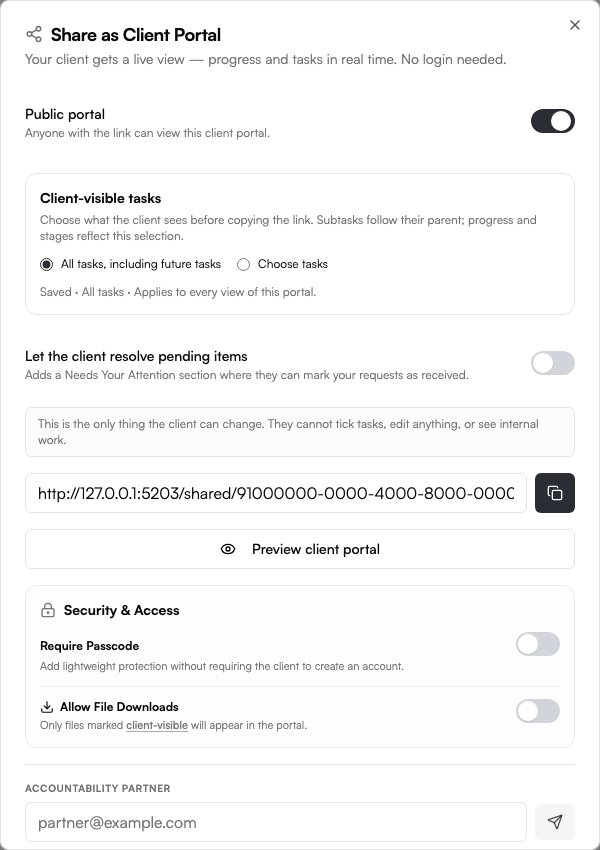
Client Portals are a Noddis Pro feature. Enable sharing for the project, choose the tasks and sections clients should see, and preview the result before sending the link. The portal reads the selected project data as it changes. Files must be marked client-visible and downloads enabled; attention items and comments have their own controls.
Clients can open an enabled portal without a Noddis account. Anyone who receives an unrestricted link can open it, so use the available password/access controls when needed and keep sensitive internal material out of the shared view. A portal gives visibility, not permission to edit the underlying project.
Common questions
What is a client portal used for?
To give clients one agreed place to see project progress, files, decisions, and what is waiting on them, which reduces status emails and keeps everyone working from the same information.
Do clients need an account to use a client portal?
It depends on the tool. Many portals require a login, while others, including Noddis, offer a shareable link that opens without an account.
What is the difference between a client portal and a CRM?
A CRM is an internal tool for tracking relationships and sales. A client portal is client-facing and shows the client their own project information.
Is a client portal secure?
Security depends on the access controls and content you choose. An unrestricted link can be forwarded. Noddis supports a portal passcode and controls for tasks, client-visible files, and downloads. Preview the result and keep sensitive internal material out of the shared view.

Katleen is the founder of Noddis. She runs client projects through her app studio, 693 Labs, and builds Noddis around the problems that work creates.
Last reviewed . Feature details reflect Noddis at the time of review.