
Short answer
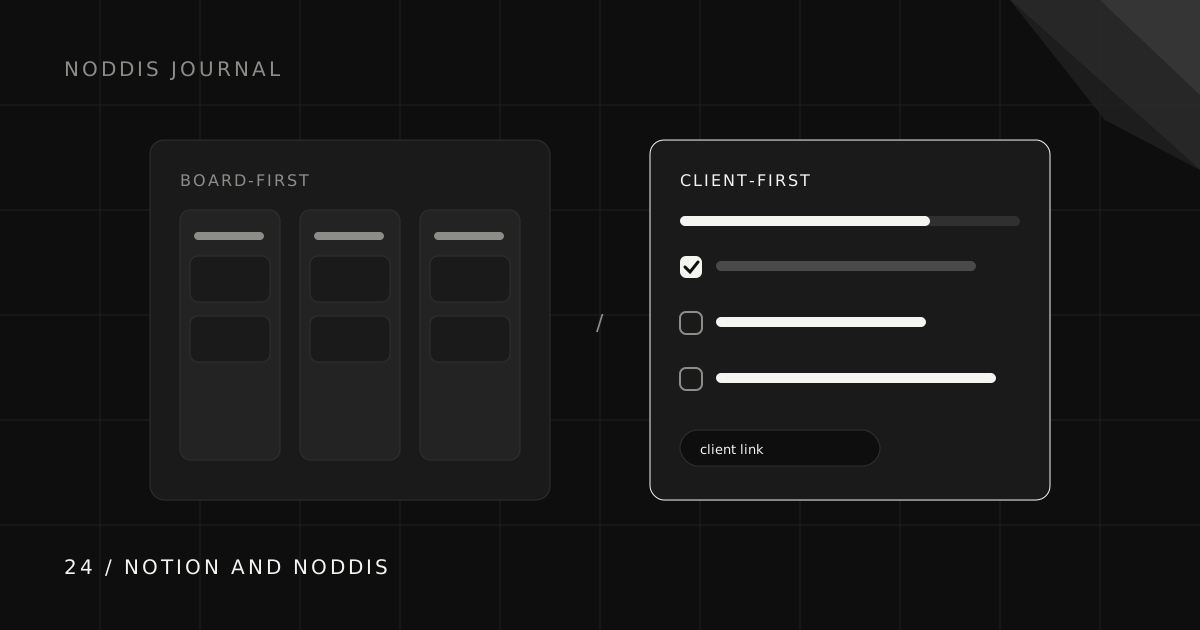
A Notion client portal is a page or connected set of pages you design and share. A Noddis Pro portal is configured from an existing project: choose what clients can see, enable access, and share the link. Both can offer a no-account viewing experience; their editing, sharing, and maintenance models differ.
How does a Notion client portal work?
We build Noddis. This is an editorial comparison of workflows, not an independent product ranking. Feature checks were made against the linked official documentation on October 25, 2026; plan limits and sharing controls can change.
A Notion client portal is a Notion page, or a small set of linked pages and databases, that you design for a client and then share. Notion offers official client portal templates as a starting point, and Notion Sites can publish a page to the web so anyone with the link can view it without an account (as of October 2026).
Clients can also be invited as guests: the free plan includes 10 guests and paid plans include unlimited guests. The result can hold almost anything: project status, documents, meeting notes, brand assets, and links.
What does Notion do best for client portals?
Notion combines documents, databases, and reusable templates. A published page can be read without an account; commenting and editing require sign-in. It suits a resource hub when you want to design the structure yourself. Branding options and guest allowances depend on the plan.
Check the current notion documentation and feature limits and setup before choosing a plan.
How is a Noddis Client Portal different?
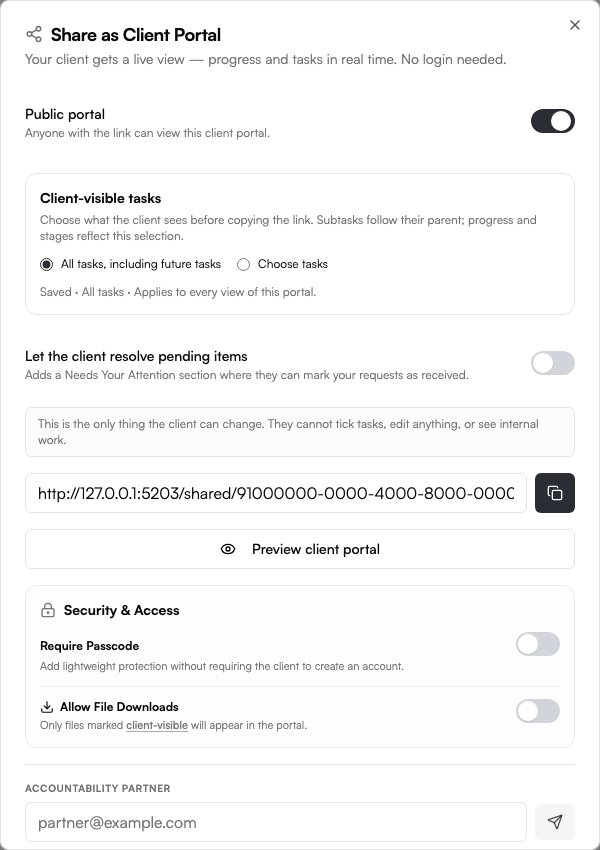
Noddis Pro provides a project-based portal. You enable it, choose visible tasks and sections, and configure access. Progress then follows the selected project data; you still maintain task status and decide what is suitable to share.
| Need | Notion | Noddis |
|---|---|---|
| Structure | Pages and databases you design | Project portal settings |
| Updates | Connected pages and databases | Selected project records |
| Access | Published page or invited guest | Enabled share link, with access controls |
| Useful for | Flexible resource hub | Curated project progress |
Why does portal upkeep matter so much?
Portal upkeep matters because a client portal is only trusted while it is current. When status has to be updated in a second place, updates tend to slip during busy weeks, the client sees stale information, and they go back to asking by email.
That is not a Notion problem; it applies to any portal maintained separately from the work. A well-connected Notion setup can avoid it, and a portal generated from the project avoids it by design. The client visibility guide covers what a portal should show either way.
What should any client portal show, whichever tool you use?
Any client portal, whether built in Notion or generated by Noddis, should answer three questions at a glance: where the project stands, what happens next, and what the client needs to do. The most useful portals put the client’s own actions first, because a pending approval is the item most likely to hold a project up.
- Deliverables and their status, in language the client uses.
- The next milestone and roughly when to expect it.
- Anything waiting on the client, with a date it is useful by.
- Recent decisions and approved files, so nobody searches an inbox.
The status update templates use the same structure for weekly emails.
Can you use a Notion portal and Noddis together?
You can keep reference documents in Notion and manage delivery in Noddis, linking the two where useful. This is a possible workflow, not a claim about how existing customers use them. Make the authoritative location for status clear so you do not maintain two competing versions.
When is a Notion client portal the better choice?
A Notion client portal is the better choice when the portal is as much a branded resource hub as a progress tracker. Choose Notion if:
- You want full control over how the portal looks.
- Clients need documents, guides, and assets in the same place as status.
- Your business already runs in Notion.
- You enjoy building and refining your own templates.
When is a Noddis Client Portal the better choice?
A Noddis Client Portal is the better choice when you run several client projects and want each client to see current progress without you maintaining a separate page. It suits people whose main portal question from clients is “where are we and what do you need from me?” rather than “where is that document?”
It also pairs with the rest of Noddis: Capture Inbox turns client emails into tasks, Follow-Up keeps commitments dated, and the Portfolio Board shows every client at once. See the no-login progress guide and the workspace guide.
How do you test Noddis alongside Notion?
Test Noddis alongside Notion by moving one live client project for two weeks and leaving everything else exactly where it is. A fair trial needs a real client, real deadlines, and real messages, because a sample project never shows where a tool helps or gets in the way.
- Pick one active client with a deliverable due in the next two weeks.
- Add only current work: open tasks, owners, and dates that represent real commitments.
- Route that client’s messages through Capture Inbox instead of copying them by hand.
- Send the client their portal link with one sentence on what it is for.
- Review at the end of week two: did you answer fewer status questions, and did anything slip?
If the trial project ran more smoothly, move the next client. If Notion still suits you better, you have learned that cheaply, and Notion remains a fine home for your work. The client onboarding checklist is a useful template for setting up that first project.
What should you check before using this workflow?
In Noddis, client portals and Whiteboard require Pro. Email and Slack Capture also require Pro; Voice Notes is a separate workflow. Choose the tasks and sections to share, configure access, and preview the portal before sending its link. An unrestricted link can be forwarded. See current pricing for other limits.
Common questions
Is there a Notion client portal template?
Notion’s template gallery includes client portal templates that can be duplicated and customized. Check the individual template’s author, price, and requirements.
Can clients view a Notion page without an account?
Yes. Notion Sites publishes a page to the web so anyone with the link can view it. Clients invited as guests to edit or comment need to sign up.
Is Noddis better than Notion for client portals?
Neither is better overall. Notion is better for a customized portal that doubles as a resource hub. Noddis is better when you want a portal that stays current automatically because it is generated from the project.
Can I use Notion and Noddis together?
Yes. You can keep documents and resources in Notion and run client projects and progress in Noddis, linking between them.

Katleen is the founder of Noddis. She runs client projects through her app studio, 693 Labs, and builds Noddis around the problems that work creates.
Last reviewed . Feature details reflect Noddis at the time of review.