
Short answer
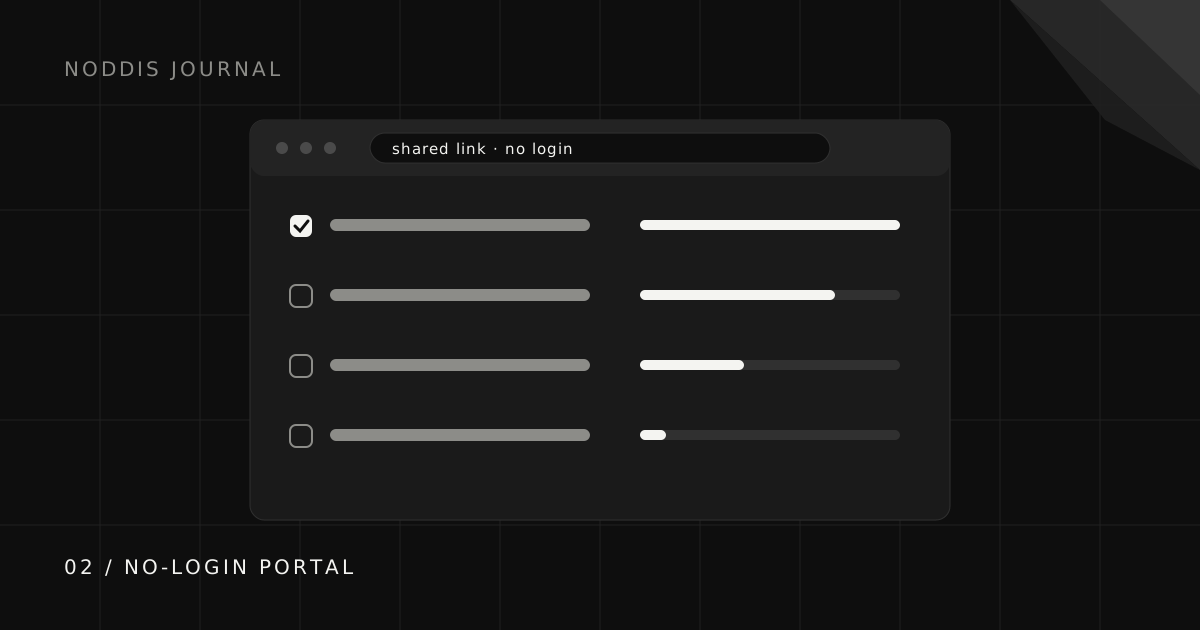
Share a curated project link that clients can open without a Noddis account. Enable the portal, select the tasks and sections to show, and preview it before sending. Keep internal material out, use access controls when needed, and pair current progress with a short written update about decisions or risks.
Why don't clients use client portals?
A separate login can make an occasional client check-in harder. If an invitation is lost or a password forgotten, emailing you may feel easier. A no-account view removes that step, but useful content and a clear introduction still matter.
Show clients where the link lives and what it answers. A portal that hides the next decision behind pages of detail will still be ignored, with or without a password.
What is a no-login client portal?
A no-login portal is a browser view that does not require a product account. It is commonly accessed through a shareable link. This describes the sign-in experience, not an identity check: an unrestricted link can be forwarded. Password protection, where enabled, is an additional access step.
What should a client progress link show?
A client progress link should show five things, with anything waiting on the client placed first:
- The agreed deliverables and where each one stands.
- Overall progress in a form a non-specialist can read at a glance.
- The next milestone and roughly when to expect it.
- What is waiting on them, placed first when it exists.
- Recent decisions and approved files, so nobody has to search an inbox.
Keep internal estimates, working debate, and anything about other clients out. The guide to client visibility draws that line in more detail.
Is a progress link better than weekly status emails?
A progress link and a weekly status email do different jobs, and the best setup uses both. An email captures a moment and tells a story: what happened this week and why it matters. A link holds the current state, so it is right whenever the client looks, including the Tuesday afternoon when they are about to email you to ask.
In practice, the link absorbs the repetitive questions and the weekly note gets shorter, because it no longer has to restate everything. Use the four-part update template for the note and link to the live view at the bottom.
How do you set one up without extra work?
The way to run a client portal without extra work is to make sure the client view updates itself from the work you are already doing. If you have to maintain the portal separately, it will drift out of date within a fortnight, and a stale portal is worse than none because it erodes trust.
- Choose a tool where the client view is generated from your real project data.
- Decide once, per project, what is client-facing.
- Send the link at kickoff with one sentence on what it is for.
- Reference it in every update so it becomes the habit.
How do Noddis client portals work?
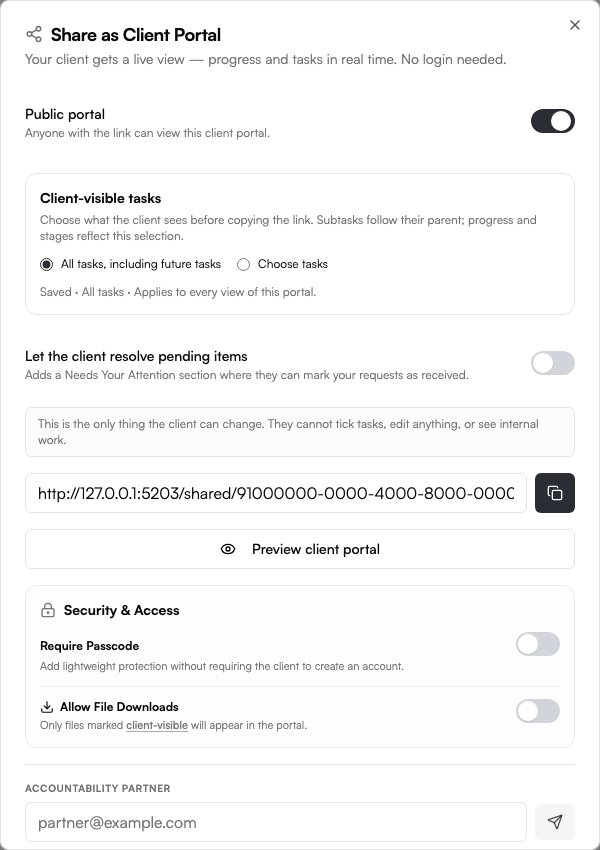
Client Portals are a Noddis Pro feature. Enable sharing for the project, choose the tasks and sections clients should see, and preview the result before sending the link. The portal reads the selected project data as it changes. Files must be marked client-visible and downloads enabled; attention items and comments have their own controls.
Clients can open an enabled portal without a Noddis account. Anyone who receives an unrestricted link can open it, so use the available password/access controls when needed and keep sensitive internal material out of the shared view. A portal gives visibility, not permission to edit the underlying project.
The portal reflects your recorded work, so keep task status and dates current. Mark a commitment visible in the portal and enable its attention section if you want the client to see it. See the visibility checklist before sharing.
Common questions
Can clients view a project without creating an account?
An unrestricted link can be opened by anyone who receives it. Enable the available password/access controls when needed, select only client-facing content, and preview the shared view. No account required does not mean identity-restricted access.
Is a no-login client portal secure?
An unrestricted link can be opened by anyone who receives it. Select appropriate content, enable a passcode when needed, and preview the portal. A no-account link is convenient; it does not verify the viewer’s identity.
What is the difference between a client portal and guest access?
Guest access usually puts the client inside your workspace, often with extra seats and more visibility than they need. A client portal is a curated view built for the client, showing progress and requests rather than your internal board.
Do I still need to send status updates if clients have a portal?
A short one, yes. The portal holds the current state; a brief weekly note explains what changed and what you need. The note gets much shorter once the portal exists.

Katleen is the founder of Noddis. She runs client projects through her app studio, 693 Labs, and builds Noddis around the problems that work creates.
Last reviewed . Feature details reflect Noddis at the time of review.