
Short answer
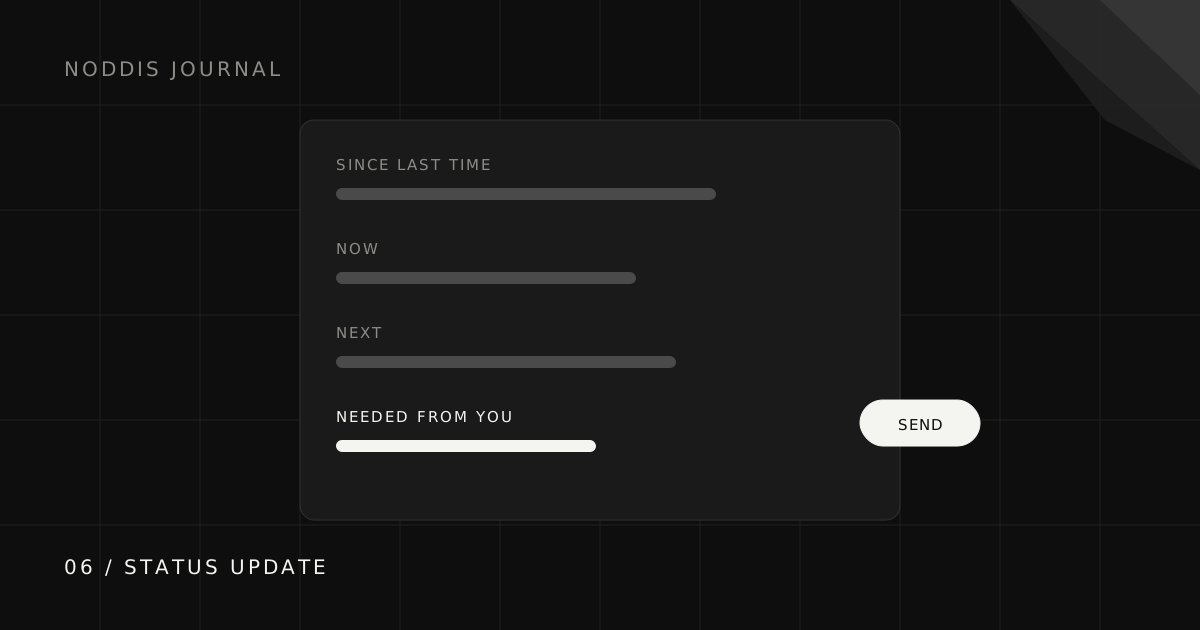
A useful client status update has four parts: what changed since last time, where things stand now, what happens next and when, and what you need from the client. Put the client’s action first if there is one. Keep it under 150 words, send it on the same day each week, and link to a live view of the project for detail.
What should a client status update include?
A client status update should include four parts: what changed, where things stand, what is next, and what you need from the client.
- Since last time: one to three completed outcomes.
- Now: the deliverable in progress and its state.
- Next: the next milestone and roughly when.
- Needed from you: the decision, file, or approval, and the date it is useful by.
If there is something in part four, move it to the top. Clients skim, and the one sentence they must act on should be the first one they read.
What does an on-track update look like?
An on-track update is the shortest version: two outcomes, the current state, the next date, and a link to live progress.
What about a week when you are waiting on the client?
When you are waiting on the client, move the request into the subject line and the first sentence, so it is the one thing they cannot miss.
Note the subject line. When you need something, say so before the email is even opened.
How do you write an update when the project is behind?
When a project is behind, the update should name the new date, the cause, and the fix in the first three lines.
Early, specific, and with a plan. Clients handle a clear reset far better than a missed date they discover on their own. If you are seeing the early signs, project drift is worth reading first.
What are the most common status update mistakes?
The most common client status update mistakes are listing activity instead of outcomes and burying the request. All five to avoid:
- Listing activity instead of outcomes. “Worked on the homepage” tells the client nothing they can use.
- Burying the ask. A request in paragraph four will be read on Thursday.
- Inconsistent timing. Updates that arrive whenever you remember train clients to ask instead of wait.
- Too much detail. If it needs scrolling, link to the detail instead.
- Silence during bad weeks. The week you least want to send an update is the week it matters most.
How does Noddis make status updates faster?
In Noddis, project tasks, progress, and recorded commitments give you the facts for an update. Check them, then write the short explanation only you can supply: what changed, why it matters, and the decision needed next.
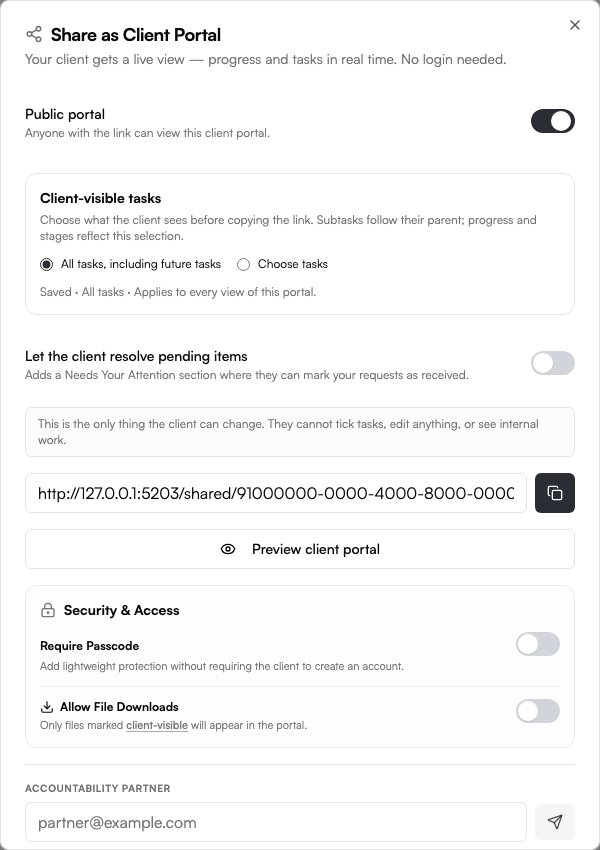
On Pro, enable a Client Portal and select its visible content. Link to it for detail so your email can stay focused on the next decision.
Common questions
How often should I send clients status updates?
Weekly suits most projects. Fast projects may need two short updates a week; long, slow ones can go fortnightly. Whatever you choose, keep the day consistent.
How long should a client status update be?
Short enough to read on a phone without scrolling, usually under 150 words. Link to the detail rather than including it.
Should I send a status update if nothing changed?
Yes, briefly. “No change this week, still waiting on X, next milestone is Y” prevents the client from wondering whether the project has stalled.
What is the difference between a status update and a status report?
An update is a short, regular note about movement and next steps. A report is a fuller document, usually for milestones or stakeholders, covering budget, risks, and scope in depth.

Katleen is the founder of Noddis. She runs client projects through her app studio, 693 Labs, and builds Noddis around the problems that work creates.
Last reviewed . Feature details reflect Noddis at the time of review.