
Short answer
The best multi-project management system is a weekly routine plus six views that keep several projects readable at once: every project's progress, every deadline, one next action per project, who owes what, the agreed scope, and a status page others can open. Judge any tool by whether each part exists without you maintaining it by hand.
What is a multi-project management system?
A multi-project management system is the routine and the set of views that keep several projects readable at the same time. It is not a feature list. A spreadsheet can be one, and so can software, if you can tell where every project stands without opening each one.
Program and portfolio management are different jobs. The Association for Project Management (APM), a chartered professional body in the UK, says: "Programme management is the coordinated management of projects and business-as-usual activities to achieve beneficial change." The projects in a program serve one shared change. APM's definition of the level above reads: "Portfolio management is the selection, prioritisation and control of an organisation’s programmes and projects, in line with its strategic objectives and capacity to deliver." Portfolio management chooses which projects exist. Multi-project management starts after that choice: the projects are yours, and they may share nothing except you.
What does the best multi-project management system include?
The best multi-project management system includes six parts, and each part answers a question you would otherwise answer by digging. Best does not mean the most features. It means every part stays current as a side effect of doing the work.
| Part | The question it answers | The sign it is missing |
|---|---|---|
| Every project on one screen, with its real progress | Which project is behind? | You open each project to find out |
| Every deadline in one list | What is due this week? | Two deadlines collide without warning |
| One next action per project, where the work is done | What do I do here next? | A project sits untouched for a week |
| Who owes what, and how long it has waited | Who am I waiting on, and since when? | You search sent mail to find when you asked |
| A baseline of what was agreed | Is this request new? | The task list grows and nobody knows what was added |
| A status view other people can open | Where does my project stand? | You write status emails by hand |
Real progress is calculated from finished work, not typed in, as the guide to linear and weighted project progress explains.
How do you run a week across several projects?
Run the week as one loop: new work comes in through one door, the system shows where everything stands, and you act on the next step and the oldest wait. The system's steps should cost you no effort, whatever tool it is.
- You file new work through one door. Every request goes to one inbox, then into a project with an owner and a date.
- The system shows every project's progress and deadlines. Start Monday here.
- You pick one next action for each project.
- A client or teammate owes a reply, a file or an approval. Record it when you ask.
- The system counts the days each item has waited.
- You chase the item that has waited longest. With no reply, return to step 4.
- You check new requests against the baseline.
- A client or teammate opens the status view without asking.
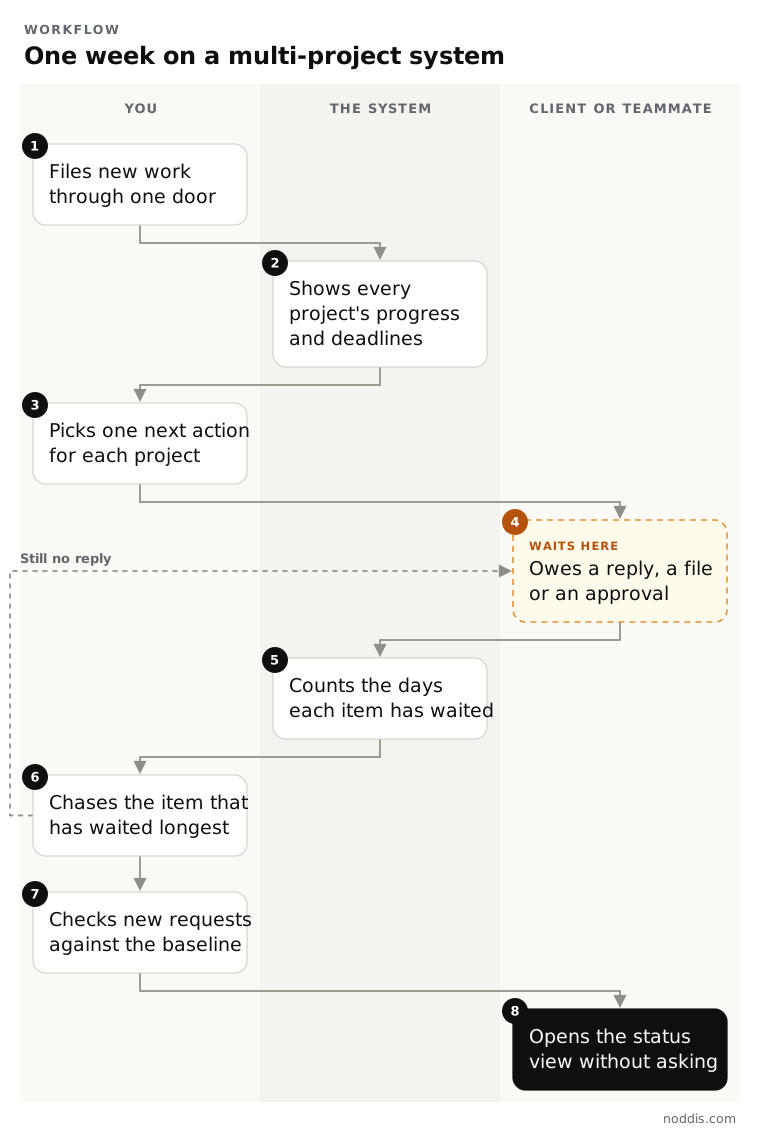
Step 1 comes first: work that arrives in five inboxes is never all in the system. The David Allen Company, the firm behind the Getting Things Done method, describes the habit: "Write, record, or gather any and everything that has your attention into a collection tool."
Take a studio run by Alex, with six projects. On Monday, one screen shows the Orbit Bikes Brand Refresh handing off first. The waiting list shows Leo Marsh at Juniper Cafe has owed menu copy longest.
To test a system in 20 minutes, load three real projects and walk steps 2 to 8. Each answer should take a glance. If you must build a view or write a formula first, that part is missing.
Should you build your own system or start with a ready-made one?
Build your own multi-project management system when your process is unusual, and start with a ready-made one when it is not. A spreadsheet or a build-your-own tool can hold all six parts. The cost is upkeep: someone builds each view and keeps it true.
| Part | In a spreadsheet or a build-your-own tool | In a ready-made system |
|---|---|---|
| Progress on one screen | You build a summary tab and maintain its formulas | Progress comes from finished tasks |
| Deadlines in one list | You copy dates into a master list | Every dated task appears on its own |
| Next action | You mark it by hand in each project | Each project shows what is due next |
| Who owes what | You add a waiting column and count the days | Open items age on their own |
| Baseline | You save a copy of the plan and compare by eye | Additions are listed against the agreed scope |
| Status view | You write an update or export a report | Others open a live, read-only link |
Building your own is right when you need fields, stages or calculations that no ready-made product offers. A ready-made system trades that freedom for less upkeep, and not every one has all six parts. To compare products, see the best tools for managing multiple projects.
How does Noddis work as a multi-project management system?
Noddis is a project management app that keeps tasks, follow-ups, and related project details connected. When we built Portfolio in Noddis, we put every active project and its progress in one view, so a weekly review can start from one screen instead of one tab per client.
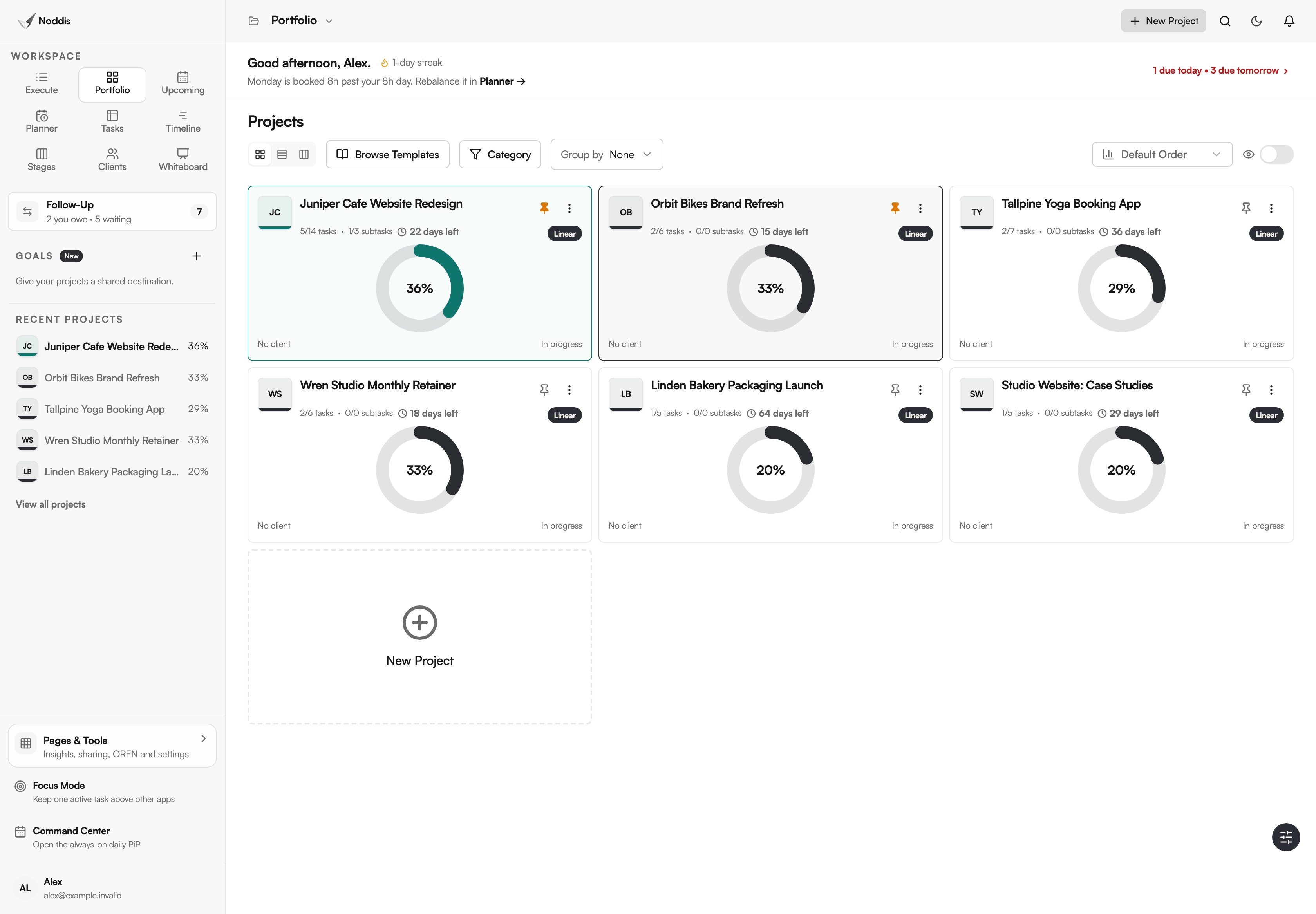
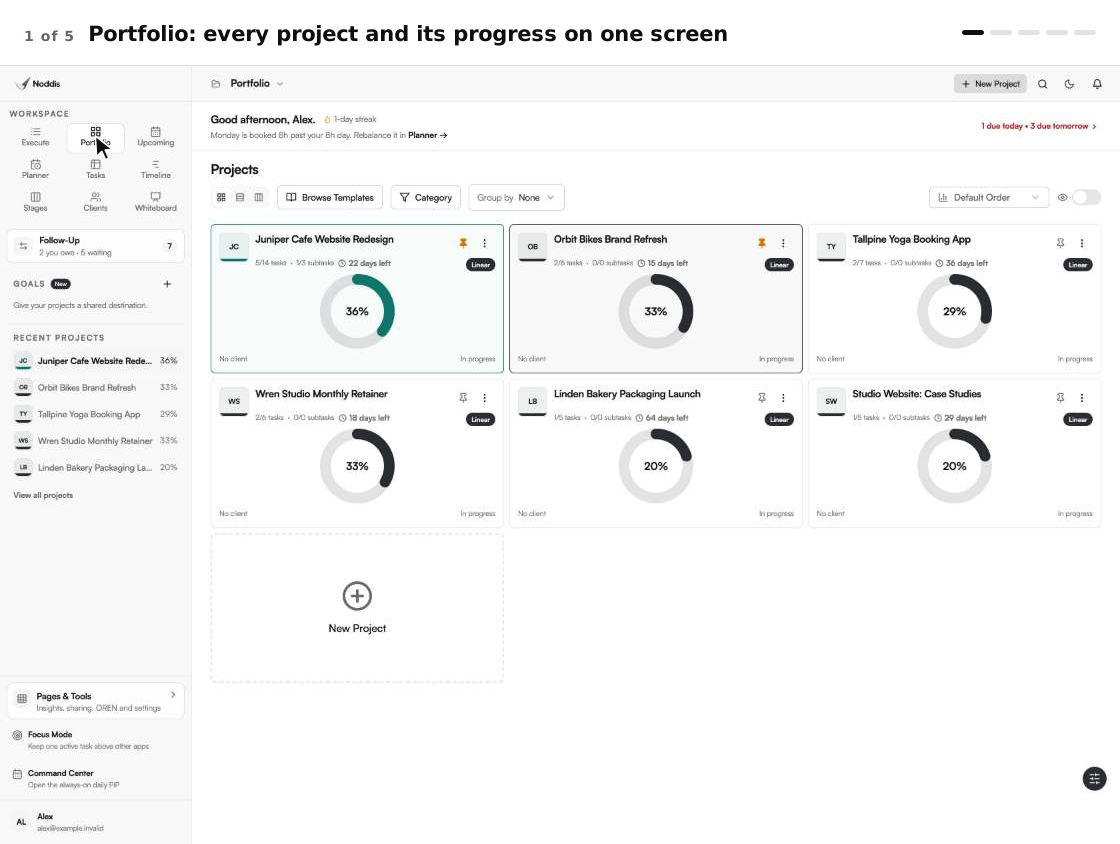
In Noddis the workspaces are built in, and a new project appears in each one as soon as it has tasks. Portfolio shows every project with its status, the days left before its due date and a progress figure calculated from completed work. Upcoming lists the deadlines from every project, and Execute holds one project's task list. All three are on the Free plan, which covers 3 active projects as of November 2026.
Follow-Up keeps two lists, Needs From You and Waiting on Others, and gives each item its age in days. Drift compares the task list with the original scope and counts the additions. Both cover one project on Free and every project on Pro, which is $15 a month.
The client portal, a live, read-only page shared by link, needs Pro to share. A plain text or a forwarded email waits in Capture Inbox until you approve it (Email Capture is Pro, and Free includes the first five received texts).
Noddis does not fit a team that needs custom fields, budgets or resource planning across a department: it has none of those, and you still enter the work and make the decisions. The page on multi-project management software describes Noddis for small teams.
Your next step
List your active projects on one page and mark, for each, which of the six questions you cannot answer in a minute. To try it with your own project, open the live demo. No account is needed.
Common questions
Do you need a project manager to run a multi-project management system?
You do not need a project manager to run a multi-project management system, as long as the system does the bookkeeping. One person can file new work, pick next actions and chase waits. A dedicated manager makes sense when projects depend on each other or compete for the same people.
How often should you review every project?
Review every project once a week, and check the list of deadlines every working day. The weekly review is where you read progress, choose next actions and chase the oldest waits. The daily check takes a minute and catches anything due within two days.
What is the difference between multi-project management software and PPM software?
Multi-project management software helps the people doing the work run several projects at once. Project portfolio management (PPM) software helps an organization decide which projects to fund and staff, with budgets and capacity plans. A freelancer, a studio or a small in-house team usually needs the first kind.

Katleen is the founder of Noddis. She runs client projects through her app studio, 693 Labs, and builds Noddis around the problems that work creates.
Last reviewed . Feature details reflect Noddis at the time of review.