
Short answer
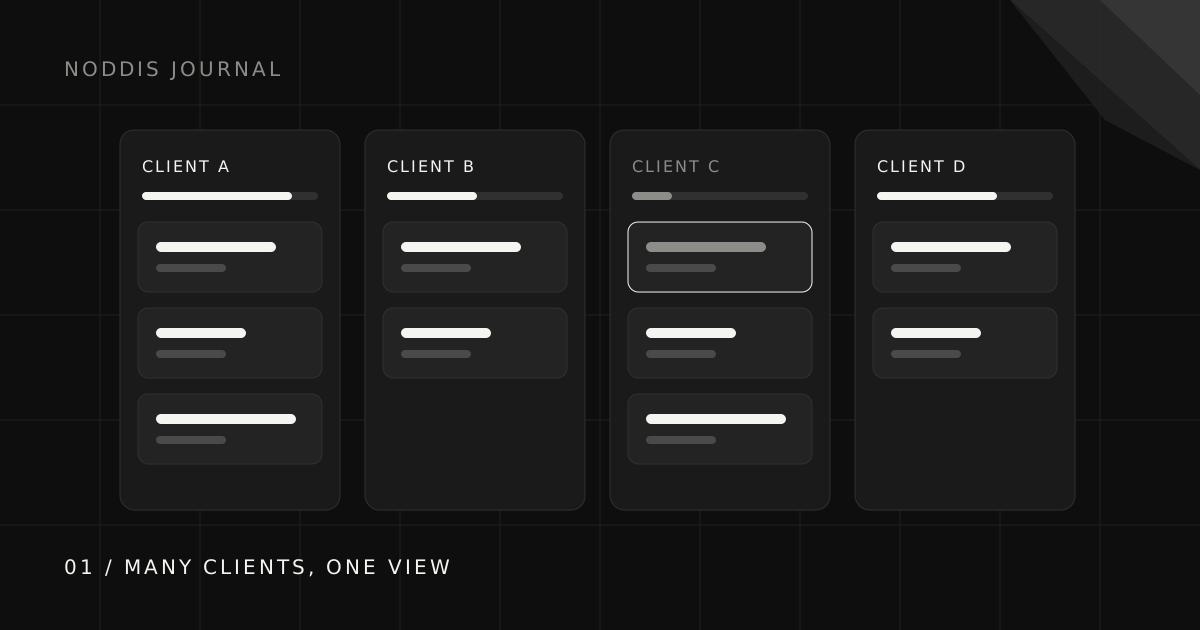
Put every client project in one view so you can compare them, not in separate tools or tabs. Run a ten-minute sweep each morning that checks deadlines, blockers, and replies you are waiting on across all clients at once. Keep a “you owe” and “waiting on” list per client, batch similar work, and give each client one predictable update rhythm so they stop asking for status.
Why is managing multiple client projects so much harder than managing one?
Managing multiple client projects is harder than managing one because the hard part stops being the work and becomes the switching between projects. Every time you move from Client A to Client B, you pay a restart cost: rereading the thread, finding the latest file, remembering what you promised. With two clients that cost is a nuisance. With six it can quietly swallow a third of the day.
There is also a visibility problem. Each project, viewed alone, usually looks fine. The trouble lives between them: two deadlines landing on the same Thursday, a client who went quiet a week ago, a project that has not moved since the kickoff glow wore off. None of that is visible from inside any single project.
Step 1: Why do you need one view of every project?
You cannot prioritize what you cannot compare. If each client lives in a different tool, folder, or notebook, the question “what matters most today?” requires opening all of them, and in practice you answer it by whichever client emailed last.
A single cross-project view should show, for each client, three things at a glance: whether it is moving, what the next deadline is, and whether anything is waiting on someone. That is enough to make a good decision. More detail belongs one click deeper.
Step 2: What should a daily ten-minute sweep cover?
Before opening email, look across every project and answer four questions:
- What is due in the next 48 hours? Those are fixed points the rest of the day arranges around.
- Who is blocked on me? Anything another person is waiting on goes near the top, because it multiplies.
- What am I waiting on, and is a nudge due today? Send those first so the replies can arrive while you work.
- Which project has not moved? One quiet project per day gets a single concrete next action.
Then pick the day’s work using the five-step next-task check, and close the inbox until you have finished the first block.
Step 3: How do you stop commitments from slipping between clients?
Keep two short lists for every client: what you owe them and what you are waiting on from them. Most dropped balls are not forgotten tasks; they are forgotten promises in one direction or the other, such as a revision you said you would send “early next week” or feedback the client said they would have “by Friday.”
Every item on both lists needs a date. On the waiting side, that date is when you will follow up, not when you hope they reply. The client follow-up guide covers the full loop.
Step 4: Should you batch work by client or by type?
Batch by both, at different scales: deep work by client, shallow work by type. Give each client a protected block for deep work so you can stay in their context long enough to make real progress. Batch shallow work by type across clients: all approvals in one sitting, all follow-ups in another, all invoices on the same afternoon.
The combination keeps context-switching to the moments where it is cheap, which is usually small, similar tasks, and away from the moments where it is expensive, which is anything that needs you to think.
Step 5: How do you keep every client informed without writing status emails all day?
Keep every client informed by giving each one a predictable update rhythm and one place to look for progress. When clients know an update arrives every Friday and that current progress is always visible at the same link, the “just checking in” messages mostly stop, and those messages are the interruptions that break your focus.
Use the four-part status update so each update takes minutes, and consider a no-login progress link so clients can check in without asking you.
What are the signs you have taken on too many projects?
The clearest sign you have taken on too many client projects is that keeping track of them now takes longer than the system says it should. Watch for these:
- You regularly discover a deadline the day before, rather than the week before.
- The daily sweep takes longer than ten minutes because you have to reconstruct state from memory.
- One client consistently gets your best hours while another gets leftovers, and it is not the one paying more.
- You are sending “sorry for the delay” more than once a week.
Any one of these is a signal to tighten the system. All four together are a signal to tighten your capacity, which is a pricing and scoping conversation rather than a productivity one.
How does Noddis handle multiple client projects?
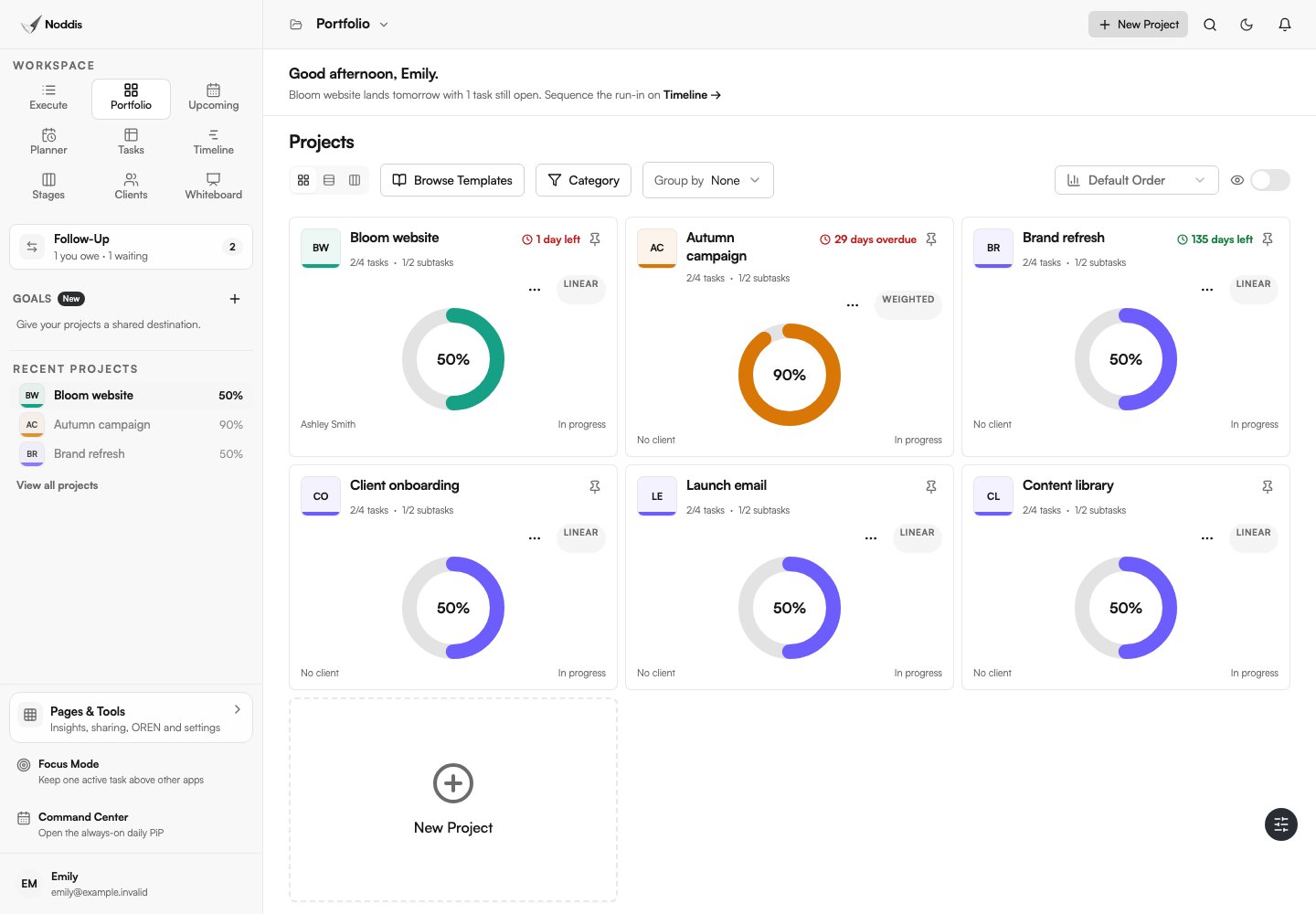
Portfolio brings the projects you can access into grid, list, and Board views. Compare progress, dates, status, and optional client links there, then open a chosen project in Execute to do its tasks. All Tasks, Upcoming, and Planner help you look across projects.
In Follow-Up, record a task-linked commitment, choose whether you owe the next move or are waiting on someone else, and set a date. The workspace brings those recorded commitments together across projects you can access. An ordinary task does not become a follow-up just because it exists.
Resolve a commitment when the exchange is finished. Resolving it and completing the underlying task are separate decisions: receiving an approval does not automatically mean the deliverable is done.
Noddis Drift measures scope growth against a baseline. Establish the agreed scope, then review additions as client-requested, internal, or unclassified. This gives you a concrete record for a scope conversation. It does not decide that a project is late merely because nothing changed for a few days.
For clients, enable a Pro portal and choose what to share. The workspace guide explains where each tool fits.
Common questions
How many client projects can one person manage at once?
There is no fixed number; it depends on project size and how much of each project is waiting time. The practical limit is usually visibility, not hours: once you cannot see every project’s state at a glance, quality starts to slip.
What is the best way to track multiple projects at once?
Use one view that shows every project’s status, next deadline, and blockers side by side, backed by a short daily sweep. Separate tools per client make comparison impossible.
How do you prioritize between clients?
By deadlines and dependencies first, not by who is loudest. Clear anything another person is blocked on, protect fixed deadlines, and then push the deliverable closest to done.
How do you avoid burnout managing several clients?
Reduce switching, batch shallow work, and make client updates predictable so you are not interrupted constantly. If the system is tight and you are still overwhelmed, the fix is capacity and pricing, not more effort.

Katleen is the founder of Noddis. She runs client projects through her app studio, 693 Labs, and builds Noddis around the problems that work creates.
Last reviewed . Feature details reflect Noddis at the time of review.