
Short answer
A construction submittal log template is one table that lists every shop drawing, product data sheet and sample a job requires, with its spec section, the subcontractor responsible, the date approval is needed and who holds the submittal now. Sorted by that last column each week, the log shows whose desk every approval is sitting on, and for how long.
Free resource
Download the construction submittal log template. The file is a blank CSV for Excel or Google Sheets, with one row per submittal and columns for the spec section, the subcontractor, the approval-needed-by date, who holds it now, the date it moved there and the action returned. One example row shows how to fill it in. No account is required.
What is a construction submittal log?
A construction submittal log is the running record of every submittal on a job and where each one sits in review. A submittal is anything the contract requires you to send for review before you order or build: shop drawings, product data and samples.
The reason to track submittals is in the contract. The Federal Acquisition Regulation's clause on specifications and drawings for construction, dated February 1997, says it in one line: "Any work done before such approval shall be at the Contractor's risk." Private contracts usually carry the same rule in their own words.
On a remodel with no architect, the reviewer is the designer or the homeowner, and the submittals are cabinet drawings or a tile layout. The same log works, beside a selection schedule for finish choices.
What columns does a construction submittal log template need?
The submittal log template needs twelve columns. Ten describe the submittal and its dates. Two say where the submittal is, and those two change at every handoff.
| Column | What goes in it |
|---|---|
| Submittal number | Spec section plus a sequence, such as 08 71 00-01. A resubmittal adds R1 |
| Spec section | The section that requires it |
| Description | Door hardware schedule, light fixture data |
| Type | Shop drawing, product data, sample, closeout |
| From | The subcontractor or supplier preparing it |
| Required on site | The day the material must arrive |
| Lead time after approval | Fabrication plus shipping |
| Approval needed by | Required on site minus lead time, with room for one resubmittal |
| Who holds it now | Sub, us, architect, engineer, owner or closed |
| Date it moved there | The day it reached that holder |
| Review due back | Date sent plus the review period in your contract |
| Action returned | Approved, approved as noted, revise and resubmit, rejected |
Architects James B. Atkins and Grant A. Simpson, in a 2006 American Institute of Architects article republished in 2025, note: "Most contracts these days have a designated review time, and the process should be managed to stay on schedule." Find that review time in your general conditions or Division 01 before you fill in "review due back".
Why is "who holds it now" the column that matters?
"Who holds it now" matters most because a submittal is always on exactly one desk, and only that person can move it. A status such as "in review" does not say whose desk. Take a job, the Wren Studio Office Fit-Out, run by a contractor called Leo, on November 13:
| No. | Item | Who holds it now | Since | Approval needed by | Last action |
|---|---|---|---|---|---|
| 08 71 00-01 | Door hardware schedule | Architect | Nov 3 | Nov 17 | Sent for review |
| 26 51 00-01 R1 | Light fixture data | Fernhill Electric | Nov 9 | Nov 20 | Revise and resubmit |
| 06 41 00-01 | Reception desk shop drawings | Leo | Nov 11 | Nov 24 | Received from the millwork shop |
| 09 68 00-01 | Carpet tile samples | Owner | Oct 30 | Nov 14 | Color choice pending |
| 09 91 00-01 | Paint product data | Closed | Nov 5 | Nov 28 | Approved as noted |
Sorted by holder, the table gives Leo four things to do. The owner has had the carpet samples for 14 days and approval is needed tomorrow, so that call comes first. The architect has had the hardware schedule for 10 days. Fernhill Electric has owed a resubmittal for 4 days. The millwork drawings have sat on Leo's own desk for 2.
Leo's own row is the honest part of the log. Atkins and Simpson observe: "The contractor's shortcomings of inadequate reviews and late or missing submittals are not generally tracked in the contractor's tracking logs." A log that shows your own holding time is harder to dismiss at the owner's meeting.
How do you run a submittal from buyout to approval?
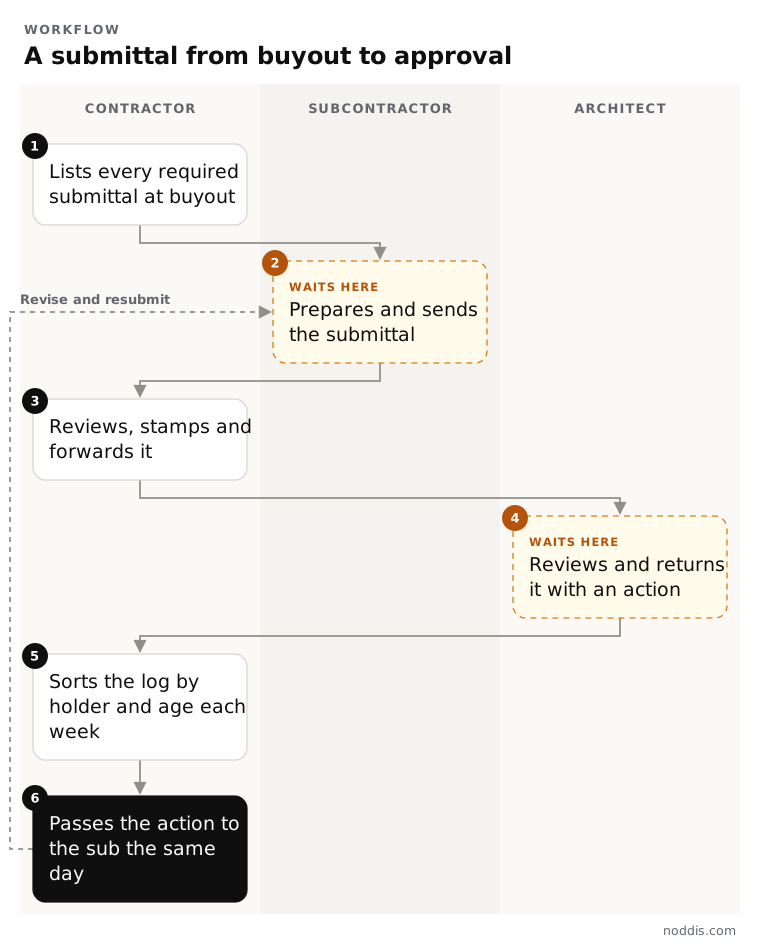
Run each submittal through six steps, starting at buyout, when you award the subcontracts and purchase orders. Two of the steps are waits, and the log exists to keep them short.
- List every required submittal at buyout. Go through the specifications section by section and work back from the on-site date to an approval-needed-by date.
- The subcontractor prepares and sends it. The first wait. Ask for long-lead items first.
- Review it yourself before the architect sees it. Check it against the drawings, the specifications and field dimensions, flag any deviation in writing, then stamp and forward it.
- The architect reviews and returns it with an action. The second wait, sometimes with the architect's engineer.
- Sort the log by holder and age every week, and chase each holder with one list.
- Pass the action to the sub the same day. Approved items are released for order. "Revise and resubmit" goes back to step 2.
A question about what the documents mean is an RFI, not a submittal: see how long an architect has to respond to an RFI.
How does Noddis track submittals across every job?
Noddis is a project management app that keeps tasks, follow-ups, and related project details connected. When we built importing in Noddis, we made it read a spreadsheet or a pasted scope, show the tasks it found, and wait for you to review them before anything is created.
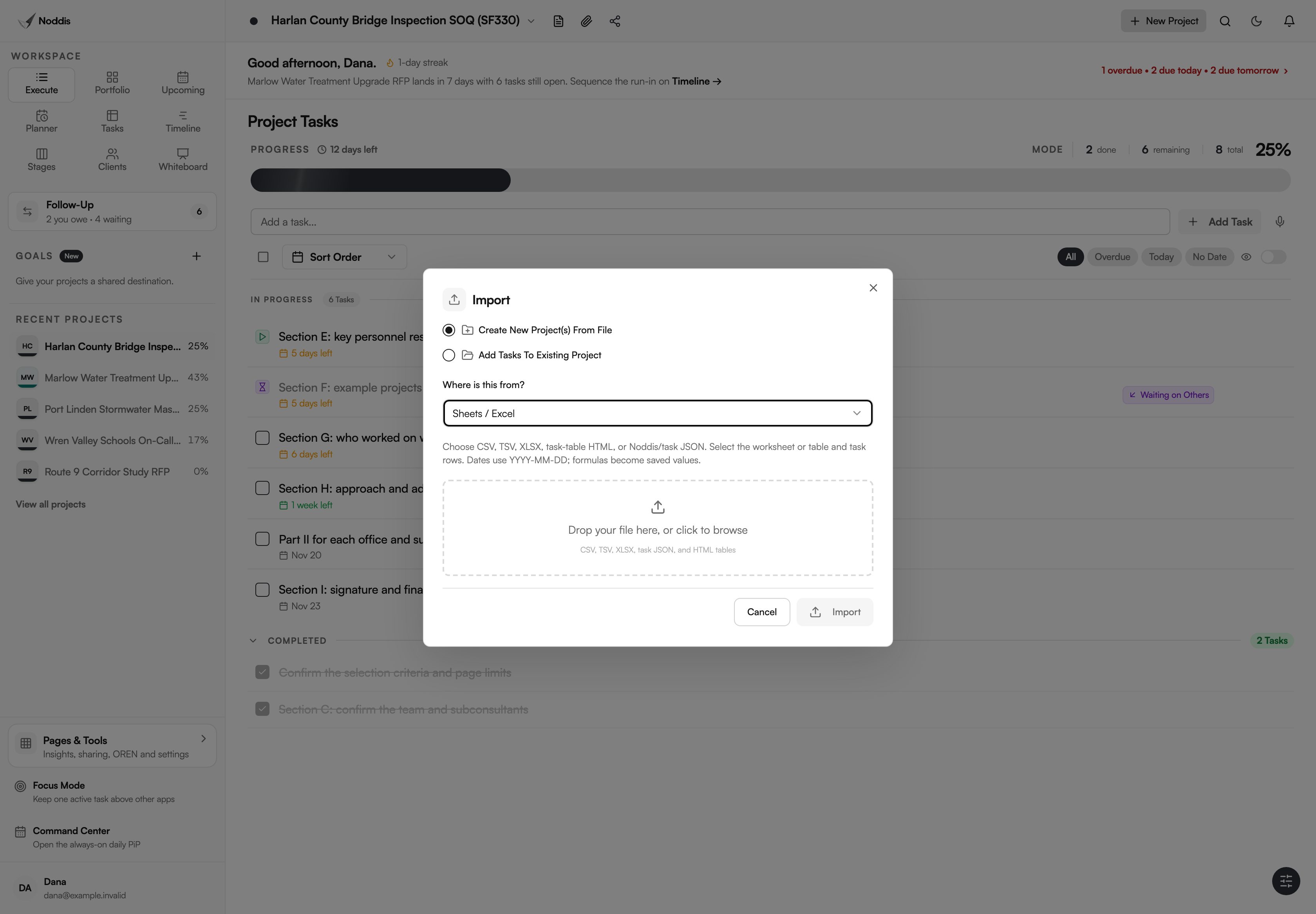
Your Excel log can come in as it is. Choose Sheets / Excel in the Import dialog, pick the worksheet and the header row, and check the preview. People, attachments and custom columns such as the spec section are not recreated: they are kept as notes on each task. Importing is on Free and Pro.
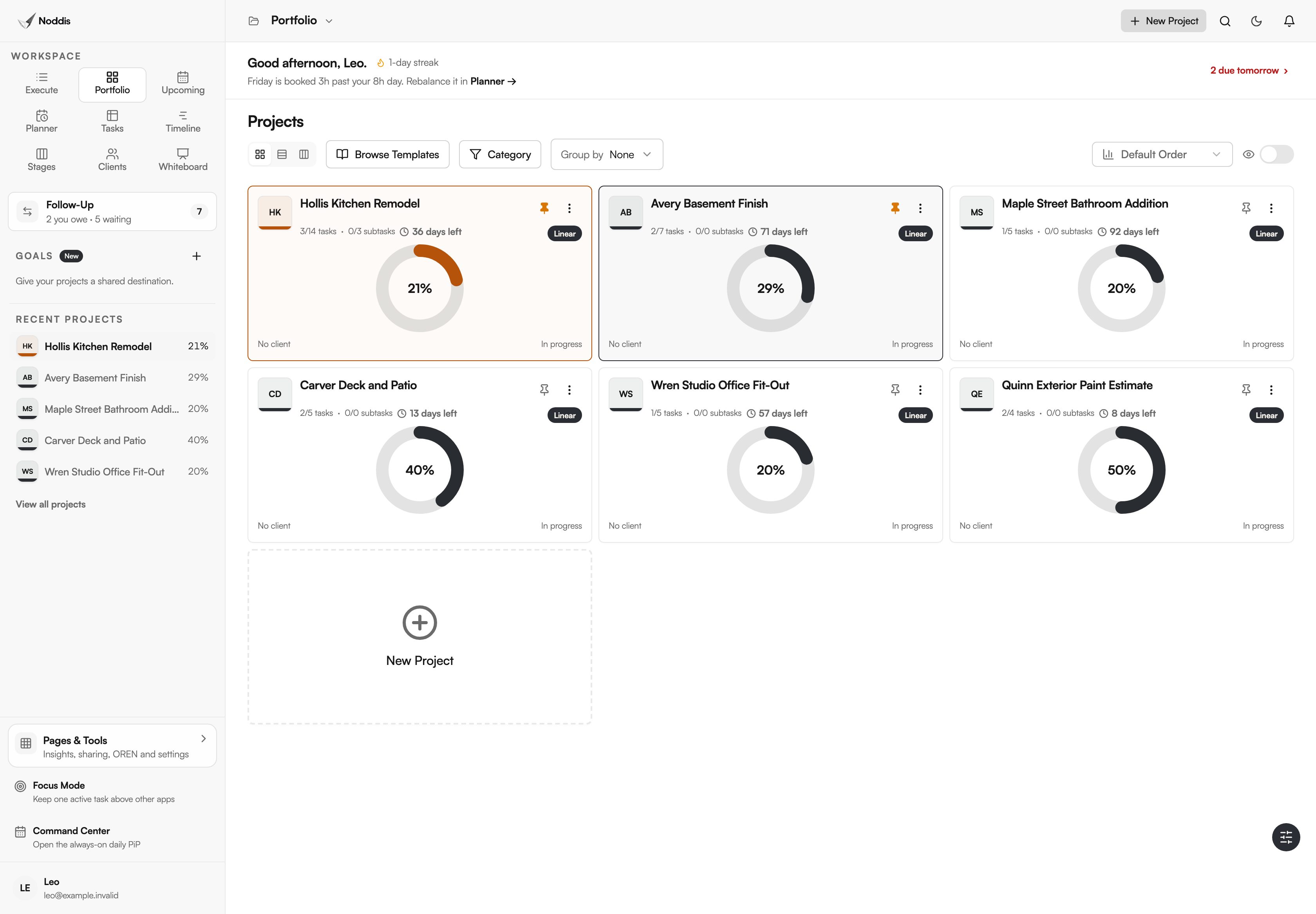
For every submittal that is out, add a Waiting on Others item in Follow-Up, and the wait shows as an age in days. As of November 2026, Follow-Up is free for one project and covers every job on Pro. Portfolio, on Free, shows every job on one screen with its progress and what is due next. Shop drawings, markups, review stamps, money and signatures stay in the tools built for them. The workflow for contractors walks through the screens.
Your next step
Download the template, list the submittals for your longest-lead item and fill in who holds each one now. To try it with your own log, import the spreadsheet into the live demo. No account is needed.
Common questions
What is the difference between a submittal log and a submittal schedule?
A submittal schedule is the plan and a submittal log is the record. The schedule lists which submittals are required and when each will be sent, and usually goes to the architect at the start of the job. The log shows what was actually sent, who holds it and what came back.
Can you order on "approved as noted"?
Usually yes, once the notes are dealt with. Read every note, pass it to the subcontractor in writing and confirm the order reflects it. Wording varies by reviewer, so check your specifications for what each action allows. If a note changes cost or the specified product, raise it before you order.
What do you do when a submittal review is late?
Send a written follow-up that names the submittal number, the date it was sent, the review period in your contract and the order it holds up. Raise it at the next owner meeting with the log in hand. If the delay threatens the schedule, follow your contract's notice clause.

Katleen is the founder of Noddis. She runs client projects through her app studio, 693 Labs, and builds Noddis around the problems that work creates.
Last reviewed . Feature details reflect Noddis at the time of review.