
Short answer
Give the team a reliable project overview, record incoming requests, and track who owes each next move. In Noddis, invite collaborators to the appropriate projects and configure Pro portals for client-facing progress. A portal supports status updates; it does not replace the conversations needed to explain decisions, risks, or scope changes.
What does a week look like inside a small agency with many clients?
This is an illustrative scenario. It is not a customer testimonial, and it makes no claims about results. It shows how the work could be set up in Noddis.
Inside a small agency with many clients, the week is shaped as much by communication as by production. Picture a six-person studio running ten accounts: two website builds, a brand refresh, four monthly content retainers, a paid social account, and two small one-off projects. The founder is also the account lead for half of them.
Monday has three client check-in calls that mostly confirm things already visible on an internal board the client never opens. Tuesday someone asks in chat which version of the homepage copy is approved. Wednesday a retainer client emails asking why last month’s posts went out a day late, and the answer is that an approval sat unanswered for four days and nobody chased it. By Friday the founder is writing ten status emails, each one a lovingly formatted restatement of the board.
What project management tools do small agencies usually use?
Small agencies tend to use capable, well-known tools and use them well. Asana is strong for assigning work across a team with clear owners and due dates. monday.com offers flexible boards and dashboards that adapt to many workflows. ClickUp packs an impressive amount of functionality into one place for teams that like to configure. Notion is a favorite for internal wikis, SOPs, and client briefs.
The pressure point is usually the client boundary. Inviting clients into the internal workspace can show them more than they need, so agencies often keep the real work internal and rebuild a client-friendly version every week by hand. That rebuild is the hidden cost, and it grows with every account the agency adds.
Which agency pain points does each Noddis workspace address?
The common small-agency pain points each map to a Noddis workspace:
| Pain point | What usually happens | Noddis workspace that helps |
|---|---|---|
| Weekly status calls and emails | Hours of unbilled reporting | Client Portal |
| Ten accounts, no single view | The quiet account gets neglected | Portfolio Board |
| Client approvals sit unanswered | Deadlines slip and the client asks why | Follow-Up |
| Requests arrive via email, chat, and calls | Some never reach the person doing the work | Capture Inbox for text/email/Slack; Voice Notes for spoken notes |
| A build feels stuck with no obvious cause | Long meetings to diagnose it | Nodes for stored relationships; project task review for blockers |
| Team members unsure what to do next | Ad hoc pings to the founder | Execute |
How would a small agency set up Noddis across client accounts?
Set up one project per engagement or ongoing retainer. Link a client record if useful, and invite collaborators only to the projects they need.
- Write the agreed deliverables as tasks. Add dates to real commitments, and keep feedback rounds or decisions in the task notes.
- Capture requests through supported channels. Forward emails to your Capture address, use text or connected Slack, then review the extracted work. Use Voice Notes separately for a spoken recap or meeting.
- Record the next move in Follow-Up. Link a commitment to its task, choose who owes it, and set an expected date.
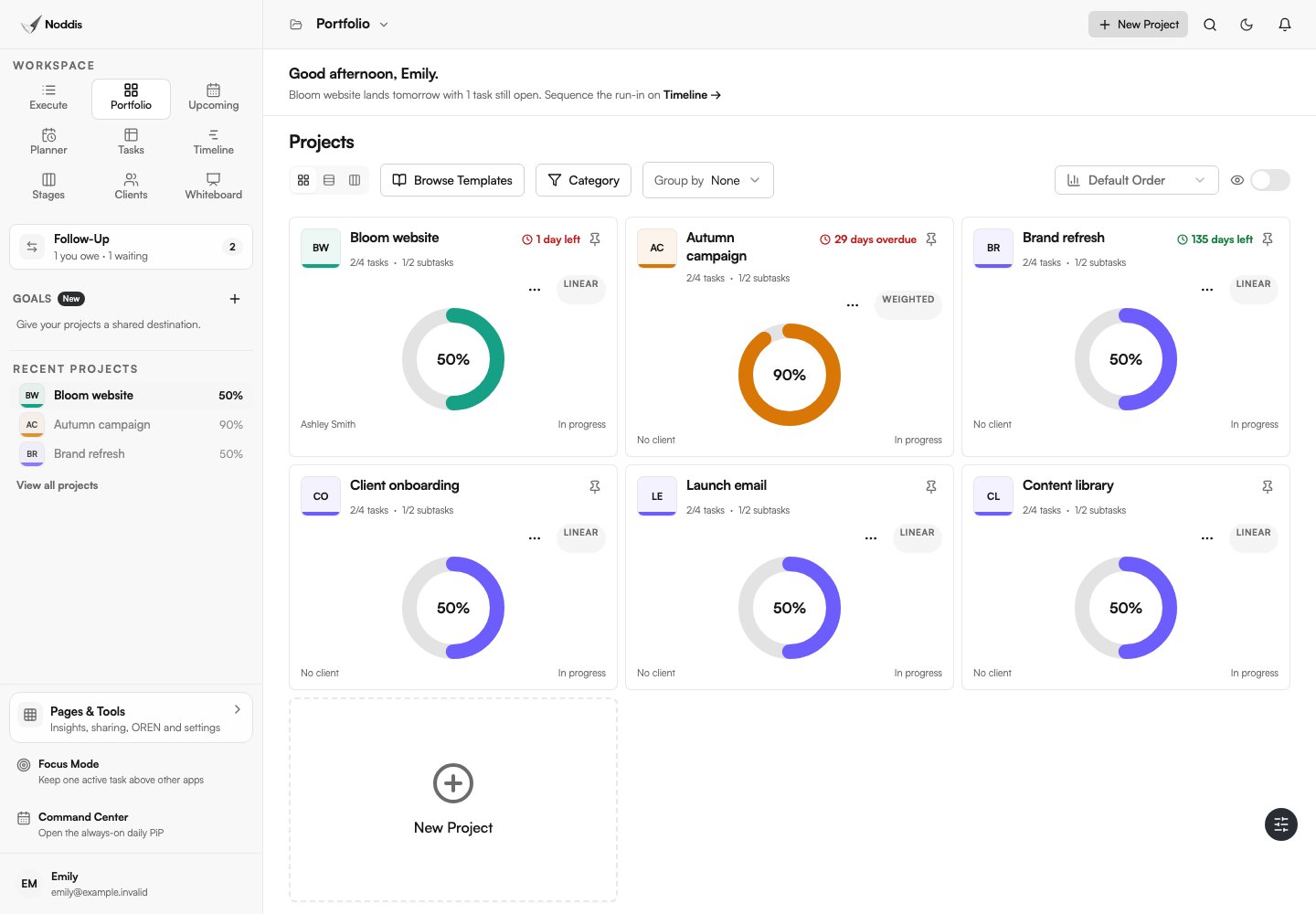
- Plan across projects, then focus. Compare work in Portfolio, Upcoming, or All Tasks; select one project in Execute for the work block.
- Configure the client view. On Pro, enable a portal, choose visible tasks and sections, preview it, then send the link. Keep sensitive internal material out.
Whiteboard can hold visual notes and live project cards. Drift can compare scope additions with an agreed baseline. These are tools you choose to set up, not automatic side effects of adding a project. Review plan availability before building a workflow around them.
How can an agency report to clients without weekly status meetings?
An agency can report to clients without weekly status meetings by making the current state always visible and keeping human contact for decisions. The Client Portal shows each client their deliverables and progress, built from the same project data the team works in, so there is nothing to update twice and the client view follows the recorded work.
Pair the link with a short written update using the four-part status update template, and keep calls for moments that need a conversation: a scope change, a creative direction, or a timeline reset. Many clients prefer this, because it lets them check progress on their own schedule.
How does a small agency keep the team aligned across accounts?
Give collaborators access only to the relevant projects. Each person’s Portfolio shows work they are authorized to access, so not every teammate necessarily sees every client account.
Agree on priorities in that shared context, then use Execute for the selected project. Follow-Up keeps recorded commitments visible; Nodes shows stored relationships. Review scope growth in Drift separately from overdue dates and stalled tasks.
How should a small agency onboard a new client account?
A small agency should onboard a new client account by setting up the project, the communication rhythm, and the client’s view of progress in the first week, before the first deliverable is due. The first week sets expectations that are hard to change later: if the client learns that updates arrive by calling the founder, they will keep calling the founder.
In practice, that means creating the engagement project, mapping the kickoff conversation on a Whiteboard with a live project card, capturing the kickoff notes into tasks with owners and dates, and sending the Client Portal link in the kickoff recap email with one sentence explaining what it is for. Agree on the update day and the approval turnaround you need, and put the first approval in Follow-Up right away. The client starts the relationship with a clear picture of how work moves, and the account lead starts it without a second, private list of promises to remember.
The same visibility principles are covered in what to share with clients, and what to keep internal.
What should you check before using this workflow?
In Noddis, client portals and Whiteboard require Pro. Email and Slack Capture also require Pro; Voice Notes is a separate workflow. Choose the tasks and sections to share, configure access, and preview the portal before sending its link. An unrestricted link can be forwarded. See current pricing for other limits.
Common questions
What is the best project management software for a small agency?
The best fit for a small agency shows every client account on one board, routes client requests to the right project, tracks approvals with dates, and gives clients a clean progress view. Teams that need heavy configuration may prefer a more customizable platform; teams that want less admin should favor a client-first tool.
Do agencies need a client portal?
A client portal helps once client reporting starts costing real hours each week. The most useful portals show deliverables, progress, and pending approvals, and do not require clients to create an account.
How often should an agency update clients?
Weekly written updates suit most retainers and builds, with a live progress view available in between. Save calls for decisions, scope changes, and creative reviews.
How do agencies stop client approvals from delaying projects?
Make each approval request specific and dated, explain what it unblocks, and assign someone to follow up on that date. Approvals with an owner and a date move far faster than approvals that are simply “pending.”

Katleen is the founder of Noddis. She runs client projects through her app studio, 693 Labs, and builds Noddis around the problems that work creates.
Last reviewed . Feature details reflect Noddis at the time of review.