
Short answer
Client management for consultants comes down to capturing what was promised on every call, tracking deliverables per engagement, and making the client’s view of progress effortless. Keep one project per engagement, turn call notes into dated tasks within the hour, date every input you need from the client, and share a read-only link that shows deliverables and decisions so stakeholders stay aligned between meetings.
What does a consultant’s week look like with several engagements?
This is an illustrative scenario. It is not a customer testimonial, and it makes no claims about results. It shows how the work could be set up in Noddis.
A consultant with several engagements spends much of the week in conversations where work is created faster than it is written down. Picture an independent operations consultant running four engagements: a process redesign for a manufacturer, a pricing review for a software company, a hiring plan for a growing nonprofit, and a short advisory retainer with a founder who calls whenever something feels urgent.
On Tuesday alone there are three calls. Each ends with a handful of commitments in both directions: a revised model, a stakeholder interview to schedule, a data export the client will send, a decision the sponsor will take to their board. Some land in a notebook, some in an email to self, some nowhere at all. By the next week’s call, the consultant is reconstructing the previous one from memory, and the client’s data export has quietly become the reason the deliverable is late.
What tools do consultants usually use for client management?
Consultants usually rely on a thoughtful mix of tools, each excellent in its lane. A CRM tracks relationships and the sales pipeline well. Notion or a similar workspace is a strong home for research notes, frameworks, and reusable templates. Asana or a shared board works neatly when a client team already uses it, and a good notebook remains unbeatable during a live conversation.
What none of these is designed around is the specific shape of consulting delivery: several engagements, each with a sponsor waiting, and commitments that are created verbally and need to become dated work before the next call. That is the gap a client-first project tool fills.
Which consulting pain points does each Noddis workspace address?
The recurring consulting pain points each line up with a Noddis workspace:
| Pain point | What usually happens | Noddis workspace that helps |
|---|---|---|
| Promises made on calls | Remembered imperfectly, rediscovered late | Voice Notes (brain dump after the call) |
| Waiting on client data or decisions | The delay becomes your deliverable’s delay | Follow-Up |
| Four engagements, uneven attention | The loudest client gets the most hours | Portfolio Board and Execute |
| Complex engagements with many dependencies | Hard to explain why a workstream is stuck | Nodes |
| Sponsors briefing their leadership | Ad hoc calls asking for a quick update | Client Portal |
| Early framing of a new engagement | Ideas scattered across notes and slides | Whiteboard |
How would a consultant set up Noddis for several engagements?
Set up one project per engagement or ongoing retainer. Link a client record if useful, and invite collaborators only to the projects they need.
- Write the agreed deliverables as tasks. Add dates to real commitments, and keep feedback rounds or decisions in the task notes.
- Capture requests through supported channels. Forward emails to your Capture address, use text or connected Slack, then review the extracted work. Use Voice Notes separately for a spoken recap or meeting.
- Record the next move in Follow-Up. Link a commitment to its task, choose who owes it, and set an expected date.
- Plan across projects, then focus. Compare work in Portfolio, Upcoming, or All Tasks; select one project in Execute for the work block.
- Configure the client view. On Pro, enable a portal, choose visible tasks and sections, preview it, then send the link. Keep sensitive internal material out.
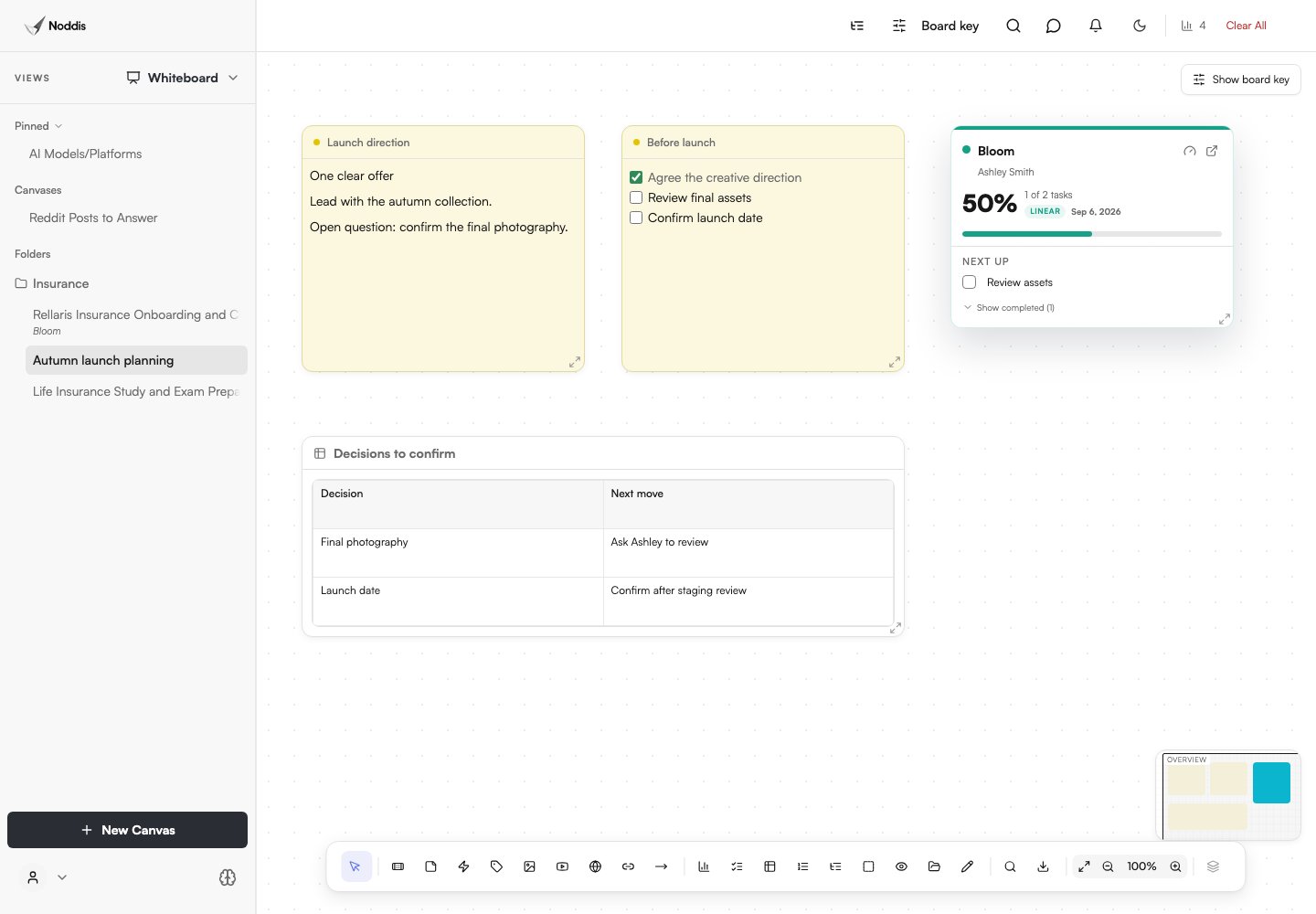
Whiteboard can hold visual notes and live project cards. Drift can compare scope additions with an agreed baseline. These are tools you choose to set up, not automatic side effects of adding a project. Review plan availability before building a workflow around them.
How should a consultant handle engagements with many dependencies?
Nodes displays the records and relationships available for a connected project, including tasks, notes, files, and people. It uses stored relationships, and you can add explicit connections where useful. Read the relationship label: an association is not necessarily a task dependency, and the graph cannot know about an approval you have never recorded.
Free includes Connected Intelligence for one selected project; Pro extends it across your authorized projects. Use the map to investigate a blocker, then confirm the next action in the task itself.
For a blocked recommendations deck, capture the missing interview or data request as an explicit task relationship and a dated commitment. The map is useful evidence only when the underlying records are accurate.
How do consultants balance attention across multiple clients?
Compare engagements in Portfolio, check dated commitments in Follow-Up, and open the chosen project in Execute. Review deadlines and blockers directly; use Drift for scope growth against a baseline.
OREN uses available Noddis project context to answer questions and propose next steps. The name stands for Observational Reasoning and Evidence-based Navigation. Ask a specific question, inspect the supporting work, and review any proposed action before applying it: an AI answer is not a guarantee that the project data is complete.
The full OREN workspace is a Pro feature. Free users can ask questions in Nodes for their selected Connected Intelligence project.
How should a consultant close out an engagement cleanly?
A consultant should close out an engagement by confirming every deliverable, recording every decision, and handing the client a record they can keep using after you leave. Engagements rarely end with a single dramatic handover; they taper, with a final deck, a few follow-up questions, and a decision the sponsor will make next quarter. Without a deliberate close, loose threads linger for months and quietly eat into the next engagement.
A clean close in Noddis means checking Follow-Up for anything still dated, marking the final deliverables complete so the client’s portal view shows a finished engagement, and noting any open recommendations as explicit items the client owns. That record makes the eventual case study, referral, or renewal conversation much easier, because both sides can see exactly what was delivered and what was decided.
What should you check before using this workflow?
In Noddis, client portals and Whiteboard require Pro. Email and Slack Capture also require Pro; Voice Notes is a separate workflow. Choose the tasks and sections to share, configure access, and preview the portal before sending its link. An unrestricted link can be forwarded. See current pricing for other limits.
Common questions
What is the best client management tool for independent consultants?
The best fit tracks deliverables per engagement, captures commitments made on calls, dates the inputs you need from clients, and gives sponsors a clean progress view. A CRM handles the relationship and pipeline; a client-first project tool handles delivery.
How do consultants track multiple projects?
Use one project per engagement, a single cross-client view, and a daily check of what is due and what you are waiting on. Capture commitments immediately after calls so nothing depends on memory.
How do I keep track of what I promised on client calls?
Spend two minutes right after each call recording or typing the commitments in both directions, then turn them into dated tasks before your next meeting. The habit matters more than the tool.
Should consultants share project progress with clients?
Yes, at the deliverable level. Sponsors often need to brief their own leadership, and a read-only progress view lets them do that without scheduling another call.

Katleen is the founder of Noddis. She runs client projects through her app studio, 693 Labs, and builds Noddis around the problems that work creates.
Last reviewed . Feature details reflect Noddis at the time of review.