
Short answer
Project management migration is more than copying task titles into a new app. To move client projects safely, preserve ownership, deadlines, task hierarchy, attachments, decisions, outstanding approvals, and sharing permissions. Test one representative project before migrating the rest, and keep the original system available until the new records are verified.
What should you inventory before migrating?
List every active project, its owner, and the data that matters for continuing work. Include tasks, subtasks, statuses, dependencies, due dates, notes, files, client contacts, approval decisions, and unresolved follow-ups. Decide which historical material must remain searchable and which can stay in an archive.
How do you map fields between tools?
| Old system concept | New system destination | Verification |
|---|---|---|
| Project / list | Project | Correct client and name |
| Task / subtask | Task hierarchy | Nesting preserved |
| Status | Supported task status | Meaning still matches |
| Assignee | Collaborator / owner | Correct permissions |
| Due date | Task deadline | Time zone and date correct |
| Attachment | File or linked resource | Link opens |
| Approval thread | Notes / decision record | Latest decision retained |
| Waiting item | Follow-up record | Next owner and date retained |
Not every tool supports every field. When there is no direct mapping, document the workaround rather than silently dropping data.
Why migrate one representative project first?
A realistic project exposes problems that a clean to-do list misses. Choose one with subtasks, dates, a blocked item, an approval pending, and at least one shared file. Import it, inspect the result, and compare against the original before inviting collaborators or clients.
What should you verify after importing?
Check task counts and hierarchy, then inspect a sample of dates, notes, and files. Verify who can see and edit each project. Confirm that no client-facing link exposes private internal content. Recreate unsupported automations or reminders deliberately; do not assume they transfer.
When should you switch the team over?
Set a cutover date after the test passes. Tell collaborators which system is authoritative. Keep the old workspace read-only or available for reference during a defined transition period. Avoid updating two systems indefinitely, because they will eventually disagree.
How can you test Noddis as a destination?
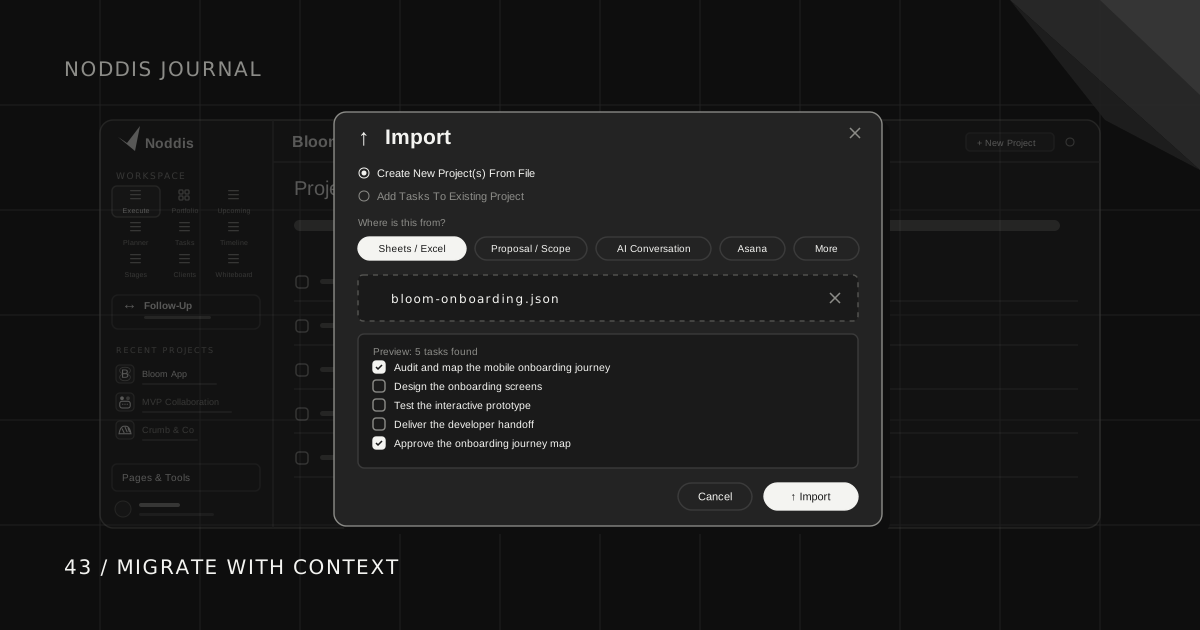
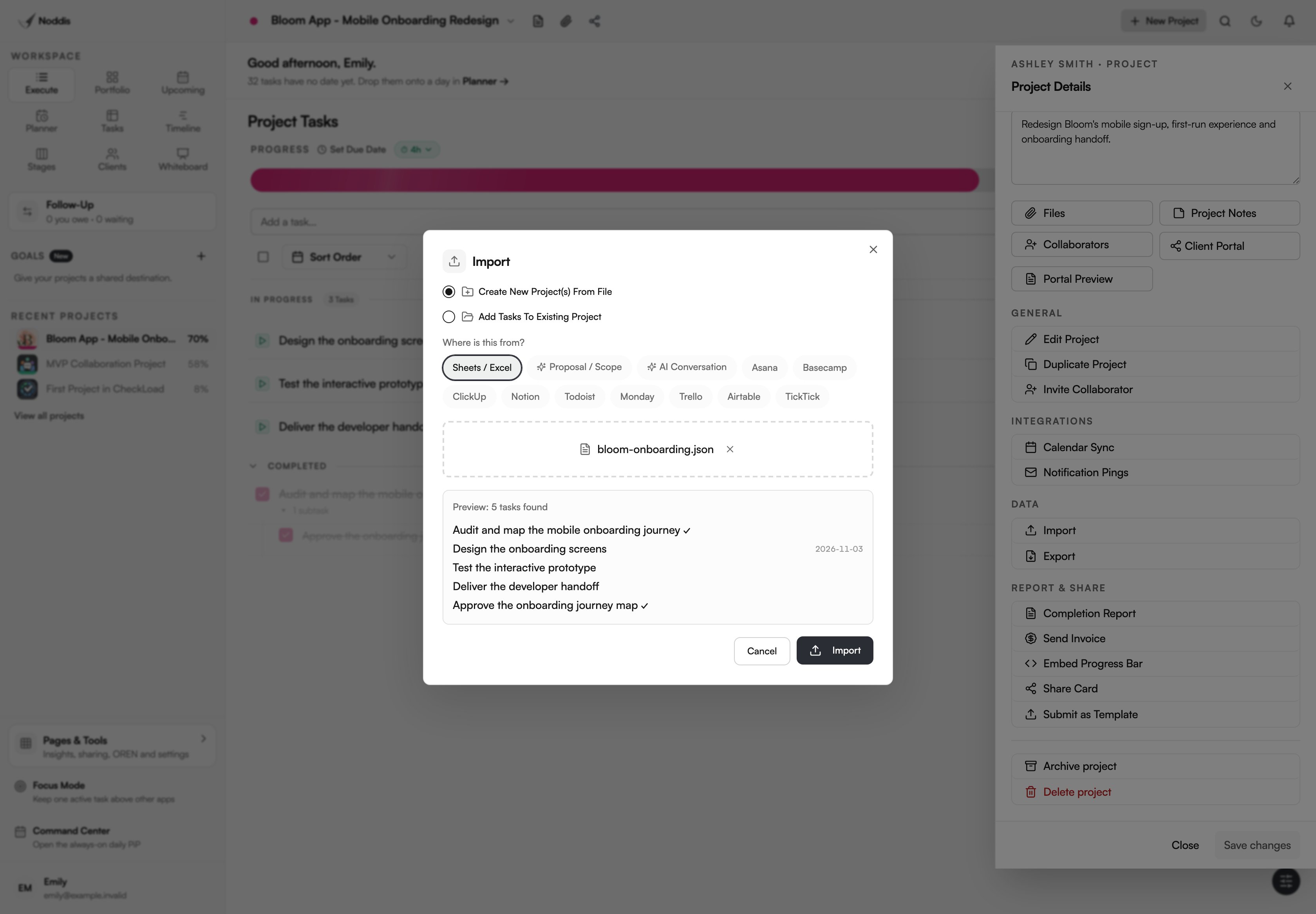
Noddis's Import dialog supports CSV, Excel (.xlsx), and JSON, with source-specific mappings and a task preview before import. A supported Noddis JSON manifest can carry task hierarchy, due dates, status or completion, notes, weights, and duration estimates. The data available depends on the source file and its format; this is not a promise of a complete account-to-account migration.
Choose whether to create new projects or add tasks to an existing one, inspect the preview, and check the result with a small sample. Attachments, collaborator permissions, client portal links, approval history, and external automations need separate review. The workspace guide explains where imported work lives. If your existing tool is working well, a migration may not be worth the disruption.
A practical migration sequence
Use inventory → map → test → verify → pilot → switch. Start with a representative active project, not your entire archive. Record what must survive: task titles, nesting, dates, status, notes, attachments, owners, approval history, and unresolved commitments. Decide which older records can remain archived in the previous system.
Sample field-mapping worksheet
| Source information | Destination concept | What to check |
|---|---|---|
| Project name | Project | Correct client association |
| Task title | Task | Full text retained |
| Nested checklist | Subtasks | Hierarchy preserved |
| Due date | Date | Correct date/timezone |
| Workflow state | Status | Meaning mapped correctly |
| Notes | Project or task notes | Formatting and links retained |
| Attachments | Files or references | Authorized users can open them |
| Pending approval | Task-linked follow-up | Next-action owner recorded |
These are conceptual mappings, not a promise that every field imports automatically into Noddis. The Import preview shows the recognized tasks. Compare the saved hierarchy, dates, and notes with your source afterward, and recreate unsupported relationships or access settings deliberately.
How to choose a pilot project
Choose a project with a nested task, a future deadline, an overdue item, a file, and an unresolved client approval. After importing or recreating it, compare the source and destination side by side. Check counts and meanings, not only whether the import completed without errors.
Migration verification checklist
- Can you find the next action without reopening the old tool?
- Are deadlines, statuses, and task hierarchy accurate?
- Are file links accessible to the correct people?
- Is the latest client decision preserved?
- Are open follow-ups assigned and dated?
- Have you checked what the client can see separately from the internal team?
- Is there a rollback or read-only archive plan?
What to tell clients
A short notice is enough: “We're updating our internal project workspace. Your deliverables and agreed deadlines are unchanged. If the way you access updates or files changes, we'll send you the new link and instructions before switching.” Do not promise zero disruption until you've tested permissions and links.
When to switch
Switch after the pilot team can complete a normal week without relying on the old tool for active work. Keep the original records available until you have verified data and access. Avoid deleting the old workspace immediately after import. If Noddis is the destination, explore the live demo with sample work, then verify the import preview and saved records in your own workspace before moving the rest.
Common questions
Can every project field be migrated automatically?
No. Tools differ in their support for custom fields, dependencies, comments, attachments, and permissions. Review the actual import specification and plan manual handling for unsupported data.
Should I migrate completed projects?
Only if they are needed for active reporting, compliance, or convenient reference. An accessible archive may be sufficient for old engagements.
How do I avoid losing client context?
Preserve decisions, promises, approval status, and the next action alongside tasks. A task list without its reasoning often requires the team to reconstruct the project after the move.

Katleen is the founder of Noddis. She runs client projects through her app studio, 693 Labs, and builds Noddis around the problems that work creates.
Last reviewed . Feature details reflect Noddis at the time of review.