
Short answer
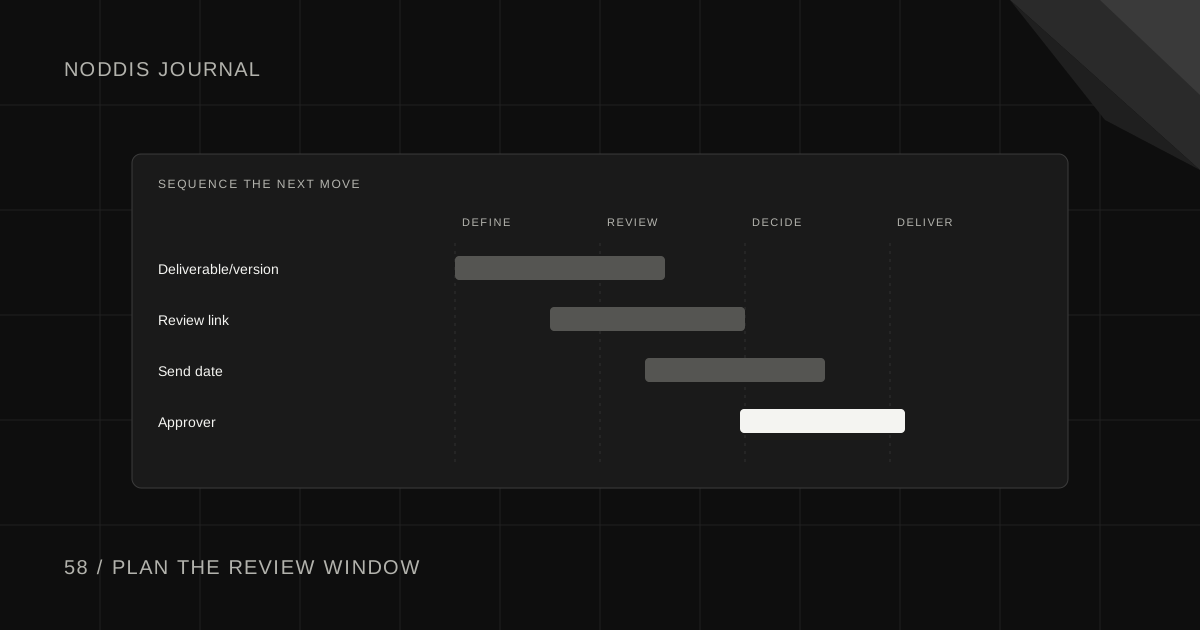
Schedule client review windows as real steps between production milestones, with a named reviewer, a specific deliverable, a requested response date, and time for revisions afterward. A timeline that shows only your own production hours can look feasible while leaving no room for client decisions that the next phase depends on.
Free resource
Download the blank client review schedule spreadsheet. No account is required. Save a copy before adding your project details.
Why do client review windows affect a project schedule?
Client reviews are often dependencies. A designer may finish a draft on Tuesday, but development cannot move forward until the direction is approved. That means the review period belongs in the schedule just as much as production does.
The Atlassian guide to project dependencies explains how a task can rely on another task's output. A client approval is one such output, and it may be outside the team's direct control.
A sample timeline with review windows
The following is a fictional two-week website milestone plan. The dates illustrate sequencing, not a universal industry schedule.
| Stage | Planned window | Responsible party | Exit condition |
|---|---|---|---|
| Draft homepage | Mon to Wed, week 1 | Designer | Reviewable v1 delivered |
| Client review | Thu to Fri, week 1 | Marketing lead | Consolidated feedback |
| Revise layout | Mon to Tue, week 2 | Designer | v2 ready for confirmation |
| Approval checkpoint | Wed, week 2 | Marketing lead | Explicit approval |
| Build and QA | Thu to Fri, week 2 | Developer | Acceptance checks pass |
The risk is visible: if the first review takes an extra three days, the later work may no longer fit. The project owner must either adjust the schedule, revise the deliverables by agreement, or identify another viable option.
How do you choose a review deadline?
Choose a window based on the deliverable's complexity, the number of stakeholders, and the client's actual availability. Ask about internal approval schedules before committing to your launch date. A small studio cannot assume a client executive will answer within hours simply because the team is ready to continue.
At kickoff, clarify who consolidates feedback and whether the reviewer will be traveling or unavailable during key milestones. If several approvals are mandatory, allow enough time for all of them rather than hiding a second review inside the first.
A review-window agreement you can copy
We will send [deliverable] for review on [date]. Please return one consolidated list of feedback or an approval decision by [date]. The next stage begins after we receive that decision. If the review needs longer, we will evaluate its effect on [milestone] and confirm any revised date together.
This wording establishes a dependency without pretending the client forfeits approval rights for missing an email deadline. The exact process should follow your project agreement.
How do you handle a review that comes back late?
First confirm the client received the correct version and can access it. Then identify which subsequent tasks are affected. Some independent work may continue, but do not assume that unfinished approval can be ignored.
Send a concise update: “We were expecting homepage feedback by Friday to begin the final build Monday. We can continue unrelated QA while that decision is pending, but the homepage launch sequence may need new dates. Can you confirm when the consolidated feedback will arrive?”
When the decision arrives, update the entire affected chain, not just the review task's due date. The client approval tracking guide covers recording the decision itself.
How do you build review windows into a retainer?
For recurring work, agree on a repeating approval rhythm. For example, a monthly newsletter might be drafted in the first week, reviewed mid-month, revised after feedback, and scheduled ahead of release. Align the rhythm with the client's real review capacity.
If a review misses its window, define whether the deliverable moves to a later release, uses preapproved material, or requires a separate decision. Do not silently publish unapproved copy simply to preserve a recurring schedule.
What should appear in your project system?
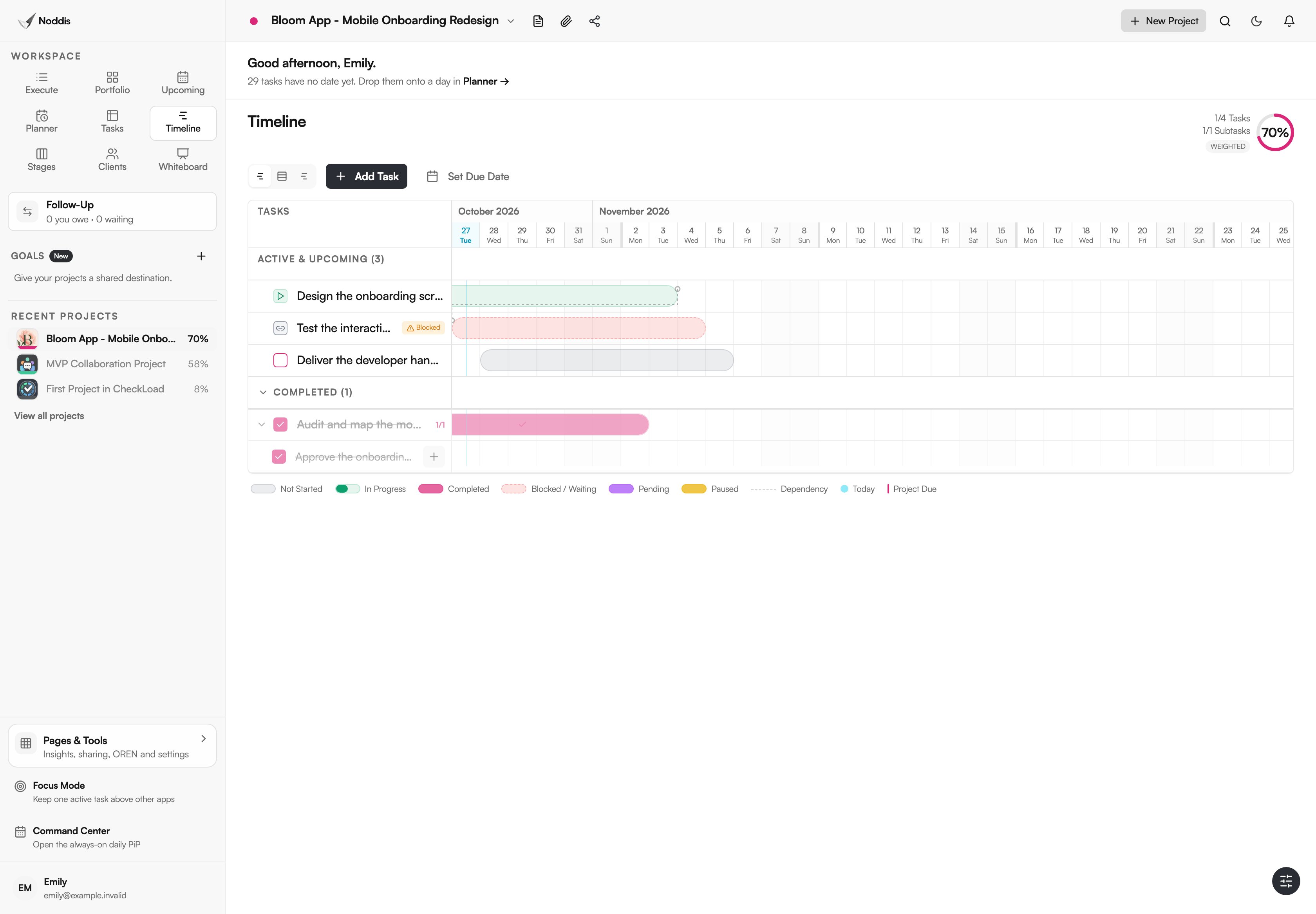
For each review stage, include the exact deliverable link, version, decision-maker, requested response date, and dependent milestone. Keep review-request and final-approval states separate.
Noddis is a project management app connecting task dates, progress, and follow-up commitments. Use Follow-Up when you are waiting on a client response and keep the dependency visible in the project context. A timetable is still a planning agreement, not an automated guarantee that the response will arrive. The client project status page guide explains how to communicate current progress. Try the demo.
Your next step
Open your next milestone schedule and mark every point where work cannot continue without a client's answer. Those are review windows, and they belong in the plan.
Common questions
Should review periods count as project time?
Yes, when they control the start of the next stage. They may not consume all the team's labor hours, but they consume calendar time and affect when delivery can occur.
Can I schedule multiple review stages in parallel?
Only when the deliverables are truly independent. If page design depends on brand-direction approval, reviewing both simultaneously may create rework. Document the dependency before promising a date.
Should I put an automatic approval rule in the schedule?
Do not imply that silence creates approval unless an appropriate agreement expressly establishes that process and it is suitable for the work. The safer operational default is to record an actual decision.

Katleen is the founder of Noddis. She runs client projects through her app studio, 693 Labs, and builds Noddis around the problems that work creates.
Last reviewed . Feature details reflect Noddis at the time of review.