
Short answer
A client project status page gives clients a reliable place to check progress, upcoming milestones, what needs their attention, and approved shared files. It should answer common status questions without exposing internal notes or requiring a fresh email for every update. Design the page around what the client needs to know, not everything the team tracks.
What should a client project status page show?
| Section | Client question answered |
|---|---|
| Project name and scope summary | What work are we discussing? |
| Current phase or milestone | Where are we? |
| Next delivery date | When is the next expected result? |
| Client action needed | What do you need from me? |
| Progress with explanation | What is finished and what remains? |
| Shared files and deliverables | Where is the latest approved material? |
| Update timestamp | How current is this information? |
Not every project needs every section. A simple branding engagement may need only the milestone, review item, and files.
What should you keep private?
Do not expose internal estimates, pricing discussions, team performance notes, unrelated client data, or unapproved drafts by default. Treat a shareable link as an access method, not a guarantee that all underlying content is appropriate to disclose. Check the page in the exact client view before sending it.
How should progress be explained?
Say what the progress bar measures. Task-count progress and weighted progress can tell different stories. “80% complete” might mean most checklist items are done, while a major approval is still outstanding. Pair percentages with plain-language milestones and next actions.
Should clients have to create an account?
Not necessarily. A read-only, no-login link can reduce friction for a client who only needs to see status. If the project contains sensitive material, review access controls and whether optional password protection is appropriate. Convenience should not replace a permissions review.
How do you reduce status requests without hiding problems?
Make the page current, predictable, and explicit about uncertainty. State what is done, what is next, and what is waiting on the client. When a deadline changes, explain the change rather than quietly replacing the date. A transparent status page should invite the right question, not suppress communication.
How does Noddis support this?
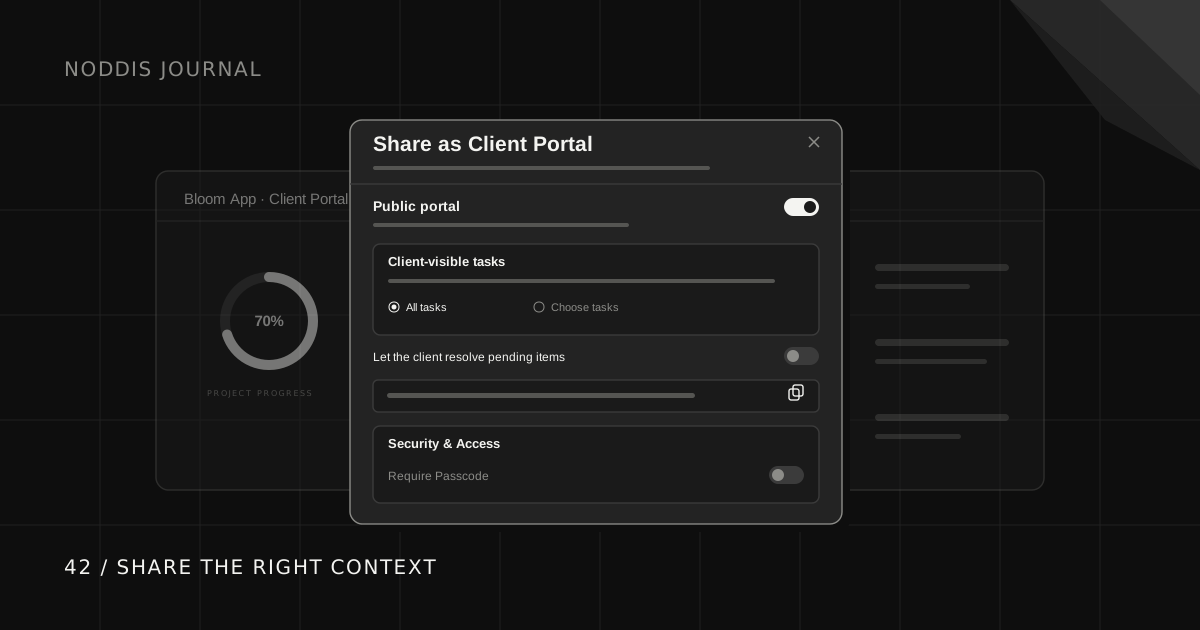
Noddis Pro offers a configurable client portal for a project. In Share as Client Portal, enable the public portal and review the visible tasks and sections, including progress, stages, items needing attention, comments, and file access. Choose the controls appropriate to the client and enable Require Passcode if needed. The client can view an enabled portal without creating a Noddis account, subject to its access controls.
The portal-sharing guide walks through the sharing boundaries. The live demo shows the wider project workflow; use a sample project when checking the client's view.
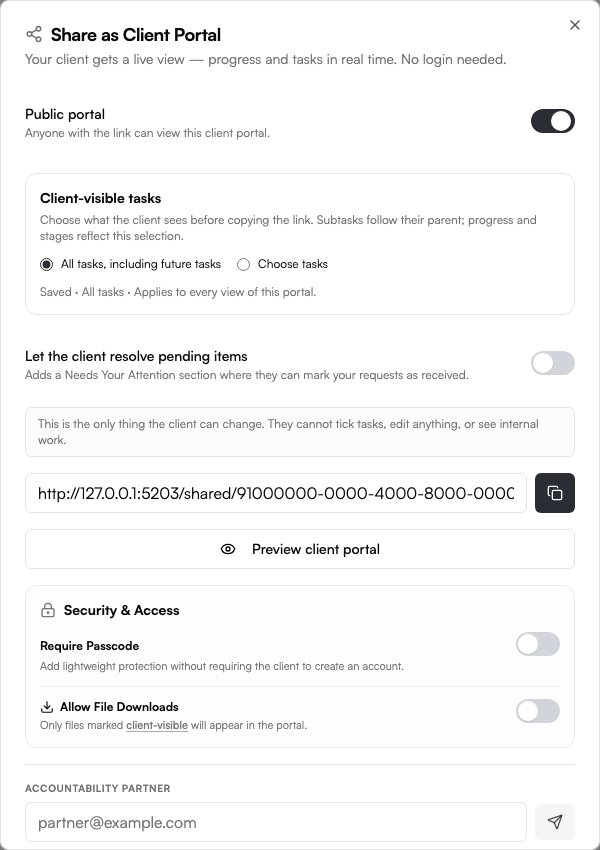
Example: a website launch status page
A client opens a page showing Current phase: Build, Next milestone: Client review, Target date: November 18, and Needs your attention: Approve final photography. Below it are the latest update and selected files. The client knows where the project stands without interpreting an internal task board.
Suggested page structure
| Section | Question answered | Example |
|---|---|---|
| Summary | What project is this? | Website redesign |
| Current phase | Where are we? | Build |
| Next milestone | What happens next? | Client review |
| Target date | When? | Nov 18 |
| Needs your attention | What do you owe? | Approve photography |
| Latest update | What changed? | Homepage build completed |
| Files | Where are the materials? | Selected review files |
Illustrative example, not a list of matching built-in Noddis fields. A small retainer may need only the next deliverable, date, and open request. Use the portal's supported sections and deliberately maintained project notes or updates to communicate the relevant context.
Checklist before sharing
- Open the link in a signed-out browser session.
- Confirm it shows the correct project and client.
- Remove internal estimates, private notes, and unrelated discussions.
- Review visible tasks, files, and sections.
- Decide whether password protection is appropriate.
- Check the page on a phone.
- Assign responsibility for keeping the update current.
A shareable link is not necessarily suitable for confidential material. Use access controls appropriate to the information and your client agreement.
A status update that prevents questions
“Homepage and navigation are built. Next is the mobile review on Thursday. We are waiting for approval of the final photos; please confirm by Wednesday to keep the review on schedule.”
That is more useful than “80% complete” because it names the work, the blocker, and the required action. Include the update date so clients can judge how current the information is.
How this relates to Noddis
Noddis Pro portals share selected project information with optional passcode protection. Client-visible files and available interactions depend on the sharing controls you enable. An unrestricted link can be forwarded, and no-account viewing does not verify who the viewer is. The portal is a client-facing layer; internal workspaces can contain much more detail than the client should see.
Common questions
Is a status page the same as a client portal?
A status page is the information the client sees. A client portal may also include files, intake forms, messages, or other interactions. A simple status page can be enough for clients who mainly need visibility.
Should a client see every task?
No. Show the milestones and actions relevant to them. Internal implementation tasks can add noise or reveal information that is not appropriate for the client.
How often should a status page update?
Update it when meaningful project information changes. If updates are manual, display a truthful last-updated date and establish a reasonable communication rhythm.

Katleen is the founder of Noddis. She runs client projects through her app studio, 693 Labs, and builds Noddis around the problems that work creates.
Last reviewed . Feature details reflect Noddis at the time of review.