
Short answer
A useful meeting record separates decisions, action items, and unresolved questions. Each action needs a concrete result, an owner, and a confirmed date when one was agreed. Noddis Pro can save a microphone transcript with a generated summary, decisions, and proposed action items. Review that record before creating or assigning project tasks.
Before recording, agree on the purpose
Tell participants that you are recording and follow the consent rules that apply to your conversation. Keep the purpose narrow: a record of decisions and next actions, not a replacement for listening.
In Noddis, open Voice Notes from Pages & Tools, choose Record Meeting, and allow microphone access in a supported browser. Confirm recognized words appear before relying on the recording. The microphone hears the audio available to it; Noddis does not automatically join the meeting or capture a call’s system audio.
Write decisions and actions differently
A decision records a choice: “Use direction B for the launch page.” An action records work: “Prepare direction B for client review.” A question records something still unresolved: “Who can approve the revised budget?” Combining them into one paragraph makes it easy to mistake an open question for an agreement.
For each action, check the verb, the result, the responsible person, and the date. If nobody agreed on the owner or timing, keep it unassigned or explicitly unresolved rather than inventing an answer.
Review the generated note against the transcript
- Check project and person names, especially similar-sounding names.
- Check dates and relative phrases such as “next Friday.”
- Check negations: “do not publish” must not become “publish.”
- Separate an idea someone suggested from a decision the group accepted.
- Remove duplicate action items and verify the intended project.
Use the full transcript as a reference, but remember speech recognition itself can be wrong. Confirm ambiguous statements with the participants. Do not treat a confident summary as evidence that an uncertain sentence was agreed.
What happens when you stop a Noddis meeting recording?
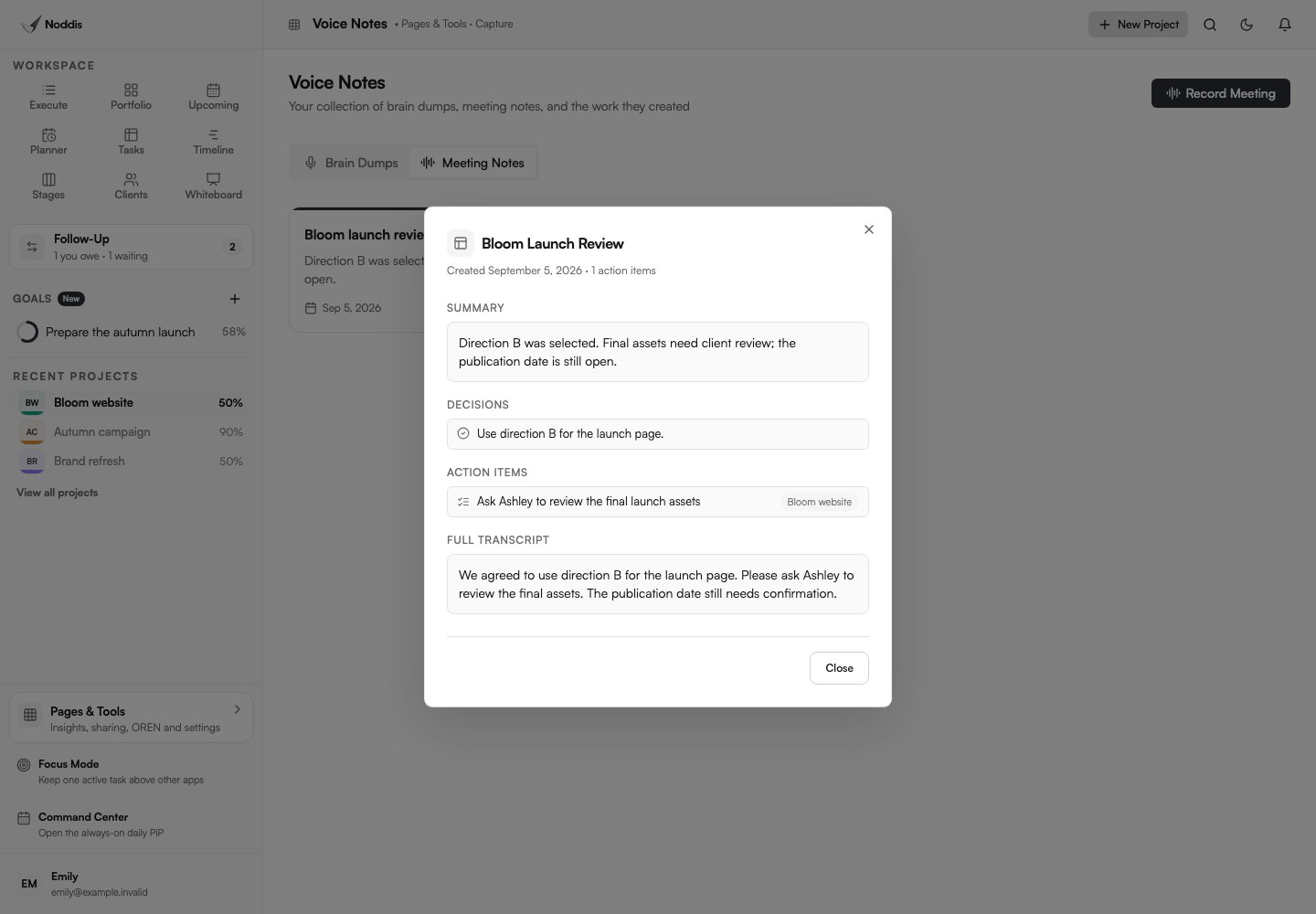
Stop and save notes to process the transcript. A successful save creates a meeting note with the transcript, summary, decisions, action items, and follow-ups returned by the service. Open the saved note in Meeting Notes to inspect them.
The displayed meeting action items are proposals in the note, not proof that project tasks were created. Review them, then create the agreed tasks in the appropriate project. If saving fails, keep the transcript open and retry rather than assuming it was stored.
Brain Dump is a different Voice Notes flow: successful parsing can save routed projects and tasks automatically. Review those saved results immediately. Do not assume it has the same proposal-only behavior as Meeting Notes.
Turn a vague discussion into one useful next action
Discussion: “We probably need better examples on the services page. Maya can check the shortlist, and perhaps we can decide on Thursday.”
Safe action: “Ask Maya to review the case-study shortlist and confirm the decision date.”
Unsafe assumption: “Publish three new case studies by Thursday.” The meeting did not establish that deliverable, approval, or deadline.
Close the loop with a short recap: decisions made, agreed actions, and unresolved questions. The recap gives participants a chance to correct the record before the work begins.
Common questions
Can Noddis record a meeting without joining as a meeting bot?
No. It uses microphone input in a supported browser, not an automatic meeting bot or system-audio capture.
How do I turn meeting action items into project tasks?
The meeting note contains proposed action items. Review them and deliberately create the agreed project work.
Should I review AI meeting summaries before assigning work?
Audio quality, browser speech recognition, ambiguous wording, and AI interpretation can all affect the result. Verify important details against the conversation.

Katleen is the founder of Noddis. She runs client projects through her app studio, 693 Labs, and builds Noddis around the problems that work creates.
Last reviewed . Feature details reflect Noddis at the time of review.