
Short answer
A change request impact calculator estimates how an additional client request may affect production hours, fees, review effort, and delivery dates. It should make assumptions visible rather than produce an unexplained number. Use the result to offer a client clear choices before work is authorized.
Free resource
Download the blank change impact calculator spreadsheet. No account is required. Save a copy before adding your project details.
What should a change request impact calculator measure?
A useful calculator measures three effects: additional effort, additional cost, and calendar impact. Not every request affects all three. A design change might use available hours without moving a deadline; an external approval might move the timeline even if it consumes little team effort.
The Project Management Institute's scope change guidance recommends analyzing changes and their impact before including them in approved work. A transparent calculator is one practical way to have that conversation.
A copyable change request calculator
This worksheet uses fictional numbers for an extra landing page. Replace all rates and estimates with the terms of your own agreement.
| Work component | Estimated hours | Hourly rate | Estimated cost |
|---|---|---|---|
| Content outline and approved copy setup | 2 | $100 | $200 |
| Page layout and implementation | 5 | $100 | $500 |
| Responsive and functional QA | 2 | $100 | $200 |
| Project coordination and handoff | 1 | $100 | $100 |
| Total | 10 | $1,000 |
Formula: Total estimated cost = sum(estimated hours × applicable rate) + separately agreed expenses.
In the example, 10 hours multiplied by $100 equals $1,000. It does not automatically mean the project will be delayed by 10 hours or 1.25 days. Calendar impact depends on availability and task dependencies.
How do you estimate schedule impact correctly?
Place the additional work into the actual project sequence. Ask which tasks must happen first, whether existing capacity is available, whether reviews can run in parallel, and whether the new deliverable affects a committed milestone.
Suppose the extra page needs 10 working hours and is added just before final QA. If there are only four suitable hours available before launch, the team has a six-hour capacity shortfall. But converting that shortfall into a new launch date still requires checking when qualified people are available and whether client review can occur.
Record the calendar effect as a proposed date or range, with assumptions, rather than inventing a precise delay from hours alone.
How do you show three options to the client?
Offer options that respect the client's priorities:
| Option | Cost | Proposed delivery effect | Tradeoff |
|---|---|---|---|
| Add the page now | Additional fee | Replan milestones | Full new scope |
| Swap out an equivalent deliverable | Possible fee change | May preserve timeline | Remove another item |
| Schedule phase two | Quote later | Preserve current launch | Extra page comes later |
The actual terms may differ by contract. Do not promise that a swap is cost-neutral unless the work and pricing really support it. State assumptions openly.
A copyable impact summary
Change request: [Requested outcome]
Original baseline: [Included deliverables and milestone]
Estimated added work: [Hours or range], including [production/QA/review]
Fee impact: [Amount or pricing method]
Schedule impact: [Proposed date change or “no change if assumptions hold”]
Approval needed from: [Named authorized person]
We will schedule the work after you confirm the option you prefer.
This language turns a cost estimate into a decision. It also reduces later disputes about whether the added work was “just a small favor.”
How is an impact calculator different from a change log?
The calculator evaluates a proposed request. A change log records the request's eventual state and decision. Use them together, but do not treat a calculation as authorization. A client may reject an estimate, request an alternative, or defer the work.
The out-of-scope requests guide explains the conversation. A project scope baseline is needed to decide whether the work is actually extra. Without a starting agreement, a precise dollar figure does not fix ambiguity.
How does Noddis connect to this workflow?
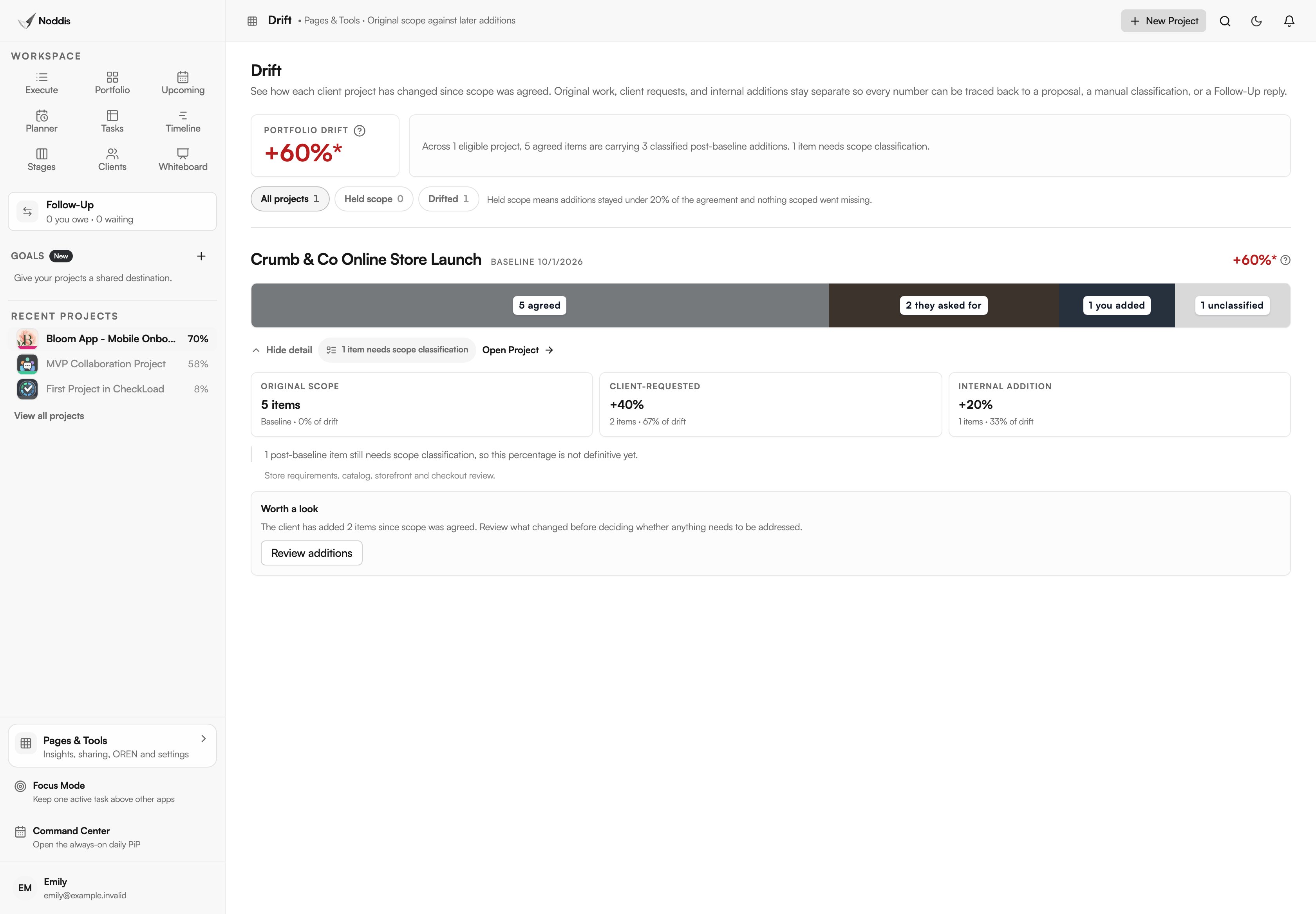
Noddis is a project management app with tasks, project context, and Drift for measuring scope growth against a baseline. Keep the estimate and written client decision linked to the relevant request. The calculator here is a standalone worksheet. Noddis Drift measures scope growth from task and subtask counts; it does not calculate fees, estimated hours, or revised dates. Try the live demo.
Your next step
Use the worksheet before accepting the next extra request. The value is not the spreadsheet itself; it is making the decision clear while there is still time to choose.
Common questions
Should the calculator include taxes or external costs?
Include separately agreed expenses and any applicable charges under the contract. Do not assume a universal tax treatment or billing rule. For material financial or legal questions, rely on qualified professional advice.
What if the change saves time elsewhere?
Model the added and removed work explicitly. A scope swap may reduce effort in one area and add it in another. Keep both lines in the decision record rather than hiding the tradeoff inside a net number.
Can I start the change before the client replies?
That depends on the agreement and your risk tolerance, but the safest default is to wait for authorized approval of material new work. Otherwise, both parties may have different expectations about cost and schedule.

Katleen is the founder of Noddis. She runs client projects through her app studio, 693 Labs, and builds Noddis around the problems that work creates.
Last reviewed . Feature details reflect Noddis at the time of review.