
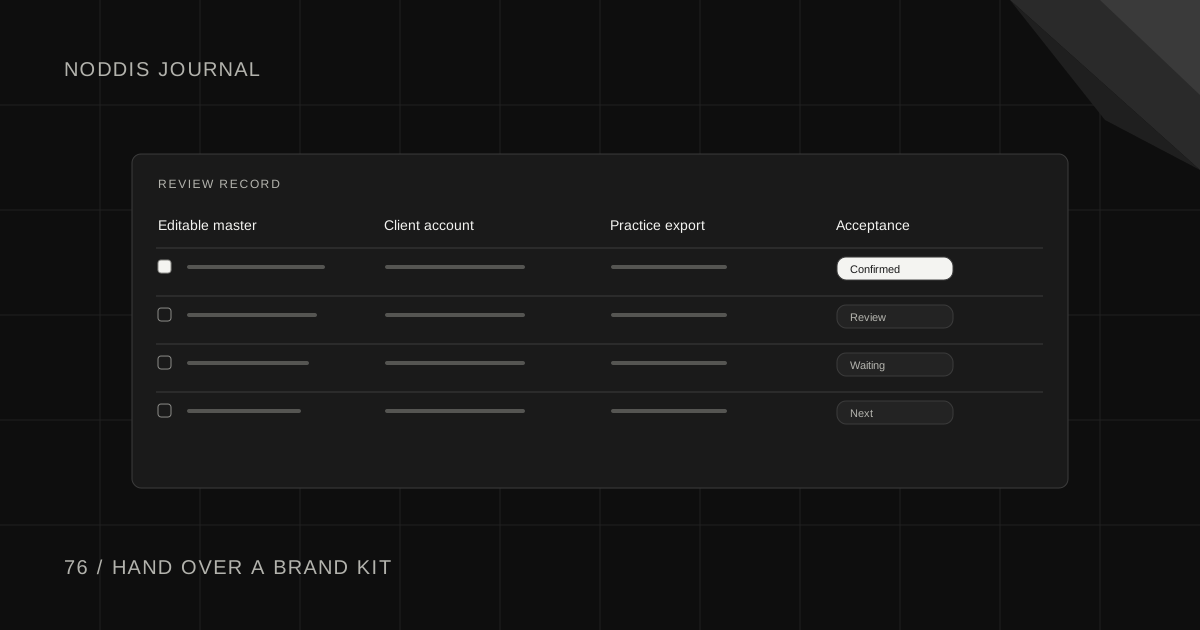
Short answer
A brand kit handoff is complete when the client can use the agreed assets for a real job. Identify who will edit the files, which account they will use and whether training is included. Give the client a small acceptance exercise, such as duplicating a template and exporting a finished graphic.
What should a brand kit handoff let the client do?
A designer delivers the final logo files on Friday. On Monday, the client opens a social template and asks how to change the photograph without moving the type. The files arrived exactly as promised. The client still cannot do the job they hired the designer to enable.
Ask for one real use case during the proposal conversation. A small bakery might need its manager to change a weekly special, export an Instagram image and send a printable sign to the counter. That example tells you which files, access and instructions will matter.
Why does an approved brand kit still generate support requests?
Picture a studio delivering a logo folder and a set of social templates to a restaurant. The owner opens the graphics, likes the work and approves the delivery. On Monday the floor manager needs to change the lunch special. She can see a PDF, has no editor access to the template and cannot tell which logo belongs on a dark background.
Walk through that Monday job with the person who will do it. Ask them to find the right file without your help. The moment they have to ask for your password, a new export or a font name tells you exactly what the handoff still needs.
| Client action | What success looks like |
|---|---|
| Find the current master | They open it from their own account. |
| Create a working copy | They update the sample offer without overwriting the master. |
| Deliver a usable graphic | They export the agreed dimensions and know where to save the file. |
Split delivery into three visible outcomes
Write a file outcome, such as receiving the approved logo formats and color values. Next write a setup outcome, such as opening the correct template in a client-owned workspace. Finally, specify a teaching outcome if it is included, such as the manager making and exporting a sample update.
Put boundaries around any recording or live call. Agree on its length, what the client should bring and how questions after the session will be handled. A client who can repeat one complete task has a better starting point than someone handed a large folder of unrelated tutorials.
Which files belong in the handoff?
Start with the work named in the agreement. For a repeating social graphic, specify the editable master, the client’s working copy, a sample export and a brief instruction for changing the text. For a print mark, identify the agreed production file and where a print vendor should look for it.
Record any font, photography or template dependency the client will need to obtain in their own account. A file opening on the designer’s computer proves very little about whether the client can use it. Let the client test the workflow on the account and device they expect to use.
How do you put a boundary around training?
Offer a concrete session. “We’ll spend thirty minutes making next week’s lunch special. You’ll duplicate the template, change the text, export it and put the master back where the team can find it.” That sets a clearer expectation than ongoing help with design software.
Give the client one place to send remaining questions after the session. Separate a missing promised file from a request for another template or another team training. Both deserve a reply, but only the first belongs on the original handoff checklist unless your agreement says otherwise.
Let the client demonstrate the handoff
In Noddis, put the three outcomes under one handoff task. Add the file link and the person responsible to each relevant note. Keep access invitations in the design tool itself and confirm that the client can open the files from their own account.
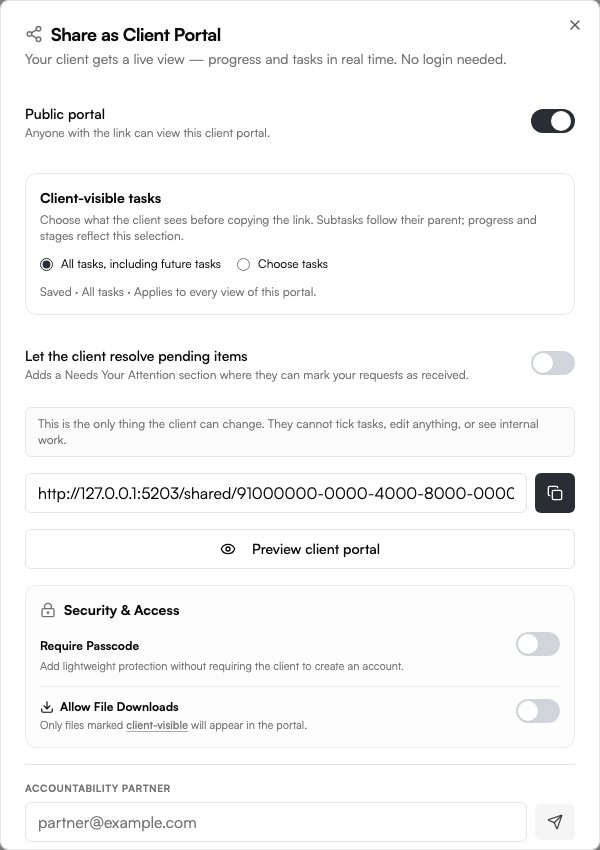
During the handoff, ask the manager to change the special and export it while you watch. Record the remaining question in Follow-Up. Use the client portal’s sharing settings to show the agreed deliverables and progress. The project record now explains what was delivered and what still needs a reply.
For the next step, see Client Deliverable Acceptance Checklist Before Sign-Off and Freelancer Project Closeout Checklist: Finish Cleanly.
Sources and field notes
A public TikTok discussion of a creative agency’s proposal process includes the practical question of setting up a brand kit versus walking the client through it. Read the original source.
Designers discuss what clients actually do with a delivered brand system.
Common questions
Does a shared file prove the client received access?
Ask the client to open the link from their own account and complete one representative action. Record the result beside the handoff task. A client account may open a preview while still lacking edit or download access. Ask the end user to make one change and export the result.
What if training was never included?
Describe the task the client still needs help with and offer a bounded additional session or guide. Agree on scope before scheduling it. Offer a separate, bounded session with a named learner and one everyday task to practice. The original delivery can still close when its agreed checks pass.
Do I have to hand over every working file?
Use the deliverables and usage terms you agreed with the client. Identify the editable files specifically, then confirm they can access and use those files for the agreed purpose. A one-line inventory beside the handoff link makes that distinction easier for both parties to remember.

Katleen is the founder of Noddis. She runs client projects through her app studio, 693 Labs, and builds Noddis around the problems that work creates.
Last reviewed . Feature details reflect Noddis at the time of review.